

Prompt Sloth Write Better AI Prompts
Overview
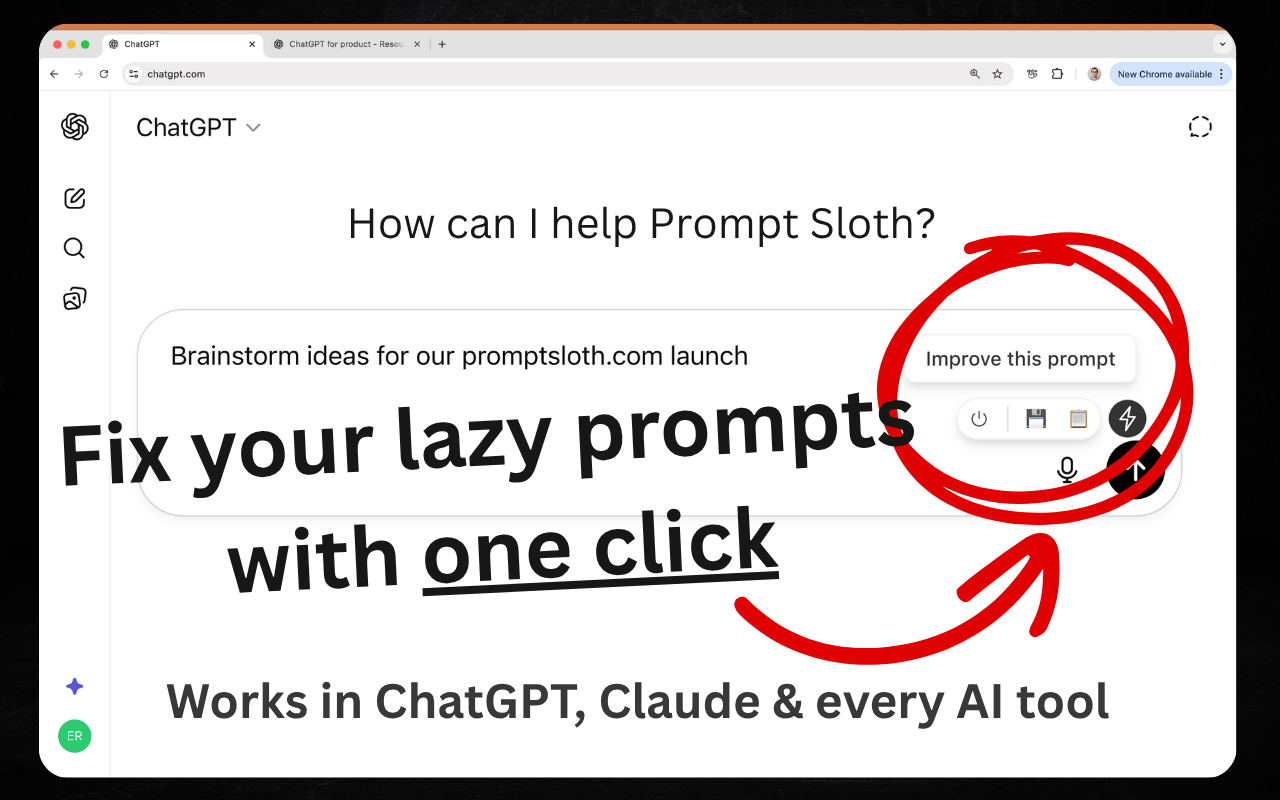
- Instantly transform basic prompts into professional-grade instructions that yield superior AI outputs using smart template expansions
- Create and reuse your own custom prompt templates across any platform with unlimited personal template expansions
- Apply expert context and precision to your prompts with one-click actions that eliminate manual refinement work
- Maintain complete privacy with encrypted templates and no prompt storage—your conversations remain entirely private
- Work seamlessly across ChatGPT, Claude, Gmail and other platforms without switching tools or copying text
Pros & Cons
Pros
- Works with multiple platforms
- Template library included
- Create own templates
- One-click actions
- Cross-platform compatibility
- Affordable options
- Extensive free features
- Unlimited template expansions
- 20 quick actions/month
- Caters to various activities
- Privacy and security
- Prompts not stored
- Templates encrypted and private
- Refines user instructions
- Smart templates, suggestions
- Multi-tool compatibility
- Professional-level instructions
- Helps add expert context
- Specificity in prompts
- One-click prompt improvement
- Customizable prompts
- No data storage
- Template insertion demo
- Google auth integration
- Privacy policy included
- Prompt customization
- Text processing functionality
- Writing assistance feature
- Advanced tool features
- Professional content generation
- User-friendly interface
- Diverse platform integrations
- Fast prompt improvement
- Versatile usage
- Supports ChatGPT, Claude
- Extension for Chrome
- On-demand template use
- Free unlimited expansions
- Refined prompt outputs
- Functional with Gmail
- Wide application range
- Supports blog writing
- Encourages pro-level instruction
- Detailed instruction refinement
Cons
- Chrome exclusive
- No offline mode
- Limited quick actions
- Google authentication only
- Cannot share templates
- No multi-language support
- No advance scheduling
- No cross-browser compatibility
- Paywall for more features
- No version history for templates
Reviews
Rate this tool
Loading reviews...
❓ Frequently Asked Questions
Prompt Sloth is a Chrome extension specifically designed to enhance the quality of AI prompts. Through its streamlined process, it turns lazily crafted prompts into professional-level instructions, leading to superior outputs from the AI tools.
Prompt Sloth improves the quality of AI prompts by introducing precision, context specificity and expanded templates. It facilitates the transformation of poorly constructed prompts into detailed instructions that lead to better responsorial outputs from AI tools.
Prompt Sloth exhibits extensive compatibility with numerous AI tools. Confirmed compatibility extends to AI tools like ChatGPT, Claude and others, implying that it supports multiple AI tools, not solely specific ones.
Prompt Sloth's Template Library includes both pre-created templates and those added by users. The Template Library is an instrumental feature for prompt enhancement, with the options for expanding and using shortcut menus for template selection.
Prompt Sloth's one-click actions feature allows for swift improvement of prompts. Specifics on how it functions aren't provided, but the tool portrays the feature as the fastest way to enhance poorly constructed AI prompts.
Prompt Sloth supports blog writing on AI by facilitating the creation of precise, context-specific prompts for AI tools. It thereby helps formulate better AI-related content which is crucial when composing blog posts on the subject.
Yes, Prompt Sloth demonstrates compatibility with Gmail. Consequently, it can be integrated and utilized within the Gmail platform to enhance email prompts or any other AI prompts within Gmail.
Prompt Sloth is deemed affordable due to the feature-rich free tier it provides. This includes unlimited template expansions and 20 quick actions per month, making it a viable tool for most users.
Prompt Sloth offers a number of free features. These include but are not limited to unlimited expansions of templates, 20 quick action applications per month, and compatibility with all platforms including ChatGPT, Claude, Gmail and more.
Prompt Sloth enhances user input by facilitating the transformation of lazily compiled prompts into comprehensive instructions. This improvement leads to superior outputs from the AI tools to which these improved prompts are fed.
Prompt Sloth can integrate with varied platforms. The list includes but isn't limited to AI tools like ChatGPT, Claude and online platforms like Gmail.
Yes, Prompt Sloth does offer predefined templates. These templates are a part of its Template Library that also allows users to create and add their own templates.
Users can create their own templates in Prompt Sloth through the Template Library. The exact process isn't provided, but it is suggested that it involves the use of a shortcut menu for template expansion and usage.
Prompt Sloth's prompt improvement process involves transforming poorly compiled prompts into comprehensive instructions through the application of context specificity, precision and the use of the Template Library. This process greatly improves the overall output of the AI tools.
Prompt Sloth provides 20 quick actions per month in its free tier. Users seeking more than this allocation would need to select one of the paid options provided.
'Unlimited template expansions' in the context of Prompt Sloth means that a user has no restriction on the number of times they can expand a template. This feature complements the Template Library which stores both pre-defined and user-created templates.
Prompt Sloth adds context and precision to AI prompts through the combination of user input and Template Library. This helps transform poorly composed prompts into comprehensive instructions that consequently yield better responses from AI tools.
Prompt Sloth aids in transforming poorly constructed prompts into professional-level instructions by providing added context, specificity and precision. These enhancements, together with the versatile Template Library and quick action applications, enable the meaningful upgrade of the prompts.
Yes, Prompt Sloth can be used on multiple platforms simultaneously. It is universally compatible and can integrate with numerous AI tools and platforms like ChatGPT, Claude, Gmail and other such entities.
Prompt Sloth is a Chrome extension that is specifically designed to enhance the quality of AI prompts by transforming them from basic user inputs into comprehensive, professional-level instructions. This tool is particularly useful for a range of activities such as blog writing, adding expert context, and precision.
Prompt Sloth works by allowing users to optimize their interaction with AI platforms such as ChatGPT, Claude, and others to yield better output. It transforms basic instructions into refined, professional-level prompts by providing a library of smart templates and suggestions. Users can utilize these resources to tweak their prompts or create their own customized ones for use anywhere. Additionally, Prompt Sloth features one-click actions that quickly enhance prompt quality.
Yes, Prompt Sloth can be used with a variety of AI tools. It is known for its compatibility with tools like ChatGPT, Claude, and many others.
Prompt Sloth is targeted at users who frequently interact with AI tools and platforms, especially those who need to formulate AI prompts, such as blog writers, professionals who need to add expert context to their work, or any user who requires specificity and precision in their AI interactions.
The Template Library in Prompt Sloth is a collection of smart templates and suggestions that can be used by users to refine their AI prompts. It also allows users to create and use their own customized templates anywhere, providing increased flexibility in interactions with AI tools.
Prompt Sloth breaks down the process of enhancing prompts into quick one-click actions. It adopts a user-friendly approach where users can rapidly improve their prompts by selecting from a range of templates and suggestions available in the Template Library or using their own custom templates, simplifying the entire prompt improvement process.
Yes, Prompt Sloth can be used with Gmail, offering compatibility with this platform among others like ChatGPT and Claude. Using Prompt Sloth with Gmail can help in enhancing email interaction and communication.
Yes, Prompt Sloth is available as both a free and paid service, catering to different user requirements. The free version offers unlimited template expansions and 20 quick actions per month, while enhanced features are available for users through paid options.
Prompt Sloth optimizes prompts by transforming basic user inputs into comprehensive instructions that can generate superior outputs from AI tools. It does this through the use of a template library, one-click actions, compatibility with various platforms, and allowing users to create and use their own custom templates.
Yes, Prompt Sloth is an effective tool for blog writing. It streamlines the prompt writing process, adding expert context, specificity, and precision, therefore enhancing the quality of AI interactions necessary for meaningful blog post generation.
In the free version of Prompt Sloth, features include unlimited template expansions, 20 quick actions per month, and compatibility with all platforms. Paid options cater for users who require more advanced features, although specific details of these additional features aren't specified on their website.
Prompt Sloth ensures that all user prompts are not stored. Text processed is not saved - only processed and returned. User-created templates are encrypted and private to the user's account, inaccessible by anyone, even the creators of Prompt Sloth. Authentication is done through Google to prevent fake accounts and API abuse.
No, Prompt Sloth does not store user prompts. Once text is improved, it is processed and the result returned, but nothing is saved, ensuring user privacy.
Prompt Sloth can be downloaded as a Chrome extension. You simply have to visit their website and click on the 'Add to Chrome - It's Free' button to download and install the extension.
Yes, the Template Library in Prompt Sloth not only provides smart templates and suggestions but also allows users to create and use their own customized templates, providing flexibility and personalization in improving AI prompts.
With both ChatGPT and Claude, users can use Prompt Sloth to optimize their interaction with these tools. This involves enhancing their prompts by using the smart templates and suggestions available in the Template Library. This process is simplified to one-click actions, allowing users to achieve superior outputs from their interaction with these AI tools.
The 20 quick actions per month offered by Prompt Sloth refer to prompt improvements that users can perform in a single click. It is a feature available in the free version and is designed to provide a fast and efficient way to improve the quality of prompts for most users.
Yes, in Prompt Sloth, users have the option to type '//' to bring up the shortcut menu and effectively expand shortcuts which can assist in quickly enhancing prompts.
Prompt Sloth is integrated with a variety of products and services including a number of popular AI tools such as ChatGPT, Claude, Gmail, and more, highlighting its versatility and broad applicability.
Prompt Sloth is designed to work on all platforms. It's known for its compatibility with platforms like ChatGPT, Claude, Gmail, and many more, making it a universally useful tool for prompt enhancement.
Pricing
Pricing model
Freemium
Paid options from
$1.99
Billing frequency
One-time
Refund policy
No Refunds


