

Qualcomm AI Hub
Ship on-device AI features without weeks of model tuning: every model arrives pre-optimized and validated by Qualcomm for the Qualcomm AI Engine, ready to deploy.
Listing not yet reviewed by our editors · How we check
Overview
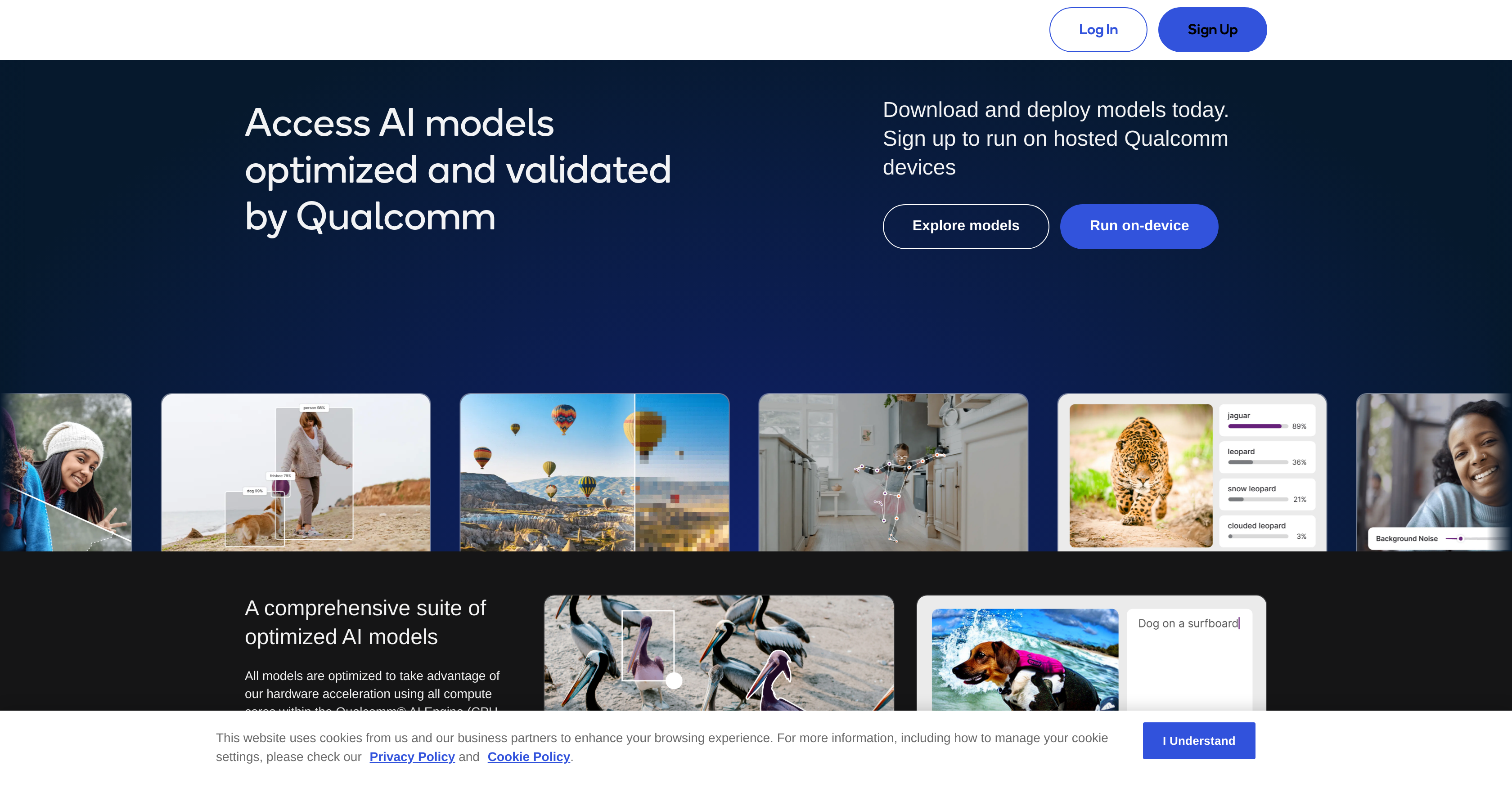
- Ship on-device AI features without weeks of model tuning: every model arrives pre-optimized and validated by Qualcomm for the Qualcomm AI Engine, ready to deploy.
- Get low-latency inference that runs locally instead of in the cloud, using on-device acceleration across CPU, GPU, and NPU.
- Target Android apps on Snapdragon phones, Samsung and Xiaomi devices, and Qualcomm Robotics RB5 from one source, with deployment through TensorFlow Lite or Qualcomm AI Engine Direct across multiple Snapdragon generations.
- Add live camera intelligence to mobile and edge products with real-time object detection from Yolo-v7, face and facial-feature tracking from MediaPipe-Face-Detection, and body pose tracking from MediaPipe-Pose-Estimation.
- Deliver clearer calls and recordings on the device itself using real-time speech denoising from the Facebook-Denoiser model, which is optimized for mobile and edge deployment.
- Offer multilingual voice transcription and translation in your app with the Whisper-Base automatic speech recognition (ASR) model.
- Turn printed and handwritten text into usable data with TrOCR, a transformer-based optical character recognition (OCR) model.
- Generate detailed images from text prompts, isolate any object with prompt-based segmentation masks, and restore photos through upscaling, noise reduction, and high-resolution in-painting using Stable-Diffusion, Segment-Anything-Model, and ESRGAN.
- Sort and search images without labeled training data through zero-shot image classification and image-text similarity matching with the OpenAI-Clip multimodal model.
- Add bilingual Chinese and English text generation to your product with the Baichuan-7B large language model.
Pros & Cons
From the listing; not yet checked by our editors.
Pros
- Supports CPU, GPU, NPU
- Wide range of applications
- Compatible with many devices
- Supports Snapdragon mobile platforms
- Supports Samsung, Xiaomi devices
- Deployment on Android devices
- Utilizes TensorFlow Lite
- High-quality segmentation masks
- Optical character recognition
- Face detection functionality
- Works with text prompts
- Automatic speech recognition
- Image noise reduction support
- Real-time object detection
- High-resolution image in-painting
- Human body pose estimation
- Optimized for mobile, edge
- Speech denoising capability
- Segment-Anything-Model availability
- Stable-Diffusion for image generation
- Access to Whisper-Base model
- Accessibility of TrOCR model
- Large Language Models Access
- Ready-to-deploy models
- Associated community support
- Demo provision
- Optimized hardware acceleration
- Variety of Snapdragon platforms supported
- Wide range of supported devices
- Segment-Anything-Model for mask generation
- State-of-art Stable-Diffusion model
- Multilingual Whisper-Base model
- Transformer based TrOCR model
- Real-Time MediaPipe Face Detection
- Real-time object detection with Yolo-v7
- Baichuan-7B for language tasks
- State-of-art performance on language benchmarks
- Hosted Qualcomm devices available
- Easily deployable models
- Direct SDK available
- Specialized for on-device solutions
- Handwritten text recognition
- Real-time facial feature location
Cons
- Limited platform support
- Restricted to Qualcomm devices
- Only uses TensorFlow Lite
- No iOS deployment
- Potential compatibility issues
- Platform-specific optimizations
- Limited device support
- Dependent on Snapdragon platforms
Alternatives to Qualcomm AI Hub
Tools that share the most tags with Qualcomm AI Hub.
- Vertex AI
Launch production-ready AI models faster using pre-built models for classification, regression, and recommendation tasks
Free trial
Not listed
Not yet checked
- Dataloop AI
Accelerate AI model deployment with automated pipelines that run models directly in production
Not listed
Not listed
Not yet checked
- Color.ag
Receive the most accurate answer for any question type through intelligent routing to domain-specific AI models
Freemium · from $15/month
$15/month
Not yet checked
- LLMWise
Instantly compare outputs from GPT-5.2, Claude, Gemini, and other top models side-by-side with a single API call, identifying the best performer for your specific task.
Free trial · from $10/unit
$10/unit
Not yet checked
- Ollama
Run powerful AI models like LLAMA 2 directly on your Mac without relying on cloud services or complex setup, using Ollama's streamlined local installation.
Freemium · from $20/month
$20/month
Not yet checked
- Z.ai
Accelerate app development with intelligent conversation that adapts to your technical requirements
Free
Not listed
Not yet checked
Reviews
Rate this tool
Loading reviews...
Frequently asked questions
What is the Qualcomm AI Hub?
Qualcomm AI Hub is a comprehensive platform that provides access to fully optimized and ready-to-deploy AI models. These models are validated and optimized by Qualcomm and take advantage of Qualcomm's AI Engine.
What are the key features of Qualcomm AI Hub?
The key features of Qualcomm AI Hub include access to fully optimized and ready-to-deploy AI models, support for on-device deployment, compatibility with diverse platforms and devices, and specific optimization for the Qualcomm AI Engine which supports CPU, GPU, and NPU acceleration. Each AI model in the hub serves a unique purpose ranging from image processing, object detection, speech denoising, to human body pose estimation.
How does Qualcomm AI Hub AI Engine support CPU, GPU, and NPU acceleration?
The Qualcomm AI Hub's AI Engine optimizes AI models to fully leverage the acceleration capabilities of a CPU, GPU, or NPU. This ensures the model's high performance and efficient execution, especially on Qualcomm-enhanced platforms and devices.
What kind of AI models does Qualcomm AI Hub offer?
Qualcomm AI Hub offers a wide variety of AI models for diverse applications. These include models such as Segment-Anything-Model, Stable-Diffusion, Whisper-Base, TrOCR, MediaPipe-Face-Detection, and more. They can be utilized for tasks like high-resolution image in-painting, real-time object detection, speech denoising, human body pose estimation, face detection, and many others.
How can we use Qualcomm AI Hub AI models on-device?
Qualcomm AI Hub's AI models can be deployed directly on-device, by making use of either TensorFlow Lite or Qualcomm AI Engine Direct. This allows the AI models to run efficiently on the device's local CPU, GPU, or NPU, thereby ensuring swift functionality and low latency.
What platforms and devices are compatible with Qualcomm AI Hub AI models?
Qualcomm AI Hub's AI models are compatible with a wide range of platforms and devices. These include various models of the Snapdragon mobile platform, numerous Samsung and Xiaomi devices, and many more. It also supports deployment on multiple generations of Snapdragon, as well as Qualcomm Robotics RB5.
Does Qualcomm AI Hub support Android device deployment?
Yes, Qualcomm AI Hub does support Android device deployment. The AI models can be easily deployed on Android devices to run on CPU, GPU, or NPU using TensorFlow Lite or Qualcomm AI Engine Direct.
What is the functionality of the Segment-Anything-Model on Qualcomm AI Hub?
The Segment-Anything-Model on Qualcomm AI Hub is designed for generating high-quality segmentation masks around any object in an image with simple input prompts.