Overview
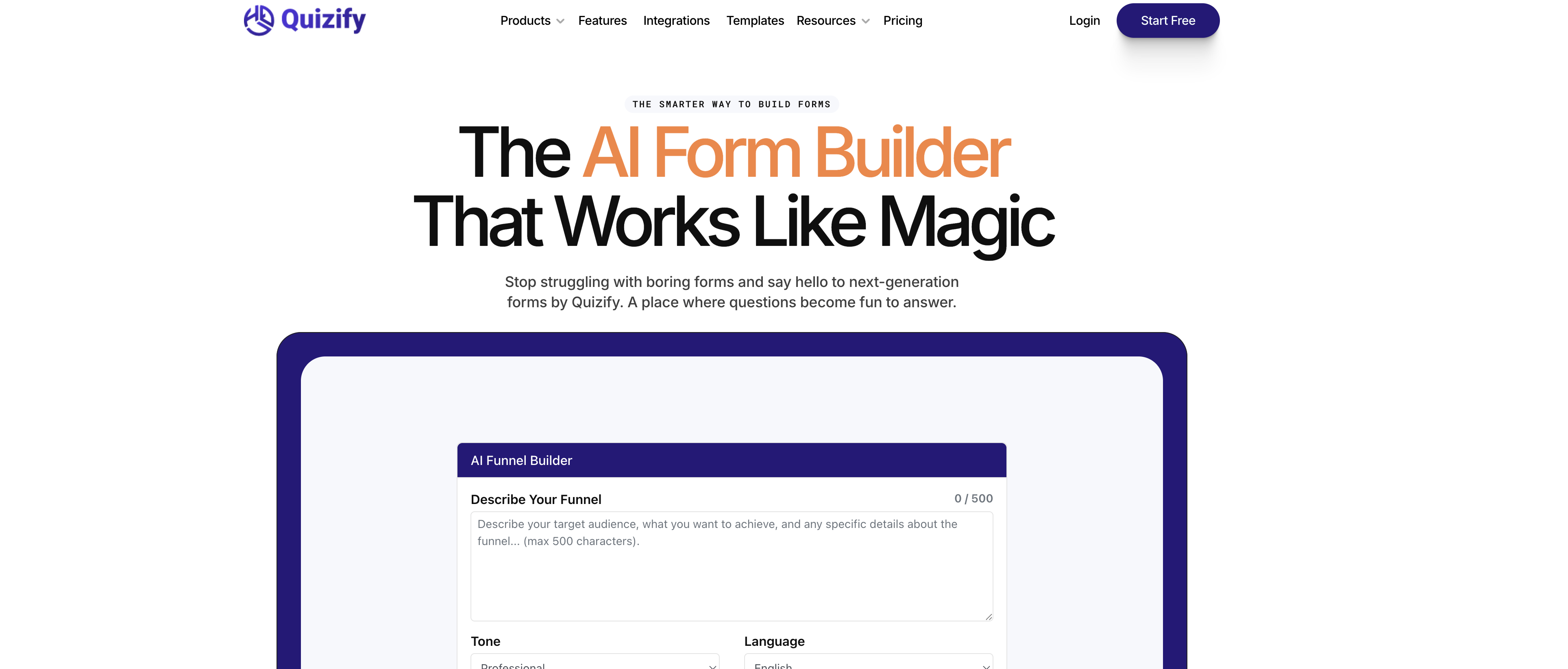
- Collect higher-quality data with personalized, dynamic forms that show or hide questions based on user responses using the AI-powered logic jump feature.
- Make faster, informed business decisions by analyzing customer feedback, survey results, and lead details with real-time response tracking and instant insights.
- Maintain brand consistency across every touchpoint by fully customizing form designs with your logos, colors, and fonts to match your audience's preferences.
- Eliminate manual data entry and workflow gaps by seamlessly integrating your forms with tools like Google Analytics, email marketing services, and Calendly without writing any code.
- Never miss a submission and act on responses immediately by receiving real-time form updates and file uploads sent directly to your email for prompt follow-up.
- Reach respondents on any device without compromising experience, as all forms are automatically mobile-responsive and provide a smooth interface on laptops, phones, and tablets.
Pros & Cons
Pros
- User-friendly tool
- Customizable forms
- Real time response analysis
- Logic Jump feature
- Cross-industry application
- No-coding required
- Collects diverse data
- Interactive form design
- Boosts lead generation
- Versatile data collection
- Transforms complex processes
- Seamless tool integration
- Dynamic form experiences
- Enables smarter decision-making
- Design freedom facility
- Real-time email updates
- Effortless file sharing
- Forms adapt to screens
- Forms can be gamified
- Seamless third-party integration
- Can hide questions
- Customizable color and logos
- Forms boost business growth
- Improves data collection
- User engagement improvement
- Smooth user experience
- Data is centralized
- Does not require code
- Forms are mobile-friendly
- Fun form-filling experience
- Automates form logic
- Flexible form designs
- Syncs with favorite tools
- Aids in decision making
- Makes forms stand out
- Enhances work efficiency
- Leads to better accuracy
- Helps track progress
- Quick form construction
- Can share any files
- Wide range applications
- Personalizes user experience
- Organizes data efficiently
- Ensures secure sharing
- Instant alerts on updates
- Makes collaboration smooth
- Automates certain tasks
- Capable of detailed information
- Keeps forms trendy
- Fast communication
Cons
- Limited integrations
- Data privacy not specified
- Lack of advanced analytics
- May not support complex form design
- Lack of automation workflows
- No offline data collection
- Limited customization of notification alerts
- No indicated multi-language support
- Unclear file size limits
- No A/B testing features
Reviews
Rate this tool
Loading reviews...
❓ Frequently Asked Questions
Quizify AI Form Builder uses artificial intelligence to create engaging and smart forms. A distinct feature of this is its ability to automate form logic, considerably enhancing data collection processes. The AI capabilities also allow for interactive elements to be integrated into the forms, making data collection not just efficient but dynamic and engaging.
Logic Jump in Quizify AI Form Builder is a feature that creates dynamic experiences by showing or hiding questions based on users' responses. This enhances engagement by making the process of form-filling more interactive and personalized.
Quizify AI Form Builder is capable of gathering a wide variety of data types, ranging from customer feedback and lead details to surveys and marketer insights, thus making it an all-inclusive data collection solution.
Yes, customization is a key aspect of Quizify AI Form Builder. Users can tailor their forms to ensure a unique and personalized user experience. This includes selecting any color, adding logos, and choosing fonts that reflect your style and audience preferences.
Quizify AI Form Builder assists in more informed decision-making by allowing users to analyze responses in real time. This feature not only helps track and understand form responses quickly, but also facilitates immediate response from the businesses, contributing to rapid, smart decision-making.
Yes, Quizify AI Form Builder has applications across a wide array of industries. The AI form generator aids in building forms that are industry agnostic which means irrespective of the industry you work in, you can use Quizify to build forms.
Real-time analysis in Quizify AI Form Builder works by offering immediate insights into form responses. As data is collected, the analysis is updated instantly, providing users with up-to-the-minute insights for prompt and accurate decision-making.
The benefit of using smart interactive forms with Quizify AI Form Builder is that it turns a routine process into a unique, engaging experience. The use of AI-powered logic jump to pose relevant questions based on prior responses adds an interactive element to these smart forms, enhancing user engagement and data accuracy.
Yes, Quizify AI Form Builder can create dynamic form-filling experiences. With its logic jump feature, it can show or hide questions based on user responses, making the form-filling process interactive and tailored to each individual respondent.
Quizify AI Form Builder can drive business growth by enhancing data collection and improving the decision-making process. The real-time analysis of form responses allows businesses to make timely and informed decisions, potentially boosting effectiveness and profitability.
Yes, Quizify AI Form Builder offers a 'Start for Free' option for users as indicated on their website which implies that it potentially offers a free trial. Though, complete details regarding the full cost structure of their services is not indicated clearly on their website.
Quizify AI Form Builder enables users to build a variety of forms, including but not limited to customer feedback forms, lead generation forms, and survey forms. The platform's flexibility in design and AI capabilities make it suitable for creating forms tailored to a diverse range of informational needs.
Quizify AI Form Builder does send real-time form updates. The platform promotes smooth, fast, and smart communication by providing updates directly to your email.
Yes, Quizify AI Form Builder sends real-time form updates straight to your email. This ensures that users stay updated on their form responses and never miss an important submission.
Quizify AI Form Builder can be integrated seamlessly with your favorite tools. According to their website, it syncs in effortlessly with multiple platforms such as Google Analytics, email marketing services, and Calendly among others.
Yes, Quizify AI Form Builder allows for extensive customization of form designs. Users have full control to tailor the look and feel of their forms to match their brand identity and research needs. Users can select any color, add logos, and decide the font to reflect their style and audience preferences.
Quizify AI Form Builder does facilitate file sharing needs. It makes the sharing process super easy, whether it’s an image, document, or other essential files. Users can upload and share anything with just one click.
Yes, Quizify AI Form Builder offers mobile-responsive forms. The forms are designed with flexibility to fit a laptop, mobile phone, or tablet, allowing users to enjoy a smooth, responsive experience on any screen.
Quizify AI Form Builder makes file sharing secure. It is mentioned on their website that the online form builder makes the sharing process not just effortless but secure, indicating they take precautions to protect shared data.
Yes, forms made with Quizify AI Form Builder work seamlessly across different devices, whether it is a laptop, mobile phone, or tablet. This flexibility in design allows audiences to have a smooth and responsive experience on any screen.
Pricing
Pricing model
Free Trial
Paid options from
$7/month
Billing frequency
Monthly
Related Videos
How to Create a Multi-Language Quiz, Forrm or Survey | Easy Tutorial | Quizify.io
Quizify - Quiz, Form and Survey Builder•203 views•Feb 5, 2025