
ReadingScan
Overview
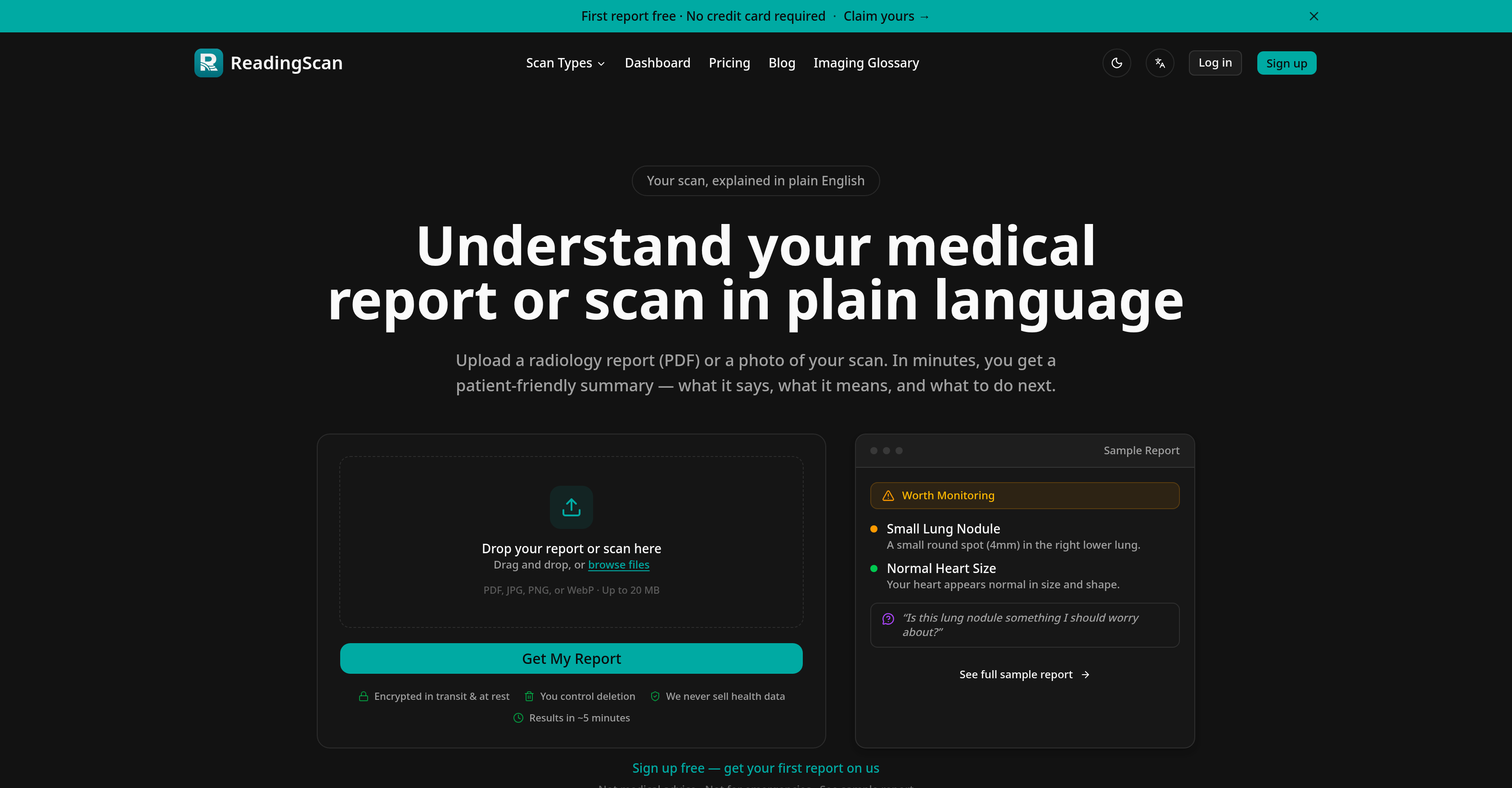
- Instantly understand your radiology report in plain English, not complex medical jargon, by uploading a PDF or image of your scan.
- Know which findings need immediate attention with color-coded urgency guidance that sorts results by importance.
- Walk into your next appointment fully prepared with a personalized list of questions to ask your doctor.
- Receive a structured breakdown of what your report found, what it means, and what steps to take next, tailored to US, UK, or EU healthcare systems.
- Keep your medical data completely private with encryption during upload and storage, plus full control to delete your information anytime.
- Get your patient-friendly summary in about five minutes, available 24/7 so you don't have to wait for an appointment to get clarity.
Pros & Cons
Pros
- Interprets radiology reports
- Medical scan image interpretation
- Transforms medical language
- Provides patient-friendly summary
- Sorts findings by importance
- Urgency guidance with color-coding
- Breaks down medical terms
- Provides region-specific next steps
- User data privacy enforced
- Supports multiple file types
- 24/7 availability
- Supports multiple languages
- Produces plain English translations
- Generates personalized questions
- User controls data deletion
- Fast response time
- Supports PDF, JPG, PNG, WebP
- Detailed report breakdown
- Not a replacement for professional consultation
- Offered for US, UK, EU users
- Prioritizes key findings
- Guides for upcoming consultations
- Suggests possible implications
Cons
- Lacks professional medical validation
- Doesn't support DICOM files
- No FDA clearance or CE-mark
- Doesn't offer emergency support
- Delayed results (~5 minutes)
- Limited language support
- Data deletion user-controlled only
- Pricing per report
- Restricts report data size
- Unsuitable for immediate consultations
Reviews
Rate this tool
Loading reviews...
❓ Frequently Asked Questions
ReadingScan is a tool that interprets individuals' radiology reports or medical scan images into an easily understood, patient-friendly summary. It simplifies complex medical language and provides a summary of the key points found in the report. The summary provided by ReadingScan explains the implications of those findings and suggests potential questions the individual can ask in their next medical consultation.
ReadingScan works in three simple steps. First, the user uploads their report or scan image. ReadingScan's artificial intelligence then analyzes the report or image and creates a clear and structured summary. Within a few minutes, the user then receives the plain-English summary, which includes key findings, urgency guidance, and questions for their physician.
ReadingScan supports multiple file types, including PDF, JPG, PNG, and WebP.
ReadingScan takes approximately five minutes to process scan reports.
ReadingScan offers multi-language support, making it available for use in various languages. The exact number and names of these languages are not specified.
ReadingScan guarantees data privacy by encrypting user data both during transmission (in transit) and when it's stored (at rest). Furthermore, ReadingScan gives the control over data deletion to the users themselves.
Yes, ReadingScan does provide guidance for medical consultations. It identifies the key findings in your report and elaborates on their implications. Based on this, ReadingScan then suggests potential questions that you could bring up in your next doctor's visit.
No, ReadingScan should not be used as a replacement for professional medical consultation. ReadingScan primarily serves as a tool to help individuals understand their radiology reports and medical scans in preparation for appointments with their healthcare professionals.
From ReadingScan, users can expect a patient-friendly summary that not only reiterates the report's key findings but also explains their implications. It further provides urgency guidance, which is color-coded for clarity, and it suggests possible questions to ask in a future medical consultation.
ReadingScan uses artificial intelligence to interpret your radiology report. Once you upload the report, the AI processes it within a few minutes and generates a summary that reiterates the key findings. It elaborates on these findings and suggests potential questions to ask your doctor in the next visit.
Yes, ReadingScan ranks the findings in the summary, sorting them according to their importance to give them a structure that's easily understood by the user.
The 'urgency guidance' provided by ReadingScan refers to the tool's feature of identifying and indicating the level of urgency for each medical finding within the user's radiology report. This guidance is color-coded to offer users a clear picture of what issues might require immediate attention.
Yes, ReadingScan breaks down complex medical terminologies into simpler language to facilitate easier understanding for individuals.
Yes, ReadingScan provides region-specific next steps depending on the healthcare systems of the United States, United Kingdom, or European Union.
No, ReadingScan explicitly states that it will never sell user's health data, thus underscoring its commitment to user data privacy.
Yes, ReadingScan is available 24/7, making it accessible for users from around the world, regardless of their time zones.
'Encryption in transit and at rest' in ReadingScan means that the user's data is encrypted both while it is being transmitted to ReadingScan's servers (in transit) and when it is stored there (at rest). This double encryption ensures optimal data security and privacy.
Yes, ReadingScan gives users complete control over their data deletion, meaning users can choose to remove their data from ReadingScan's servers whenever they wish.
While specifics are not stated, multi-language support in ReadingScan suggests that users can utilize the tool in multiple languages. The tool presumably detects the user's language preference and adapts its interfaces, summaries, and guides accordingly.
ReadingScan supports the processing and interpretation of various types of medical scans. Exact details about the types of scans are not specified, though the references to radiology reports suggest it covers scans such as MRI, CT, and X-ray images.
Users can upload various types of scans to ReadingScan. This includes not only radiology reports but also images of medical scans such as X-rays, CT scans, or MRIs. Supported file formats include PDF, JPG, PNG, and WebP.
No, ReadingScan is not a replacement for professional medical consultation. It is a tool designed to help individuals interpret their radiology reports and medical scans. ReadingScan does not offer medical advice but provides a patient-friendly summary of what the radiology report says and suggests possible questions for the patient's next medical consultation.
Indeed, ReadingScan can help prepare you for your next doctor's appointment. By translating your radiology report into a plain, patient-friendly summary, it provides you with key findings and their implications. Additionally, ReadingScan suggests potential questions that you might want to ask during your upcoming medical consultation. The idea is to turn the uncertainty into a focused plan for your next appointment.
ReadingScan uses encryption both in transit and at rest to secure your data. However, specific encryption standards or protocols used are not detailed on their website.
ReadingScan places control over data deletion in the hands of the users. Specifics regarding the process for controlling data deletion are not mentioned on their website.
ReadingScan analyzes your reports in approximately 5 minutes. Once the report or image is uploaded, the tool's artificial intelligence processes the file swiftly to provide the patient-friendly summary.
You can upload multiple file formats on ReadingScan. It supports PDFs and images in JPG, PNG, and WebP formats. The file size should not exceed 20 MB.
ReadingScan is indeed available in multiple languages. However, the exact languages supported are not specified on their website.
ReadingScan sorts findings by their importance, but the exact criteria or algorithm used for such sorting is not detailed on their website.
'Urgency Guidance' on ReadingScan refers to a feature where it color-codes the summary findings to convey the urgency of the situation. For example, it could potentially highlight findings that need prompt attention in a distinct color.
ReadingScan is not intended for use in cases of medical emergencies. It's a tool designed to turn medical reports into comprehensible summaries and aid in patient-doctor discussions but is not a replacement for immediate professional medical attention.
ReadingScan breaks down complex medical terminology by translating it into plain English. It's designed to turn the clinicians' language into patient-friendly language, making medical reports easier to understand.
Yes, ReadingScan does provide region-specific advice. It offers guidance tailored to the healthcare systems of the US, UK, and EU included in the delivered reports. However, the specific kind of region-specific advice provided is not detailed on their website.
Pricing for ReadingScan varies according to the plan chosen. Basic plan costs $9 with 10 credits equivalent to 1 scan report. The Popular Standard plan is $19 with 40 credits allowing for 4 scan reports. The premium package is priced at $29 for 80 credits (8 scan reports). There is also an Enterprise plan for $99 which provides 500 credits, allowing for analysis of 50 scan reports.
Yes, ReadingScan is available round the clock. You can upload your medical reports or images anytime and receive a summary in mere minutes.
ReadingScan respects user data privacy and does not sell health data to other companies.
The information regarding FDA-clearance or CE-marking for ReadingScan is not available from their website.
The 20MB limit for file uploads on ReadingScan could be due operational considerations such as maintaining fast processing times or managing server storage capacities, though explicit reasoning is not given on their website.
Pricing
Pricing model
Free Trial
Paid options from
$4.50
Billing frequency
One-time
Refund policy
No Refunds