

ReRender AI
Present client-ready visuals without a render farm or hours of setup: upload a picture of your project and ReRender AI generates a photorealistic architectural render in a short span.
Listing not yet reviewed by our editors · How we check
Overview
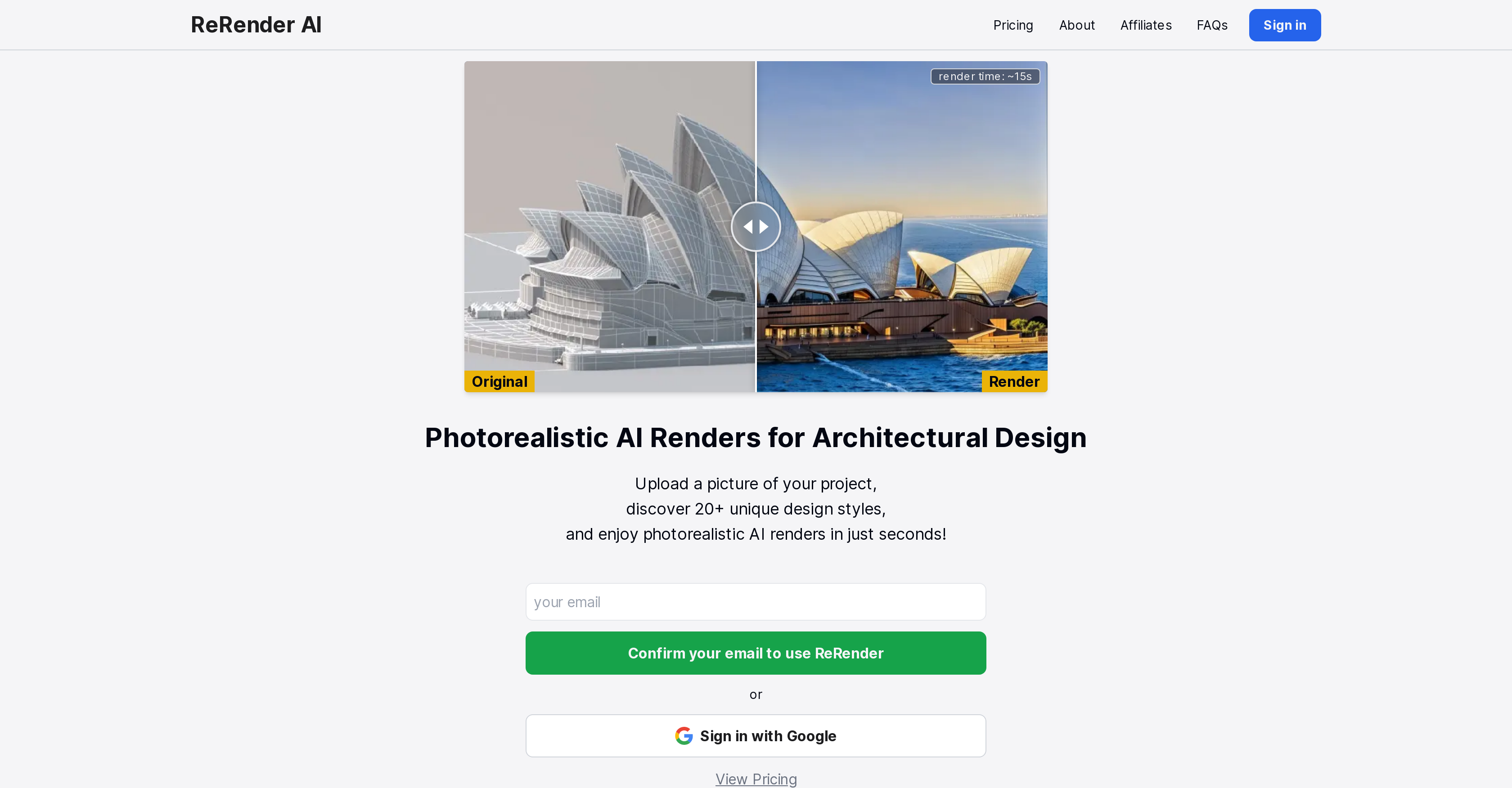
- Present client-ready visuals without a render farm or hours of setup: upload a picture of your project and ReRender AI generates a photorealistic architectural render in a short span.
- Keep your existing modeling workflow intact: upload outputs from AutoCAD, Blender, or SketchUp and get a polished final render without rebuilding the scene.
- Show clients several design directions from one model: switch between multiple architectural design styles and themes to compare looks before committing.
- Match the render to the project type: choose from building types including single-family homes, apartments, offices, and shopping malls for both residential and commercial architecture visualization.
- Sell the mood and the finish, not just the form: set environmental settings and swap materials to control lighting context, surroundings, and surface textures.
- Furnish empty interiors without a photo shoot or 3D props: virtual staging adds furniture and decor to rooms for interior design presentations and listings.
- Protect the integrity of your design: preserve detail mode keeps your original geometry and key elements accurate while the AI enhances realism.
- Build rendering into your own pipeline or product: API access lets studios and developers automate AI architectural rendering at scale.
- Collaborate with international teams and clients: multi-language support makes the AI render tool usable across markets.
Pros & Cons
From the listing; not yet checked by our editors.
Pros
- Supports multiple design software
- Over 50 design styles
- High-quality, photorealistic images
- Multiple building types supported
- Quick image processing
- Offers design inspiration
- User-friendly interface
- Efficient visualization tool
- Virtual staging feature
- Detail preservation mode
- Multiple language support
- Wide range of environmental settings
- Customizable themes and materials
- Showcases before-and-after renderings
- Single image upload
- Fast render generation
- Multiple renders in short time
- Design environment customization
- Supports numerous building types
- Diversity of architectural styles
- Suitable for various expertise levels
- Support for architects and 3D artists
- Streamlines presentation enhancement
- Inspires new creative directions
- Facilitates global usability
- Quick sign up process
- Showcases tool's capabilities
- Neogothic and Adobe rendering
- Intricate Tudor and Baroque styles
- Earthy Vernacular and Graceful Moorish
- Supports playful Post-modern style
- Roman Imperial and Mesoamerican styles
- Ancient Egyptian and Greek Classical
- Adobe and Pueblo styles
- Response in multiple languages
- Offers support for affiliates
- Provides 20+ unique design styles
- Render time is approx 15s
- Displays community images
- Supports motels, hotels and hostels
- Supports train stations and factories
- Supports ancient Chinese and Indian styles
- Supports Islamic Ottoman and Islamic Persian
- Extensive style range including Eclectic
- Incorporates global themes with eco-futurism
- Industrial Chic and Repurposed Factory rendering
- Islamic Seljuk and Adobe Pueblo styles
- Scandinavian Log Cabin and Ancient Egyptian
- Insightful blog posts and user reviews
Cons
- No explicit API documentation
- Time constraints on renderings
- Limited compatibility (AutoCAD, Blender, Sketchup)
- Requires email confirmation
- Interface may be complex
- Limited design style options
- Not specified if multi-user
- No clear pricing structure
- Limited example renders
- Dependent on picture quality
Alternatives to ReRender AI
Tools that share the most tags with ReRender AI.
- Redraw
Generate photorealistic renders from simple sketches in seconds using the render-from-strokes feature
Paid · from $12.50/month
$12.50/month
Not yet checked
- Rendair
Eliminate quote calls and forms by getting instant pricing automatically generated from your uploaded floor plans
Paid · from $15/month
$15/month
Not yet checked
- ARCHITEChTURES
Reduce early-stage residential design time from months to mere hours with real-time generative AI that adapts to your geometry and design criteria
Freemium · from $43/month
$43/month
Not yet checked
- Augmenta
Complete building designs in hours instead of weeks through fully automated generative AI that produces code-compliant, constructible plans
Not listed
Not listed
Not yet checked
- Eler
Get client-ready photorealistic images in seconds instead of hours, using AI to instantly process your 3D SketchUp or GLB files
Freemium · from $8/unit
$8/unit
Not yet checked
- Maquete AI
Deliver client-ready, DSLR-quality interior renders in under 30 seconds by uploading your SketchUp or ArchiCAD prints and selecting a lighting preset
Free trial · from $8/month
$8/month
Not yet checked
Reviews
Rate this tool
Loading reviews...