

Retypit
Fix typos, prices, and dates on finished posters, flyers, menus, and screenshots without the original PSD or layered file: Retypit detects and numbers every line of text so you select it, retype it, and get the new wording rendered in the same font.
Listing not yet reviewed by our editors · How we check
Overview
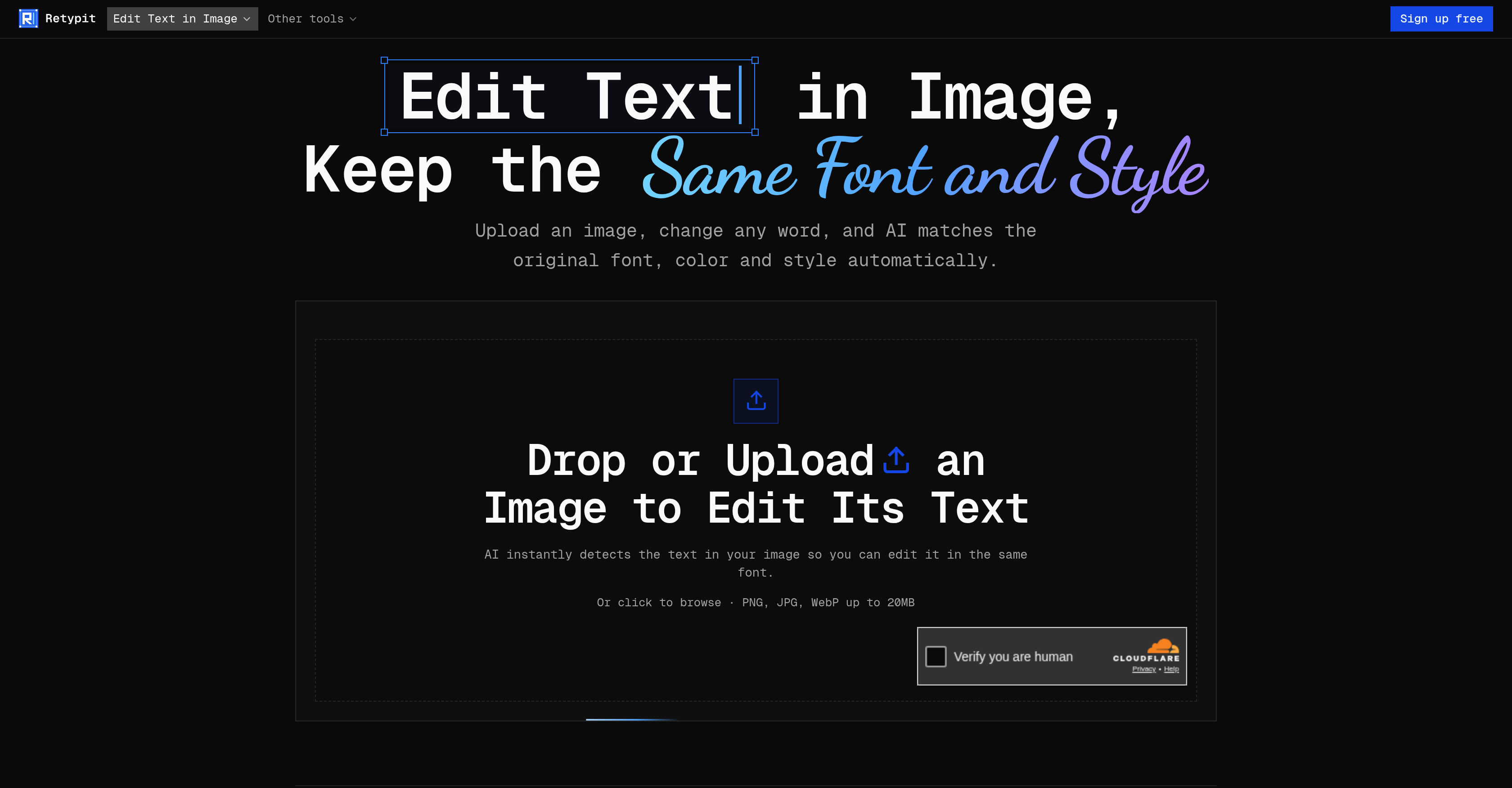
- Fix typos, prices, and dates on finished posters, flyers, menus, and screenshots without the original PSD or layered file: Retypit detects and numbers every line of text so you select it, retype it, and get the new wording rendered in the same font.
- Keep ornate scripts and decorative lettering looking authentic: the font-matching engine reproduces the original glyph shape, exact color, surface texture, shadows, and gradient fills on every replacement word.
- Preserve everything around the text: faces, backgrounds, props, and layout stay in place, spacing adjusts for longer replacements, and the output keeps the original pixel dimensions and resolution.
- Update a full menu or price list in one pass: select and edit multiple text lines together, then process them all in a single run.
- Erase watermarks, captions, and unwanted words cleanly: Remove Text from Image deletes the selected lines and fills the background so the photo looks untouched.
- Clean up group photos and travel shots: People Remover lets you mark who goes in Remove mode or who stays in Keep mode, then rebuilds the cleared pixels.
- Change, remove, or replace specific objects without writing long prompts: the AI Image Editor takes short notes pinned to the exact spots you mark and applies several edits in one run.
- Correct AI-generated image typos, product labels, and memes from any device, including your phone: everything runs in the browser with no install, accepting PNG, JPG, and WebP up to 20MB and preserving transparent PNG backgrounds.
- Pay only for the edits you make: start with free trial credits, then use pay-as-you-go runs from $5.99 with no subscription.
Pros & Cons
From the listing; not yet checked by our editors.
Pros
- Automatic line detection via OCR
- Texture-aware text rendering
- Precise color matching algorithm
- Supports ornate scripts
- Preserves original shadows
- In-place pixel editing
- No PSD required
- Browser-only, no installation
- Draganddrop upload interface
- WebP image support
- PNG/JPG/WebP compatibility
- Handles files up to 20MB
- Realtime preview updates
- Nondestructive editing workflow
- Retains background details
- Keeps faces and props intact
- Linelevel editing only
- Cloud processing, no local CPU
- Multilanguage OCR capability
- Font style synthesis engine
- Gradient fill reconstruction
- Decorative lettering handling
- Edits screenshots UI elements
- Threestep quick workflow
- No software license needed
- No plugin dependencies
- Automatic line spacing preservation
- Maintains kerning consistency
- Supports transparent backgrounds
- Outputs same image dimensions
- No pixel distortion after edit
- No edge smearing artifacts
- Accurate texture replication
- Low latency processing
- Supports highDPI images
- Works on any OS/browser
- Minimal learning curve
- Handles variable text length
- Automatic line break handling
Cons
- 20MB upload limit
- Only PNG/JPG/WebP supported
- No batch editing feature
- Cannot edit curved text
- Limited OCR language support
- Privacy risk: cloud processing
- Single-step undo only
- Low-res images degrade quality
- No vector export option
- Requires internet connection
Alternatives to Retypit
Tools that share the most tags with Retypit.
- EditImageText
Correct typos, prices, and headlines in finished graphics without rebuilding them from scratch. AI text replacement swaps words embedded in flattened posters, menus, product photos, and mockups.
Free trial · from $9.90/month
$9.90/month
Not yet checked
- ImageTextEditor
Fix a wrong date, name, typo, price, or headline on a finished poster, product label, or marketing asset without rebuilding the design: text detection and inpainting swap only the selected words and replicate the original font style, weight, and color.
Free
Not listed
Not yet checked
- FaceShapeDetector
Get a precise, personalized face shape analysis that goes beyond generic labels with our unique Face Shape Blend™, revealing your exact proportions like 80% Oval + 20% Heart.
Freemium · from $6.99
$6.99
Not yet checked
- Transition
Follow a training plan that automatically adjusts to your daily schedule and recovery metrics, ensuring you stay on track even when life gets busy
Paid · from $19/month
$19/month
Not yet checked
- Mixboard
Turn scattered thoughts into mature, actionable concepts by visualizing and manipulating them on an interactive AI concepting board.
Not listed
Not listed
Not yet checked
- NVIDIA Earth-2
Make strategic decisions with confidence using precise, AI-driven weather predictions that mitigate operational risks across aviation, agriculture, and marine sectors.
Not listed
Not listed
Not yet checked
Reviews
Rate this tool
Loading reviews...
Frequently asked questions
How does Retypit detect and separate lines of text in a flat image?
Retypit runs an OCR‑based analysis that scans the uploaded flat image, identifies each line of text, numbers the lines, and highlights them for selection.
What image file formats and size limits does Retypit support for uploading?
Retypit accepts PNG, JPG/JPEG and WebP files up to a maximum of 20 MB per upload.
Can Retypit accurately replicate ornate scripts or decorative lettering?
Yes. Retypit explicitly supports ornate scripts and decorative display lettering, reproducing their unique shapes and textures.
Will Retypit preserve the original image resolution after editing?
Yes. The edited image is rendered at the same pixel dimensions as the original, so the resolution is preserved.
How does Retypit match the original font color, texture, and shadows when replacing text?
Retypit uses an AI‑driven font synthesis engine that extracts the original glyph shape, samples the exact color values, analyzes surface texture and shadow cues, and then re‑renders the replacement text with matching color, texture and shadow effects.
Is Retypit able to edit curved or warped text on a poster?
IDK
Can I edit multiple lines of text in one go with Retypit?
Yes. Multiple lines can be selected, edited, and processed together before clicking Run.
Does Retypit work on low‑resolution or heavily compressed images?
Retypit works on low‑resolution or heavily compressed images, but the quality of detection and the visual fidelity of the replacement depend on the legibility of the source text.