

Skyelight
Remove guesswork from every bug report: each website annotation stays pinned to the exact element it describes, with the page and the code behind it attached.
Listing not yet reviewed by our editors · How we check
Overview
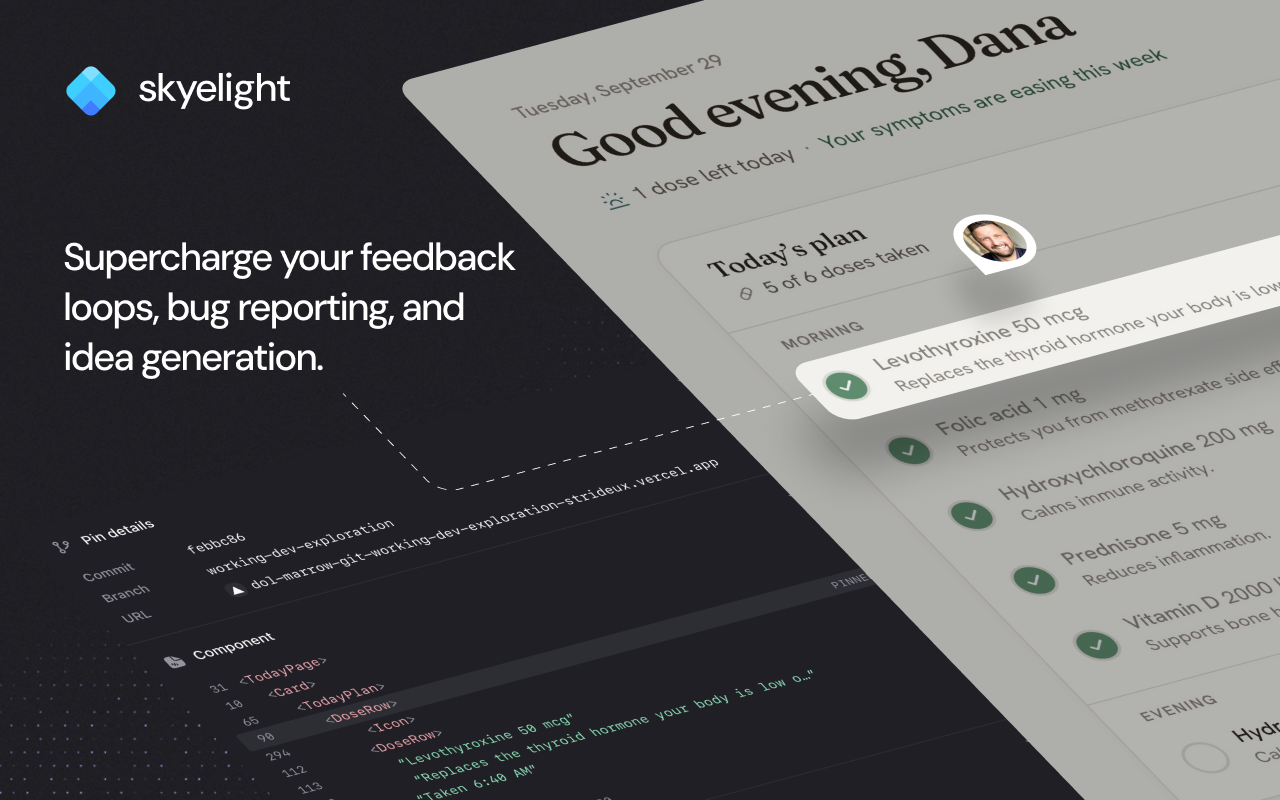
- Remove guesswork from every bug report: each website annotation stays pinned to the exact element it describes, with the page and the code behind it attached.
- Turn client feedback into shipped fixes: the Skyelight MCP sends annotated threads to Claude Code, Cursor, Codex, Windsurf, claude.ai, ChatGPT or any MCP client for a complete agentic workflow.
- Start collecting visual feedback in about five minutes: install the Chrome extension, open any page, and press C, with no code changes to your site.
- Bring every client and stakeholder into the review at no extra cost: reviewers are free on every plan, so you pay only for owners, admins and collaborators.
- Know who is handling each issue and where it stands: every feedback thread has an owner and a status, and replies land exactly where the question was asked.
- Keep a clean, prioritized backlog: built-in classification sorts feedback into bugs, ideas and custom categories you define for your team.
- Review at every stage from first draft to launch: annotate any element on a live page, whether it is a prototype in progress or a production website.
- Keep your current tools: the Skyelight API brings annotation and feedback data into your existing workflow and tools.
- Control what gets captured: screenshots are off by default, and owners and admins switch them on or off for the whole workspace.
- Give clients review access without losing control: role-based seats let collaborators create projects and assign work while reviewers pin, reply and resolve threads, with plans sized for freelancers, product teams, studios and agencies.
Pros & Cons
From the listing; not yet checked by our editors.
Pros
- Annotates any webpage
- Improve feedback processes
- Shareable annotated pages
- Improved bug reporting
- Streamlines idea generation
- Automatic feedback classification
- Customizable categories
- Integration with coding tools
- API for workflow integration
- Scalable pricing plans
- Automatic screenshot capturing
- Chrome extension for convenience
- Suitable for various professionals
- Offers feedback in-context
- Effective for prototype feedback
- Promotes collaborative troubleshooting
- Customizable classifications
- Accessibility checks
- Free for reviewers
- Flexible notifications system
- Operates on any page
- Enhances project management
- Teams or freelancers friendly
Cons
- Limited auto-classifications for free service
- Full API access only for paid service
- Limited Skyelight MCP access for free plan
- Integration feature available on paid plans only
- Free plan restricted to 1 project
- Requires paid seats for advanced access
Alternatives to Skyelight
Tools that share the most tags with Skyelight.
- Floto
Fix design flaws in seconds with AI critiques that explain the 'why' behind issues, powered by the instant Design Audit feature.
Freemium · from $10/month
$10/month
Not yet checked
- UXCanvas.ai
Transform ideas into coded designs instantly using natural language conversations instead of manual design tools
Free trial · from $49/month
$49/month
Not yet checked
- GETitOUT
Extract ideal buyer personas from competitors to understand your target audience faster using the Persona Generator
Free trial
Not listed
Not yet checked
- Lang.ai
Cut average response times by 75% by automating intelligent triage of complex customer requests instead of adding headcount
Not listed
Not listed
Not yet checked
- MiriCanvas
Generate complete presentation drafts automatically by simply entering your topic with the AI Presentation feature
Freemium
Not listed
Not yet checked
- AI Designer
Transform a brief text description into a complete, editable UI design in seconds using AI-powered generation
Freemium · from $30/month
$30/month
Not yet checked
Reviews
Rate this tool
Loading reviews...
Frequently asked questions
Do reviewers cost anything?
Cory Shoaf 🛠️ 1 tool 🙏 2 karma wrote:No. Clients and stakeholders join as reviewers, and reviewers are free on every plan. You pay for owners, admins and collaborators.
What's the difference between paid seats and reviewers?
Cory Shoaf 🛠️ 1 tool 🙏 2 karma wrote:Paid seats (owners, admins and collaborators) run the work: they create projects, invite people, assign threads and hand them to a coding agent. Reviewers pin, reply and resolve any thread, but can't assign work, create projects or invite.
How long does setup take?
Cory Shoaf 🛠️ 1 tool 🙏 2 karma wrote:About five minutes. Create an account, install the Chrome extension, open a page and press C. No code changes are needed.
Is the Skyelight MCP free to use?
Cory Shoaf 🛠️ 1 tool 🙏 2 karma wrote:Partly. On Free, your coding agent can connect, list your workspaces and projects, and publish one hosted prototype. Reading and working through feedback with an agent is on Pro and Team.
Which coding agents work with Skyelight?
Cory Shoaf 🛠️ 1 tool 🙏 2 karma wrote:Any MCP client, including Claude Code, Cursor, Codex, Windsurf, claude.ai and ChatGPT. Full agent access is included on the Pro and Team plans.
Can I turn off screenshots?
Cory Shoaf 🛠️ 1 tool 🙏 2 karma wrote:Yes. Screenshots are off by default, and they're a workspace setting: owners and admins turn them on or off for the whole workspace in its settings.
How is this different from screenshots in Slack or a ticket?
Cory Shoaf 🛠️ 1 tool 🙏 2 karma wrote:The comment stays on the element it's about, with the page and the code behind it, so nobody has to work out what it meant. Each thread has an owner and a status, and the reply lands where the question was asked.