

Overview
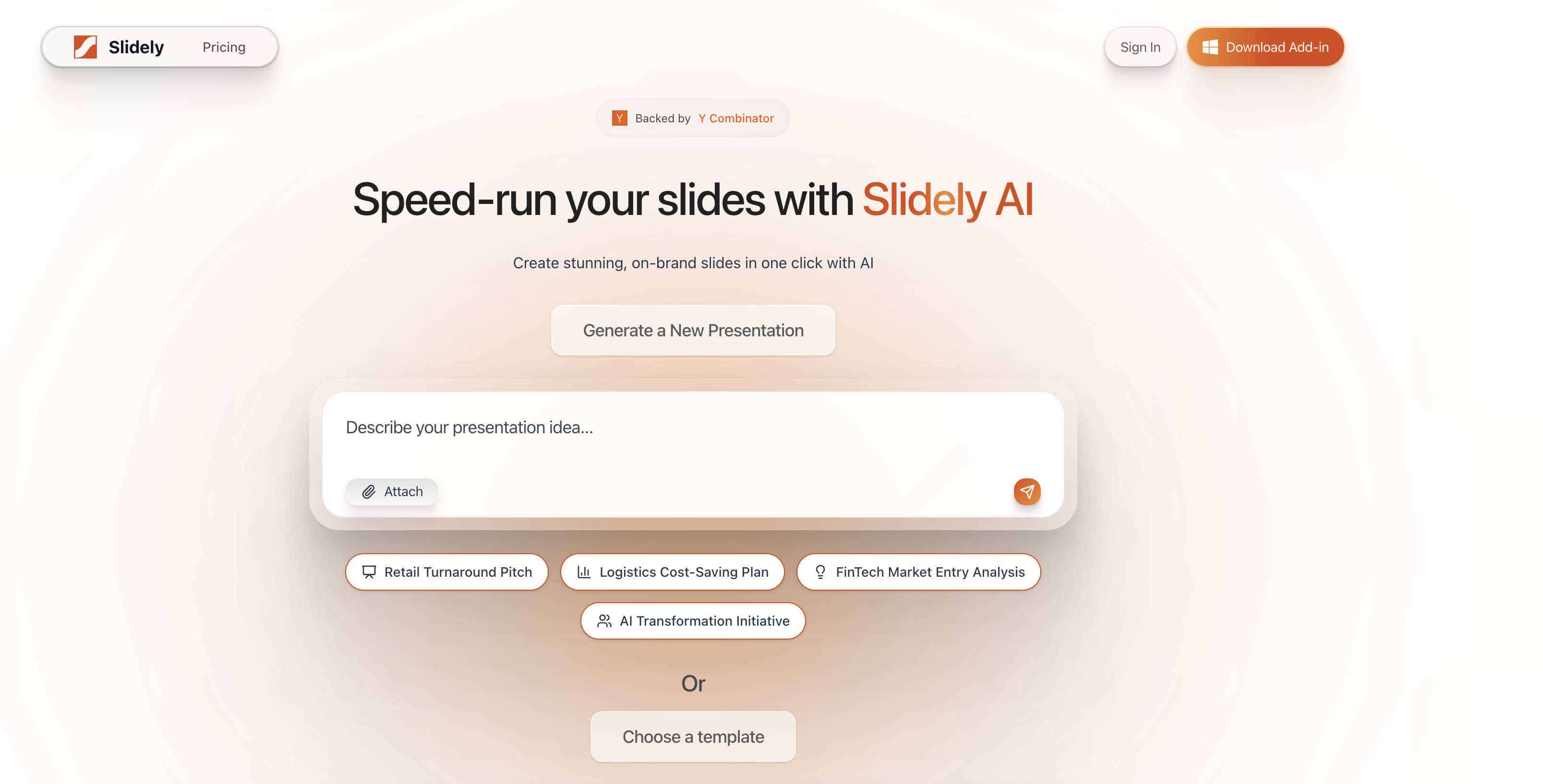
- Generate complete business presentations from a simple description using AI-powered storyline creation and data sourcing
- Transform existing PowerPoint files with visual revamps and brand-aligned edits using the ChatPPT talk-to-edit feature
- Maintain perfect brand consistency across all presentations by uploading your company template for automatic layout, font, and color adherence
- Create professional financial reports and investor pitch decks with industry-specific templates for consulting, finance, and investment
- Work entirely within PowerPoint with integrated Excel linking, one-click table styling, and alignment tools for seamless workflow
- Ensure enterprise-grade data security with SOC 2 Type II audits and custom OpenAI contracts for zero data retention
Pros & Cons
Pros
- Available as a PowerPoint add-in
- Option to upgrade existing PowerPoints
- Ability to upload custom templates
- Holistic - helps with storyline, data, design and formatting
- Company-specific branding alignment
- Generates high-quality slides
- User-friendly interface
- Secure data handling - SOC 2 Type II, Microsoft and OpenAI Partner
- Suitable for consulting, finance, investment
- Backed by Y Combinator
- Robust support - dedicated channels, live chat, support center
- Allows slide editing within PowerPoint
Cons
- Integrates only with PowerPoint
- Restricted offline functionality for PowerPoint add-in
- PowerPoint add-in not available for Mac
- Cannot directly present presentation from Slidely
- AI-generated content might be inaccurate
Reviews
Rate this tool
Loading reviews...
❓ Frequently Asked Questions
Apoorve Singhal
🛠️ 1 tool
wrote:Slidely AI is an AI-assisted presentation assistant, available as a PowerPoint add-in and a web-app. It is designed to facilitate the creation and modification of business-oriented presentation slides. The tool enables users to generate brand-consistent presentations with ease and efficiency.
Apoorve Singhal
🛠️ 1 tool
wrote:Slidely AI assists with PowerPoint presentations by providing AI assistance. Users can generate presentations from scratch by simply describing their presentation idea to the tool. Slidely AI then helps them brainstorm the storyline, create the data from any uploaded documents (or search online), and then create slides in the users' uploaded theme. Alternatively, they have the option to improve existing PowerPoint presentations using Slidely AI's text to edit feature called ChatPPT.
Slidely AI is backed by Y Combinator, a renowned start-ups accelerator and investor.
Apoorve Singhal
🛠️ 1 tool
wrote:Slidely AI integrates directly into PowerPoint as an add-in, providing AI-powered tools within the PowerPoint interface itself.
With features like Excel Linking, 1-click table styling, alignment module, and slide library, the add-in streamlines business presentations by allowing users to create or modify slides without leaving PowerPoint.
Apoorve Singhal
🛠️ 1 tool
wrote:Yes, you can create a presentation from scratch with Slidely AI.
Slidely AI offers a professional workflow to create presentations:
1. Storyline: you enter 2-3 sentences about what you want to create, with the option to upload supporting documents (pdf, pptx, docx, xlsx). Then, Slidely AI brainstorms the narrative and storyline of the presentation.
2. Data: Once you are satisfied, Slidely uses your uploaded documents and searches the internet for finding the best data for each slide, citing its sources.
3. Design: Once you are satisfied with the data, you can upload or choose your template, and Slidely will generate your slides in the chosen template.
Apoorve Singhal
🛠️ 1 tool
wrote:Slidely AI offers a few preset themes for convenience, but the real power of Slidely AI comes out with custom themes. Slidely can use any of your past presentations as a theme, using colors, fonts and layouts from it. Moreover, the AI even learns how you use those layouts.
Apoorve Singhal
🛠️ 1 tool
wrote:Yes, you can upgrade your existing PowerPoints with Slidely AI. The tool allows you to upload your existing PowerPoint file and use features like talk-to-edit, inbuilt templates, visual revamp and alignment features to improve your presentations.
Apoorve Singhal
🛠️ 1 tool
wrote:Yes, Slidely AI ensures alignment with a company's branding template, thus providing consistency across all your presentations. You can upload even a single presentation, and Slidely will adhere to your layouts, fonts, colors and even your way of making slides.
Apoorve Singhal
🛠️ 1 tool
wrote:Slidely AI uses an advanced agentic AI architecture which allows it to create new slides, edit existing slides, or even review and answer questions about your slides — all while keeping your slides on-brand.
A unique aspect of Slidely is that it creates PowerPoints like humans, placing each shape at a time instead of using templated slides.
Yes, you can generate presentations from scratch with Slidely AI. The process involves describing your presentation idea to the tool and selecting from various pre-set themes.
Apoorve Singhal
🛠️ 1 tool
wrote:Slidely AI provides thousands of templates that are tailor-made for specific professional fields such as Consulting, Finance, and Investment.
Each template has unique focus areas such as professional consulting slides, financial reports and analysis, and pitch decks or investor slides.
Slidely AI uses advanced AI algorithms to ensure alignment with a company's branding template. It analyses your company's template and generates slides that are consistent with your brand's identity and design.
Apoorve Singhal
🛠️ 1 tool
wrote:Slidely AI guarantees high levels of data security. It regularly undergoes SOC 2 Type II audits, has a custom contract with OpenAI for zero data retention, and is also a Microsoft AI Cloud Partner.
Apoorve Singhal
🛠️ 1 tool
wrote:Slidely AI offers a robust support system. This includes a dedicated success Channel, live chat, a Help Center, Contact Support options, and up-to-date status on their services.
Apoorve Singhal
🛠️ 1 tool
wrote:Yes, you can customize templates in Slidely AI by uploading your own PowerPoint template. Slidely AI will use the layouts, colors and also learn your way of making slides from your uploaded template.
Pricing
Pricing model
Free Trial
Paid options from
$16/month
Billing frequency
Monthly


