

SongTools | Music to Prompt
Recreate the vibe of any reference track without struggling to describe it: upload a song and get an AI music prompt covering genre, mood, instrumentation, tempo, and production style.
Listing not yet reviewed by our editors · How we check
Overview
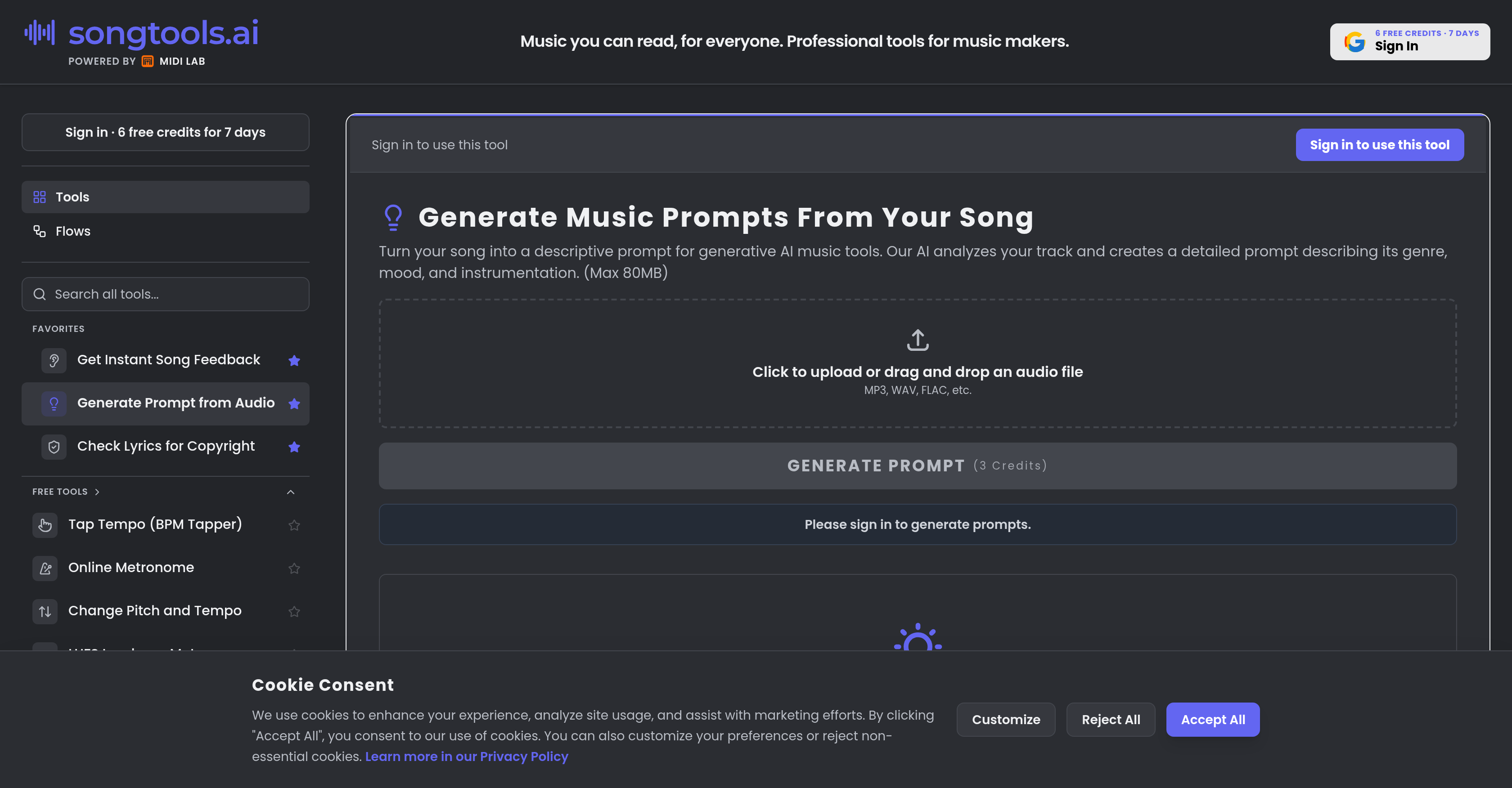
- Recreate the vibe of any reference track without struggling to describe it: upload a song and get an AI music prompt covering genre, mood, instrumentation, tempo, and production style.
- Go from reference track to new generation in seconds: the Copy button sends the finished prompt straight into Suno, Udio, or any other AI music generator.
- Pin down exactly what makes a song work: audio analysis identifies tempo, key, mood, instrumentation type, and broad genre, with the strongest results on mainstream genres and clearly defined production styles.
- Study other artists' reference tracks without copying them: upload any audio file you have access to, and the output is a text description of sonic and compositional properties, never a copy of the recording.
- Write briefs, catalog tags, and pitch copy faster: structured song descriptions turn listening notes into ready text for collaborators, personal music libraries, press releases, and pitches.
- Build a reusable prompt library: every song-to-prompt result is saved automatically in History.
- Work in your own language: each music prompt is written in the language you use on the site.
- Analyze the audio files you already have: upload MP3, WAV, FLAC, M4A, or OGG files up to 80 MB. High-quality files and clips longer than 20 seconds produce the most detailed prompts.
- Get niche and hybrid genres right: the structured starting prompt is fully editable, so you add the specific stylistic details before generating.
- Test the music-to-prompt workflow before paying: new accounts get 6 free credits valid for 7 days, and each song analysis uses 3 credits.
Pros & Cons
From the listing; not yet checked by our editors.
Pros
- Converts audio into structured prompts
- Describes genre, mood, instrumentation
- Includes tempo and key
- Captures production characteristics
- Works with reference tracks
- Accepts tracks by others
- Doesn't reproduce source audio
- Prompts suit Suno and Udio
- Useful as collaborator briefs
- Supports personal catalog tagging
- Helps draft press descriptions
- Outputs in the site language
- Copy-button prompt export
- Automatically saves prompt history
- Accepts MP3, WAV, FLAC
- Also accepts M4A and OGG
- Uploads up to 80MB
- Detects mainstream genres
- Identifies broad production styles
- Supports manual niche-style refinement
- Creates starting points for experimentation
- Provides text-only sonic descriptions
Cons
- Does not generate audio
- Describes sound only in text
- Cannot guarantee exact reconstruction
- Niche styles need manual refinement
- Sub-20-second clips yield less detail
- Compressed uploads lose analytical detail
- Uploads capped at 80 MB
- Accepts only five listed formats
- Prompt language follows site language
- Uses three credits per song
Alternatives to SongTools | Music to Prompt
Tools that share the most tags with SongTools | Music to Prompt.
- SonicRebuild
Start a new track from a song you already love instead of a blank prompt box: paste a public YouTube song link and get a Suno-ready prompt pack built from that reference.
Free trial · from $1.50
$1.50
Not yet checked
- YinsoAI | Music Prompt
Skip writing music descriptions by hand: the audio-to-prompt analyzer turns a reference track or sample into a structured text prompt without you naming every sound you hear.
Freemium · from $4.99/month
$4.99/month
Not yet checked
- AIMusic Gen | Music to Prompt
Turn any reference track into a usable music prompt: audio-to-prompt analysis writes a prose description of genre, instrumentation, rhythm, arrangement, mood, and overall feel, ready to copy and adapt for Suno, Udio, or other text-based AI music generators.
Freemium · from $15/month
$15/month
Not yet checked
Reviews
Rate this tool
Loading reviews...
Frequently asked questions
How does SongTools turn an uploaded song into an AI music prompt?
SongTools analyzes the uploaded audio’s audible musical and production characteristics, then turns them into a text prompt describing the track.
What musical details does SongTools include in its prompts?
Prompts describe genre, mood, instrumentation, tempo, and production style; the analysis can also identify key.
Can I use SongTools prompts with Suno or Udio?
Yes. You can paste SongTools prompts into music generators such as Suno or Udio.
Does SongTools generate music, or only describe the uploaded track?
SongTools describes the uploaded track in text. It does not generate or reproduce the source audio.
How closely can SongTools capture the sound of a reference track?
It can capture qualities useful for creating music with a broadly similar sound, but it does not guarantee an exact reconstruction.
How accurate is SongTools at identifying a song’s genre and mood?
Genre and mood detection is generally effective for mainstream genres and clearly defined styles. Niche or blended styles may need refinement.
Can SongTools recognize tempo, key, instruments, and production style?
Yes. SongTools can identify tempo, key, mood, instrumentation type, broad genre, and production characteristics.
How well does SongTools handle niche or hybrid genres?
Niche or hybrid styles may be less precisely described, so you may need to add details to the prompt before using it in a generator.