

YinsoAI | Music Prompt
Skip writing music descriptions by hand: the audio-to-prompt analyzer turns a reference track or sample into a structured text prompt without you naming every sound you hear.
Listing not yet reviewed by our editors · How we check
Overview
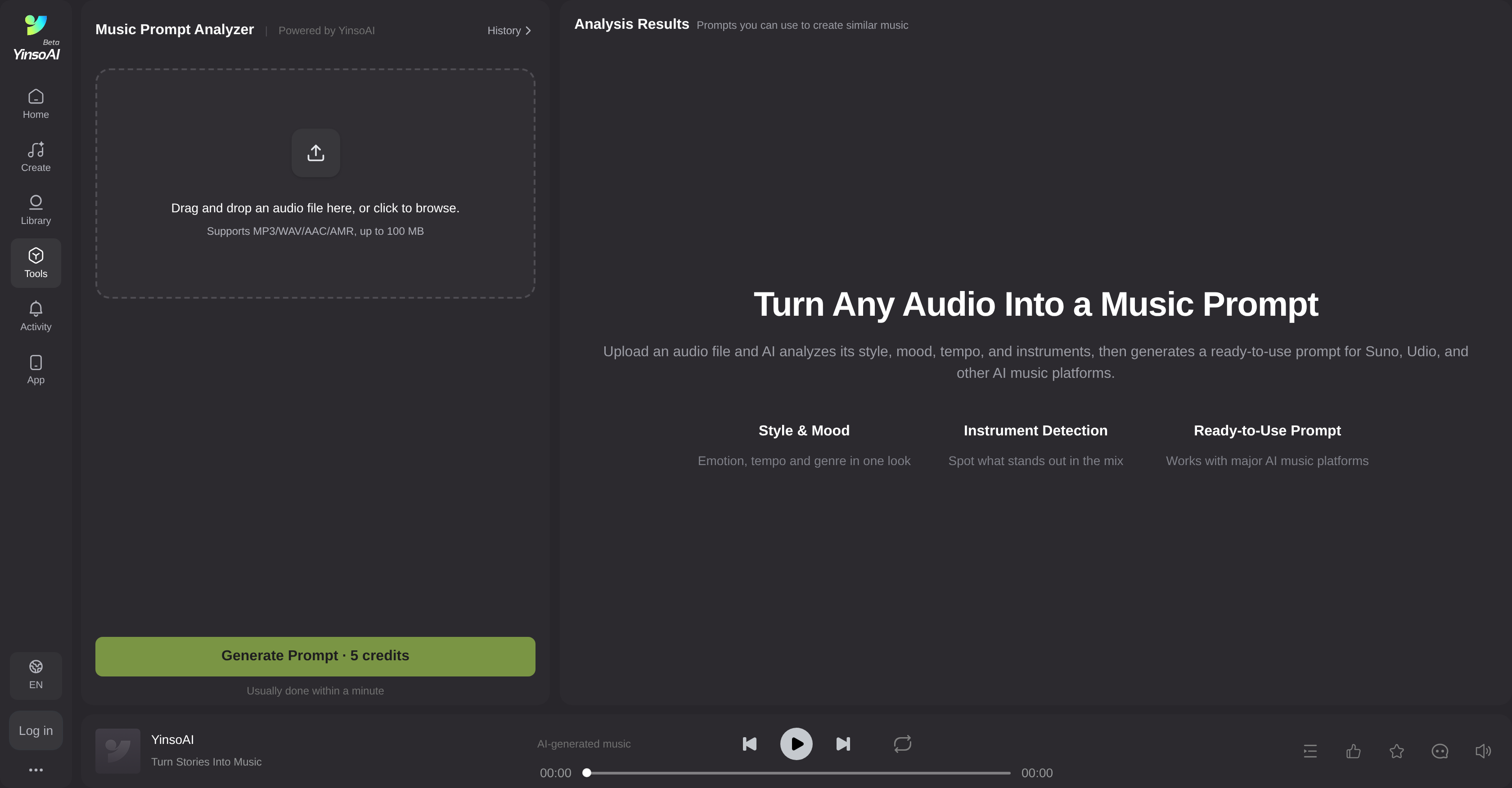
- Skip writing music descriptions by hand: the audio-to-prompt analyzer turns a reference track or sample into a structured text prompt without you naming every sound you hear.
- Go straight from reference song to generation: each output is a ready-to-use AI music prompt built for Suno, Udio, and other AI music generators.
- Recreate the vibe you want, not just the genre: style, mood, and emotion analysis captures the overall feel you want carried into a new composition.
- Lock in rhythm and sound sources: tempo detection, genre analysis, and instrument detection turn what you hear into explicit musical attributes for your next track.
- See a track's makeup at a glance: organized analysis results lay out a song's main features so you review them before reusing the prompt.
- Get results within a minute: drag and drop an audio file, select Generate Prompt, and receive the music analysis and prompt quickly.
- Upload the files you already have: support for MP3, WAV, AAC, and AMR audio up to 100 MB covers full tracks and recorded samples.
- Return to earlier work: the History view keeps past analyses within reach so you reuse previous prompts.
- Know your cost upfront: a flat 5 credits per prompt generation keeps every analysis predictable.
Pros & Cons
From the listing; not yet checked by our editors.
Pros
- Converts audio into music prompts
- Analyzes existing audio samples
- Detects musical style
- Identifies genre
- Analyzes mood and emotion
- Detects tempo
- Recognizes instruments
- Organizes attributes for quick review
- Generates ready-to-use text prompts
- Preserves qualities of reference tracks
- Works with Suno and Udio
- Supports other music platforms
- Accepts MP3, WAV, AAC, AMR
- Supports files up to 100 MB
- Offers drag-and-drop file selection
- Also supports file browsing
- Usually completes within a minute
- Includes activity history
Cons
- Requires an existing audio file
- Supports only MP3, WAV, AAC, AMR
- Maximum upload size: 100 MB
- Each prompt costs 5 credits
- Does not create finished music
- Outputs a text prompt, not audio
- Analysis covers listed musical attributes
- Processing time may vary
Alternatives to YinsoAI | Music Prompt
Tools that share the most tags with YinsoAI | Music Prompt.
- SongTools | Music to Prompt
Recreate the vibe of any reference track without struggling to describe it: upload a song and get an AI music prompt covering genre, mood, instrumentation, tempo, and production style.
Free trial · from $9/month
$9/month
Not yet checked
- AIMusic Gen | Music to Prompt
Turn any reference track into a usable music prompt: audio-to-prompt analysis writes a prose description of genre, instrumentation, rhythm, arrangement, mood, and overall feel, ready to copy and adapt for Suno, Udio, or other text-based AI music generators.
Freemium · from $15/month
$15/month
Not yet checked
- SonicRebuild
Start a new track from a song you already love instead of a blank prompt box: paste a public YouTube song link and get a Suno-ready prompt pack built from that reference.
Free trial · from $1.50
$1.50
Not yet checked
Reviews
Rate this tool
Loading reviews...
Frequently asked questions
How do I use YinsoAI to turn an audio sample into a music prompt?
Drag and drop an audio file into YinsoAI or click to browse and select one, then choose “Generate Prompt.” YinsoAI analyzes the audio and returns analysis results and a prompt for creating similar music.
Which audio file formats does YinsoAI support?
YinsoAI supports MP3, WAV, AAC, and AMR files.
What is the maximum file size I can upload to YinsoAI?
The maximum upload size is 100 MB.
How many credits does YinsoAI charge for each analysis?
YinsoAI charges 5 credits per prompt generation.
How long does YinsoAI usually take to analyze a track?
YinsoAI usually completes the analysis within a minute.
What musical details does YinsoAI identify in an audio file?
YinsoAI identifies musical style, mood, emotion, tempo, genre, and instruments.
Can YinsoAI detect a song’s genre, tempo, and instruments?
Yes. YinsoAI analyzes genre and tempo and detects instruments in the audio.
Does YinsoAI analyze mood and emotion as well as musical style?
Yes. YinsoAI analyzes style, mood, and emotion.