SoVideo
Overview
- Launch professional marketing videos in minutes using industry-specific templates for ads, product demos, vlogs, anime, and real estate.
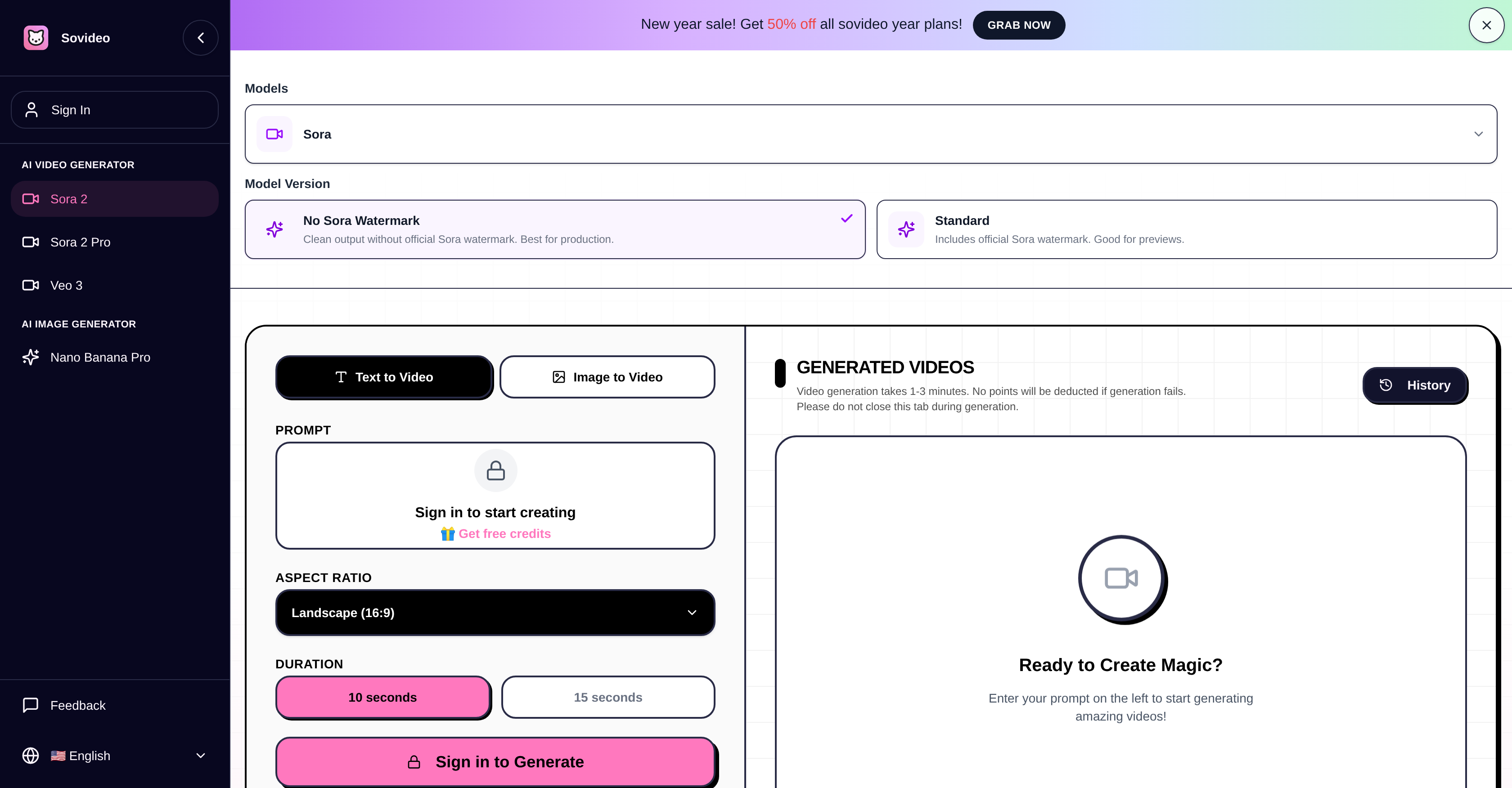
- Generate clean, watermark-free videos suitable for client work and public distribution with the Pro version of the Sora AI model.
- Integrate a specific person's likeness directly into AI-generated scenes for personalized storytelling and branded content using the Cameo feature.
- Produce videos with perfectly synchronized audio, including dialogue, sound effects, and background music, in a single generation step.
- Structure effective prompts that the AI understands on the first try using a builder focused on subject, motion, lighting, camera, and audio beats.
- Ensure every video is safe to publish with built-in compliance guardrails and consent checklists for likeness usage.
- Create optimized 10-15 second clips perfect for social media hooks, ads, and intros without manual editing or trimming.
- Reduce trial-and-error by following a guided workflow from scene planning and prompt assembly to final generation and iteration.
Pros & Cons
Pros
- Generates high-quality videos
- Synchronized audio output
- Optional watermark
- Supports text and images
- Dedicated toolkit available
- In-built presets and guardrails
- Use-case templates
- Compliance and likeness checklists
- Comparison tool
- Seamless workflow
- Optimized for 10 and 15s videos
- Available in standard and pro versions
- Cameo feature for likeness integration
- Ability to customize aspect ratio
- Facilitates video iterations
- Structure prompts tool
- Professional-grade output
- Preset templates for ads, vlogs, anime, and real estate
- Guided prompt builder
- Multishot consistency
- Compliance-first approach
- Available at no cost
- Consent workflows
- Multiple aesthetic styles
- Supports JPEG, PNG, WebP
- Generates audio automatically
- Handles complex physics
- Credit cost system
Cons
- No Android app
- Limited to 10-15 seconds
- No multi-user support
- Doesn't support all file formats
- No training mode
- Standard version includes watermark
- Long generation times
- Limited template options
- Requires verification for Cameo
- No split testing feature
Reviews
Rate this tool
Loading reviews...
❓ Frequently Asked Questions
SoVideo is an application designed to generate video content using artificial intelligence. It utilizes the Sora AI Video Generator to convert user-provided prompts into high-quality videos with synchronized audio.
Sora AI Video Generator primarily works by interpreting user-provided prompts and turning them into high-quality videos. It can generate content from both text and images, and is capable of interpreting critical attributes like subject, motion, lighting, camera, and audio beats.
Yes, users can generate videos on SoVideo without the official Sora watermark, allowing for a clean output. There's also the option for a standard version with the watermark.
SoVideo allows users to generate videos from both images and text. For images, it supports JPEG, PNG, or WebP files up to 10MB. The AI uses a single image as a composition and style reference.
Yes, SoVideo offers a dedicated toolkit that includes Sora ready presets and guardrails to guide users in creating their videos. It is built to understand critical attributes like subject, motion, lighting, camera, and audio beats.
SoVideo offers preformatted use-case templates for different domains including advertising, product demoing, vlogging, anime, and real estate. This allows users to easily generate videos for specific industries or use cases.
To ensure safety and compliance, SoVideo has implemented consent and likeness checklists. This ensures that the videos generated using the AI align with regulations and remain safe to publish.
SoVideo offers a seamless workflow from ideation to execution. It enables users to plan their scene, assemble their Sora prompt, and generate and iterate their videos. These features assist users in optimizing their workflow, reducing trial-and-error and increasing efficiency.
With SoVideo, users can create everything optimized for 10 and 15 seconds videos, which are perfectly suitable for intros, ads, and hooks.
The guardrails in SoVideo ensure that the videos remain safe to publish. They also act as guidelines for preserving the quality of the videos, interpreting critical attributes such as subject, motion, lighting, camera and audio beats.
Yes, SoVideo helps reduce trial-and-error in video generation by providing a seamless workflow from ideation to execution. The platform offers the necessary tools and presets readily available which leads to increased efficiency and faster video creation.
Sora AI interprets the subject, motion, lighting, camera, and audio beats based on the cues given in the user-provided prompts. This ensures that every aspect of the video is created as per the user’s vision and preferences.
Yes, you can use SoVideo for product demoing or advertising. It offers preformatted use-case templates suitable for various domains, including advertising and product demoing.
To generate a video with SoVideo, users first plan their scene by picking a template and outlining the subject, motion, and soundtrack. Then, they assemble a Sora prompt using the platform's builder to define subject, motion, camera, lighting, and audio. Finally, they proceed to generate and iterate their videos and save winning prompts for the next video.
The video generation time with SoVideo typically takes about 1-3 minutes.
Yes, SoVideo is capable of generating videos from both text and images, catering to various user requirements.
In SoVideo, the standard and pro versions of Sora differ mainly by the presence of the official Sora watermark. The standard version includes the official Sora watermark, while the pro version offers clean output without any watermark, making it more suitable for professional use.
The 'Cameo' feature in SoVideo allows users to integrate their own likeness, or that of others, into their AI-generated videos. This is a tool for personalization and enables unique representation in the videos.
When using SoVideo, the duration of Sora 2 generated videos tends to be around 10-15 seconds of continuous footage. This duration is optimized to provide consistent world state and character persistence which is ideal for storytelling and complex scenes.
Yes, SoVideo allows users to generate videos from text prompts. The OpenAI Sora model used by SoVideo takes these text prompts and turns them into synchronized audio and video content.
SoVideo provides a range of pre-set templates for different use cases. These include templates for advertising, product demoing, vlogging, anime, and real estate videos.
SoVideo ensures the compliance and safety of the videos through its 'Compliance guardrails'. This feature provides consent and likeness checklists that help ensure that the OpenAI Sora videos generated remain safe for publishing.
The workflow of generating a video in SoVideo includes planning the scene, assembling a Sora prompt, and then generating and iterating on the output. This streamlined process simplifies video production, from ideation to execution.
Yes, SoVideo can be used for professional marketing and film generation. With its Pro version offering clean outputs free of watermarks, it serves as a useful tool for creating professional-grade video content.
SoVideo’s Sora AI is designed to focus on longer clips, stronger physical simulation, multi-shot consistency and the unique 'Cameo' feature. These are capabilities not emphasized by other video generation AI models like Google's Veo 3.
'Sora ready presets and guardrails' are features provided by SoVideo that help users easily create high-quality videos with consistent scenario or theme. This dedicated toolkit interprets critical attributes like subject, motion, lighting, camera, and audio beats.
The SoVideo use-case templates can be used for various domains including advertising, product demos, vlogging, anime and real estate.
In SoVideo, users can modify various attributes of their videos such as aspect ratio, duration, addition of watermarks and the integration of their own likeness or others' through the 'Cameo' feature.
SoVideo reduces trial and error by providing a straightforward workflow, preformatted use-case templates, 'Sora ready presets and guardrails', and comparisons between the Sora generator and other video generators. This allows users to better understand and use the platform effectively.
Yes, SoVideo does offer the option to remove watermarks in the videos. In the pro version of Sora, users can achieve clean output without the official Sora watermark.
Yes, SoVideo's Sora AI does generate videos with automatically synchronized audio. This includes dialogue, sound effects, ambience, and even background music.
On SoVideo's website, users can find clear matrices comparing Sora with other video generators. This helps users pick the right stack for each video.
The 'Structure prompts' tool in SoVideo is an optimized prompt builder. It helps users guide the AI by structuring prompts according to the subject, motion, lighting, camera, and audio beats which the Sora AI Video Generator understands.
SoVideo provides 'Compliance guardrails' which include consent and likeness checklists to accommodate the safety and compliance of generated videos. This ensures that the videos remain safe and appropriate for publication.
Pricing
Pricing model
Free Trial
Paid options from
$9.90/month
Billing frequency
Monthly