

Strawberry Browser
Turn scattered web research into finished slide decks in minutes: the AI presentation builder gathers content from multiple web sources, including pages behind login walls, and compiles them into professional presentations.
Listing not yet reviewed by our editors · How we check
Overview
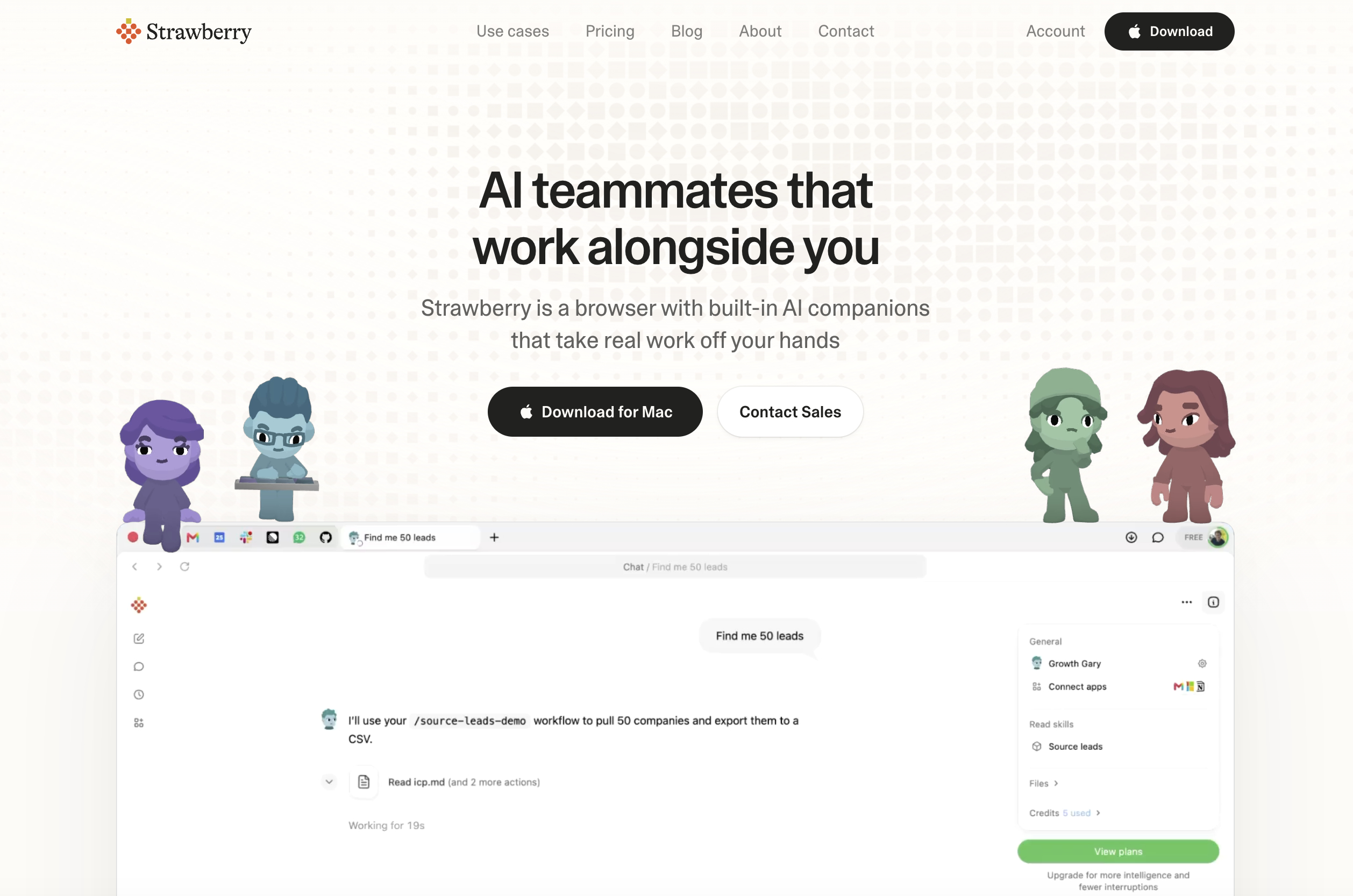
- Turn scattered web research into finished slide decks in minutes: the AI presentation builder gathers content from multiple web sources, including pages behind login walls, and compiles them into professional presentations.
- Leave every meeting with a transcript, a concise summary, and clear next steps: meeting intelligence transcribes recorded meetings, condenses them into summaries, and suggests follow-up actions.
- Clear your inbox without writing every reply yourself: email automation monitors incoming messages and drafts responses that either send automatically or wait for your approval.
- Stay on top of team conversations without reading every thread: the AI assistant watches Slack mentions, reads thread context, drafts replies, and posts team updates once you approve them.
- Keep your CRM current with no manual data entry: AI agents log professional engagements directly into your CRM platform as they happen.
- Hand off hands-on web tasks on any site you use: computer-use AI agents navigate websites, collect data, and complete actions on your behalf inside a shared workspace where they can reach the data the task needs.
- Stop re-entering the same details in every task: Deep Personalization remembers your contacts, projects, preferences, tools, and routines, then tailors each task to how you work.
- Put recurring browser work on autopilot: trigger-based automated workflows run predefined task sequences whenever their conditions are met.
- Apply workflow automation directly to your role: ready-made personalized use cases cover sales pipelines, marketing, product testing, research, operations, and customer support.
Pros & Cons
From the listing; not yet checked by our editors.
Pros
- Work automation
- Productivity enhancement
- Task management
- Interacts with any website
- Automated presentation creation
- Automated meeting transcription
- Automated meeting summarization
- Team collaboration tool
- Automated workflows
- Deep personalization features
- Versatile job function facilitator
- Functionality in sales
- Useful in marketing
- Product testing tool
- Research tool
- Operational tool
- Support services tool
- Email management
- Personalized use cases
- Efficiency enhancer
- Learning from user's habits
- Responds to emails automatically
- Streamlines routine tasks
- Automation even behind login walls
- Autonomous drafting replies
- Handles assigned issues
- Memorizes details and projects
- Familiar interface
- Suitable for varied job functions
- Supports personal data import
- Automated sales pipeline
- Comprehensive onboarding
- Offered for MacOs and Windows
- Meeting transcription without bots
- Choice among best search engines
- Passwords stored locally
- Data security ensured
- Varied pricing and credit options
- Free plan availability
- Multi-tasking functionalities
Cons
- No mobile version
- Limited free credits
- Confidentiality concerns
- Extensive personal data needed
- Possible reliance on accounts
- Needs extensive user learning
- Requires consistent browsing habit
- No offline functionality
- No MacOS version
- Data import necessary
Alternatives to Strawberry Browser
Tools that share the most tags with Strawberry Browser.
- AIPex AI Browser Automation Assistant
Instantly organize chaotic browser tabs into logical groups by topic or project using AI-powered tab management.
Free trial · from $20/month
$20/month
Not yet checked
- Actionbook
Eliminate guesswork and failed interactions on complex websites with precise action manuals and verified DOM selectors that ensure your agent clicks and types correctly every time.
Not listed
Not listed
Not yet checked
- Komos - AI Browser Automation | RPA
Eliminate hours of manual data entry by extracting structured data from PDFs, images, and spreadsheets with AI-powered precision for tables, addresses, and totals.
Not listed
Not listed
Not yet checked
- Polar: AI Browser
Complete research across multiple sites without manual browsing using Polar's AI browser automation that reads competitor pages and ranks vendors by your parameters.
Freemium · from $17/month
$17/month
Not yet checked
- Firecrawl Interact
Extract data from gated and hard-to-reach areas by having AI agents log in, click, scroll, and type just like a human user
Freemium · from $16/month
$16/month
Not yet checked
- Prisma Browser by Palo Alto Networks
Neutralize web-borne threats before they reach your operating system with sandboxing that blocks new malware and malicious file downloads.
Not listed
Not listed
Not yet checked
Reviews
Rate this tool
Loading reviews...
Frequently asked questions
What is the Strawberry Browser?
Strawberry Browser is a robust browsing tool enhanced with AI agents. It's designed to facilitate work automation and productivity by directly introducing AI into your browsing environment. The browser functions as a shared workspace between you and your AI assistant, allowing the AI the access it needs to optimally assist you.
How does the AI feature in Strawberry Browser work?
Strawberry Browser's AI features function as personal assistants that adapt to your browsing habits. It integrates into your browser and can interact with any website, automating tasks as per your needs and preferences. It can manage tasks, respond to emails, create presentations from web sources, transcribe meetings, among other functionalities.
Can Strawberry Browser interact with any website?
Yes, Strawberry Browser can interact with any website. It allows the AI agents to carry out tasks, gather data and automate workflows across the vast spectrum of websites on the internet.
How does Strawberry Browser assist in making presentations from web sources?
Strawberry Browser assists in making presentations from web sources by automating the task. It scouts the required information from various web sources, compiles it, and generates professional presentations, potentially even from sources behind login walls. This process is managed and executed by the built-in AI.
Does Strawberry Browser have the capability to transcribe and summarize meetings?
Indeed, Strawberry Browser has the capability to both transcribe and summarize meetings. It achieves this by processing the content from a recorded meeting to generate a transcript and further condense the transcript into a precise summary, complete with suggested follow-up actions.
Can Strawberry Browser aid in managing tasks and emails?
Undoubtedly, Strawberry Browser aids in managing tasks and emails. It monitors your email inbox and drafts responses when required. It can also log professional engagements into suitable CRM platforms, thereby assisting in task management.
Can Strawberry Browser be used for team collaboration?
Strawberry Browser can indeed be used for team collaboration. Its AI agents can be employed to manage tasks in a team environment, keep track of conversations in different threads, and draft and post team updates as required.
What is meant by 'shared workspace' in the context of Strawberry Browser?
'Shared workspace' in the context of Strawberry Browser refers to the collaborative environment provided by the browser, where you and the AI assistant simultaneously operate. It gives the AI assistant access to necessary data, enabling it to assist you efficiently.