
TextInMyVoice
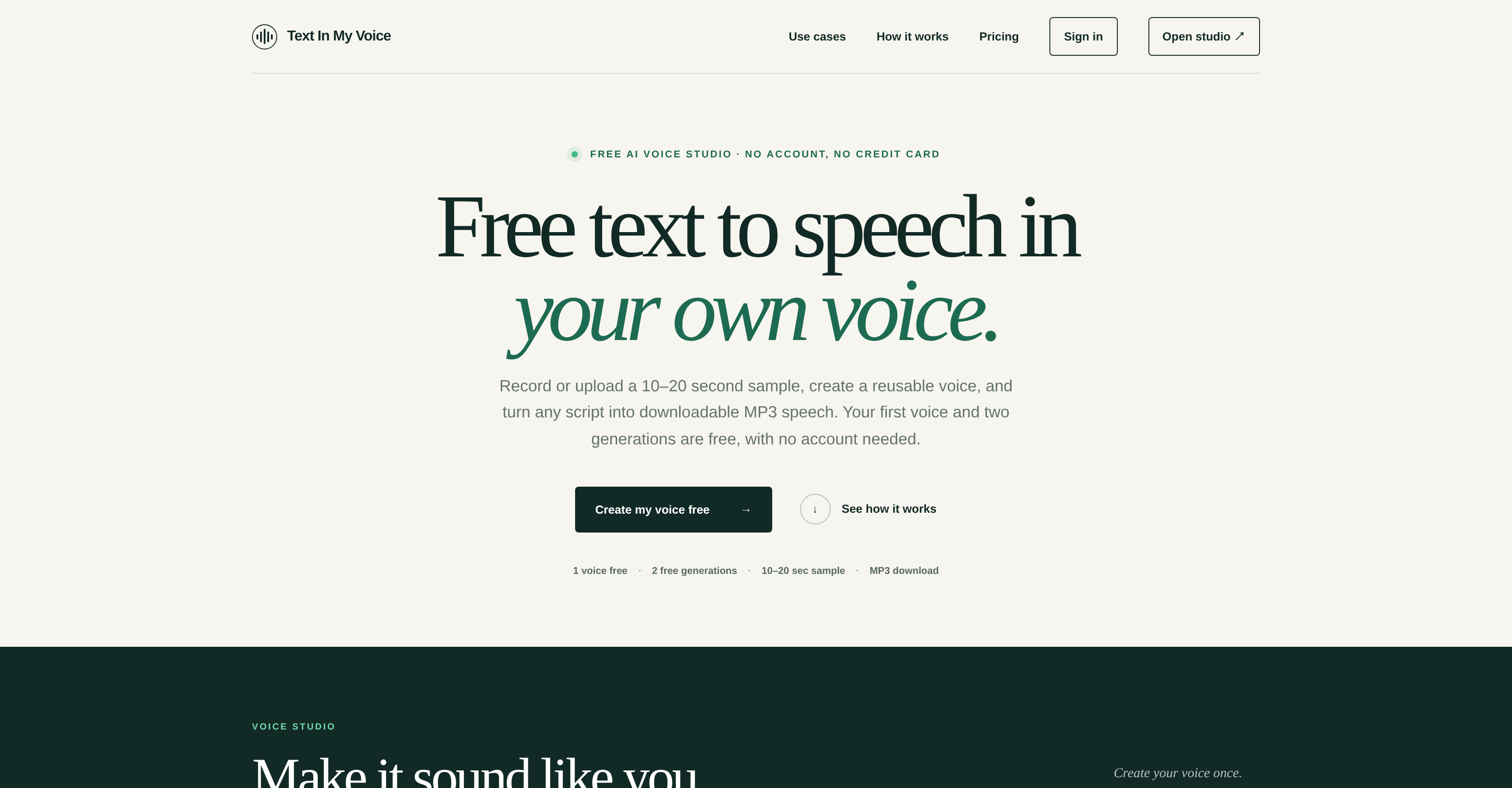
Produce voiceovers in your own voice without booking studio time or re-recording takes: one clean 10-20 second sample builds a reusable voice clone that reads any script you type.
Listing not yet reviewed by our editors · How we check
Overview
- Produce voiceovers in your own voice without booking studio time or re-recording takes: one clean 10-20 second sample builds a reusable voice clone that reads any script you type.
- Hear your cloned voice before spending anything: your first voice and two text-to-speech generations are free, with no account creation required.
- Drop finished audio straight into YouTube videos, podcast intros, audiobooks and e-learning courses: every generation downloads as a ready-to-use MP3 file.
- Reach audiences in eight languages with the same personal voice: automatic language detection covers English, Chinese, Japanese, Korean, French, German, Portuguese and Russian.
- Keep your voice data from lingering on servers: samples sit behind a random short-lived URL during processing and are deleted the moment voice cloning completes.
- Communicate digitally in your own recognizable voice despite a speech impairment: typed text becomes natural-sounding speech that mirrors your original cadence.
- Generate new audio on any device without rebuilding your voice: signing in unlocks a monthly allowance and syncs your reusable voice, which stays saved until you delete it.
- Monetize client work, branded content and paid audiobooks with confidence: the Creator and Pro packages include commercial usage rights.
- Publish AI voice content without impersonation risk: explicit consent confirmation is required for every voice created, restricting cloning to voices you own or have permission to use.
Pros & Cons
From the listing; not yet checked by our editors.
Pros
- Free initial use
- No account needed
- Downloadable MP3 speech
- Natural voice cadence
- Simplicity in design
- Security emphasis
- Temporary voice sample storage
- Required voice ownership
- Wide application use
- Personalized digital content
- User-friendly interface
- Automatic speech recognition
- Emphasizes data security
- 10-20 sec sample suffices
- Random short-lived URL storage
- Privacy-oriented
- One-click sign-in
- Monthly character allowance
- Clean sample voice guidance
- Account-free workflow
- 50% off first month with CREATOR50
Cons
- Short duration for samples
- Limited free trial
- Requires explicit voice permission
- No iterative improvement feature
- High security may inhibit flexibility
- No choice of speech speed
- Requires quiet environment for recording
- Audio output only in MP3
- Doesn't support multiple languages
- Non-intuitive interface
Alternatives to TextInMyVoice
Tools that share the most tags with TextInMyVoice.
- All Voice Lab
Generate emotionally expressive speech that adapts tone and rhythm to text sentiment using advanced emotion recognition
Not listed
Not listed
Not yet checked
- Respeecher
Generate unlimited audio content with perfect voice matches using proprietary deep learning technology
Free trial · from $9/month
$9/month
Not yet checked
- KreadoAI
Launch multilingual video campaigns instantly across 140+ languages using 1,600+ realistic AI voices and Microsoft/ElevenLabs audio technology
Free trial · from $12/month
$12/month
Not yet checked
- Voice cloning by AIVoiceGen
Replace expensive voice actors with AI-generated voices that sound completely human using advanced voice cloning technology
Freemium · from $5/month
$5/month
Not yet checked
- iMyFone VoxBox
Replace expensive voice actors with your own AI voice clone using just 20 minutes of source audio for infinite script performances
Freemium · from $15.95/month
$15.95/month
Not yet checked
- AI Voice Cloning - AnyVoice
Create perfect voice clones in seconds instead of hours using just 3-10 seconds of audio sample
Freemium · from $14.99/month
$14.99/month
Not yet checked
Reviews
Rate this tool
Loading reviews...
Frequently asked questions
How does TextInMyVoice work?
TextInMyVoice operates with simplicity at its core. Users record or upload a 10-20 second voice sample to the system. Then they simply type in their desired script, which the tool then converts into a digital speech that mimics the original voice. The resultant speech can be downloaded as an MP3 for future use.
What is needed to start using TextInMyVoice?
To start using TextInMyVoice, all you need is a clean, clear 10-20 second voice sample recorded or uploaded on their website. No account creation is necessary for the initial usage, which includes the first voice recording and two generations.
How long does a voice sample need to be for TextInMyVoice?
For TextInMyVoice, a voice sample needs to be between 10 to 20 seconds long.
Can I upload any voice sample for TextInMyVoice?
You can only upload a voice sample for TextInMyVoice if you either own the voice or have explicit permission to use it.
What can I use TextInMyVoice for?
TextInMyVoice can be employed in numerous situations across a range of applications. It can be used as an accessibility aid, for personalising digital content or for transforming any script into speech that mimics a specific voice.
How do I get the best voice quality when using TextInMyVoice?
To achieve the best voice quality when using TextInMyVoice, it is recommended that you record your voice sample in a quiet room, using a natural speaking style.
What happens after my free trial on TextInMyVoice ends?
Once the free trial on TextInMyVoice ends, you can continue using the service by signing in to your account. Signing in facilitates uninterrupted service no matter how many times you use the platform.
How secure is my voice data on TextInMyVoice?
Voice data on TextInMyVoice is treated with utmost regard for privacy and security. Voice samples are stored temporarily and are deleted once the voice cloning operation completes.