AI Voice Cloning - AnyVoice
Overview
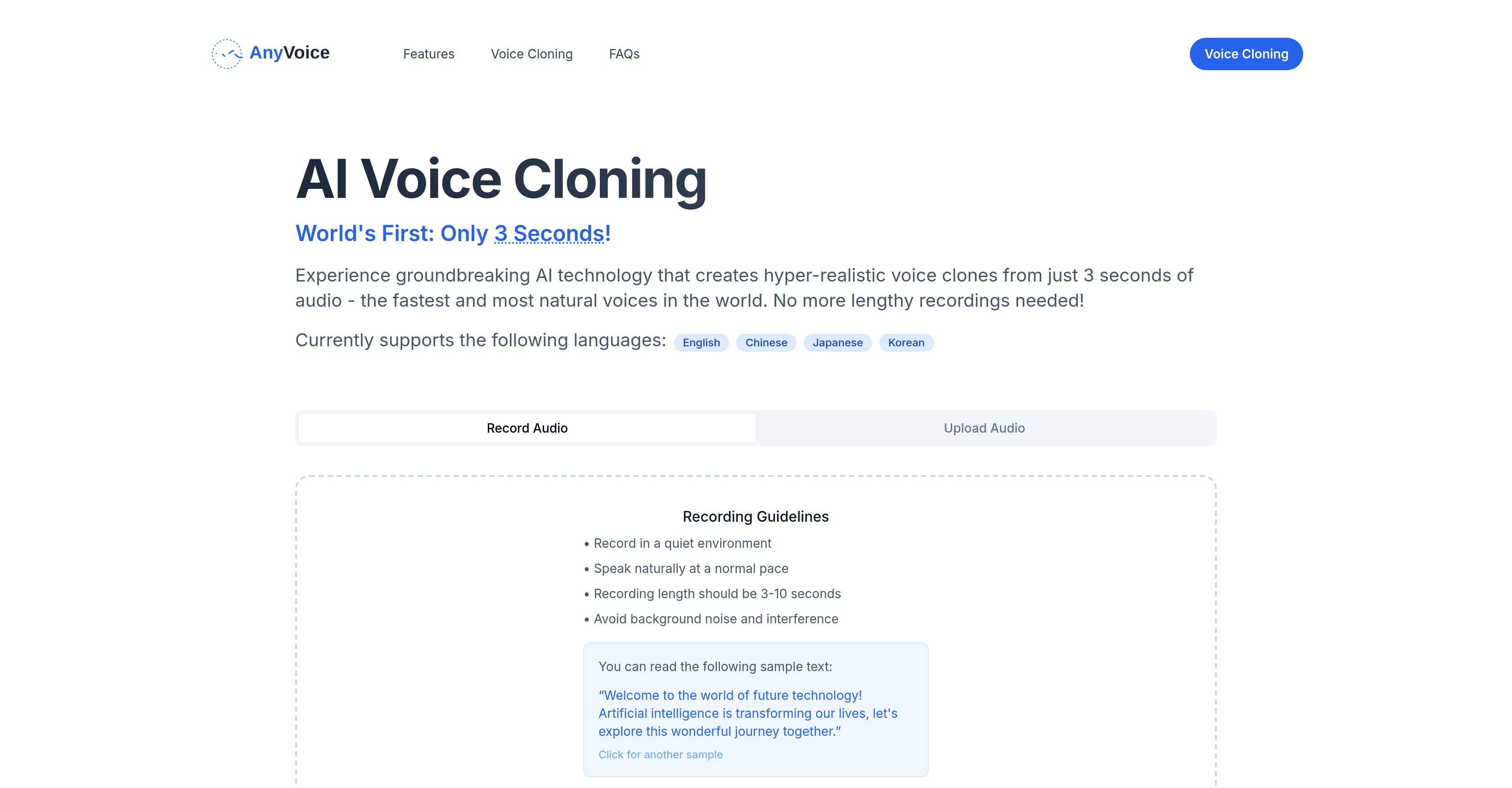
- Create perfect voice clones in seconds instead of hours using just 3-10 seconds of audio sample
- Capture authentic speech nuances and inflections through AI algorithms that replicate natural vocal patterns
- Generate high-fidelity voice clones indistinguishable from the original voice with ultra-realistic synthesis
- Work across multiple languages including English, Chinese, Japanese, and Korean for global voice projects
- Achieve professional voice cloning results without technical expertise using the intuitive user interface
- Maintain voice quality consistency by following simple recording guidelines for clear audio capture
Pros & Cons
Pros
- Ultra-realistic voice cloning
- Quick cloning process
- Multilingual support
- User-friendly interface
- Minimal audio sample needed
- Only 3-second audio required
- Produces vivid vocal imitations
- Can replicate speech nuances
- Can replicate inflections
- High fidelity voice clones
- Doesn't need extensive recordings
- Guidance for high-quality recording
- Avoids background noise
- Ideal for clear audio
- Record in quiet environment
- Simple recording process
- Sample texts available
- Replicates natural pace
- Avoids interference in audio
- Compatible with different languages
- English, Chinese, Japanese, Korean support
- Quality standard for audio
- Real-world feel of speech
- Conducive to unique voice clones
Cons
- Limited language compatibility
- Dependent on audio quality
- Requires quiet recording environment
- Interference impacts quality
- Short recording length
- Not explicitly accessible-disabled friendly
- Few sex diversity of options
- Not for noisy environments
- May not handle accents
- Commercial license unclear
Reviews
Rate this tool
Loading reviews...
❓ Frequently Asked Questions
AnyVoice is an advanced AI tool that specializes in ultra-realistic voice cloning. It creates vivid vocal imitations from just a few seconds of audio, eliminating the need for lengthy voice recordings.
AnyVoice works by replicating natural voices from a small audio sample (3 to 10 seconds long). Users record the audio in a quiet environment and speak naturally at a normal pace. The technology behind AnyVoice mimics subtle nuances and speech inflections to create a realistic voice clone.
The voice recording for AnyVoice should be between 3 to 10 seconds long. This duration allows for the capture of the necessary vocal qualities without necessitating lengthy recordings.
AnyVoice is capable of cloning voices in multiple languages, including English, Chinese, Japanese, and Korean, catering to its international user base.
If the audio quality is poor in AnyVoice, the result will be a decline in voice fidelity. It's crucial to avoid background noise and interference during the recording to maintain a high quality for the voice clone.
AnyVoice can mimic any type of natural voices. It captures and reproduces the subtle nuances and inflections present in human vocals, creating vivid and realistic voice clones.
The technology behind AnyVoice's voice cloning is AI-powered. This groundbreaking digital innovation enables the creation of ultra-realistic voice clones from short audio clips. The AI captures and mimics the subtle nuances and inflections in speech.
The clone voice in AnyVoice is designed to be ultra-realistic, mirroring the original voice closely. The high fidelity voice clones emulate a real-world feel factor, making it difficult to distinguish the clone from the original.
AnyVoice adeptly handles speech nuances and inflections via its AI algorithms. The technology captures these subtle elements from the initial recording and then recreates them in the synthesized speech, lending a natural and realistic quality to the voice clone.
Yes, AnyVoice requires a specific environment for recording voices. The guidelines recommend recording the voice in a quiet environment to avoid background noise and interference which can compromise audio quality and hence, the fidelity of the voice clone.
AnyVoice provides clear guidelines for recording audio. The user must record in a quiet environment, speak naturally at a normal pace, and ensure the recording length is between 3-10 seconds. It's also necessary to avoid any background noise or interference.
AnyVoice's interface is user-friendly. It's designed to facilitate easy navigation and operation, paving the way for the creation of unique voice clones. Even users with no technical background can use the service efficiently.
No, AnyVoice does not require extensive voice recordings. Its advanced AI technology can create hyper-realistic voice clones from just 3 seconds of audio, eliminating the need for lengthy recordings.
Yes, AnyVoice is not limited to English speakers alone. It can clone voices in several languages including Chinese, Japanese, and Korean, thereby catering to a global user base.
Voice fidelity within the context of AnyVoice refers to the accuracy and realism of the cloned voice. Higher voice fidelity denotes greater similarity between the original voice and its clone, with the clone effectively mirroring the natural speech patterns, nuances and inflections of the original voice.
The standard for audio quality in AnyVoice emphasizes clear audio free from background noise and interference. Poor audio quality often results in decreased voice fidelity, so maintaining a high audio quality is critical during the initial recording.
To start using AnyVoice, it only requires a few simple steps. Users need to record an audio clip of 3 to10 seconds in a quiet environment, speak naturally at a normal pace and avoid any background noise. The interface guides the user through the entire process effectively.
Pricing
Pricing model
Freemium
Paid options from
$14.99/month
Billing frequency
Monthly
Refund policy
No Refunds