
The Logo Creator AI
Launch a complete brand identity in minutes by generating multiple AI-designed logo variations from a single prompt, style preset, and color palette.
Listing not yet reviewed by our editors · How we check
Overview
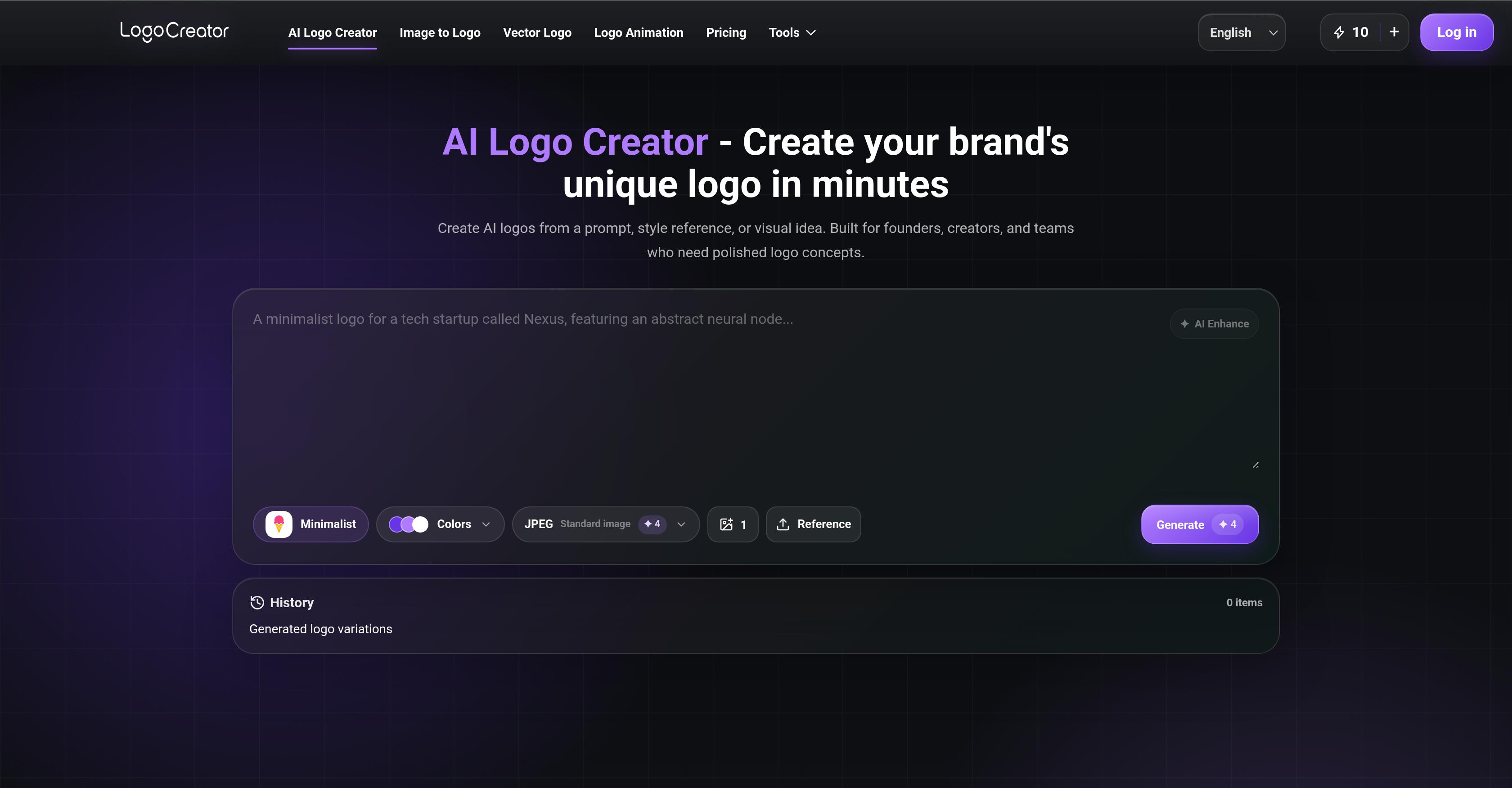
- Launch a complete brand identity in minutes by generating multiple AI-designed logo variations from a single prompt, style preset, and color palette.
- Match your exact brand vision instantly with customizable style presets and primary, secondary, and background color selection woven directly into every logo design.
- Get a relevant, on-brand logo direction on the first try by uploading a reference image or visual idea that the AI interprets into your final design.
- Explore varied visual directions before committing by generating several logo variations per request with no limit on total logos created.
- Refine any generated logo to perfection using built-in editing tools that let you tweak and customize your chosen design before export.
- Deploy your logo across every platform with confidence using JPEG Standard, PNG Transparent, and SVG Vector download formats.
- Scale your brand assets without any loss of quality by converting raster logos into editable SVG vector files.
- Turn a static logo into an MP4 animation for social posts, product launches, and dynamic digital touchpoints.
- Transform an existing sketch, product photo, mascot, or reference image into a sharp, effective brand mark using the Image to Logo feature.
- Achieve a consistent visual brand identity across Instagram, Facebook, Twitter, LinkedIn, and all other social media platforms with versatile logo formats and animation options.
- Complete the entire logo creation process—from concept through export-ready assets—without switching between multiple design tools.
Pros & Cons
From the listing; not yet checked by our editors.
Pros
- Generates several logo variations
- Customisable design preferences
- Multiple download formats
- Rapid logo creation
- Editable SVG conversion
- Logo animation feature
- Simplifies existing visuals
- Quick branding solutions
- Image upload for reference
- Style presets available
- Customizable color palette
- Brand-ready export options
- Enables style-first exploration
- Image to logo feature
- One-click generation
- Editable logo designs
- Export-ready assets creation
- Generates usable concepts quickly
- Logo concepts from text prompts
- Turns sketches into logos
- Logo concepts for various industries
- Turns raw ideas into logos
- Ensures seamless logo creation process
- 7-day saved history
- Logo conversion for scalable assets
- Allows prompt to logo fast
- User-friendly for beginners
- Ideal for small businesses and teams
- Fast concept production for agencies
- Enables faster brand identity decisions
- Supports early-stage brand exploration
- Compatible for diverse business types
- Static logo to MP4 animation
- Browse logo style presets
- Allows identity across many touchpoints
- Logo ideas for business, fashion, food, community
- Helps in visual brand shaping
Cons
- No multi-language support
- Limited export format
- No collaboration features
- No offline usage
- Lacks API integration
- No guided tutorials
- No design templates
- Requires constant internet
- No mobile version
- No 3D logo design
Alternatives to The Logo Creator AI
Tools that share the most tags with The Logo Creator AI.
- HidingElephant
Generate completely unique logo concepts in seconds from simple text prompts, with no reused icons or assets across any designs
Freemium
Not listed
Not yet checked
- Logodiffusion
Launch with a completely unique logo in seconds using custom AI models that never reuse templates or stock designs
Paid · from $20/month
$20/month
Not yet checked
- BrandCrowd | AI Logo Generator
Get a professional, unique logo for your business in seconds by simply entering your business name and keywords, powered by AI that draws from over 145,000 premium designs.
Paid · from $5/month
$5/month
Not yet checked
- Quicklogo
Launch your brand instantly by generating professional, custom logo designs in seconds based on your description, powered by AI trained on thousands of professional logos
Paid · from $9
$9
Not yet checked
- LogoAi
Launch with a professional brand identity in minutes using AI-generated logo designs based on proven design principles
Paid · from $29/month
$29/month
Not yet checked
- Looka
Launch with a professional logo immediately without design experience using AI that generates hundreds of custom mockups from your simple input
Not listed
Not listed
Not yet checked
Reviews
Rate this tool
Loading reviews...
Frequently asked questions
How does AI Logo Creator use prompts to create logos?
AI Logo Creator uses prompts to generate logo concepts by interpreting the user's input text. This text can describe the brand, mood, industry, symbol, or visual direction. The AI integrates these aspects into its design process generating a wide range of logo options.
In what formats can I download my logo from AI Logo Creator?
AI Logo Creator allows users to download their logos in JPEG Standard, PNG Transparent, or SVG Vector formats. This flexibility ensures a consistent visual brand identity across various platforms.
Can I upload my own reference image to AI Logo Creator?
Yes, users can upload their own reference images to AI Logo Creator. These images provide interpretations for the AI to shape a more relevant logo direction according to the user's preferences.
What type of organizations would benefit from using AI Logo Creator?
A wide range of organizations can benefit from AI Logo Creator. This includes startups and tech companies, small local businesses and e-commerce ventures, agency teams and even individual creators looking for quick, polished logo designs.
What is the 'Image to Logo' feature in AI Logo Creator?
'Image to Logo' is a feature from AI Logo Creator that transforms an existing visual into a stronger brand mark. It enables users to start their logo designs from a sketch, product photo, mascot, or other reference images.
Does AI Logo Creator offer any features for animation?
Yes, AI Logo Creator does offer features for animation. It can turn a static logo into an MP4 animation, ideal for dynamic digital uses like social posts or product launches.
Can AI Logo Creator convert a raster logo into SVG?
Yes, AI Logo Creator can indeed convert a raster logo into an editable SVG. This allows brand assets to be scaled without any loss of quality, making it especially beneficial for branding purposes.
Can AI Logo Creator generate multiple logo variations?
AI Logo Creator can generate several logo variations based on the user's design preferences. This functionality allows users to explore varied visual directions before making a final choice.