Overview
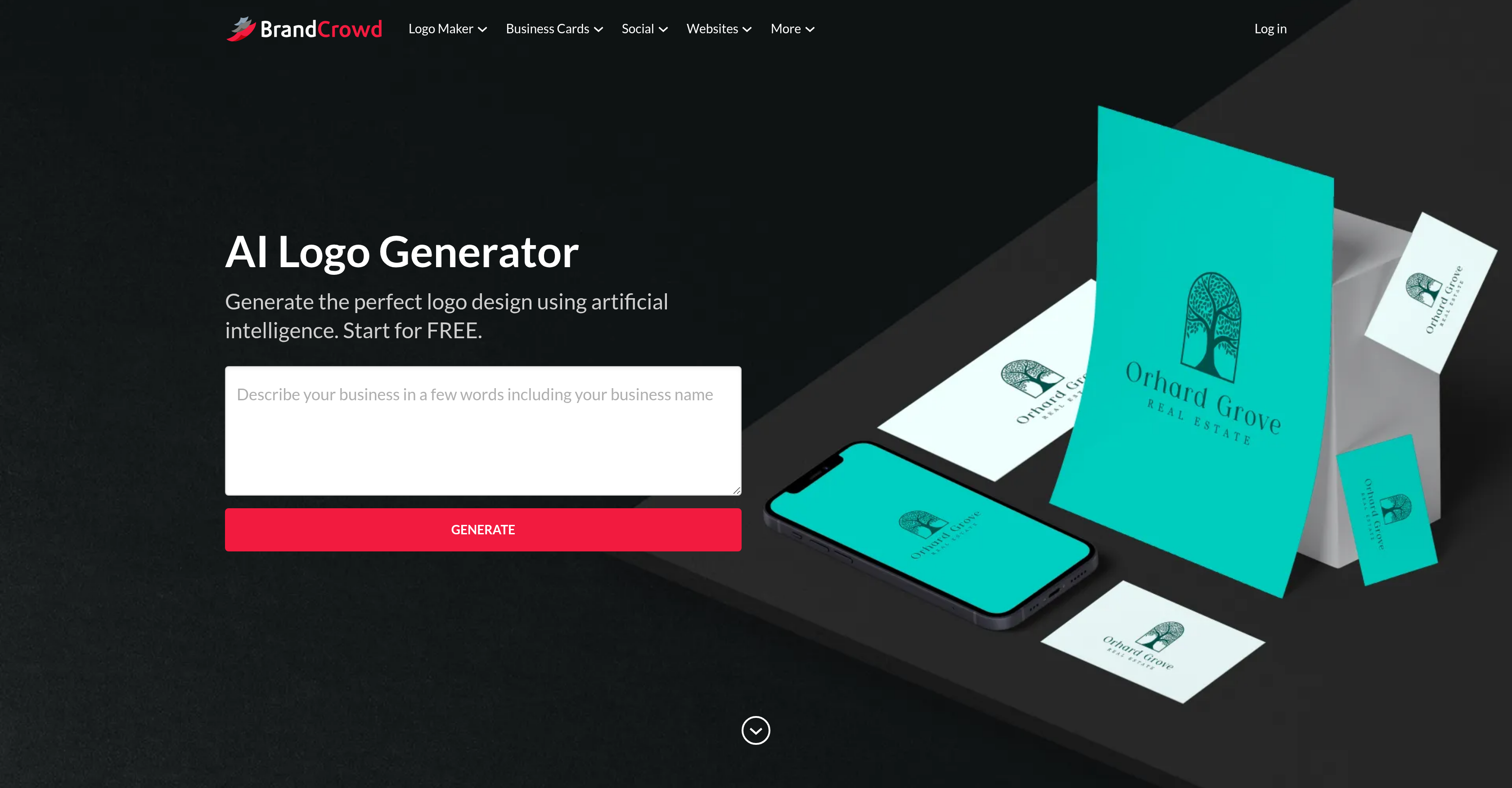
- Get a professional, unique logo for your business in seconds by simply entering your business name and keywords, powered by AI that draws from over 145,000 premium designs.
- Fully customize your chosen logo to match your exact brand identity by adjusting colors, fonts, layout, and adding gradient colors, shapes, or curved text.
- Download your final logo instantly in all necessary formats (PNG, JPG, SVG, EPS, PDF) with high-resolution and transparent backgrounds ready for websites and print materials.
- See how your logo will look in real-world applications before finalizing with previews on mockups like apparel, signage, and websites.
- Refine your results on the fly by adding more keywords to guide the AI, ensuring the generated designs are perfectly tailored to your vision.
Pros & Cons
Pros
- Unique logo designs
- Inputs based customization
- Color, font, layout customization
- Gradient color addition
- Shape addition
- Curved text addition
- Various download formats
- High-resolution logos
- Logo variations
- Previews before final download
- Seconds-fast logo creation
- Customizations within minutes
- Keywords-based refinement
- Logos viewable on applications
- Logo designs for apparel
- Logo designs for signage
- 145,000+ premium logo designs
- Free and unlimited usage
- Multiple logo customization
- Promises aesthetically appealing logos
- Facilitates brand recognition
- Different design previews
- Interface for tweaking logos
- List views of logos
- Logo files with transparent backgrounds
- Logo shortlist feature
- Bespoke logo creation
- Integrated brand setup
- Personalized logo generation
- Business name-based logo creation
Cons
- No offline version
- Limited font options
- Over-reliance on keywords
- Lacks design collaboration feature
- No 3D design capability
- Unable to import custom fonts
- No pixel-perfect editing
- No vectorizer tool
- Non-intuitive interface
- Lack of flexibility in color gradients
Reviews
Rate this tool
Loading reviews...
❓ Frequently Asked Questions
The BrandCrowd AI Logo Generator is an advanced tool that employs artificial intelligence algorithms for crafting unique logo designs tailored to match a business' branding requirements.
Through AI algorithms, the BrandCrowd AI Logo Generator creates numerous logo layouts as soon as it receives inputs like the business name and preferred keywords. Post-generation, users can customize selected logo designs according to their preference, with the final logo design ready for instant download.
The user simply needs to provide their business name and include desired keywords. These inputs guide the AI in generating numerous unique logo designs.
Absolutely. Once a logo design is selected, users can customize various elements such as colors, font, and layout using the BrandCrowd AI Logo Generator.
The BrandCrowd AI Logo Generator offers various customization options. Apart from changing colors, fonts, and layout, users can further customize their logo by adding gradient colors, supplementary shapes, or curved text.
Generated logos can be downloaded in several formats namely PNG, JPG, SVG, EPS, and PDF, catering to various use-cases.
Yes, the resolution of the logos generated by the BrandCrowd AI Logo Generator is high enough for both digital mediums and print materials.
Yes, each logo generated via the BrandCrowd AI Logo Generator is unique, ensuring every design stands out.
The aesthetic appeal of the logos generated by BrandCrowd AI Logo Generator comes from its reliance on a vast array of over 145,000+ unique premium logo designs and advanced AI that crafts distinctive, visually attractive designs.
The BrandCrowd AI Logo Generator offers over 145,000 unique premium logo designs.
Yes, the usage of BrandCrowd AI Logo Generator is entirely free and unlimited.
The BrandCrowd AI Logo Generator can generate logo designs within seconds. The tool allows users to swiftly customize and finalize their selected logo design in mere minutes.
Yes, the BrandCrowd AI Logo Generator provides logo previews that users can view before the final download.
Yes, you are able to add custom shapes, curved text, or gradient colors to your logo using the BrandCrowd AI Logo Generator.
Yes, the logos generated by BrandCrowd AI Logo Generator are suitable for commercial use.
Yes, once a design is selected, the BrandCrowd AI Logo Generator enables you to create multiple variations of your logo.
Absolutely. The high-resolution logos generated by the BrandCrowd AI Logo Generator can be downloaded and integrated into your website design.
Yes, BrandCrowd AI Logo Generator is suitable for creating branding for businesses. The generated logos are customized to a business' specific branding needs, using input such as the business name and desired keywords.
The BrandCrowd AI Logo Generator uses inputs such as the business name and desired keywords to create distinct designs. Moreover, it leverages over 145,000+ unique premium logo designs to ensure the uniqueness of each logo output.
Using an AI algorithm, the BrandCrowd AI Logo Generator automatically generates numerous logo designs based on user inputs such as business name and desired keywords. The process takes mere seconds, offering a fast and easy solution to logo creation.
BrandCrowd AI Logo Generator is an advanced digital tool that harnesses the power of artificial intelligence to generate unique and appealing logo designs for businesses. It uses business-specific inputs to create logos tailored to companies' branding needs instantly.
BrandCrowd's AI Logo Generator uses complex AI algorithms to create a unique logo. Users give inputs such as their business name and desired keywords, on which the generator instantly creates a wide brand-specific selection of logo designs. If the designs generated are not to the user's liking, they can be refined further by adding extra keywords.
To employ BrandCrowd’s AI Logo Generator, users need to input their business name and related keywords. Using this information, the tool creates custom logo designs.
Yes, BrandCrowd's AI Logo Generator allows full customization of the color, font, and layout of the generated logos. This ensures every logo aligning with the unique branding needs of the business.
BrandCrowd AI Logo Generator provides additional customization features enabling users to further enhance their logo designs. These options include the addition of gradient colors, supplementary shapes, and curved text.
Logos from the BrandCrowd AI Logo Generator can be downloaded in various formats. They include PNG, JPG, SVG, EPS, and PDF.
The ideal formats for website usage are PNG and JPG, which are perfect for digital displays due to their wide compatibility and compressed file size without losing much quality. For print usage, vector formats like SVG, EPS, and PDF are preferred because they can be resized without any loss in quality.
Yes, BrandCrowd AI Logo Generator assures exclusive logo designs. All logo designs produced by the tool are unique, ensuring a distinct design for each output.
The BrandCrowd AI Logo Generator harnesses the power of over 145,000 unique premium logo designs.
Yes, usage of the BrandCrowd AI Logo Generator is free and unlimited. Users can browse and customize as many logo designs as they like without any limitations.
The BrandCrowd AI Logo Generator operates with remarkable speed, generating logo designs within seconds. The complete process of selection, customization, and finalizing a logo can typically be completed in minutes.
Yes, you can preview the logos before finalizing the design. This feature lets users view how their logo might appear in different applications, aiding in making an informed decision.
Absolutely! The BrandCrowd AI Logo Generator tool is designed to be user-friendly and adaptive. Users can easily modify their selected logo to meet their specific branding needs with flexible customization features.
BrandCrowd AI Logo Generator uses the keywords provided by the user to generate unique logo designs. These keywords inform the AI algorithm about the nature and industry of the business, helping it create relevant and targeted designs.
Yes, the logos created by BrandCrowd AI Logo Generator do have real-life applications. The tool provides previews of the user's logo on different platforms such as websites, apparel, signage, etc., providing a comprehensive perspective of its practical usage.
Yes, the logo created by the BrandCrowd AI Logo Generator will contain the name of your business. The business name is one of the essential inputs requested by the generator and gets incorporated in the output designs.
Yes, you can add gradient colors, shapes, and curved text to your logo using the BrandCrowd AI Logo Generator. These features enable a higher degree of customization, making each logo a bespoke creation for the business.
No, there are no usage limitations on the BrandCrowd AI Logo Generator. The tool allows users to browse, customize, and edit as many logo designs as they want without any restrictions.
In BrandCrowd AI Logo Generator, if the initially proposed logos do not meet the user's expectations, they can refine the generated logos by using additional related keywords. This way, the tool can generate more personalized logo designs tailored to the users' requirements.
Yes, BrandCrowd AI Logo Generator offers users the facility to preview the logo on various applications like apparel and signage. This helps users understand how the logo will look in real-life applications.
Pricing
Pricing model
Paid
Paid options from
$5/month
Billing frequency
Monthly
Related Videos
BrandCrowd Logo Maker Honest Review - Must Watch Before Using
HelperDog•233 views•Mar 2, 2025