Overview
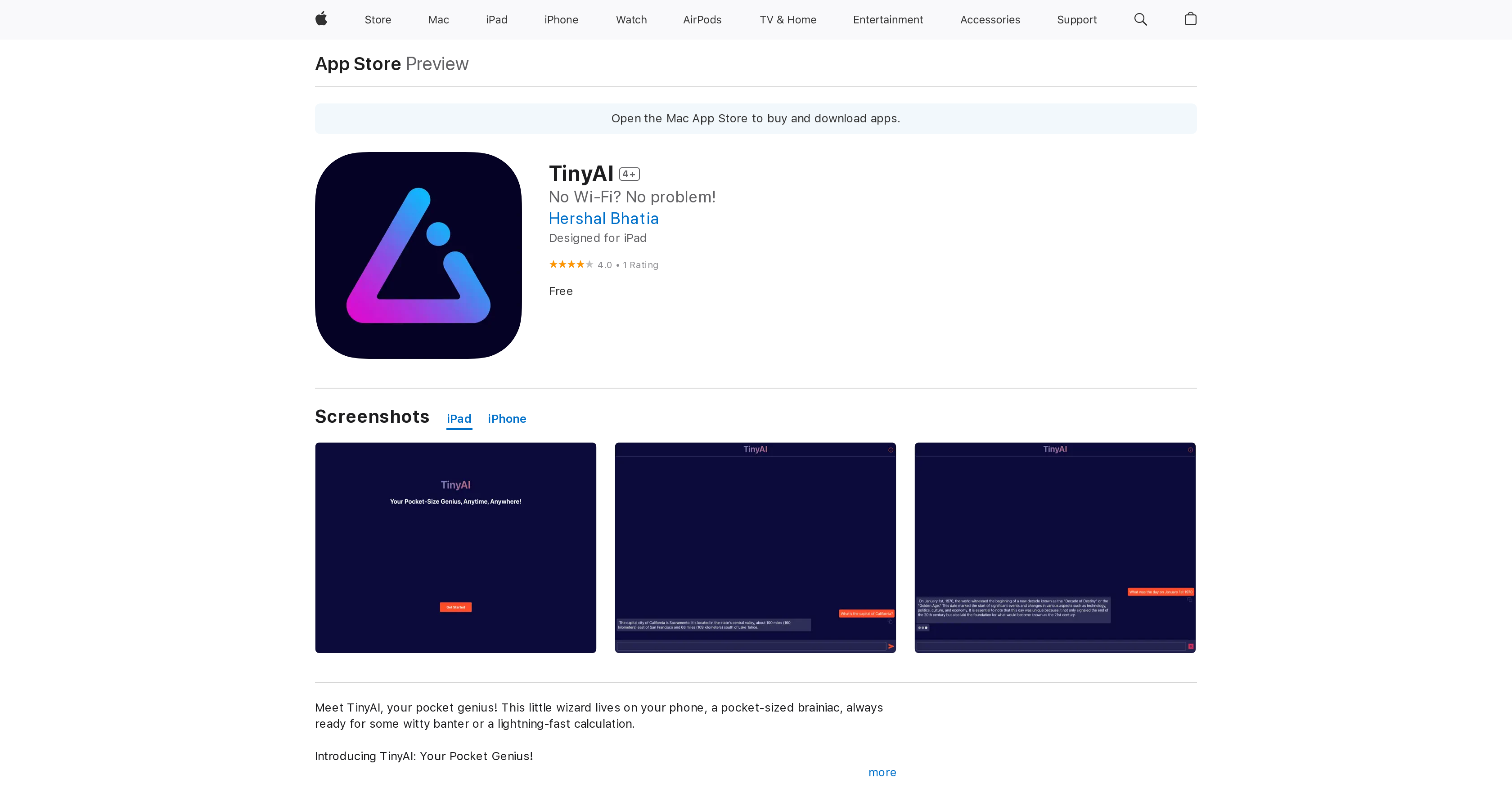
- Get instant AI assistance anywhere, anytime with processing that happens directly on your device, eliminating the need for Wi-Fi or mobile data
- Keep your conversations and data completely private with on-device processing that ensures sensitive information never leaves your iPhone, iPad, or Mac
- Access AI-powered task assistance, chat, and lightning-fast calculations in a single, free app that works across your Apple ecosystem
- Save device storage with a compact 2GB app designed to run efficiently on iPhones, iPads, and Macs with Apple silicon
Pros & Cons
Pros
- Available on App Store
- Compatible with iPhone, iPad, iPod
- Enhances user experience
- Screenshots available
- User Ratings and Reviews
- Works Offline
- Data processed on device
- Brilliance in pocket
- Can perform rapid calculations
- No Wi-Fi needed
- Chat Facility
- Enhanced Privacy
- Optimized for iPad
- Free to download
- Utilities Category
- App's size 2 GB
- Age Rating 4+
- Interface language English
- Developer's customer service
- Detailed Privacy Policy
Cons
- Only available on Apple devices
- Doesn't work on iPad Mini 5
- App size is 2GB
- Requires at least iOS 13.0
- Variable user experience
- Occupies memory when not in use
- No mention of regular updates
- Limited to English language
- Only one developer
Reviews
Rate this tool
Loading reviews...
❓ Frequently Asked Questions
TinyAI is compatible with devices that support iOS 13.0 or later. These include iPhone, iPad, iPod touch, Apple Vision, and a Mac with an Apple M1 chip or later.
TinyAI incorporates AI functionalities that allow it to perform tasks directly on your device. Tasks include assisting with tasks, chatting, making lightning-fast calculations, and potentially much more. However, specific AI functionalities are not mentioned explicitly.
Yes, TinyAI can function without an internet connection. All app functionalities are processed directly on your device, negating the need for Wi-Fi or mobile data.
Users are encouraged to provide feedback or suggest improvements for TinyAI through a form within the app itself.
Yes, TinyAI places a high emphasis on user data privacy and security. All user application interactions are processed directly on the device, ensuring that sensitive information remains confidential and never leaves the safety of the user's pocket.
Yes, TinyAI requires iOS 13.0 or later, iPadOS 13.0 or later, macOS 11.0 or later, or visionOS 1.0 or later to function effectively.
No, TinyAI does not engage in any form of data collection. The developer of the app has mentioned specifically that no data is collected from the app.
Yes, a Mac with an Apple M1 chip or later, running macOS 11.0 or later, is compatible with TinyAI.
You can download TinyAI onto your iPad from the Apple App Store.
There is no explicit information regarding the specific user interface of TinyAI. However, potential users can refer to available screenshots on the Apple App Store for a visual understanding of the interface before deciding to download the application.
As of the recent review, TinyAI has received a rating of 4.0 out of 5 from one user.
The compatibility of TinyAI with iPhone 15 Pro isn't specifically mentioned. However, it is likely compatible as the iPhone 15 Pro runs iOS 13.0 or later.
Yes, you can use TinyAI on iPad Pro as the app requires iPadOS 13.0 or later to function effectively.
Yes, you can download and use TinyAI for free from the Apple App Store.
TinyAI requires 2GB of storage space on your device.
TinyAI is rated 4+ on the Apple App Store, meaning it is suitable for users aged 4 and above.
There is no specific information on differences in TinyAI's performance across various Apple devices. However, as with most applications, the performance and user experience may vary depending on the device's specifications and capabilities.
TinyAI is developed by Hershal Bhatia.
User support for TinyAI can be obtained by visiting Hershal Bhatia's website as mentioned in the 'App Support' section of the application details on the Apple App Store.
The privacy policy of TinyAI can be viewed by visiting the link provided in the 'Privacy Policy' section of the application details on the Apple App Store.
Pricing
Pricing model
Free
Paid options from
Free