

Overview
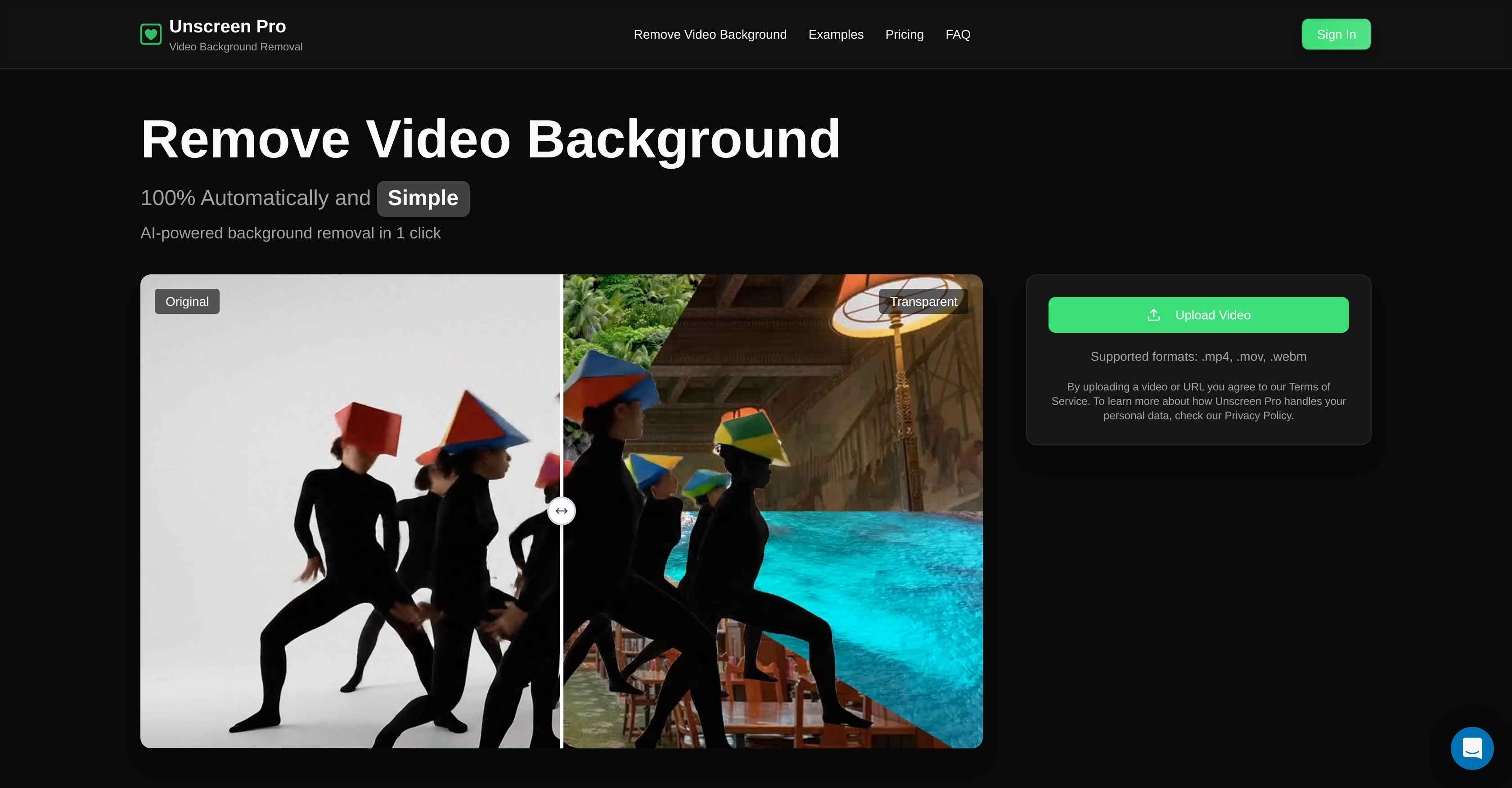
- Create professional videos without expensive studio equipment using AI that removes backgrounds from any video recorded anywhere
- Eliminate unwanted objects and clean up video footage automatically with precise object removal that handles complex scenes
- Save hours of manual editing time with fully automated processing that requires no pixel-picking or technical skills
- Ensure your video content remains private with automatic file deletion within 24 hours and encrypted uploads
- Work with any video format seamlessly by uploading MP4, MOV, AVI or WebM files without conversion
- Scale your video production for marketing campaigns with batch processing that handles multiple videos efficiently
- Preview results before payment to guarantee satisfaction with transparent pricing and flexible subscription options
Pros & Cons
Pros
- Professional video background removal
- Object removal from video
- No manual editing required
- No greenscreen required
- Fully automated process
- Supports wide file formats
- Automatic video deletion in 24hrs
- Data encryption during upload
- Strict user data privacy
- Expedites content creation process
- Viable for multiple business sectors
- Video preview before purchase
- Pay-as-you-go pricing model
- Monthly subscription options
- Single-click operation
- Time-saving tool
- Pixel-perfect precision
- Removes unwanted video elements
- Accessible for various editing tasks
- Supports MP4, MOV, AVI, WebM
- Guarantees clean and professional videos
- Transparent pricing
- Flexible payment options
- Supports high-definition video processing
- Instantaneous editing results
- Negates the need for complex setups
Cons
- No manual editing options
- Limited video format support
- Cannot save projects online
- Dependency on internet connection
- No collaboration features
- No multi-language support
- Lacks post-processing tools
- No mobile App
Reviews
Rate this tool
Loading reviews...
❓ Frequently Asked Questions
The primary function of Unscreen Pro is to provide professional services in video background removal and object removal or addition within video content.
Content creators, video editors, marketing teams and businesses that create content varying from social media to professional presentations, promotional content, and corporate communications can benefit from using Unscreen Pro.
Unscreen Pro operates by analyzing every frame of an uploaded video, identifying and separating subjects from the background with its advanced AI technology. The entire process is automated.
Unscreen Pro can add or remove any specific objects within video content. This functionality is useful in removing any unwanted elements in the video footage.
No, manual editing is not required when using Unscreen Pro. The video background removal process is completely automated.
Unscreen Pro stands out from other video editing tools by requiring no manual editing, greenscreen, or other complex setups. It uses advanced AI to automatically remove video backgrounds and specific objects from any video.
No, a greenscreen isn't required for background removal in Unscreen Pro. The AI technology can remove backgrounds from any video recorded anywhere.
Unscreen Pro maintains user data privacy by automatically deleting all uploaded videos from its servers within 24 hours of upload. It encrypts videos during upload and processing, and uses user content strictly for the purpose of processing their background removal request.
Unscreen Pro uses advanced AI technology to analyze and remove video backgrounds automatically, providing high-quality results quickly, without any manual intervention. However, the exact speed at which results can be delivered is not specified on their website.
Yes, through its precise AI technology, Unscreen Pro can effectively remove all types of video backgrounds from any video footage, recorded anywhere.
On their website, there are no explicitly stated technical requirements for using Unscreen Pro, however, the format of videos which can be uploaded are .mp4, .mov, and .webm.
Any business that needs to create professional presentations, promotional content, and corporate communications can leverage Unscreen Pro's functionalities.
The website does not provide specific information regarding limit on the size or length of the video that can be uploaded to Unscreen Pro.
Unscreen Pro helps in creating promotional content by permitting removal of video backgrounds or specific objects and addition of new elements, which enables marketing teams to produce engaging video content matched to their promotional strategy.
Yes, Unscreen Pro can certainly be used to enhance social media content by allowing creators to seamlessly remove video backgrounds, add or remove objects, hence making their content more professional and eye-catching.
Beyond the standard data privacy measures, Unscreen Pro ensures further security by encrypting videos during the upload and processing stages to safeguard against potential data breaches.
Despite the complexity of the setup in a video, Unscreen Pro uses AI technology to automatically analyze every frame of the video, separating subjects from the background, thus handling videos with complex setups.
The information regarding the compatibility of other background removal software with Unscreen Pro is not provided on their website.
Unscreen Pro facilitates corporate communication by allowing businesses to create professional video presentations and training videos with custom backgrounds, which can align with their corporate communication strategy.
No, you do not need any special equipment to use Unscreen Pro. Just upload your video and the AI does the work of removing the background or any specific objects from the video.
Unscreen Pro is a tool powered by advanced AI technology, designed to automatically remove backgrounds and specific objects from video content. It reduces the need for manual editing, complex setups, and greenscreens, providing professional results quickly and accurately. It's used primarily by content creators, video editors, marketing teams, and businesses, for diverse purposes such as social media content, marketing campaigns, professional presentations, and corporate communications.
Unscreen Pro operates using an AI model to analyze every frame of an uploaded video file. It identifies and separates subjects from the background, thus carrying out automatic background removal. The process is completed seamlessly without needing manual editing or complicated setups.
Veo 3.1 is an AI model that Unscreen Pro employs for automated video processing. This model emphasizes precise pixel-level editing, greatly contributing to the functionality of Unscreen Pro by delivering pixel-perfect background and object removal results from videos.
Yes, Unscreen Pro does more than just video background removal. It has the ability to detect and remove specific objects from within the videos, making it a perfect solution for eliminating unwanted elements in any video footage.
Unscreen Pro supports a wide range of video file formats, including but not limited to MP4, MOV, AVI, and WebM.
Yes, Unscreen Pro does place a high priority on data privacy. It ensures user data protection by encrypting videos during the upload and processing stages. Additionally, it strictly uses user content for the sole purpose of processing their request for background removal.
All videos uploaded to Unscreen Pro are automatically deleted from their servers within 24 hours of upload.
Absolutely. One of the advantages of Unscreen Pro is that it erases the need for a greenscreen. Its AI technology can remove the background of any video regardless of where it was filmed, making it very easy to use.
To remove a video background using Unscreen Pro, all you need to do is upload your video to the platform. The AI technology handles the rest, analyzing each frame and separating the subject from the background automatically.
The main users of Unscreen Pro are content creators, video editors, businesses, and marketing teams. They use Unscreen Pro to create professional and engaging video content suitable for diverse platforms and purposes.
Aside from simple background removal, Unscreen Pro also enables you to remove specific objects from within videos. This expansion of its function is particularly useful for advanced editing tasks such as cleaning up unwanted elements in any video footage.
Yes, Unscreen Pro has a simple and transparent pricing scheme which allows users to preview results before paying. It offers a pay-as-you-go model and monthly subscriptions, which include various benefits like faster processing, priority support, 4K upscale and more.
Unscreen Pro provides user-friendly and flexible payment options. Users are offered a choice between a pay-as-you-go option and monthly subscriptions to suit their specific needs.
Unscreen Pro ensures precisions in video editing through its advanced AI model, Veo 3.1, which allows for accurate pixel-level editing. This means that every pixel is analyzed and processed to deliver professional grade results, whether it’s background removal or object removal from within the video.
Yes, Unscreen Pro does offer a preview of the final product before making a purchase. This feature ensures transparency and users' satisfaction as they pay only after they are satisfied with the preview results.
Yes, Unscreen Pro supports automatic video editing. It does not require manual pixel picking or any other sort of manual interference. Users just need to upload their videos and Unscreen Pro’s AI technology processes background or object removal without further user intervention.
Yes, Unscreen Pro can be used for mass video editing tasks such as marketing campaigns. It can quickly and efficiently process multiple videos at once, making it a suitable tool for large-scale projects.
Yes, content creators can definitely use Unscreen Pro for producing social media content. Whether it’s for YouTube, TikTok, or any other social media platform, Unscreen Pro allows content creators to generate professional, high-quality videos without the need for expensive studio equipment.
Unscreen Pro guarantees security during video upload and processing by using encryption methods. It safeguards users’ data during both the upload and processing stages, ensuring that privacy is maintained and your videos are secured.
While Unscreen Pro primarily focuses on removing backgrounds and objects from video content, it does not explicitly mention the capability to add objects to a video.
Pricing
Pricing model
Paid
Paid options from
$10/unit
Billing frequency
Pay-as-you-go
Refund policy
No Refunds
Related Videos
Unscreen Pro: Remove Video Backgrounds in Full HD
remove․bg •16.5K views•Aug 4, 2020












