

AI Infographic Generator
Overview
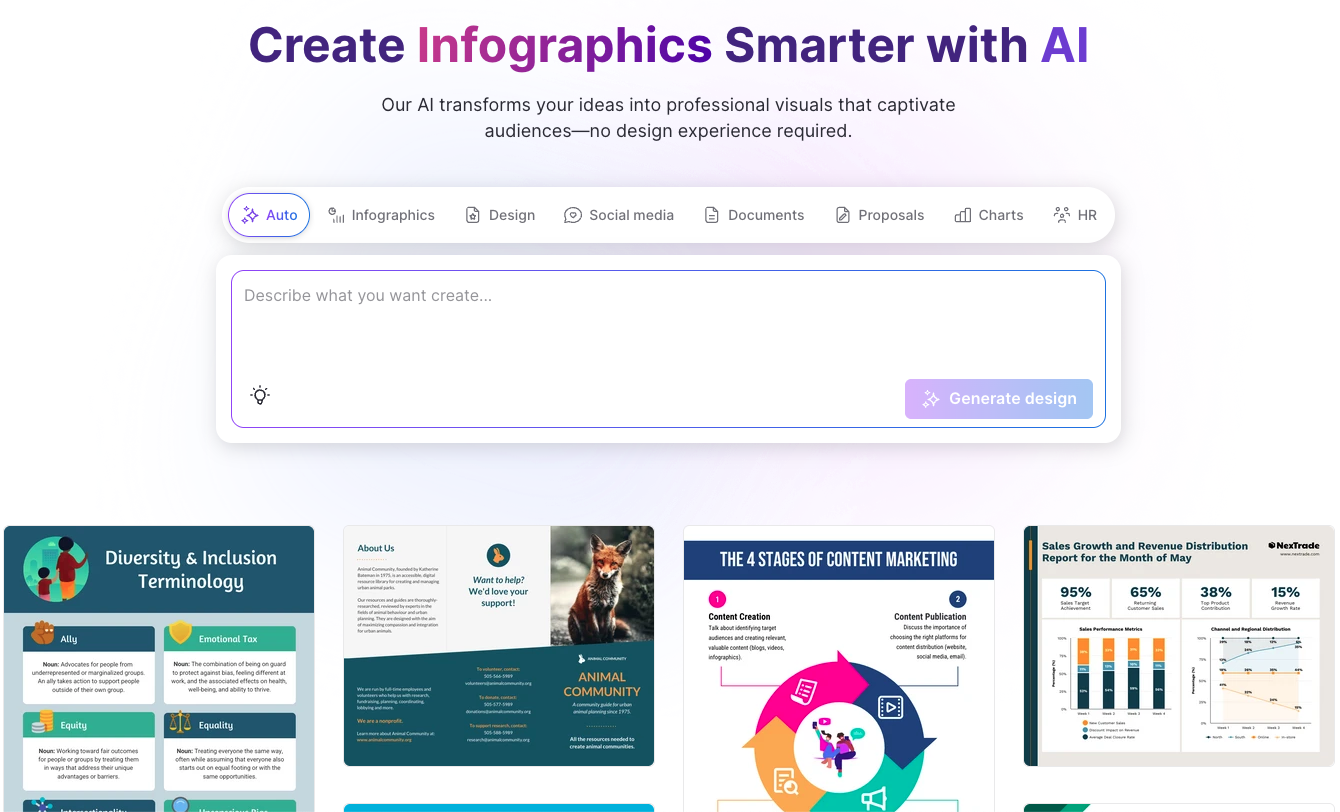
- Transform complex data into clear visual stories instantly using simple text prompts, eliminating the need for design expertise
- Customize every element including colors, icons, fonts, and layouts to perfectly match your brand identity and messaging
- Create professional infographics for business insights, educational content, or promotional materials in under five minutes
- Export your finished designs in multiple formats for immediate sharing across platforms and collaboration with team members
- Choose from specialized templates for timelines, process flows, statistical reports, and comparison visualizations to best present your information
Pros & Cons
Pros
- Converts complex data visually
- Adaptable to many themes
- Offers full customization
- Accommodates various design styles
- Multiple editing tools
- Export in preferred format
- Supports collaborations
- Suits a range of subjects
- Turns text to image
- Automated design
- Template based
- Data simplification
- Narrative visualization
- Enhances user creativity
- Enables significant detail adjustments
- Comprehensive layout transformations
- Visual enhancements
- Suits distinct tone and visuals
- Supports promotional materials
- Enhances design ideation
- Supports business insights
- Caters to educational content
- Instant infographic creation from text
- Allows format and style input
- Object oriented infographic creation
- Supports vibrant to formal tones
- Data transformation to visual narratives
- One-stop shop for visual presentations
- Drag-and-drop simplicity
- Direct data import from spreadsheets
- Consistent branding across designs
- High-quality exports
- Various export formats
- Professionally designed infographic foundations
- Range of infographic designs
- Copyright-free creations
- Capacity for extensive customization
- Eye-catching designs for any topic
- Facilitates brand kit maintenance
Cons
- Lacks multilingual support
- No mention of security
- No automatic citation feature
- Limited free infographic generation
- Limitations on customization
- No options for animation
- No offline mode
- No built-in metric tracking
Reviews
Rate this tool
Loading reviews...
❓ Frequently Asked Questions
The Venngage Infographic Generator is a free tool that converts complex data into visually engaging and emotionally compelling narratives. It allows users to provide content directives via text prompts, which it uses to construct aesthetically appealing infographics fitted with a variety of templates.
The Venngage Infographic Generator bakes in user-provided prompts, converts the directives into audiovisual narratives, and creates meaningful infographics. It affords full customization, enabling users to adjust and personalize the details of the infographic such as design styles, tones, and visuals. This way, users can create infographics that resonate with the intended audience and purpose.
Absolutely, all the infographics generated by the Venngage Infographic Generator can be fully customized. From design styles and tones to text layout and visuals, users can tailor their infographics to their precise needs, ensuring the conveyed story is in line with their vision.
Venngage offers a rich variety of themes and templates for infographics. These templates encompass different themes and subjects including timeline, process, informational, statistical, comparison, and others. Each is designed to be appealing and easy to understand for audiences of different genres and fields.
Venngage simplifies complex information through its robust data visualization capabilities. The text prompts supplied by the user are converted into intelligible, compelling, and aesthetically pleasing infographics. The output is designed to promote understanding and engagement, making it ideal even for non-specialist audiences.
Yes, Venngage promotes a high degree of customization. Users can adjust minute details and personalize their infographics according to their preferences. This includes tweaking design styles, tones, visuals, text layouts and more, providing an output that aligns with the user's envisioned specifications.
Venngage users can refine AI-generated designs by making alterations to the text, adjusting the layout, and customizing the visuals. A multitude of editing tools are available to fine-tune the infographic to your precise needs.
Users can export their finalized infographic from Venngage in their preferred format. The platform does not specify the formats available, but typical formats would likely include JPEG, PNG, PDF, or SVG.
Yes, Venngage's platform fosters collaboration for a wider distribution of the infographics. After finalizing the infographic, users can share the design or engage in collaborations.
Venngage Infographic Generator is suitable for a diverse array of content types. From business insights, educational content, promotions, events, to other genres, the platform can convert them into compelling visual narratives.
Yes, the data visualization feature on Venngage can create a diverse range of visualizations including statistical, timeline, comparison, and process visualizations. These visual approaches facilitate efficient data representation, ensuring the communication of complex data in an easily understandable manner.
Venngage tool enhances user creativity by leveraging design ideation. It guides the generation of unique and visually striking infographics from simplistic input, thereby spurring inventive design outcomes.
The Venngage AI tool requires user input in the form of content directives or text prompts. Users can provide detailed guidelines, nuances about design styles, tones, and visuals, to be integrated into the infographics.
Absolutely, Venngage is capable of converting a wide array of content into infographics. Be it business insights, educational content, promotions or anything else, this platform has got you covered.
With Venngage, automated design and content creation is as simple as providing text prompts. The AI processes your input and automatically designs infographics as per the directives. It offers a wealth of templates, allowing users to harness the power of AI to create visually engaging content.
Yes, Venngage Infographic Generator offers comprehensive data presentation capabilities. It proficiently converts textual inputs into rich, detailed and visually striking data visualizations that retain the essence of the original data while making it more engaging and accessible.
Venngage allows users to create infographics that resonate with their audience by offering a high degree of customization. Users can adjust details such as design styles, tones, and visuals and craft infographics which perfectly align with their brand's voice and the preferences of their intended audience.
Yes, on Venngage, users can alter the text layout and visuals, ensuring that the final infographic aligns with the user's vision. Also, alterations can be made to the text, layout transformations, and visual enhancements, refining the AI-generated designs for greater impact.
Yes, Venngage offers various editing tools that users can use to refine their AI-generated designs. These tools aid in adjusting the text, transforming the layout, enhancing visuals, and tailoring the infographics to meet the users' needs.
Yes, Venngage allows you to create an infographic in under 5 minutes. The process includes defining your objective, choosing your preferred style and tone, writing your AI prompt, customizing the AI-generated draft, and finalizing your infographic by exporting it in your chosen format.
Pricing
Pricing model
Freemium
Paid options from
$10/month
Billing frequency
Monthly
Related Videos
Create Stunning Infographics with AI | @venngagevids
GraFeeXa•11.9K views•Feb 13, 2025




















