
Vibe Motion
Overview
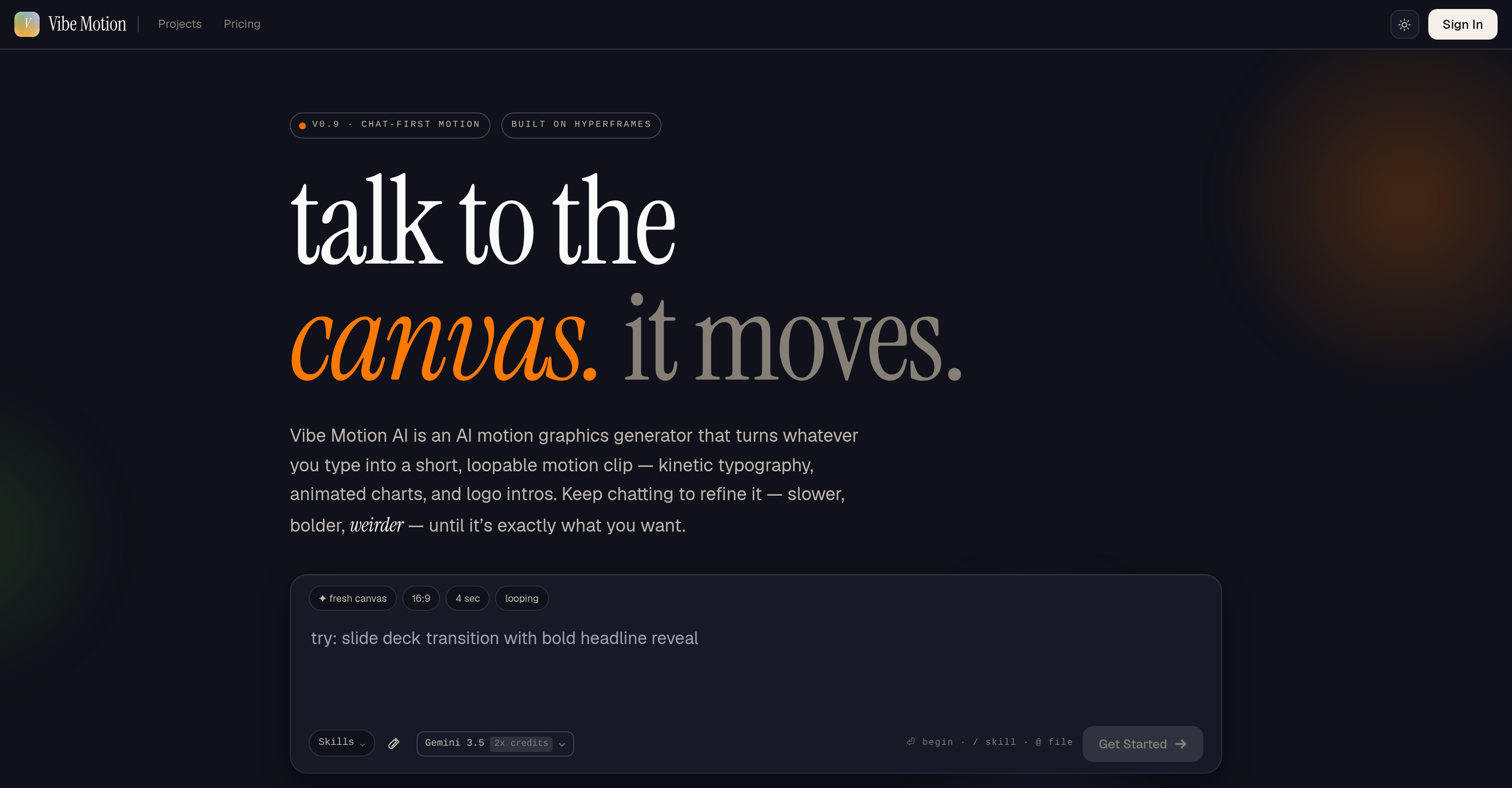
- Launch professional-grade motion graphics in minutes, not hours, by typing text prompts instead of wrestling with complex timeline editors
- Produce loopable animated charts and kinetic typography for social media or presentations using pre-configured templates
- Refine animation speed, style, and intensity on the fly by simply chatting your adjustments until the output matches your vision
- Create engaging educational visuals like step-by-step process flows and flight path animations without any design or coding skills
- Generate attention-grabbing logo intros and product feature highlights with text callouts for marketing campaigns in a single session
Pros & Cons
Pros
- Chat-first interface
- Customizable motion clips
- Loopable motion graphics
- Detailed adjustment parameters
- Pre-configured templates
- Kinetic typography animation
- Interactive user interface
- Logo introduction design
- Automated design process
- User-friendly interface
- Real-time output modifications
- Interactive design refinement
- Creative text commands
- Animated bar charts
- Presentation slides animation
- Process flow animations
- Flight path graphics
- Pie chart animations
- Product features highlight animation
- Text to video conversion
- Highly efficient tool
- Suitable for various projects
- Specifically made for motion
- Allows for creative commands
- Logo animation tool
- Text callouts functionality
- Quick motion graphic creation
- Alternative to After Effects
- Tailored output based on commands
- Editable speed and intensity
- Generates a variety of graphics
- User-driven customization
- Serves various user types
- Interactive charting animations
- Instructions via text prompts
- No motion software required
- Text instructions to motion
- Customizable presentation slides
- User-guided design process
- Step-by-step process flows
- Animation based on prompts
Cons
- Chat-first interface limits
- Limited template variety
- No import/export function
- No cross-platform support
- Limited customization options
- Not beginner friendly
- Limited style presets
- No collaboration features
- No multi-language support
- No user guide/tutorial
Reviews
Rate this tool
Loading reviews...
❓ Frequently Asked Questions
Vibe Motion AI is an artificial intelligence tool designed for the creation of animated motion graphics. It is especially used for kinetic typography, animated charts, and logo introductions, offering a chat-first interface where users can input instructions through text prompts.
Vibe Motion AI can produce a variety of motion graphics outputs, including kinetic typography, animated charts, logo introductions, animated bar charts, presentation slides, process flows, flight paths, pie chart animations, and product feature highlights.
Vibe Motion AI's chat-first interface operates by allowing users to input instructions for their desired animations through text prompts. It then processes these instructions and turns them into customizable, loopable motion clips.
Instructions can be provided to Vibe Motion AI through a chat-first interface. Users simply type in the details of their desired animations into the available chat box and the AI system will generate the required animation based on these text prompts.
Vibe Motion AI offers several customization options for animations. Users can adjust parameters such as the speed, style, and intensity of their animations. They can also continually refine their animations to make sure the output meets their specific requirements.
Users can adjust the speed, style, and intensity of their animations on Vibe Motion AI by tweaking these parameters in their instructions. Specific requirements can be included in the text prompts that are input through the chat-first interface.
Vibe Motion AI offers a range of pre-configured templates that users can utilize to create their animations. These include animated bar charts, presentation slides, process flows, flight paths, pie chart animations, and product feature highlights.
Yes, Vibe Motion AI can create animated bar charts. It includes pre-configured templates for this exact purpose that users can choose and customize as required.
Vibe Motion AI streamlines the process of creating motion graphics by offering a chat-first interface where users can input their requirements as text prompts. The artificial intelligence process then generates customizable, loopable motion clips based on these instructions, eliminating the need for extensive programming or design knowledge.
Yes, Vibe Motion AI is suitable for educational purposes. It can be used by educators to create engaging, animated visuals for their students, improving the process of teaching and learning.
Yes, Vibe Motion AI can be used for logo introductions. It allows users to create short, loopable motion clips that highlight their logos making it ideal for logo presentation needs.
Vibe Motion AI can be used for content creation by marketers. It allows the creation of customized animations, including kinetic typography, product feature highlights and animated charts, that can be used in marketing campaigns, advertisement videos and presentations.
Yes, Vibe Motion AI provides animation templates for flight paths. Users can use these pre-configured templates to visualize airplane flight paths from one place to another, enhancing the narrative of their content.
Yes, Vibe Motion AI can create process flow animations. It has pre-configured templates that allow users to visualize step-by-step processes, making it ideal for explainer videos or tutorials.
Vibe Motion AI serves as an alternative to traditional motion software by leveraging AI to simplify and speed up the process of creating motion graphics. Instead of manual design and coding, users simply provide instructions in a chat interface, and the AI system generates the required animations.
Yes, you can create presentation slides using Vibe Motion AI. It offers pre-configured templates for presentation slides that you can modify and customize to suit your needs.
You can refine your animations on Vibe Motion AI by continually tweaking parameters like speed, style, intensity and more until your output is exactly as you desire. This is done through the chat-first interface.
With Vibe Motion AI, you can create a variety of kinetic typography animations. This makes it easy to animate text in a variety of styles and movements, thereby improving the visual impact of your content.
Yes, Vibe Motion AI can create animated pie chart. It offers pre-configured templates for pie chart animations which can be customized and utilized in a variety of use-cases.
Yes, you can highlight product features using Vibe Motion AI. It allows the creation of customizable animations that draw attention to specific product features, making it a useful tool for marketers and advertisers especially.
Vibe Motion AI works by receiving text inputs from users through a chat-first interface. These inputs are then transformed into a short, customizable, continuously repeating motion graphic. As the user interacts with this tool, they're able to refine their animations by altering parameters like speed, style, intensity, thereby achieving a tailored result.
Vibe Motion AI can be used by a broad range of users, such as marketers, content creators, designers, and educators. Anyone with a motion-related project can use this tool.
Key features of Vibe Motion AI include a chat-first interface, the ability to create animated motion graphics like kinetic typography and animated charts, customization options for speed, style, and intensity of the animation. Other notable features are Logo Intros, Text To Video, and options to create animations like pie charts, process flows, flight paths, and product feature highlights.
Yes, you can customize both speed and style of animations in Vibe Motion AI. Through interactive refinement, you can tweak parameters until you get the output you desire.
Vibe Motion AI can create a variety of motion graphics including kinetic typography, animated charts, logo introductions, process flow animations, airplane flight paths, pie chart animations, and product feature highlights with text callouts.
The chat-first interface of Vibe Motion AI functions by receiving textual inputs from users. Users simply provide instructions and the tool converts the text into a motion graphic.
You use text prompts in Vibe Motion AI by inputting instructions through the chat-first interface available on the platform. The tool then generates a short loopable motion clip based on your inputs.
The pre-configured templates available in Vibe Motion AI include animated bar charts, presentation slides, process flow animations, flight paths, pie chart animations, and product feature highlights.
Yes, Vibe Motion AI can create logo introductions. It's one of the key features advertised on their website.
Yes, it is possible to get real-time modifications with Vibe Motion AI. Its chat-first interface allows users to refine their animations interactively by specifying changes in parameters.
'Talk to the canvas', in the context of Vibe Motion AI, means providing instructions through text to the tool. The tool then generates a motion graphic based on the provided input.
Yes, Vibe Motion AI can handle complex animations like pie chart animations. It's one of the pre-configured templates available in the tool.
Vibe Motion AI is indeed user-friendly. It's designed with a chat-first interface to simplify the user interaction process even further enabling anyone, regardless of technical skills to create motion graphics.
Yes, Vibe Motion AI has the ability to animate flight paths. This is visually demonstrated through one of the suggested applications on their website which shows a flight path from New York to Beijing.
Vibe Motion AI is suitable for any motion-related project. This can range from digital marketing campaigns, to educational content, presentations, and many more.
'Loopable', in the context of Vibe Motion AI, refers to the ability of the tool to create motion graphic clips that can be played in a continuous loop.
Vibe Motion AI can create a variety of animated charts, including but not limited to bar charts and pie charts. Pre-configured templates for these types of animated charts are available on their website.
Yes, Vibe Motion AI can highlight product features with text callouts. One of the suggested applications on their website is a product feature highlight done through text callouts.
Vibe Motion AI is an efficient alternative to traditional motion software because it leverages artificial intelligence to simplify, speed up, and democratize the process of creating motion graphics. This is achieved by using a chat-based interface that allows the user to simply type their ideas, which are then translated into motion graphics.
Pricing
Pricing model
Free Trial
Paid options from
$19/month
Billing frequency
Monthly
Refund policy
No Refunds