

Video Compress AI
Overview
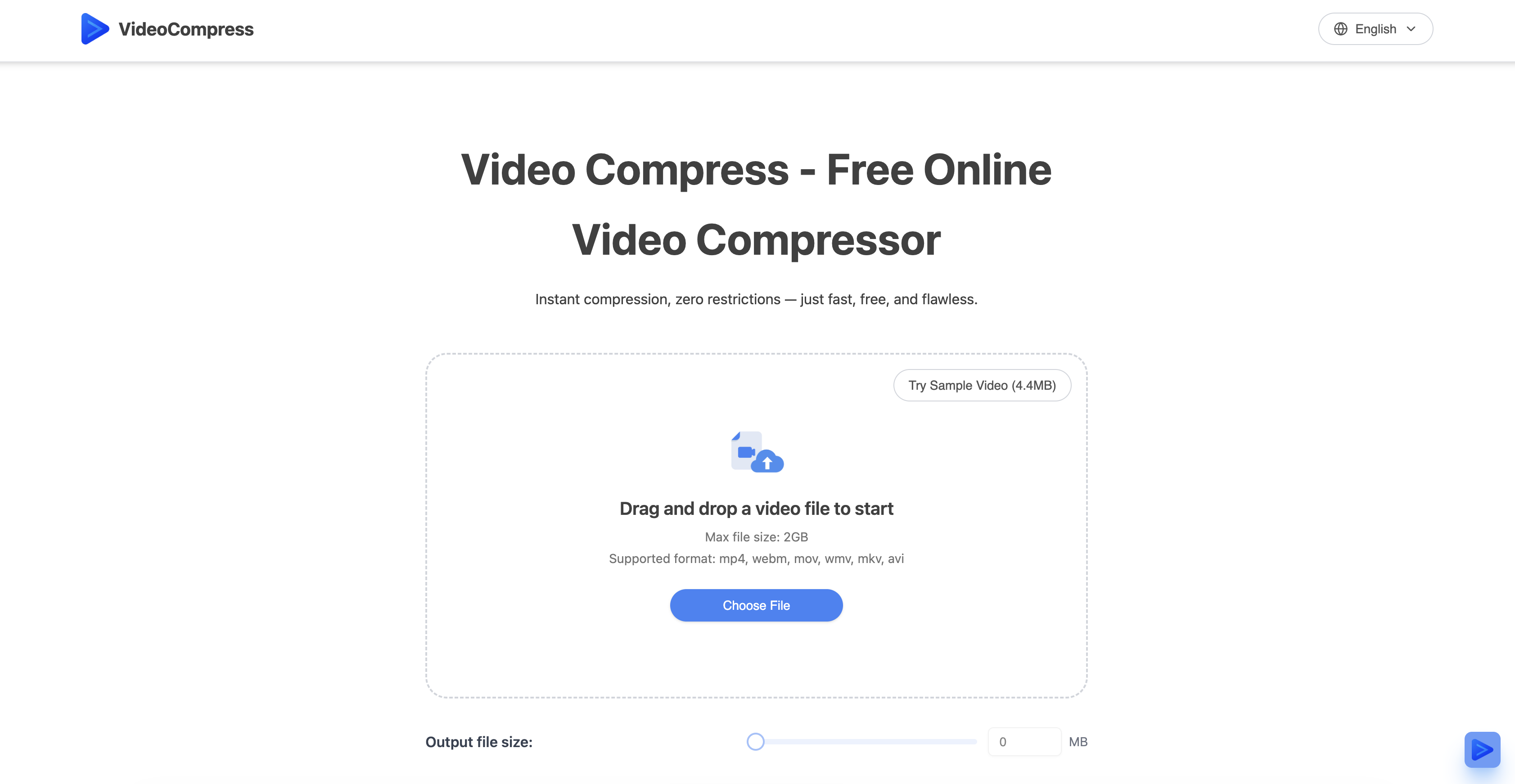
- Shrink video file sizes by up to 80% without quality loss using advanced H.265/HEVC encoding technology
- Convert videos between MP4, MOV, AVI, and WMV formats while compressing to meet platform requirements
- Preview compression results instantly with real-time quality comparison before downloading
- Process 4K ultra-high-definition videos instantly using cloud servers without slowing down your device
- Choose optimal compression settings instantly with one-click presets for web sharing, storage, or HD preservation
- Protect sensitive content with end-to-end encryption during upload, processing, and storage
- Eliminate storage costs and reduce bandwidth usage by maintaining quality at significantly smaller file sizes
- Upload and share videos faster with dramatically reduced file sizes that transfer in less time
- Use professional compression without watermarks, installations, or local resource requirements
Pros & Cons
Pros
- Supports multiple formats
- Preserves original quality
- Advanced H.265/HEVC technology
- Unique compression algorithm
- Up to 80% reduction
- Secure end-to-end encryption
- Format conversion support
- Multiple quality presets
- User-friendly interface
- Real-time compression results preview
- Efficient cloud-based processing
- Compresses 4K UHD videos
- Improves upload speed
- Aids in sharing videos
- Saves storage space
- No restrictions
- Fast compression
- Supports MP4, AVI, MOV, WMV
- Real-time preview for quality assurance
- Three step compression process
- Reduces storage costs
- Reduces bandwidth usage
- Instance compression
- No usage limits
- No watermark
- Trusted by top companies
- Direct drag and drop feature
- Output in mp4 format
- Free to use
Cons
- Limited to online use
- Restricted to 2GB uploads
- Potential latency issues
- Reliance on stable internet
- No offline version
- Limited compression customization
- Dependent on cloud processing
- No mentioned batch processing
- File size limit
- No desktop application
Reviews
Rate this tool
Loading reviews...
❓ Frequently Asked Questions
VideoCompress supports a wide range of mainstream video formats including MP4, MOV, AVI, WMV, and more.
The maximum video size that can be compressed using VideoCompress is 2GB.
VideoCompress maintains the quality of the video during compression thanks to the advanced H.265/HEVC encoding technology and a unique compression algorithm. These allow for significant reduction in file size without compromising the visual quality.
Yes, VideoCompress does perform format conversion. It supports mutual conversion among various mainstream video formats, precisely meeting platform-specific needs.
VideoCompress employs a secure encryption system that provides end-to-end protection during the upload, processing, and storage stages. This ensures maximum content privacy and security.
Yes, VideoCompress does offer real-time compression results. It has a user-friendly interface and provides a real-time comparison of compression effects to help users understand the results and make informed choices.
VideoCompress uses advanced H.265/HEVC encoding technology for video compression that enables up to an 80% reduction in file size while maintaining the original visual quality.
The maximum reduction percentage in file size observed using VideoCompress is up to 80%.
Yes, VideoCompress is a cloud-based tool. It uses powerful cloud server processing capabilities for video compression.
No, compressing 4K ultra-high-definition videos on VideoCompress does not require local resources. It leverages powerful cloud-based processing capabilities.
Yes, VideoCompress offers multiple compression quality preset options including web sharing, storage optimization, and high-definition preservation modes.
The platform-specific benefits of VideoCompress include its support for a wide range of video formats, format conversion capabilities, and optimization for web sharing, storage, and high-definition modes. It is trusted by many companies for its efficient compression process and improved upload speed.
Yes, VideoCompress is free for everyone to use without any restrictions.
No, VideoCompress does not leave a watermark on the compressed videos.
Data privacy on VideoCompress is ensured through a secure encryption system which provides end-to-end protection during the upload, processing, and storage stages.
Yes, VideoCompress offers comparison of original and compressed video quality via its real-time comparison feature.
The file sizes achieved when compressing videos on VideoCompress depend on the compression settings and the original file size, with up to an 80% reduction in file size reported.
VideoCompress speeds up the video upload process by effectively reducing the file size, which inherently decreases the time it takes to upload the video.
Yes, the user interface of VideoCompress is easy to navigate. It is expertly designed with a user-friendly interface, showcasing real-time compression results to aid users in making informed choices.
VideoCompress is a free online tool that specializes in video file compression. It offers a range of services including reducing video sizes, maintaining the original visual quality, supporting various video formats such as MP4, AVI, MOV, and WMV, and providing real-time previews of the compression effects. It operates using powerful cloud server processing to quickly compress files without the need for local resources, and employs secure encryption throughout the process to preserve the content's privacy and security.
VideoCompress operates in three simple steps: users upload the video, select the compression mode, and then download the optimized video. It uses advanced H.265/HEVC encoding technology and a unique compression algorithm, which together with cloud server processing, achieve quick compression even for 4K ultra-high-definition videos.
Using its advanced H.265/HEVC encoding technology and unique compression algorithm, VideoCompress can reduce video files up to 80% of their original size.
Despite the significant size reduction, VideoCompress maintains the original visual quality of the videos. This is due to its utilization of the advanced H.265/HEVC encoding technology, which allows video compression with minimal to no loss in quality.
H.265/HEVC encoding technology stands for High-Efficiency Video Coding. It is a video compression standard designed to substantially improve coding efficiency compared to its predecessor, H.264/AVC. This technology is utilized by VideoCompress to compress videos without losing their visual quality.
During the video upload, processing, and storage stages, VideoCompress ensures the privacy and security of the content by implementing secure encryption end-to-end. This means that the content remains private and secure throughout the entire compression process.
Yes, VideoCompress indeed offers mutual conversion between various mainstream video formats including MP4, AVI, MOV, WMV. This feature precisely meets the needs of different platforms.
VideoCompress offers users multiple compression quality presets. These include web sharing, storage optimization, and high-definition preservation modes. These presets provide users with optimal settings at just one click, based on the intended use of the compressed video.
VideoCompress features a real-time preview of the compression effects. This allows users to compare the video quality before and after compression, ensuring that the output quality meets their expectations.
Powerful cloud server processing capabilities in VideoCompress enable fast compression of videos, including 4K ultra-high-definition videos, without occupying local resources. This allows users to compress files quickly and efficiently.
A company user, such as a business or organization, could use VideoCompress to reduce their video file sizes for easier storage, sharing, and faster uploads. The efficient compression process can also result in lower storage costs and less bandwidth usage.
To compress a video using VideoCompress, users need to upload their video, select their desired compression mode, and download the optimized video. It's a simple process with clear instructions, making the tool accessible to users of different skill levels.
Yes, it is possible to compress 4K ultra-high-definition videos using VideoCompress. Its powerful cloud server processing capabilities enable it to process and compress such high-quality videos speedily.
VideoCompress helps users to save storage space by effectively reducing the size of video files up to an 80% reduction. By compressing the files, users require less storage space to store the same amount of videos.
No, VideoCompress does not require any local resource usage. All the video processing and compressing is done using powerful cloud server processing capabilities. This means that users do not need to employ their local resources or install any additional software to compress their videos.
On VideoCompress, users select the compression mode after uploading their video file. There are multiple compression modes, each corresponding to different quality presets, that users can choose from. This functionality allows users to choose a balance between quality and file size that is ideal for their particular needs.
Yes, VideoCompress allows users to adjust settings based on their needs. Apart from selecting the compression mode and quality presets, users can also choose the output format if they wish to convert the video to a different format.
By compressing the video files, VideoCompress reduces their size, resulting in less data being transferred when the files are uploaded or shared. This reduction in data transfer ultimately helps in reducing bandwidth usage.
No, VideoCompress does not put a watermark on the videos. Users can compress their videos freely without a watermark, maintaining the original appearance of their content.
Pricing
Pricing model
Free
Paid options from
Free