

VideoUpscaler.net
Overview
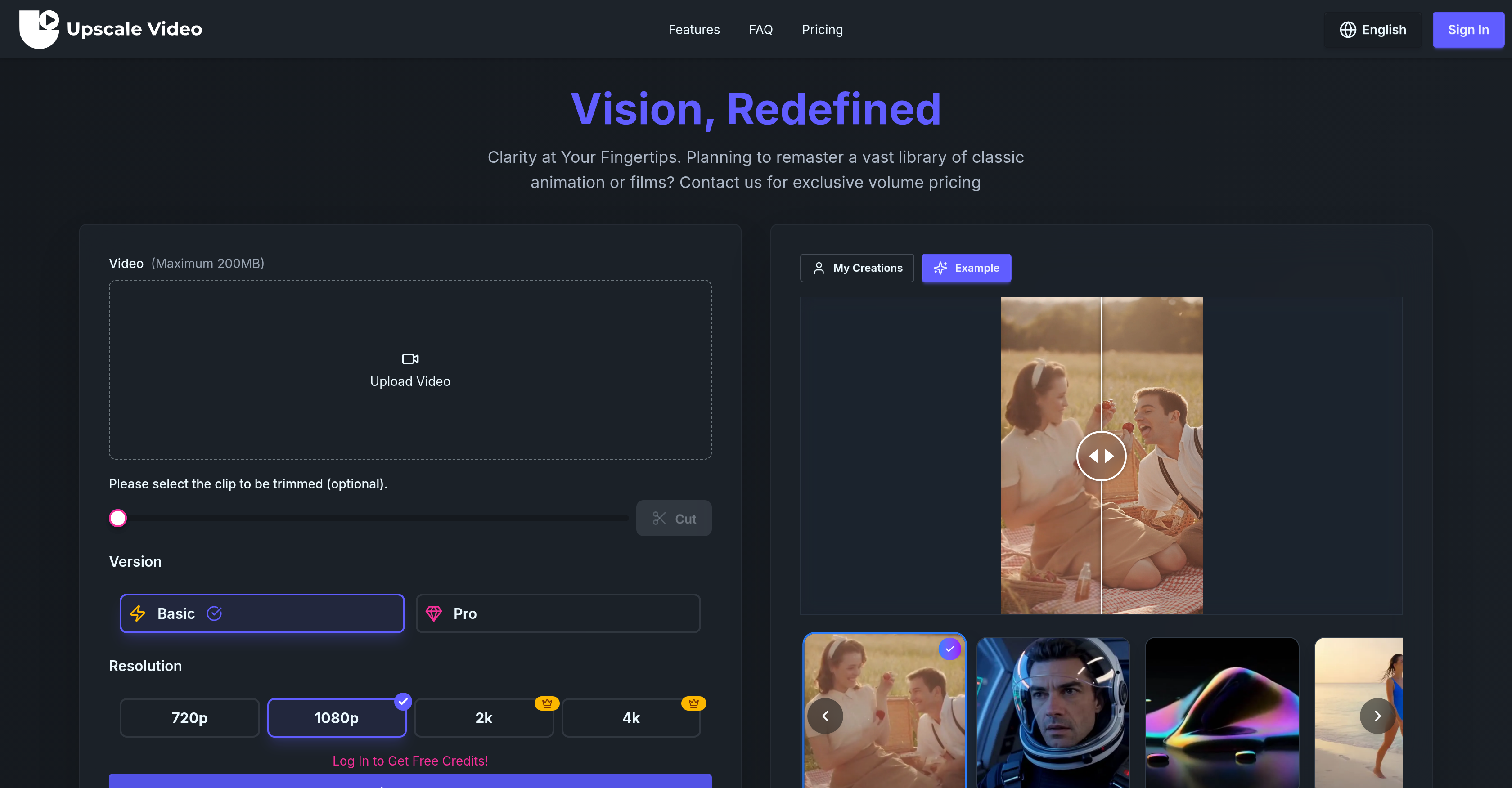
- Remaster classic films and animations for modern screens with AI-powered detail reconstruction and temporal consistency, preserving the original aesthetic while achieving 4K clarity.
- Process multiple videos simultaneously to save time with parallel task processing, enabling efficient upscaling of entire video libraries.
- Deliver professional-grade videos for commercial projects with watermark-free output and full commercial usage rights included in paid plans.
- Eliminate digital noise and distortions for a clean final product using the dedicated artifact cleanup feature that targets pixelation and blurring.
- Ensure smooth, natural-looking motion in every upscaled video with motion-aware processing that maintains clarity and reduces motion blur.
- Access your enhanced videos anytime with unlimited cloud storage and downloads, providing a reliable archive for all your upscaled content.
Pros & Cons
Pros
- Upscale videos to 4K
- Exceptional temporal consistency
- Detailed reconstruction
- Motion-aware processing
- Artifact cleanup
- Frame-to-frame stability
- Capability for remastering animations
- Efficient film enhancement
- Prioritizing processing queues
- Unlimited storage
- Unlimited downloads
- Commercial usage rights
- No watermark output
- Parallel task processing
- Supports professional use
- Smooth video playback
- Handles digital distortions
- Usable for varying video lengths
- Fast processing speed
- Tiered plans for varying needs
- Exclusive volume pricing
- Supports different languages
- Easy video upload process
- 200MB maximum video size
- Video trimming option
- Supports various video resolutions
- Dedicated user support
- Unsubscribe option available
- No rights limitation for paid plans
- Time-limited discount offers
- Secured credit allocation
Cons
- Video length limit
- Max upload size 200MB
- No free commercial rights
- Watermark for free version
- Limited tasks in free version
- Services bound to credits
- Plan dependent parallel tasks
- No individual video/audio upscaler
- Exclusively online, no offline version
- No detailed pricing for volume
Reviews
Rate this tool
Loading reviews...
❓ Frequently Asked Questions
AI Video Upscaler & Video Enhancer is a comprehensive tool designed for enhancing video quality. Operating on advanced artificial intelligence algorithms, it enables users to upscale videos to assorted resolutions comprising 720p, 1080p, 2K, and 4K. It guarantees professional-quality results through exceptional temporal consistency and detail reconstruction. This AI tool also comes with a motion-aware processing feature for smooth video playback and artifact cleanup for dealing with digital distortions in the upscaling process. It caters to different needs by offering various plans, capabilities like multiple parallel task processing, unlimited storage and downloads, no watermarking, and faster processing queues, making it an excellent choice for individuals and businesses alike. Alongside video upscaling, AI Video Upscaler & Video Enhancer provides AI image and music generation services.
AI Video Upscaler & Video Enhancer operates on the basis of advanced artificial intelligence algorithms that enable the upscaling of videos to higher resolutions such as 720p, 1080p, 2K, and 4K. It ensures temporal consistency and detail reconstruction during the process which results in professional-quality enhancement. For smooth video playback, the tool employs motion-aware processing, and it utilizes artifact cleanup for handling digital distortions that may occur during upscaling.
AI Video Upscaler & Video Enhancer can upgrade videos to various resolutions, including 720p, 1080p, 2K, and 4K.
Temporal consistency in AI Video Upscaler & Video Enhancer refers to the uniformity and the preservation of detail and motion patterns across time in video sequences during the upscaling process. This feature guarantees exceptional smoothness and consistency between frames, resulting in an overall improved viewing experience.
The motion-aware processing feature in AI Video Upscaler & Video Enhancer improves video playback by ensuring smooth transitions. It precisely recognizes and processes moving objects in videos, making the playback smoother and more natural.
AI Video Upscaler & Video Enhancer uses a feature known as artifact cleanup to address digital distortions during the upscaling process. This feature identifies and rectifies any anomalies or distortions that may occur due to the upscaling, thereby enhancing the overall visual quality of the upscaled video.
The maximum video duration that can be uploaded on AI Video Upscaler & Video Enhancer is up to 10 minutes.
AI Video Upscaler & Video Enhancer offers three different plans - Basic, Pro and Free. The Basic plan includes features like AI Image, Video, and Music Generation, up to 3 parallel tasks, no watermark on output, fast priority queues, unlimited storage and downloads, commercial usage rights, and support. The Pro plan includes additional benefits like priority support and more parallel tasks. The Free plan is limited in features, with allocated credits per month, limitations on images, music generation, and one parallel task, along with watermarks on output.
Multiple parallel task processing in AI Video Upscaler & Video Enhancer allows users to process several tasks simultaneously. This means you can upscale different videos at the same time, enhancing user productivity and saving time.
There are no storage and download limits on AI Video Upscaler & Video Enhancer for those with Basic and Pro plans. The platform allows for unlimited storage and downloads, providing a reliable solution for extensive video upscaling and enhancement tasks.
No, AI Video Upscaler & Video Enhancer does not leave a watermark on the upscaled videos, provided users are registered under Basic or Pro plan. For users registered under the Free plan, a watermark will be present.
In addition to video upscaling, AI Video Upscaler & Video Enhancer provides AI image generation service and AI music generation service. These services, powered by artificial intelligence, aid in generating visually appealing images and captivating music scores.
Yes, AI Video Upscaler & Video Enhancer can be used for commercial purposes. Commercial usage rights are included for both Basic and Pro plan subscribers.
AI Video Upscaler & Video Enhancer ensures frame-to-frame stability in videos through its advanced algorithms that maintain temporal consistency. This feature allows every frame in the video sequence to be consistently upscaled and enhanced for a smooth, high-quality playback experience.
Yes, AI Video Upscaler & Video Enhancer can be used to upscale personal videos. It's an ideal tool for individuals who want to enhance and upscale their personal video collection.
AI Video Upscaler & Video Enhancer improves video quality by using state-of-the-art artificial intelligence algorithms to upscale videos to higher resolutions, maintaining detail reconstruction and exceptional temporal consistency. It also ensures smoothness of video playback via motion-aware processing and mitigates any digital distortions during the upscaling process through artifact cleanup.
Yes, AI Video Upscaler & Video Enhancer is suitable for remastering classic films and animations. Its capacity for upscaling videos to 720p, 1080p, 2K, and 4K along with features such as temporal consistency, detail reconstruction, and motion-aware processing make it an ideal solution for enhancing old or low-quality videos.
The video output quality of AI Video Upscaler & Video Enhancer can be as high as 4K resolution, depending on the selected upscaling setting. The service provides professional quality results by leveraging advanced algorithms that ensure temporal consistency attributes and detail reconstruction.
'Faster processing queues' in the context of AI Video Upscaler & Video Enhancer implies that video enhancement and upscaling tasks in the processing queue will be completed at accelerated rates, reducing wait times for results. This feature is especially useful for users who require quick turnarounds on video upscaling.
AI Video Upscaler & Video Enhancer provides support to its users. However, the level of support differs based on the chosen plan. Both Basic and Free plans include standard support, while the Pro plan includes priority support, which typically implies faster response times and prioritized service.
The AI Video Upscaler & Video Enhancer is a specialized tool for enhancing the quality of videos. It employs advanced artificial intelligence algorithms to upscale videos to several resolutions including 720p, 1080p, 2K, and 4K, ensuring professional quality outcome for users. The technology provides temporal consistency and detail reconstruction with motion-aware processing for smooth playback and artifact cleanup. It caters to multiple user needs with varying plans that include features like parallel task processing, unlimited storage and downloads, watermark-free output, and prioritized processing queues. In addition, the tool also offers AI image and music generation services, effectively covering a wide spectrum of media enhancement utilities.
The AI Video Upscaler & Video Enhancer utilizes advanced artificial intelligence algorithms to improve video quality. Capable of upscaling videos to a multitude of resolutions including 720p, 1080p, 2K, and 4K, the tool ensures remarkable temporal consistency and detail reconstruction. The motion-aware processing feature and artifact cleanup effectively enhance quality by ensuring smoothness in playback and rectifying any digital distortions that may occur during the upscaling process.
Yes, the AI Video Upscaler & Video Enhancer can upscale videos to 4K quality. It uses advanced AI algorithms, providing detail reconstruction and temporal consistency, ideal for professional use. The technology maintains frame-to-frame stability, ensuring smooth video playback.
Temporal consistency in this context refers to the even and coherent transformation of every frame in the video during the upscaling process. It ensures the resulting video maintains a smooth and reliable quality from start to end. Temporal consistency is crucial for professional results, as it guarantees that the upscaled video plays smoothly, with no visible inconsistencies across frames.
The AI Video Upscaler & Video Enhancer ensures detail reconstruction through its advanced AI algorithms. These algorithms scan every pixel of an original video to understand its patterns, colors, and textures. This information is used to generate additional pixels and enhance the resolution of the video while accurately preserving and recreating the details on a much larger scale.
The 'motion-aware processing' feature is vital for enhancing video playback's smoothness, providing a more natural viewing experience. It enhances the quality of video playback by comprehending and sustaining the consistency of movements between frames during the upscaling process, reducing motion blur and maintaining clarity.
The purpose of the artifact cleanup feature is to handle any digital distortions or abnormalities that might occur during the upscaling process. Such artifacts could include noise, blurring, or pixelated areas within the video. This feature works to rectify these issues, ensuring the final video output is of the utmost quality.
Yes, there is a limit to the duration of videos that can be uploaded for upscaling. This limit allows users to upload videos of varying lengths, up to a duration of 10 minutes.
The AI Video Upscaler & Video Enhancer offers multiple plans to accommodate a range of user needs. From basic to pro, there are plans to suit individual and business requirements. All plans include features like AI Image, Video, and Music Generation, no watermark, unlimited storage, and downloads. The plans differ in terms of the number of parallel tasks, the volume of images, songs, videos per year, and the level of support.
The 'faster processing queues' feature prioritizes users' tasks. This means that when you upload a video for upscaling, it is prioritized in the processing queue, leading to faster transformation times.
Yes, unlimited storage and downloads of videos are included in all paid plans offered by the AI Video Upscaler & Video Enhancer. This means users can store as many videos as they like and download an unlimited number of upscaled videos.
No, the AI Video Upscaler & Video Enhancer does not place any watermark on the output. All videos enhanced and upscaled by this service are free from any watermark, allowing for clean, uninterrupted videos.
Apart from video upscaling, AI Video Upscaler & Video Enhancer provides additional services including AI Image Generation and AI Music Generation. These services allow the tool to offer a diverse range of media enhancement utilities.
The AI Video Upscaler & Video Enhancer provides an efficient solution for remastering large libraries of classic animations or films. Its advanced AI algorithms can improve the resolution of old content, ensuring clarity and refined visuals while preserving the original feel and aesthetic. This makes it a perfect tool for modernizing classic material for viewing on contemporary high-resolution devices.
'Commercial usage rights' means that the user has the right to use the upscaled videos for business-related endeavors. This includes presentations, advertisements, or even redistribution. These rights are available with all paid plans.
The video you intend to upscale should meet certain specifications to benefit the most from the 4K upscaling. While the AI Video Upscaler & Video Enhancer can upscale any video, best results are obtained when your original video has a decent resolution to start with, as the detailed reconstruction is dependent on the quality of the original input.
The AI Video Upscaler & Video Enhancer ensures frame-to-frame stability through its advanced AI algorithms. These algorithms ensure that the transformation applied from one frame to another during the upscaling process is smooth and consistent. This ensures a uniform visual experience with no jarring fluctuations in quality or distortions as the video plays.
Yes, AI Video Upscaler & Video Enhancer offers discount options. The website displays current promotions, each offering a luxurious 50% off on their Basic and Pro plan.
Both individuals and businesses can benefit from using the AI Video Upscaler & Video Enhancer. Individuals can utilize the service to enhance personal videos, thus improving their viewing experience. Businesses, on the other hand, can take advantage of the commercial usage rights to upscale and enhance videos for professional use, such as advertising and presentation. For classic animation or film remastering, the tool is ideal, promising clarity and refined visuals.
Yes, the AI Video Upscaler & Video Enhancer both upscales and enhances videos. The upscaling process involves increasing the resolution of the video to higher standards like 720p, 1080p, 2K, or 4K. On the other hand, the enhancement involves improving the overall quality of the video including detail reconstruction, temporal consistency, and artifact cleanup to provide a better viewing experience.
Pricing
Pricing model
Paid
Paid options from
$7.90/month
Billing frequency
Monthly









