
Overview
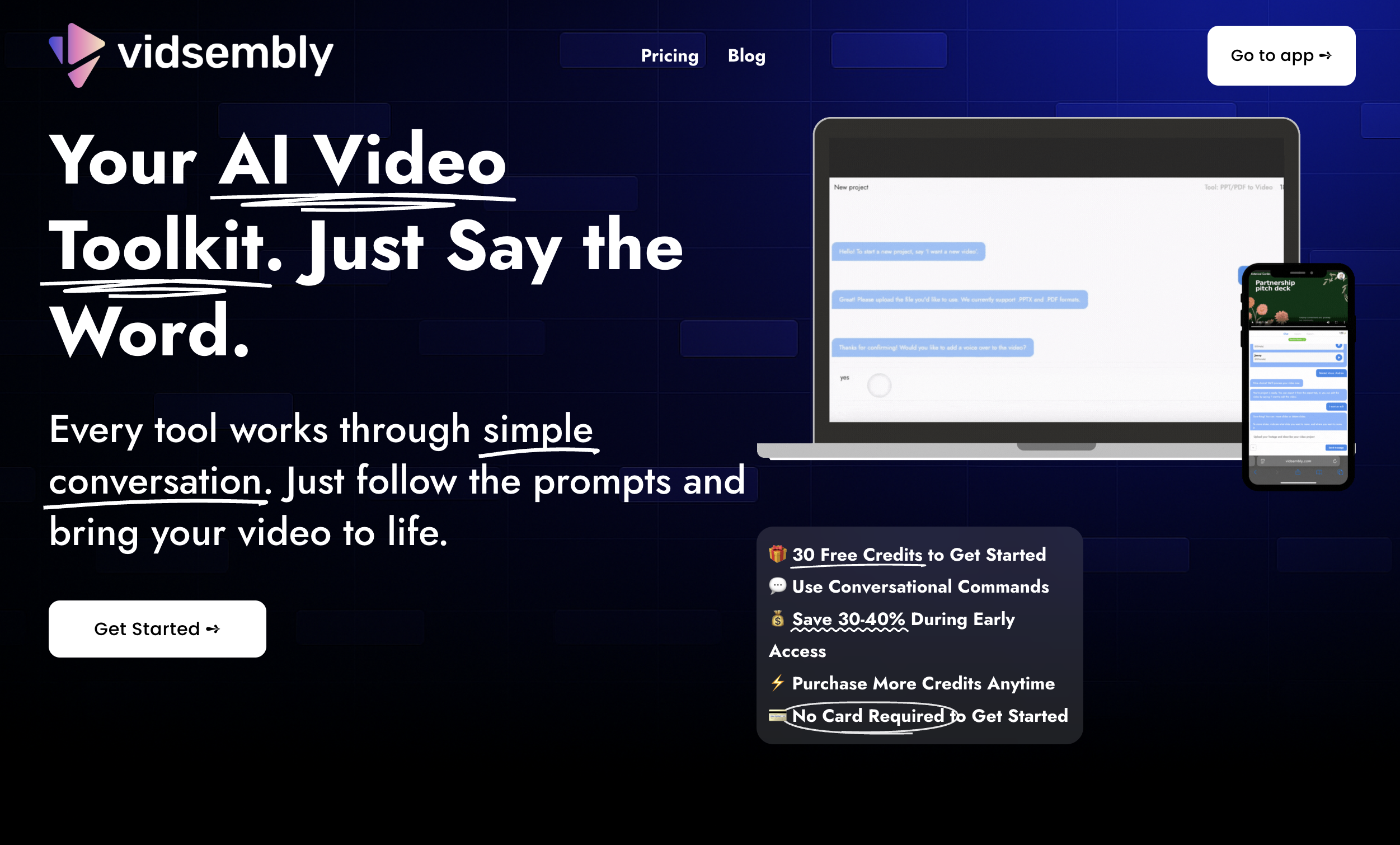
- Transform static presentations into engaging video content that outperforms traditional slide decks through automated slide-to-video conversion
- Personalize video content instantly without complex editing software using interactive voice commands for slide modifications
- Create narrated presentations that enhance comprehension and engagement for remote teams and learners with AI-powered slide narration
- Produce professional videos from existing materials in minutes, not hours, through a minimalistic, conversation-driven workflow
- Maintain budget flexibility with credits that never expire and work across all current and future Vidsembly tools
- Start creating immediately without financial commitment using 30 free starter credits and no credit card requirement
Pros & Cons
Pros
- Transforms presentations into videos
- Interactive voice commands
- Allows personal content modifications
- Simple conversational prompts
- Optimized for various sectors
- Boosts information comprehension
- Improves asynchronous communication
- Credit system for processing
- Credits applicable across tools
- Credits without expiration date
- Aids remote learning
- Useful for hybrid workplaces
- Converts PPTX to video
- Converts PDF to video
- Efficient content creation
- Organized project handling
- Supports video sans audio
- Natural language for edits
- Early access discounts
- No card required start
- Blog resources for usage
- Boosts engagement
- Promotes clarity in communication
- Supports sales follow-ups
- Enhances pitch deck performance
- Caters to educators
- Promotes message retention
- Improves internal communications
- Supports content after presentations
Cons
- Limited to PPT/PDF formats
- Overly simplistic functionality
- Requires purchase of credits
- Voiceover may sound unnatural
- Dependent on internet connection
- No option for human narration
- Lack of advanced editing tools
- Potentially expensive for frequent users
- Cannot edit video post-creation
Reviews
Rate this tool
Loading reviews...
❓ Frequently Asked Questions
Vidsembly is an AI-based toolkit that transforms PowerPoint or PDF presentations into polished video content. It employs interactive voice commands for editing and allows for the customization of content. Vidsembly serves a range of users, notably sales teams, founders, teachers, and internal communication teams, aiming to elevate information delivery methods.
Vidsembly converts PowerPoint presentations into videos through user-friendly, conversation-like steps. Users start by naming their video project and then upload a PPTX. Each slide is transformed into a video frame which users can choose to have the AI narrate or proceed without audio.
Yes, Vidsembly enables users to make modifications to the slides. Through referenced voice commands, users can make certain changes such as moving or deleting slides, effectively personalizing their content.
Vidsembly's AI provides the option to narrate the slides. Users have the choice to let the AI take over the voiceover for their slides, or if they prefer, they can choose to work solely with visuals and proceed without audio.
Vidsembly supports both PowerPoint and PDF files. The users can upload either a PPTX or a PDF file and the AI will transform each of the slides or pages into a video frame.
The credit system in Vidsembly relates processing minutes to the number of credits used. It provides a convenient and unambiguous method of determining usage.
Vidsembly credits are not limited to the video creation tool. They can be applied across all existing and prospective Vidsembly tools, expanding the versatility of the credits.
Absolutely not, Vidsembly credits do not have an expiration date. They remain valid indefinitely, ensuring users can utilize them whenever they need to in the future.
Vidsembly promotes asynchronous communication in remote or hybrid workplaces by transforming static decks or presentations into narrated videos. It enhances engagement, clarity, and comprehension over traditional emails or slides, thus effectively addressing the communication needs in diverse work environments.
Yes, Vidsembly offers 30 free credits for users to get started. This enables new users to try out the service without any initial investment.
Absolutely, sales teams can greatly benefit from Vidsembly. It helps turn slide decks into succinct, narrated videos that improve clarity, engagement, and follow-up response, which can better capture prospect attention compared to static decks.
Vidsembly provides significant benefits to both founders and teachers. Founders can generate narrated versions of their pitch decks to outperform traditional slide decks, attracting more investor interest. Teachers can transform slides into narrated videos to enhance learning outcomes and adapt to the requirements of remote teaching.
Internal communication teams can leverage Vidsembly to switch from static decks and lengthy emails to more engaging video content, which may significantly improve employee engagement, message retention, and synchronous communication across hybrid workplaces.
Vidsembly helps in content personalization by allowing users to make certain modifications to the slides. Users can choose to rearrange or delete slides using referenced voice commands, and also have the option to either include AI narration or proceed without audio.
The steps to create a video with Vidsembly begin by naming a video project, followed by uploading a PPTX or PDF file. Users can then decide if they want the AI to narrate the slides, or if they would rather proceed without audio. Finally, any desired modifications, such as moving or deleting slides, can be made using referenced voice commands.
Yes, users have the option to create videos in Vidsembly without including audio. While the AI can narrate the slides, users can choose to proceed with visuals only.
In Vidsembly's model, 1 credit equals 1 processing minute. The minimum charge is 1 credit per render and durations are rounded up. For instance, a 1:01 rendering time equates to 2 credits. Each new edit or render uses additional credits.
No, a credit card is not required to get started with Vidsembly. Users can initiate their experience with the provided 30 free credits.
Vidsembly's voice commands are designed to be interactive and conversational. Users can manage their video creation process using simple spoken prompts, enhancing user-friendliness and allowing for a more intuitive editing process. This includes tasks like making changes to slides or exporting the final video.
Pricing
Pricing model
Free Trial
Paid options from
$2
Billing frequency
One-time
Related Videos
This Video Was Made by AI from a Slide Deck | Vidsembly Output Demo
Vidsembly•66 views•Jul 17, 2025