Overview
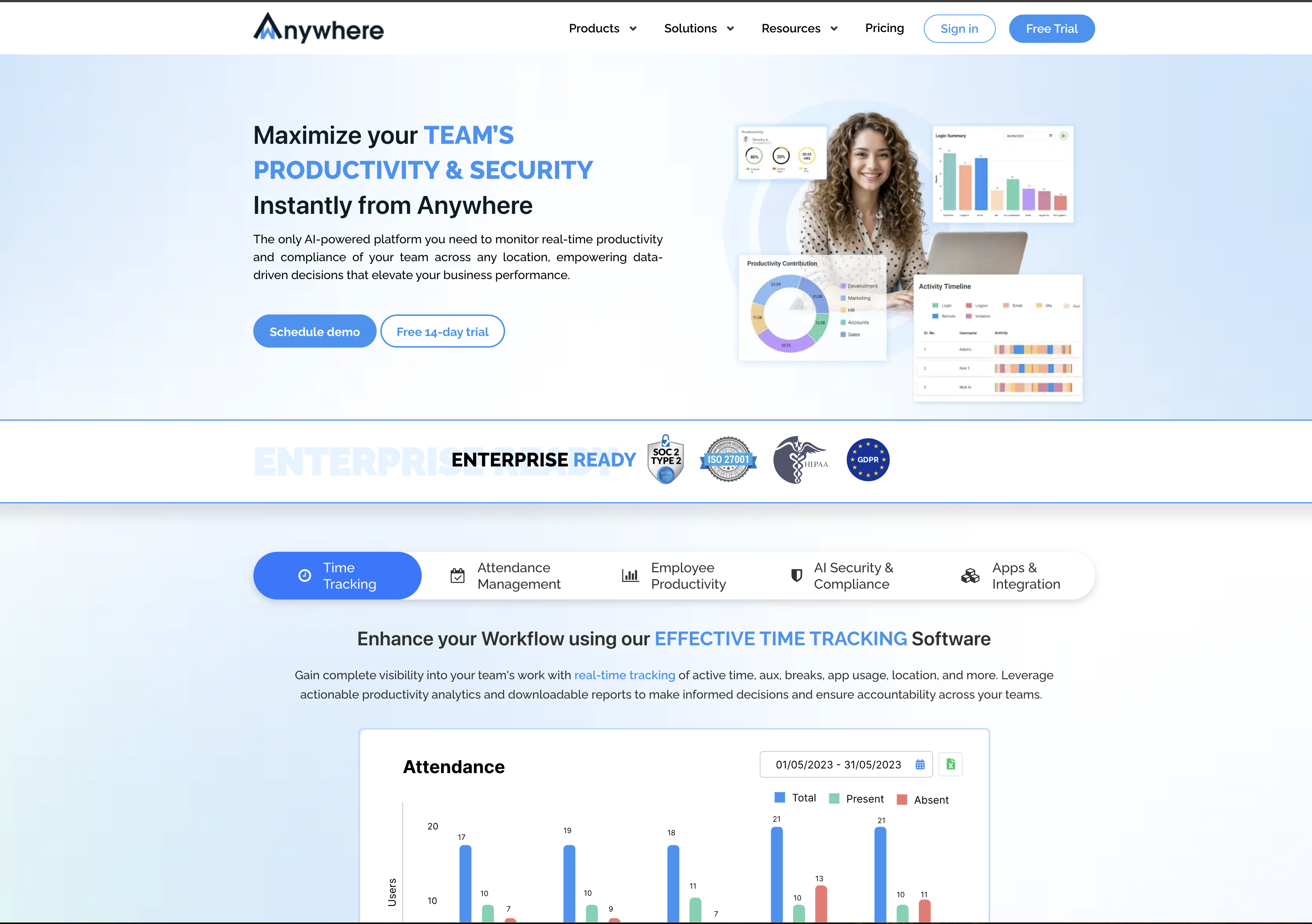
- Eliminate productivity guesswork with automatic time monitoring and idle time tracking that captures every work minute accurately
- Gain immediate visibility into work patterns through comprehensive website and app usage monitoring across your entire organization
- Maintain team focus with customizable alerts and screen blocking when productivity thresholds or boundaries aren't met
- Access actionable business intelligence through intuitive visualization and reporting at manager, department, and organizational levels
- Strengthen company culture with custom branding and department-wise configuration that maintains brand consistency across remote teams
- Reduce operational costs through location-agnostic work environments that minimize real estate, energy, and commuting expenses
- Ensure enterprise-grade security with AI-based compliance monitoring that automatically detects and stops security violations
- Streamline team communication with built-in video conferencing and enterprise chat that eliminates the need for separate collaboration tools
- Keep remote employees engaged through gamification and wellness features that maintain motivation in distributed work environments
- Consolidate work tools with productivity-enhancing apps and upcoming external integrations accessible from a single desktop platform
Pros & Cons
Pros
- Automatic time monitoring
- Idle time tracking
- Website and app usage monitoring
- Location tracking
- Configurable violation actions
- Screen blocking
- Triggering notifications
- Built-in communication and collaboration tools
- Enterprise-grade secured video conferencing
- Enterprise chat
- Department-wise configuration
- Supports attachments
- Allows group creation
- Custom branding ability
- Productivity-enhancing apps
- Continuous addition of new apps
- Access to popular external apps
- Gamification features
- Wellness features
- Secured workplace for hybrid working
- Cost reduction assistance
- Productivity maximization
- Company culture strengthening
- Data-driven insights
- Intuitive visualization
- Comprehensive reporting
- Location agnostic
- Individual and process level tracking
- Task management
- Time sheet app
- Supports Mac, Windows and Linux
- Integrated collaborative tools
- Customizable security levels
- Built for different team needs
- Supports remote branches tracking
- Motivation tools for remote teams
- Apps for Open Source teams
- Enforces 'clean desk policy'
- Security compliance enforcement
- Remediation workflow management
- Facial Authentication support
- On-premise/private solution availability
- Easy to configure and setup
- Supports all popular platforms
- Inbuilt collaboration tools
- Supports different plans.
Cons
- Limited external app access
- Potential privacy concerns
- Limited platform coverage
- Limited gamification features
- Limited wellness features
- Complicated department configuration
- Lacks customization options
- Software could block screen
- Potential notification spam
Reviews
Rate this tool
Loading reviews...
❓ Frequently Asked Questions
wAnywhere is an AI-based software created for remote employee monitoring and desktop time tracking. It is specifically designed to enhance security and boost productivity in business teams.
wAnywhere tracks and maximizes productivity by providing automatic time monitoring, idle time tracking, and monitoring of website and app usage. It has comprehensive visualisation and reporting features at various levels of the organization. Managers can set actionable responses when predetermined thresholds or boundaries are not met.
Key features of wAnywhere include automatic time monitoring, idle time tracking, website and app usage monitoring, location tracking, communication and collaboration tools, an enterprise grade secured video conferencing app, enterprise chat, department-wise customization, and productivity-enhancing apps. It also offers gamification and wellness features to keep employees engaged.
Yes, wAnywhere can certainly be configured as per your department's needs. Its features such as attachments, group creation, and the ability to add custom branding allow for department-specific customization.
Yes, wAnywhere comes with built-in communication and collaboration capabilities where users can interact with team members through an enterprise-grade secured video conferencing app and enterprise chat.
Yes, wAnywhere allows you to add your own branding to create a cohesive culture and encourage seamless communication within your organization.
wAnywhere offers a collection of productivity-enhancing apps, providing employees with all the tools they need in one place. New apps are continuously added, and the platform will soon facilitate access to popular external apps as well.
wAnywhere keeps employees engaged and motivated by integrating features that promote motivation and wellness. It employs gamification and will soon introduce multiple innovative features to increase engagement.
wAnywhere ensures data security by creating a location-agnostic secure work environment for companies transitioning to hybrid work. This is accomplished through AI-based security and compliance that stops violations and triggers notifications.
Yes, wAnywhere allows you to monitor the usage of websites and apps down to individual level as well as at wider macro parameters.
Yes, wAnywhere offers a free demo as well as a 14-day trial for new users to experience its features and operations.
wAnywhere supports all popular platforms, including Mac, Windows, and Linux.
Yes, wAnywhere supports integrations with all popular tools in addition to its in-house built communication and collaboration tools.
Yes, wAnywhere is designed for remote working for any type of team. It has been used successfully by startups, freelancers, remote branches, open source teams, BPOs, and IT companies.
Yes, wAnywhere offers location tracking. This feature allows you to track the location of your remote employees which can further contribute to productivity monitoring.
Yes, wAnywhere is optimally designed to accommodate hybrid working environments. It enables location-agnostic working, offers flexibility, and aids in cost reduction while maximizing productivity.
Yes, wAnywhere offers AI-based security and compliance features. It uses state-of-the-art Artificial Intelligence and Computer Vision to create a secure environment for remote or hybrid working.
In wAnywhere, notifications can be triggered when thresholds or boundaries regarding productivity, idle time, or website/app usage are not met. Additionally, security violation can prompt notifications.
By using wAnywhere, your company can benefit from a location-agnostic secured workplace, flexibility in hybrid working, cost reduction in real estate, energy, and commuting. It can also strengthen company culture, and provide data-driven insights through intuitive visualization and reporting.
wAnywhere provides comprehensive visualisation and reporting at various organizational levels such as Manager, Process, Business Unit/Department level, etc. These reports track productivity and usage, including idle time, breaks, website and app usage, location, and more.
Pricing
Pricing model
Paid
Paid options from
$6/month
Billing frequency
Monthly