

WhisperAPI
Overview
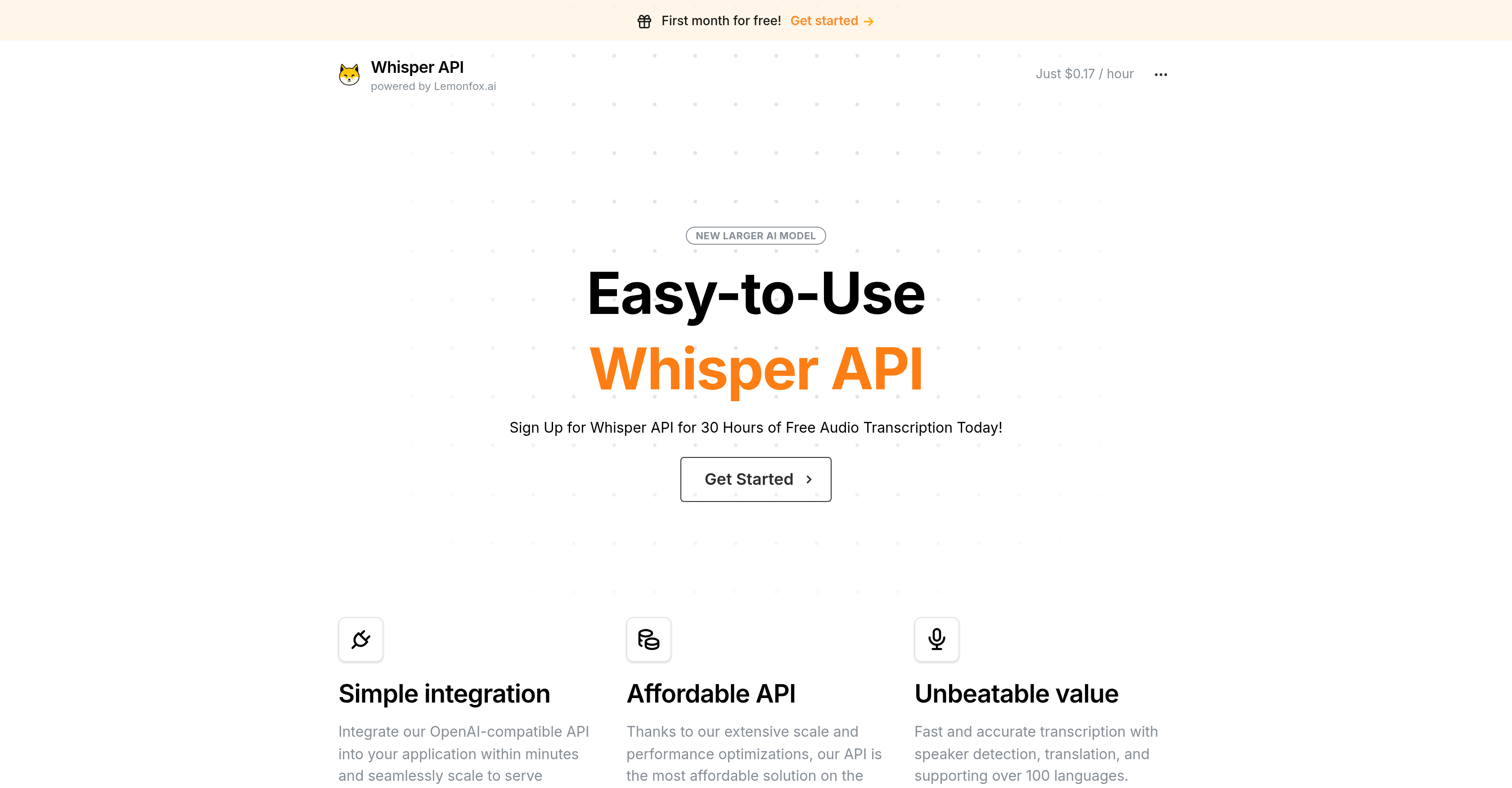
- Get perfectly transcribed text from any audio source using the latest Whisper V3 model for maximum accuracy
- Identify who said what in multi-speaker recordings with automatic speaker diarization
- Process content in over 100 languages and receive English translations when needed
- Scale to millions of users without performance drops thanks to enterprise-ready infrastructure
- Integrate in minutes with any programming language using comprehensive documentation and code examples
- Pay only for what you use with transparent pricing at $0.17 per hour after your free trial
Pros & Cons
Pros
- Affordable API
- Quick integration
- Scales easily
- Audio-to-text transcription
- Speaker diarization
- Translates over 100 languages
- Handles multiple file formats
- Option for English translations
- Automated summarization
- Versatile linguistic application
- Suitable for various content
- Developer integration
- Supports numerous programming languages
- Affordable pricing plans
- Enterprise-level solution
- Email support
- Modern technology utilization
- Content creation facilitation
- Media production usability
- Automated processes
- Broad compatibility
- Application and device inclusive
- First month free
- Supports scaling and optimization
- Fast transcription
- Accurate transcriptions
- API with value
- Podcast transcription
- Video transcription
- Meeting transcription
- Localized language support
- Simple API lines of code
- Comprehensive documentation
- Clear code examples
- Accessible for non-developers
Cons
- Only email support
- Not free after trial
- Unspecified accuracy level
- Dependent on Lemonfox.ai
- Undisclosed API response time
Reviews
Rate this tool
Loading reviews...
❓ Frequently Asked Questions
Artbreeder is an AI-powered tool that offers a new approach to crafting art. It allows users to generate unique images, including portraits, landscapes, and paintings through collaborative and individual creativity. A prominent feature of the platform is the ability to blend text and images in order to generate novel artwork.
Artbreeder offers a variety of features including Collager and Splicer tools for creating and editing images. Users can follow their favorite creators and share their work with the community. Other notable features include image uploads, high-resolution downloads, Google Drive Sync, privacy controls and custom genes.
The Collager feature on Artbreeder allows users to make a simple collage from shapes and images. Users can describe their collage with a prompt, and Artbreeder will bring it to life, enabling exploration and creation of unique images.
The Splicer feature on Artbreeder allows users to mix and edit images to generate new creative outputs. It enables seamless blending of different images to result in a totally new visual perspective.
Artbreeder is used for a wide range of creative purposes. These include generating unique artworks, character creation, developing concept art, and even crafting history and music videos.
Artbreeder can be used in a variety of applications, including digital art creation, visual content generation, image editing, art collaboration, creative platform, and image blend.
Artbreeder offers a range of pricing plans, including a free plan with unlimited image generation. Other plans offer various features such as image uploads, high-resolution downloads, animation frames, Google Drive Sync, privacy controls, and custom genes for different prices.
The Champion plan on Artbreeder provides several benefits including unlimited image uploads, high resolution downloads, and enhanced capabilities for creative image generation. This plan facilitates extensive use of Artbreeder's AI abilities for advanced creative outputs.
Artbreeder incorporates artificial intelligence in multiple ways. The AI powers the creative tools, enabling users to generate characters, artworks, and more. The AI also plays a key role in the image blending and Collager feature, bringing the user's input to life and providing a space for creative AI-human interaction.
Artbreeder facilitates collaborative creativity by providing a shared space where users can interact with each other and with the AI. It enables users to blend their creativity with the power of AI to generate unique images. Furthermore, users can follow favorite creators and share their own work with the community.
Artbreeder is unique in its blend of AI technology and human creativity. It is a collaborative platform that enables users to interact and work together with AI to create novel and unique visual content. The image blending feature allows the combination of different images and texts resulting in distinctive compositions.
On Artbreeder, you can mix and edit images using the 'Splicer' feature. This tool facilitates unique combinations of different images, creating a whole new artwork.
Yes, on Artbreeder you can follow your favorite creators and engage with their work. This enables a vibrant community of creative individuals, all exploring, sharing, and learning from each other's work.
The image blending feature in Artbreeder works via the platform's AI capabilities. Users can blend different images together, resulting in a completely new and unique creative output.
The user-friendly nature of Artbreeder comes from its intuitive design, the easy-to-use creative tools it offers, and a supportive and vibrant community of users. The platform encourages exploration, imagination, and sharing, contributing to its user-friendliness.
To create artworks and characters in Artbreeder, you can utilize the available AI-powered tools. These allow for a blend of images and text, giving you the flexibility to craft unique art pieces and characters as per your imagination.
In Artbreeder, privacy controls are provided that allow you to manage who can see and interact with your work. This gives users control over their creations and their visibility within the Artbreeder community.
With the Artbreeder Collager feature, you can create a wide range of images. From unique character portraits to intricate landscapes to abstract artwork, this tool allows for enormous creativity and flexibility in crafting images.
Text and image blending in Artbreeder is facilitated through the AI-powered Composer feature. This allows users to mix text and images together to spur creativity and generate unique visual content.
Yes, Artbreeder offers Google Drive Sync across all its pricing plans. This means you can save your creative outputs directly to your Google Drive, easing manageability and access to your work.
Artbreeder provides a variety of tools for image creation including the Mixer tool, the Collager tool, the Splicer tool, and the Outpainter tool.
The Mixer tool in Artbreeder generates unique images by blending multiple images and text inputs. This approach provides countless possibilities for new and unique image generation
The Collager tool in Artbreeder allows users to formulate images using basic shapes, images, and text. It offers a simplified approach to image creation, making it accessible to users with varying degrees of artistic ability.
With the Splicer tool in Artbreeder, users can create a multitude of image types, including portraits and landscapes. This tool works by splicing images and manipulating their genes.
The Outpainter tool in Artbreeder enables users to expand on existing images generated within the platform. Essentially, users can build upon their previous creations, adding layers of complexity and depth.
Artbreeder boasts a collaborative nature, as it allows users to generate images together. This feature enhances the creative process and leads to the creation of truly unique images.
Artificial intelligence is integrated into each tool within Artbreeder. Its AI algorithms understand and anticipate creative choices, seamlessly blending images and text inputs to generate unique outcomes.
Yes, in Artbreeder, users have the opportunity to collaborate and create images together, maximizing the potential for creativity and idea exchange.
WhisperAPI is a transcription API developed by Lemonfox.ai powered by OpenAI's Whisper model. It excels in converting spoken language into written text quickly and accurately and has a variety of applications in the media and business world.
WhisperAPI offers a range of transcription capabilities, including transcription of podcasts and videos, conversion of meeting discussions into text format, detection of multiple speakers, and language translations.
WhisperAPI boasts standout features like speaker diarization, which is the ability to recognize and individuate different speakers in an audio file, and translation capabilities, supporting over 100 languages.
Yes, WhisperAPI supports both speaker diarization and language translation. It can identify multiple speakers in an audio file and offer translations in over 100 languages.
WhisperAPI can support transcriptions in over 100 languages. This extensive support makes it a truly global solution for transcription needs.
Yes, developers can swiftly and efficiently integrate WhisperAPI into their applications. It has been developed to be compatible with any programming language and application.
WhisperAPI has been designed to easily scale to serve millions of users. Its scalability and affordability make it a first-choice solution for businesses of different sizes.
WhisperAPI offers affordable pricing plans, which include a free trial period and charges as low as $0.17 per hour following the trial period.
Yes, WhisperAPI is compatible with any programming language, allowing developers to easily incorporate it into their applications irrespective of the programming language they prefer.
Yes, WhisperAPI has been designed to sufficiently serve millions of users, indicating its capacity to manage large-scale demand.
Yes, email support is available for WhisperAPI. Users can send their issues or queries to their support team for assistance.
Whisper API is an audio transcription tool developed by Lemonfox.ai that uses OpenAI's Whisper Model technology to convert audio data from various sources into text.
Whisper API employs robust API technology to swiftly transcribe audio data into text. It uses an AI-driven model, OpenAI's Whisper Model, for the transcription process, making it efficient and accurate.
Key features of Whisper API include speaker diarization, which allows detecting multiple speakers in a single audio file and attributing the text to the relevant speaker. The API also supports over 100 languages, handles various file formats, offers English translations or summaries, and is optimized for accuracy, speed, and affordability.
Whisper API supports over 100 languages and has the capabilities to provide English translations or summaries. This makes it a highly versatile tool for converting spoken language into written text.
The speaker diarization feature of Whisper API allows it to recognize and individuate different speakers in an audio file. It identifies these different voices and attributes the transcribed text to the appropriate speaker, thus adding accuracy and context to the transcriptions.
Yes, Whisper API can handle multiple file formats. This ensures users have the flexibility of using the API for a wide range of audio sources, making it a versatile solution for transcription requirements.
Whisper API provides cost-effective solutions by being an affordable transcription tool. It leverages scalability and performance optimizations to offer a transcription solution at an unbeatable value. The pricing plans are designed to accommodate businesses of different sizes without compromising the quality of the service.
Whisper V3 is the latest speech recognition AI model used by Whisper API. It contributes to the functionality of Whisper API by enabling precise audio transcription, further expanding the application range, including transcription of podcasts, videos, meetings, and more.
Yes, the precision and capabilities of Whisper V3 model make Whisper API an appropriate tool for varied contexts like transcribing audio data from podcasts, videos, and meetings.
Whisper API is compatible with OpenAI due to its use of the OpenAI Whisper Model technology for the transcription process. This allows it to offer precise and speedy transcription services, upholding the values of OpenAI.
Whisper API supports multiple coding languages, indicating its adaptability across varied technological platforms and applications.
Yes, Whisper API provides thorough documentation and code examples to help users integrate the API into their applications. This facilitates easy implementation, regardless of the programming language used or the nature of an application.
Whisper API ensures data accuracy through its cutting-edge AI technology that facilitates precise transcription. These include speaker diarization capability to attribute transcribed text to the appropriate speaker, contributing to the accuracy.
Whisper API excels in terms of transcription speed due to the effective utilization of the OpenAI Whisper model. This allows it to quickly convert large volumes of audio data into text, thereby maintaining high efficiency.
What distinguishes the Whisper API in terms of value proposition is its balancing act of providing highly accurate, quick transcription services at affordable price points, all while offering additional features like speaker diarization and language support.
Integration of Whisper API into an application is simple and can be done within minutes. This is facilitated by compatibility with any programming language, comprehensive documentation, and helpful code examples.
Whisper API is highly scalable and prepared to serve millions of users. This makes it a suitable transcription API for applications with large user bases, as it can easily adapt to increased demands without compromising on service quality.
Whisper API promises affordability with cost-efficient pricing plans. It offers a free trial for one month, providing 30 hours of transcription, and then it charges as low as $0.17 per hour.
The Whisper API handles queries and issues via email support, ensuring that any concerns are addressed quickly and effectively. However, it's important to note that WhisperAPI.com is not affiliated with OpenAI.
Whisper API offers a free trial for one month that includes 30 hours of transcription. Following the trial period, the service costs just $0.17 per hour. This price plan is designed to be cost-effective and accessible to businesses of different sizes.
Pricing
Pricing model
Pricing
Paid options from
N/A