
Whiteboard Video Maker
Overview
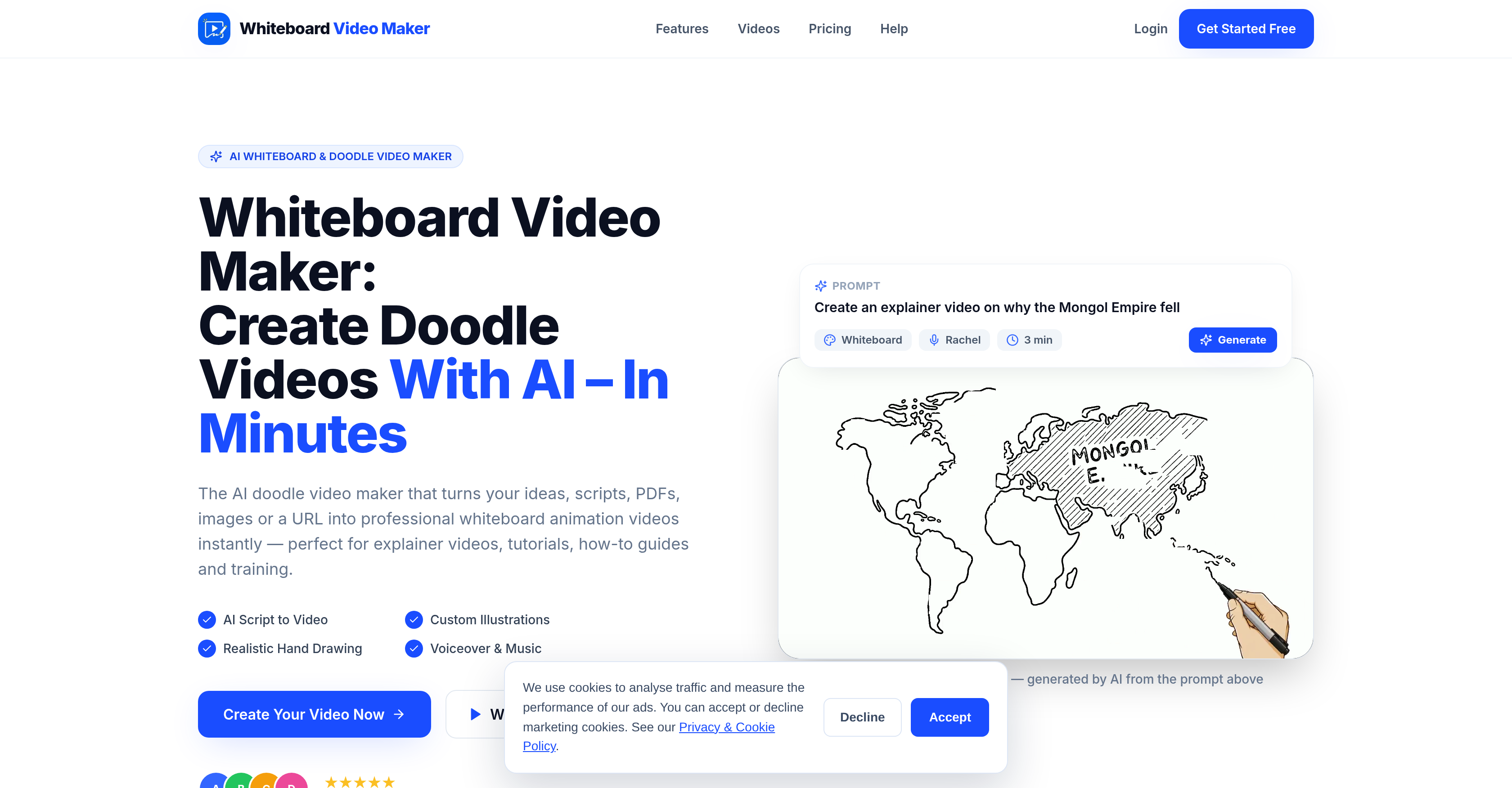
- Turn any PDF, Word doc, image, URL, or prompt into a complete whiteboard animation video with scene-by-scene script, hand-drawn illustrations, natural voiceover, and music—no design skills or editing software required.
- Produce explainer videos, tutorials, how-to guides, training materials, and promotional content that simplify complex ideas into clear visual and audio formats viewers understand and remember.
- Reach global audiences with multiple language support, making your whiteboard videos usable across different demographics and regions.
- Match your brand or context with both black-and-white and colored doodle styles, plus music addition and custom timing for full video flexibility.
- Boost SEO marketing with engaging video content that increases time users spend on your site, positively affecting search rankings.
- Create peer training, step-by-step guides, and process explanations for educational institutions, marketing departments, HR teams, and training facilitators without specialized design skills.
Pros & Cons
Pros
- Generates videos from inputs
- Accepts various forms of content
- Translates content into whiteboard videos
- Comes with voiceover, illustrations, music
- Generates hand-drawn illustrations
- Generates a natural voiceover
- Animates the drawing hand
- Saves valuable time
- Requires no design skills
- Requires no editing software
- Offers multiple language support
- Black-and-white and color doodle styles
- Appropriate for various users
- Creates explainer videos, tutorials, guides
- Ideal for training materials
- Great for marketing departments
- Excellent for educational institutions
- Assists in visual communication
- Helps in business communication
- Great for SEO marketing
- Simplifies complex ideas
- Turns documents into videos
- Allows guides creation
- Offers document processing
- Supports educational tools
- Turns content into video
- Creates tutorial videos
- Includes automatic content creation
- Delivers HD 1080p export
- Allows landscape and portrait rendering
- Creates videos in minutes
- Produces videos for various purposes
- Offers multi-industry applicability
- Includes music and timing
- Supports sales video creation
- Allows pitch decks creation
- Supports presentations creation
- Assists in onboarding videos
- Generates custom illustrations
- Realistic hand drawing
- Assists with internal training
- Offers E-Learning videos
- Produces marketing videos
- Creates videos in 30+ languages
- Supports English, Spanish, French
- Adapts to brand and topic
- Includes animated drawing hand
- Turns ideas into videos
Cons
- Limited styling options
- No personalized voiceover
- Allows only two doodle styles
- No manual timing control
- Limited language support
- Dependent on document quality
- Dependent on URL quality
- Limited multimedia support
- Potential lack of uniqueness
Reviews
Rate this tool
Loading reviews...
❓ Frequently Asked Questions
The Whiteboard Video Maker is an AI-powered tool that generates professional whiteboard animation videos. It utilizes inputs from prompts, PDFs, Word docs, images, and URLs to create engaging videos ideal for explainers, tutorials, guides, training materials and more, complete with voiceover, illustrations, and music.
The Whiteboard Video Maker accepts various forms of content, including prompts, PDFs, Word docs, images, and URLs.
The Whiteboard Video Maker interprets the content input, then it writes a scene-by-scene script, generates hand-drawn illustrations for each line, creates a natural voiceover, and provides animation to the drawing hand. The result is a complete whiteboard video.
Yes, the Whiteboard Video Maker allows for both black-and-white and colored doodle styles.
Yes, the Whiteboard Video Maker provides support for multiple languages, expanding its usability across different demographics and regions.
The Whiteboard Video Maker is suitable for educational institutions, marketing departments, creators, and anyone seeking to explain complex ideas in a clear, visually engaging format.
No, you do not require any specialized design skills or editing software to use the Whiteboard Video Maker. It's built with simplicity and efficiency in mind, enabling anyone to generate professional-looking videos.
An intelligent algorithm within the Whiteboard Video Maker parses the content provided and writes a scene-by-scene script based on the information.
The Whiteboard Video Maker generates a natural AI voiceover that complements the scene-by-scene setup and the hand-drawn illustrations it displays.
Yes, the Whiteboard Video Maker has the capability to animate the drawing hand in every video it creates, enhancing the authentic feel of hand-drawn illustrations.
The Whiteboard Video Maker is quite versatile. It can be used to create explainer videos, tutorials, how-to guides, training materials, promotional materials, educational content, and much more.
The Whiteboard Video Maker simplifies complex ideas by translating them into a visual format through hand-drawn illustrations and complementary narration. The combination of visuals and audio makes it easier for viewers to understand and remember the content.
Yes, the Whiteboard Video Maker is capable of generating hand-drawn illustrations for every line in the content, enhancing the visual appeal of the resulting video.
Yes, the Whiteboard Video Maker offers both black-and-white and colored doodle styles, giving you the flexibility to match your video with the brand or context.
The Whiteboard Video Maker helps in SEO marketing by creating engaging video content, which is a highly effective form of content in terms of SEO. Videos can increase the time users spend on a site, positively affecting your site's ranking in search results.
Yes, the Whiteboard Video Maker can be used to create training materials. Its capabilities are well-suited for peer training, step-by-step guides, or for explaining complex processes in an easy-to-understand visual format.
Yes, you can generate a video from a PDF or Word document using the Whiteboard Video Maker. It also accepts prompts, images, or URLs as inputs.
The Whiteboard Video Maker can benefit a wide range of businesses, including but not limited to educational institutions, marketing firms, product developers, online entrepreneurs, content creators, HR departments, and training facilitators.
Yes, the Whiteboard Video Maker offers considerable flexibility in the characteristics of the generated video, including multiple language support, choice between black-and-white and colored doodle styles, music addition, custom timing, and much more.
Yes, the Whiteboard Video Maker can process documents, including PDFs and Word documents, to create engaging whiteboard videos.
Pricing
Pricing model
Freemium
Paid options from
$9.99/month
Billing frequency
Monthly