

Widgo
Capture buyers at any hour, including nights and weekends, with an AI sales representative that answers visitor questions instantly 24/7 and steers every conversation toward a demo.
Listing not yet reviewed by our editors · How we check
Overview
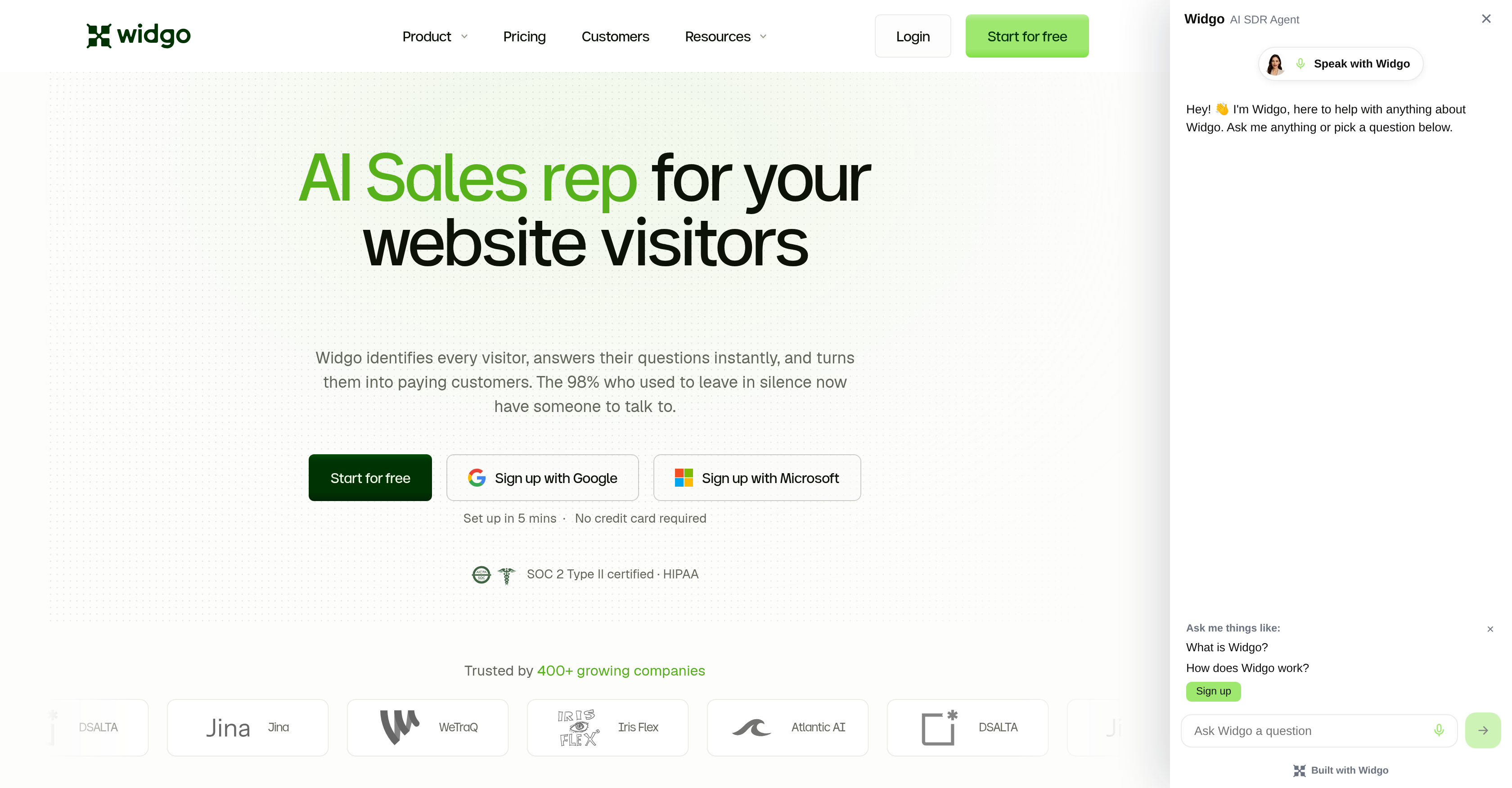
- Capture buyers at any hour, including nights and weekends, with an AI sales representative that answers visitor questions instantly 24/7 and steers every conversation toward a demo.
- Win international prospects without hiring multilingual reps through automatic language detection and equal-quality answers in over 100 languages.
- Know exactly who is on your website before they fill out a form with visitor identification that reveals each visitor's company, role, and intent.
- Stop leads from falling through the cracks with session scoring that automatically routes every browsing session to the right owner.
- Focus sales time on buyers ready to convert with 0–100 lead scoring and real-time team alerts the moment a lead's score rises.
- Fill your calendar without email back-and-forth through in-chat demo booking that offers open slots, schedules meetings, and sends invites with zero manual work.
- Give prospects accurate, on-brand answers with responses drawn only from your own website resources, not generic content.
- Launch your AI sales assistant the same day with a five-minute setup using a single line of code and no credit card required.
Pros & Cons
From the listing; not yet checked by our editors.
Pros
- 24/7 customer interaction
- Multilingual support
- Guides visitors to demo booking
- Visitor company identification
- Visitor role identification
- Visitor intent analysis
- Session scoring and assignment
- Lead qualification and scoring
- Score increase alerts
- Automated demo scheduling
- Sends meeting invites
- Automated sales process
- Easy 5 minute setup
- No credit card needed
- Trusted by growing companies
- Designed for enterprise sales
- Transform leads to customers
- Answering from existing resources
- CRM syncing
- Notification to Slack and Teams
- 100+ language support
- Automated workflows
- Page revisit session replay
- Built-in knowledge base
- Answer source citation
- HIPAA and SOC certified
- Converts site visitors
- Website interaction
- B2B sales support
- Anonymous session identification
- Real-time reply from docs
- Conversation steering
- Online meeting booking
- Personalized visitor response
Cons
- Limited CRM integrations
- Language quality dependent
- Lead scoring transparency
- Lack full customization
- Depends on web documentation
- Possibly ineffective for niche markets
- May miss nuanced queries
- Limited user intent analysis
- Limited session analytics
- No mentioned API
Alternatives to Widgo
Tools that share the most tags with Widgo.
- GodmodeHQ
Generate qualified leads automatically by researching tech stacks, hiring data, and funding information to identify high-potential accounts
Freemium · from $250/month
$250/month
Not yet checked
- Jason AI
Fill your calendar with qualified meetings by automating the full outreach sequence from initial email to social media touchpoints
Contact for pricing · from $500/month
$500/month
Not yet checked
- Chatisto
Answer customer questions instantly with AI agents that handle common inquiries 24/7
Freemium · from $29/month
$29/month
Not yet checked
- Ting AI
Eliminate manual CRM data entry with automatic call transcription and direct CRM updates
Free trial · from $19/month
$19/month
Not yet checked
- Notification Harbor
Drive more sales with AI-personalized notifications and emails crafted from individual user data and marketing intent
Not listed
Not listed
Not yet checked
- Expleev
Find 3x more qualified leads beyond LinkedIn with AI that researches 64M websites to uncover overlooked businesses
Freemium · from $1/unit
$1/unit
Not yet checked
Reviews
Rate this tool
Loading reviews...
Frequently asked questions
How does Widgo interact with website visitors?
Widgo interacts with website visitors by instantly answering their queries. These answers are derived from the resources available on the website, allowing Widgo to communicate in the visitors' language 24/7 and guide the conversation towards scheduling a demo.
Does Widgo support multiple languages for visitor interaction?
Yes, Widgo supports visitor interaction in over 100 languages. It detects the visitor's language and provides responses of the same quality.
What details can Widgo identify about a website visitor?
When a visitor lands on the website, Widgo identifies pertinent details such as the visitor's company, role and intended purpose. Every browsing session is scored and automatically assigned to an owner.
How does Widgo facilitate the booking of demos?
Widgo effectively facilitates the booking of demos by offering available slots to the visitor during the courses of their interaction. The meeting is then scheduled, with invites being sent out without requiring any manual intervention.
What information does the lead score provide in Widgo?
In Widgo, leads are scored on a scale of 0 to 100. This scoring provides insights into the potential of the lead to become a customer, facilitating more informed conversations and interactions.
How does Widgo alert the team when a lead score increases?
Widgo has a system in place to alert the team when a lead score increases. This system ensures that team members are promptly notified and can quickly respond or follow-up.
Can Widgo schedule meetings without human intervention?
Yes, Widgo can schedule meetings without any human intervention. It not only schedules the meeting based on availability but also sends out invites to the participants.
What does the setup process of Widgo involve?
The setup process of Widgo is extremely simple and efficient, typically completed in about five minutes. This setup involves integrating Widgo with the website, requiring only a single line of code.