

Overview
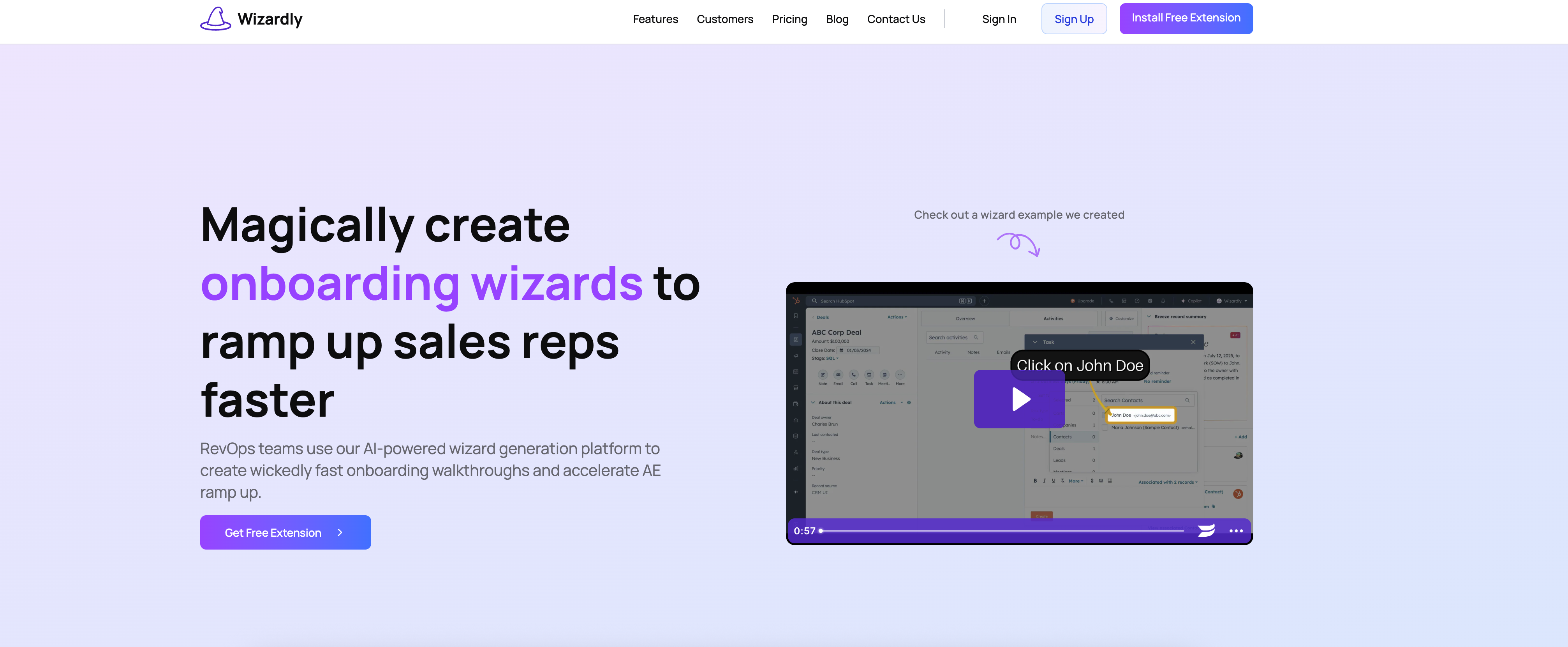
- Eliminate manual scripting and screen recording with automatic narration that generates voice-overs from your process flow
- Create polished onboarding wizards in minutes instead of hours using AI that transforms your actions into step-by-step video guides
- Customize every aspect of your training content with voice changes, step adjustments, and script rewriting to match your brand guidelines
- Distribute tutorials anywhere by sharing links, embedding in existing platforms, or downloading for offline use
- Accelerate sales team ramp-up time with consistent, repeatable training materials that new reps can follow independently
- Ensure accessibility and better comprehension with automatic transcriptions and closed captions in every video tutorial
Pros & Cons
Pros
- Automates onboarding video creation
- Chrome extension for wizard generation
- Automatic narration and scripting
- Step-by-step guided onboarding wizards
- Personalized content editing
- Voice modification feature
- Script and step adjustment
- Shareable onboarding wizards
- Wizards embeddable in different platforms
- Wizards are downloadable and uploadable
- Optimized for GTM teams
- No need for screen recording
- Aligns with design guidelines
- Accelerates AE ramp up
- Automatic step-by-step walkthroughs
- Easily update onboarding content
- SOP creation acceleration
- Voice-over agnostic to user
- Interactive step-by-step guides
- Script Transcriptions & Closed Captions
- Voice Cloning feature
- Designed for RevOps teams
- Competitive with tools like Loom
- Supports unlimited wizards (Enterprise)
- Supports long duration videos
- Offers phone support (Scale Up)
- Removes watermark (Startup, Scale Up)
- Custom integrations (Enterprise)
- Dedicated account manager (Enterprise)
- Simple, transparent pricing structure
Cons
- Requires Chrome extension download
- Limited editing features
- Limited voice customization
- Dependent on user demonstration
- No real-time generation
- Lacks advanced integration
- No direct in-app creation
- No multi-browser support
- Pricey for larger teams
- No performance tracking features
Reviews
Rate this tool
Loading reviews...
❓ Frequently Asked Questions
Wizardly is an AI-powered platform designed to help automate the creation of onboarding video tutorials. It is primarily used by RevOps teams to quickly and efficiently train sales representatives. This tool enables users to easily create their own step-by-step onboarding wizards, greatly speeding up the process of training up sales teams.
The Wizardly platform works in three simple steps. First, users download a Chrome extension, which helps them illustrate the steps required to complete a task. After launching the extension and going through these steps, Wizardly then takes over and automatically generates a detailed, step-by-step walkthrough of the task. Users can review and edit this walkthrough before distributing it.
Wizardly addresses the challenge of creating onboarding materials for sales teams in a timely and cost-effective manner. By automating the process of creating detailed walkthroughs, it saves RevOps teams time and effort in training sales representatives, enabling a faster ramping up of sales teams.
The Chrome extension in Wizardly acts as a tool for users to start creating their own onboarding wizards. It aids in demonstrating the necessary steps required to complete a given task. This underpins the entire wizard creation process and serves as the basis for the AI-led generation of the detailed walkthrough.
Key features of Wizardly include automatic narration, step-by-step guides, and a content editor. Automatic narration eliminates the need for manual scripting and screen recording, as the platform creates a script and voice-over based on the process flow. The step-by-step guides further simplify the process. The content editor tool allows for content personalization, such as voice changes, step adjustments and script rewriting.
The automatic narration feature in Wizardly works by focusing on the process flow demonstrated through the Chrome extension. Based on this, the platform generates a script and creates a voice-over narration. This negates the need for manual scripting and screen recording, streamlining the creation of onboarding tutorials.
The step-by-step guide feature in Wizardly serves to break down the process of completing a task into simpler steps. When users go through the necessary steps via the Chrome extension, the AI automatically generates a guide that details each step in order, making it easier for subsequent users to follow the process.
Wizardly's content editor tool enhances the onboarding process by allowing users to personalize the content of the onboarding tutorials. Users can make changes to the voice, edit the steps, or rewrite the script to align the content with their desired flow and design guidelines.
Yes, the AI-generated walkthroughs created by Wizardly can be edited after generation. Once the AI delivers the detailed walkthrough, users can review and make necessary edits before distributing the tutorials. This includes changing the voice, editing the steps, rewriting the script and more.
The onboarding content created with Wizardly can be shared, embedded or downloaded, and uploaded too, making it versatile in terms of distribution. Users have the flexibility to distribute the wizards in a manner most convenient to them or their target audience.
With Wizardly, users can personalize the onboarding content to a significant extent. They can change the voice, edit the steps, or rewrite the script to create their desired flow and align the content with their design guidelines.
Yes, Wizardly does offer voice-over adjustments in addition to script adjustments. The content editor feature in Wizardly allows users to make changes to the voice in the automatic narration, tailoring it to fit their specific needs and preferences.
While Wizardly is primarily used for sales reps onboarding, its capabilities can potentially be utilized for other tasks that involve process walkthroughs. However, the specific details or any restrictions regarding this would be subject to the platform's usage terms and guidelines.
Wizardly offers several features that set it apart from other onboarding platforms. These include AI-powered script generation, automatic voice-overs, interactive step-by-step guides, and the capability to edit video scripts. It also supports features like voice cloning, sharing and embedding of content and provides options to download and upload wizards.
The benefits of using Wizardly's video tutorials over traditional onboarding methods include quicker and more efficient training of sales teams, automation of script generation and narration, ability to edit and customize the onboarding content, and ease of content distribution. It significantly reduces the time taken to onboard new sales reps, leading to increased productivity.
Wizardly is predominantly used by RevOps and GTM (Go-To-Market) teams at the workplace. They use Wizardly to automate and optimize their onboarding content creation process, thereby accelerating their team members' ramp-up times.
Yes, the onboarding wizards created with Wizardly can be embedded within other content. The platform allows wizards to be shared or embedded, providing users with the flexibility to disseminate the onboarding tutorials in a manner that best suits their needs.
Wizardly provides different pricing options to suit a range of needs. Besides a Free plan that allows up to 5 wizards per month, the Startup plan costs $9 per month for up to 20 wizards. The Scale Up plan, most popular amongst larger teams, is priced at $29 per month for up to 50 wizards. Large organizations may opt for the Enterprise plan with features such as unlimited wizards and custom integrations, the pricing for which can be obtained upon contacting the company.
Yes, Wizardly does offer features like transcriptions and closed captions within the automatic narrations. This helps in enhancing accessibility and understanding of the onboarding tutorials, especially for users who might prefer reading or have hearing difficulties.
Pricing
Pricing model
Freemium
Paid options from
$9/month
Billing frequency
Monthly