Overview
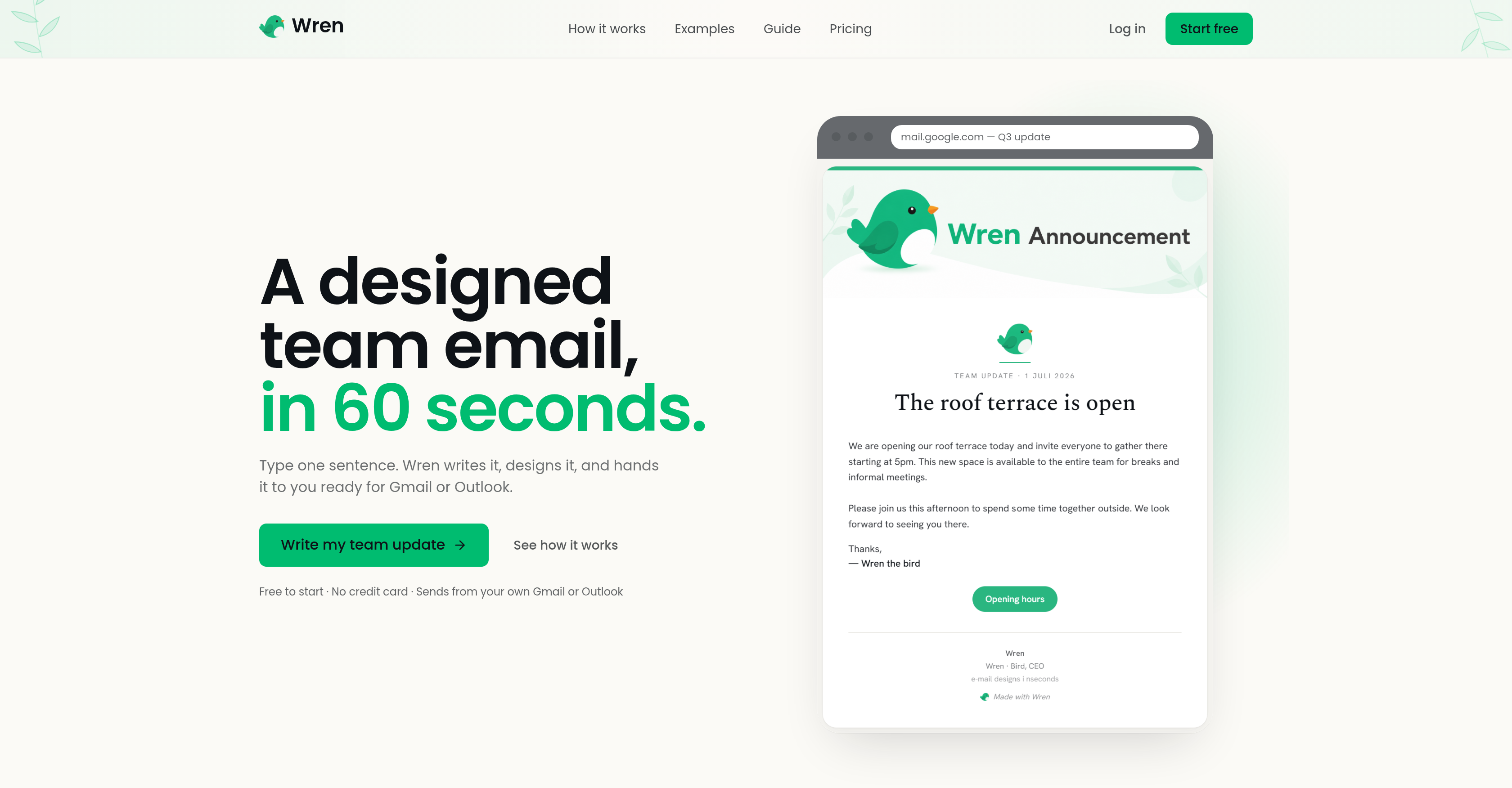
- Deliver clear, eye-catching team updates in seconds by typing a single rough sentence that Wren transforms into a polished email with real serif typography and brand coloring.
- Maintain a personal connection with every recipient because emails are sent directly from your personal Gmail or Outlook account, not an impersonal third-party address.
- Preserve your brand identity automatically as Wren applies your brand color and keeps fonts, buttons, and styling elements perfectly consistent in every inbox.
- Eliminate formatting headaches with one-click sending—paste the styled HTML straight into Gmail or Outlook and deliver a professional update without any manual design work.
- Scale internal communications effortlessly, from new hire announcements to policy updates, with unlimited monthly drafts available on the premium plan.
- Remove the ‘Made with Wren’ footer on premium to send fully white-labeled, on-brand emails that look like they were designed in-house.
Pros & Cons
Pros
- Email design in seconds
- Personal Gmail or Outlook sending
- Human touch communication
- Use for various internal communications
- Real serif typography use
- Brand coloring application
- Automated clean layout design
- One click email send
- Consistent email styling
- Premuim subscriptions available
- Removal of 'Made with Wren' footer
- Unlimited emails drafting possibility
- New hire announcements support
- Policy communication tool
- Office notices delivery
- Layout design capabilities
- Email design and text drafting
- Free to start
- Footer removal for premium
- Unlimited email for Pro subscribers
- Flexible pricing models
- No sales call required
- Emails send from personal accounts
- Wren won't chase you
- Simplified team email process
- Saved brand kit for Pro
- Saved templates and sign-offs for Pro
- Easy cancellation
- No contracts
- Pricing for various usage frequencies
- Option for one-time payment
- Credits for premium package never expire
Cons
- No integration with other email providers
- Prescribed brand coloring limits
- Limited free feature usage
- Paid subscription required for footer removal
- Premium pricing for unlimited drafts
- No template adjustability
- Limited to team internal communications
- Necessitates brief email input
Reviews
Rate this tool
Loading reviews...
❓ Frequently Asked Questions
Wren operates by transforming a simple sentence or two into a well-structured, professionally designed email. Users enter a rough description of their email, and Wren applies real serif typography, brand coloring, and a clear layout to it. The outcome is a polished email, ready to be delivered with one click.
Wren can be used with Gmail and Outlook email platforms.
Wren ensures consistency in font styling and coloring of the email by applying real serif typography and brand coloring. The tool ensures all styling elements such as fonts, colors, and buttons remain constant when the email is opened in the recipient's inbox.
Yes, you can remove the 'Made with Wren' footer from your emails with premium subscription features.
Wren offers an unlimited drafting feature for users that subscribe to its premium features.
Yes, Wren can be used for a range of internal communication purposes like new hire announcements, office notices, policy updates and more. Essentially, it's ideal for any kind of internal team communication that can be done via email.
Wren maintains a human touch during email communication by allowing users to send emails directly from their personal Gmail or Outlook accounts, rather than from an impersonal, third-party address. This enables the sender to establish a personal connection with recipients.
The process of creating a polished email through Wren consists of three steps: describing your email with a messy sentence or two; allowing Wren to design the email for you with real serif typography, brand color and a clean layout; and sending the email which lands beautifully in Gmail or Outlook with a single click.
Yes, Wren is designed to write and design a professional team email which can be directly sent from your personal Gmail or Outlook account.
Wren uses real serif typography, brand coloring, and a clear layout to transform a simple sentence into a well-structured, professionally designed email.
Yes, Wren ensures all the styling elements such as fonts, buttons, and colors remain consistent when the email lands in the recipient's inbox.
Wren improves work efficiency by simplifying the process of drafting and sending team emails. It transforms simple sentences into professionally designed emails, enabling individuals to deliver clear and eye-catching team updates in seconds.
Yes, you can send an email directly from Gmail or Outlook using Wren. It allows you to paste the styled HTML straight into your normal inbox with just one click.
Yes, Wren offers premium subscription features that users can subscribe to. These features include removing the 'Made with Wren' footer and an unlimited number of emails being drafted per month.
Yes, Wren is fully capable of writing and designing the email content. You just need to provide a rough description of your email and Wren will take care of the writing and designing.
Wren helps in preserving the brand identity in emails by applying your brand color to the email layout and ensuring all styling elements, including fonts, colors, and buttons, remain consistent when the email is opened in the recipient's inbox.
Wren is a tool designed to improve the process of sending team updates via email by transforming a basic sentence into a professionally designed email, ready to be sent with one click. It streamlines team updates by making it feasible for individuals to quickly and easily send clear and eye-catching communications.
Yes, Wren is capable of creating an email draft based on a rough sentence or two.
In order to get your emails drafted by Wren, you need to enter a rough description of the email you wish to send. Wren will then apply typography, color, and layout to your content, transforming it into a professional email ready to be sent out.
Key features offered by Wren include writing and designing professionally styled emails, maintaining consistency of styling elements in the recipient's inbox, subscription to premium features, preserving brand identity in emails, and delivering emails directly through users' personal Gmail or Outlook accounts.
Pricing
Pricing model
Freemium
Paid options from
$9
Billing frequency
One-time