
2.VIDEO
Overview
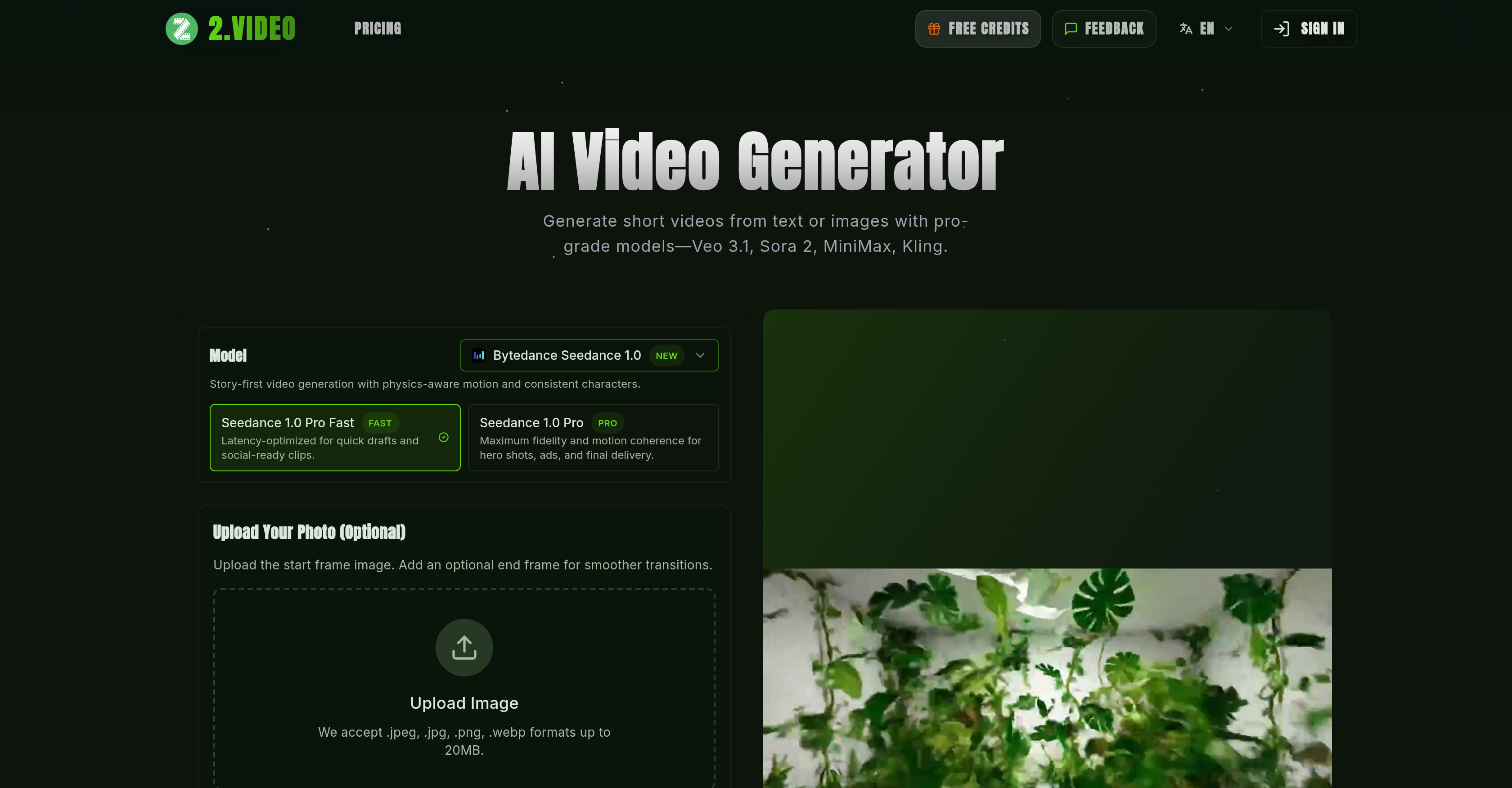
- Transform text prompts or images into professional-grade videos in minutes using a blend of AI models like Veo 3.1 and Sora 2 for high-fidelity, physics-aware motion.
- Maintain consistent branding across all videos by automatically applying your logos, color palettes, and messaging throughout the generated cinematic sequences.
- Generate quick, social-ready drafts and final deliveries by selecting latency-optimized models and customizing aspect ratios for any platform, from mobile to ad campaigns.
- Control the entire narrative with creative input over storyboard structure, tone, on-screen text, and voiceover style to ensure your story is told your way.
- Export videos as HD or 4K MP4 files with a choice of professional aspect ratios, ready for playback on web, social media, or in advertising campaigns.
Pros & Cons
Pros
- Generates dynamic short videos
- High-fidelity video generation
- Physics-aware motion
- Consistent characters
- Story-first video generation
- Latency optimized video production
- Quick drafting
- Professional-grade videos
- Freedom to define scenes
- Customizable video format
- Customizable voice, style, duration
- Review and edit videos
- Supports multi-aspect ratios
- Matches video qualities to platform
- Allows video tailoring
- Provides video templates
- Maintains branding elements consistently
- Streamlined video production
- Creates videos from images
- Creates videos from text
- Supports uploading images
- Instant iteration capability
- Generative video model exploration
- High-resolution video generation
- Provides creative control
- HD and 4K export
- Process designed for efficient storytelling
- Customizable storyboard structure
- Supports multiple languages
- Auto-creation of cinematic sequences
- Lightning-fast rendering
- Multi-platform delivery
- Supports vertical, horizontal, square formats
- Translates scripts into explainer, tutorial, testimonial, showcase videos
- Transforms ideas into professional videos
- Focuses on whenever 'On-Brand storytelling' is required
- Automated logo detection
- Color palette maintenance
- Iterate instantly without complex editing workflows
- Automated scene assembly
- Voiceover inclusion from your assets
- Clear scripts give strong context
- Support for brand guidelines
- Improvement with high-resolution footage or images
- Allows generation of multiple drafts
- Offers refining scenes
- Allows multitasking during rendering
- Supports commercial use of videos
- Support tweak on prompt for better output
- Monthly render allowance for free accounts
- Option to purchase extra credits
Cons
- Resolution choice limited
- No offline functionality
- Requires high-resolution inputs
- Dependent on specific models
- Limited to JPEG, PNG, WEBP
- Limited video format options
- Dependent on clear scripts
- Limited brand customization
- Rendering time varies
- Limited commercial use rights
Reviews
Rate this tool
Loading reviews...
❓ Frequently Asked Questions
2.VIDEO is a free online AI-based tool that turns photos, text prompts, or reference images into dynamic short videos. It uses a host of AI models to generate videos with high fidelity and physics-aware motion.
2.VIDEO generates high-quality videos using a blend of AI models, Veo 3.1, Sora 2, MiniMax, and Kling. These models enable story-first video generation, latency-optimized video production for quick drafts, and high fidelity motion coherence for professional-grade productions. The AI analyzes your content to understand the story you want to tell and assembles scenes, transitions, and voiceovers from your prompt or assets.
2.VIDEO typically renders most AI-generated videos in minutes. However, longer scripts, higher resolutions, or multiple variations may take a bit longer.
Yes, customization is an essential part of the 2.VIDEO platform. Users can customize several video features including format, voice style, duration, appearances, and the starting frame image. You can also choose the aspect ratio and output quality of the video. Additionally, you have control over tone, storyboard structure, on-screen text, voiceover style, and brand elements.
Yes, 2.VIDEO can generate videos from text prompts. The Sora2 model, for instance, generates up to one-minute, high-fidelity videos directly from text prompts, preserving realistic physics and cinematic camera moves.
Latency optimization in 2.VIDEO is handled by the Seedance 1.0 Pro model. It offers a latency-optimized video production feature for creating quick drafts and social-ready clips.
Yes, 2.VIDEO is highly suitable for creating professional-grade content. It facilitates a variety of workflows accommodating aspect ratio customization, video quality customization, and offers high fidelity motion for professional-grade productions. Moreover, it supports a range of templates suitable for marketing videos, ad campaign videos, product demos, explainer videos, and social media videos.
2.VIDEO offers several templates for video creation that users can pick from. These include but are not limited to templates for product demos, explainer videos, social media clips, tutorials, and testimonials.
Yes, 2.VIDEO allows users to add branding elements to videos. Users can input their branding elements such as logos, color palettes, and messaging, and the AI will automatically maintain them while building cinematic sequences that match your narrative.
Yes, it supports video editing features. The generated videos can be reviewed, and you can make quick edits if needed before downloading the final version.
Yes, 2.VIDEO supports customization of aspect ratio and video quality. Users can select their preference from a variety of aspect ratios and video qualities to fit their specific platform use-cases, whether that be web, mobile, or an ad campaign.
Yes, 2.VIDEO can generate videos from images. Users have the option to upload a starting frame image or a set of images to guide the AI in video generation.
2.VIDEO uses multiple AI models to generate videos, namely Veo 3.1, Sora 2, MiniMax, and Kling. These models have their unique strengths that contribute to the overall video generation process.
Yes, 2.VIDEO is well-suited for creating marketing and ad campaign videos. Users can tailor their results based on the platform, whether it be web, mobile, or an ad campaign. The tool also maintains branding elements promoting consistency across all videos.
Yes, 2.VIDEO comes with a quick draft feature. The Seedance 1.0 Pro model is latency-optimized for quick drafts and social-ready clips.
Yes, 2.VIDEO offers motion coherence in its videos. This is achieved through the use of the AI models that generate videos with a high degree of fidelity and motion coherence for professional-grade productions.
2.VIDEO ensures consistency across characters and scenes in videos by using AI models such as Veo 3.1 and MiniMax, which are experts in maintaining visual coherence across style and scene transitions. MiniMax specializes in character-centric scenes, delivering consistent lighting and believable motion.
2.VIDEO's AI models greatly streamline the video generation process in comparison to traditional video editing. Traditional editing requires manual cutting, layering, and motion design, but 2.VIDEO assembles scenes, transitions, and voiceovers automatically from your prompt or assets.
Videos generated with 2.VIDEO can be used on a variety of platforms. Users can tailor their results based on the platform including web, mobile, or an ad campaign, thanks to the aspect ratio customization and video quality customization features.
2.VIDEO simplifies the process of creating high-quality videos from text or images. The tool offers a hands-off approach that saves users from manually handling complex editing workflows. It provides a variety of templates for creating different types of videos, allows aspect ratio and video quality customization, and supports quick edits before downloading. Moreover, it ensures branding consistency across all videos.
2.VIDEO is powered by several AI models including Veo 3.1, Sora 2, MiniMax, and Kling. These models contribute to the high-fidelity video generation, facilitating physics-aware motion and consistent characters.
2.VIDEO generates videos from text or images using a user provided prompt as the starting point. It uses AI models Veo 3.1, Sora 2, MiniMax, and Kling to transform the prompt or image into a dynamic, professional-grade video that stays true to the prompt's foundational story while also ensuring physics-aware motion and consistent characters.
Yes, videos created by 2.VIDEO can be reviewed and quickly edited before being downloaded, offering a hands-on approach for users to ensure final video outputs are to their liking.
Users are able to customize several video formats on 2.VIDEO. It supports a variety of aspect ratios, allowing users to tailor their results based on the platform their video will be used on, such as web, mobile or an ad campaign.
Yes, voice style can be customized on 2.VIDEO. By defining the video style and customizing preferences, users have creative control over the tone and voice style of the generated videos.
While the maximum duration of a video that can be created on 2.VIDEO is not explicitly outlined on their website, the text description section does impose a character limit of 4000, which may effectively limit the video's duration. However, it's emphasized that the platform is capable of generating minute-long sequences with coherent transitions.
2.VIDEO ensures brand consistency by maintaining certain branding elements throughout the video. Users have the ability to maintain their logos, color palettes, and messaging during the video creation process.
2.VIDEO supports a variety of aspect ratios, allowing users to customize their videos according to their needs. The aspect ratios provided include 16:9, 9:16, 1:1, 4:3, and 3:4.
Yes, 2.VIDEO does offer templates for video creation. Users can choose from templates like product demonstration, explainer videos, or social media clips which maintain branding elements like logo, color palette, and messaging.
The file types accepted by 2.VIDEO for images include JPEG, PNG and WEBP formats. These files can make up the raw materials for generating a video and are also used in setting a starting frame image for the video.
Yes, 2.VIDEO is well suited for professional video production. It delivers high fidelity and motion coherence for hero shots, ads, and final deliveries. The AI video generator provides a streamlined solution for professional video production, saving users time by automating complex editing workflows.
2.VIDEO is capable of lightning-fast video rendering. It can produce high-definition videos in minutes and allows for instant iteration.
Yes, users have full control over the storyboard structure on 2.VIDEO. The platform allows the user to control tone, storyboard structure, on-screen text and voiceover style during the video generation process.
2.VIDEO offers a range of video quality options, from high-definition to 4K exports. By providing these varied output qualities, users have the means to create videos that meet professional standards for different platforms.
2.VIDEO ensures motion coherence through the use of professional AI models. These models provide high-fidelity video generation, enabling physics-aware motion, and ensuring consistent characters, thereby creating professionally smooth and high-quality videos.
The 'story-first' approach in 2.VIDEO emphasizes building the video around a central narrative or theme. This approach prioritizes storyline progression over other elements during the video generation process. This results in videos that have clear plot progression and meaningful context, thus enhancing viewer engagement.
Users can describe a wide array of video scenes on 2.VIDEO. They can share image references or write a concise script to define the scene they want in the video. The platform then uses this input as the basis for generating a dynamic assembled video.
2.VIDEO aids ad production by making it easy and quick to generate high-quality, dynamic videos. It can maintain consistent branding elements across the video, allowing for marketing-friendly visuals. Also, the flexibility in aspect ratios and video quality makes it suitable for creating videos optimized for various ad platforms.
Yes, 2.VIDEO is optimized for social media video creation. It offers a latency-optimized approach for creating quick drafts and social-ready clips. The platform also provides various aspect ratios and output quality that are ideal for social media platforms, making it easy for users to create engaging content.
Pricing
Pricing model
Paid
Paid options from
$17.40/month
Billing frequency
Monthly
Refund policy
Users can request refunds within 3 days if under 50 credits were used.