

Adobe Audio Enhancer
Overview
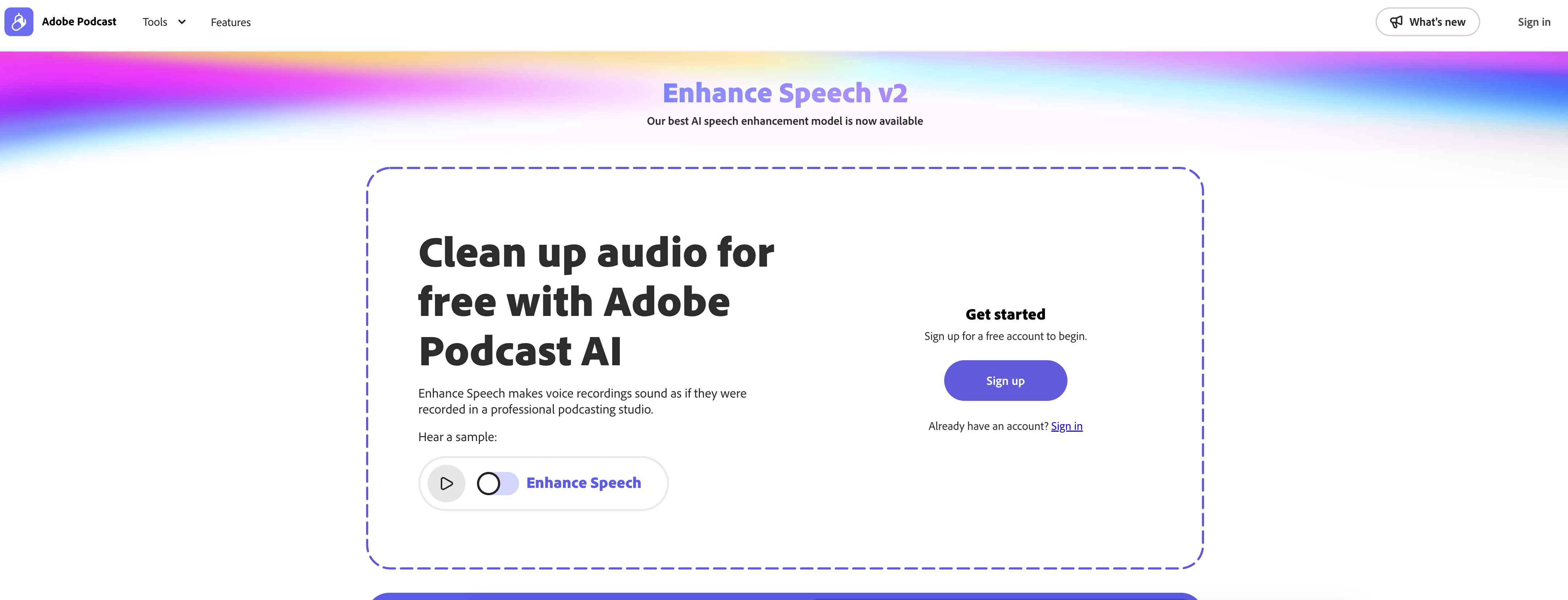
- Transform amateur recordings into studio-quality audio by intelligently removing background noise and reverberations
- Fix speech errors and inconsistencies automatically, including stutters and mispronounced words
- Instantly adjust audio levels and add professional effects like reverb and echo without manual editing
- Achieve professional sound for podcasts and broadcasts without expensive equipment or acoustic treatment
- Get started immediately with a user-friendly interface that requires no prior audio editing experience
Pros & Cons
Pros
- Reduces background noise
- Minimizes reverberations
- Removes undesired distortions
- Detects and removes unwanted noise
- Automatically adjusts audio elements
- Volume adjustment
- Pitch adjustment
- Frequency adjustment
- Can add audio effects
- Removes audio errors
- Detects inconsistencies in speech
- Ideal for podcasters
- Useful for broadcasters
- Can handle any audio refining
- User-friendly interface
- Delivers studio-grade audio quality
- Free tool
- Can be used regardless of initial recording conditions
- Doesn't replace professional audio editing software
- Efficiency varies based on raw audio quality
Cons
- Doesn't substitute professional editing
- Efficiency varies with raw audio
- May misinterpret some noises
- Only enhances spoken audio
- Effects limited to reverb, echo
- User reviews not visible
- Can't handle severe distortions
- May incorrectly process mispronunciations
- Lacks advanced editing options
Reviews
Rate this tool
Loading reviews...
❓ Frequently Asked Questions
Adobe Enhance Speech is an AI-powered audio filter that ensures sound quality improvement of spoken audio recordings. The tool helps reduce background noise, reverberations and other distortions, thus making the audio sound as if it were recorded in a professional, soundproofed studio.
Adobe Enhance Speech works by using machine learning algorithms to analyze the audio recordings. It detects and removes unwanted noise and auto-adjusts elements like volume, pitch, and frequency to provide the desired sound quality. The tool can also add effects like reverb and echo and remove errors such as mispronounced words and stutters.
Adobe Enhance Speech uses AI technology propelled by Adobe Sensei. This includes machine learning algorithms that allow the tool to analyze the audio recordings, detect and remove unwanted noise, and auto-adjust different elements such as volume, pitch, and frequency to achieve the desired sound quality.
Yes, Adobe Enhance Speech is designed to reduce background noise in your audio recordings.
Yes, Adobe Enhance Speech has a feature that auto-adjusts the levels of different elements in the audio, including volume and pitch.
Yes, Adobe Enhance Speech can be used to add audio effects such as reverb and echo.
Yes, Adobe Enhance Speech is equipped with the ability to detect and remove inconsistencies including mispronunciations and stutters.
Yes, Adobe Enhance Speech is suitable for use by podcasters and broadcasters due to its ability to clean and fine-tune audio, providing clear and high-quality sound output.
Yes, Adobe Enhance Speech is free to use, making it accessible to large and small-scale users.
No, Adobe Enhance Speech is not a substitute for professional audio editing software. It is primarily an audio enhancing tool and its editing capabilities are limited to enhancing audio quality, and not extensive sound editing.
Yes, the quality of the raw audio can affect the effectiveness of Adobe Enhance Speech. For optimal results, it is advisable to have good quality raw audio input.
Yes, Adobe Enhance Speech features a user-friendly application, allowing even novices to easily navigate and benefit from its features.
Adobe Enhance Speech can improve your podcast audio quality by reducing background noise, ensuring the levels of different elements such as volume, pitch and frequency are adjusted to achieve the desired sound quality, adding effects like reverb and echo, and detecting and removing errors and inconsistencies.
Yes, Adobe Enhance Speech can help reduce dissonance in spoken audio by refining and fine-tuning the audio using AI algorithms, resulting in clear and high-quality sound output.
Adobe Enhance Speech, using its AI algorithms, analyzes the audio and makes adjustments to reach a sound quality that matches its interpretation of a soundproofed studio recording. This interpretation is based on the vast number of audio samples it has been trained on.
Pricing
Pricing model
Free Trial
Paid options from
$12.95/month
Billing frequency
Monthly
Related Videos
How to Enhance Audio with Adobe Podcast
Claudio Zavala Jr.•14.8K views•Nov 22, 2022













