Overview
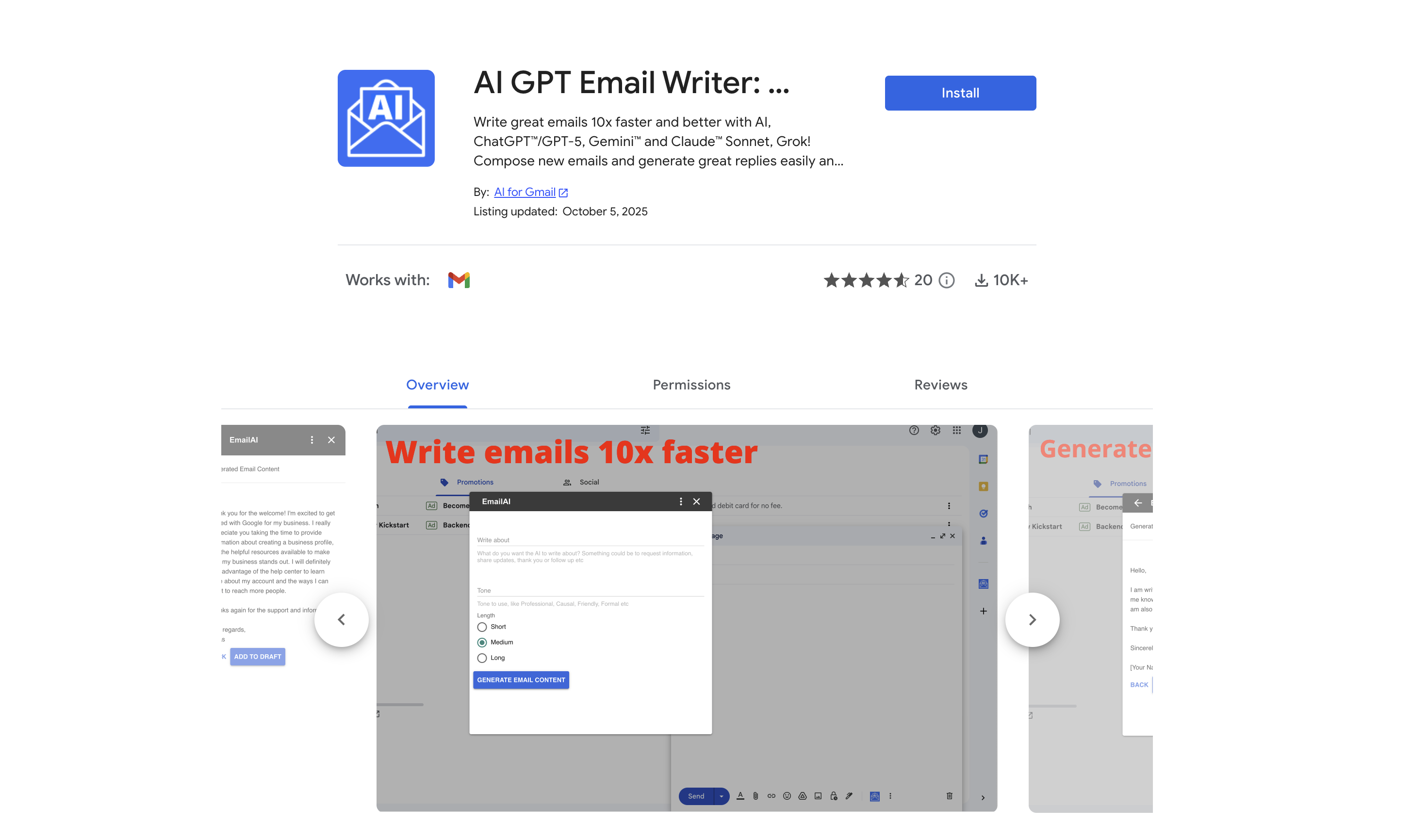
- Draft compelling emails in seconds by providing a brief of what to convey, powered by ChatGPT, Gemini, and Llama models.
- Reply to incoming emails with contextually sensible responses automatically, streamlining your entire email management process.
- Eliminate grammar and spelling errors instantly with built-in correction, ensuring every message is professional and clear.
- Translate emails into multiple languages and summarize lengthy threads, enabling seamless cross-language communication.
- Customize tone and text length precisely for any scenario—from newsletters and event invitations to business communications and job applications.
- Access your email assistant across desktop and mobile without device constraints, so you can compose and refine drafts wherever you work.
Pros & Cons
Pros
- Integrated into Gmail
- Powered by ChatGPT
- Multilingual functionality
- Grammar correction
- Spelling correction
- Varied content suggestions
- Draft improvement
- Text length adjustment
- Email translation
- Email summarization
- Tone and length customization
- Contextual reply generation
- Utilized for various scenarios
- Desktop and mobile compatible
- Free tool
- Easy installation
- New email generation
- Formatting articulate replies
- Creation of newsletters
- Formulating business communications
- Crafting job applications
- Email automation
- Content generation
- Workflow improvement
- 50+ languages support
- 20+ custom assistance actions
- Clients communication tool
- Newsletter automation
- Event invitations creator
- Job hunting tool
- Personalized thank-you emails tool
- Efficient cold emailing tool
- PR campaigns manager
- Varied tones choice
- New emails auto-generation
- Incoming emails responsive
- No Sign-up required
- Free credits availability
- No API key needed
- Quick tutorial for users
- One-click great replies
- Proofread feature
- Content elaboration capability
- Text length expansion
- Emails shortening
- Improvement of writing
- Personal info protection
- Result insertion
- Prompts provision
Cons
- Only works within Gmail
- Limited to predefined tones
- Cannot handle complex messages
- Inconsistent context interpretation
- Struggles with unique languages
- Possible privacy concerns
- Only basic customization options
- No memory of past messages
Reviews
Rate this tool
Loading reviews...
❓ Frequently Asked Questions
ChatGPT Gemini for Gmail is a tool designed to streamline email composition operations with the power of artificial intelligence models. It is created to work from within Gmail and assists in generating compelling emails and formulating articulate replies.
ChatGPT Gemini for Gmail operates within Gmail by leveraging AI models such as ChatGPT, Gemini, and Llama. These models help in generating emails and replies, improving drafts, correcting grammar and spelling, and more. No sign-up or API key is required to use it.
ChatGPT Gemini for Gmail is powered by multiple AI models, including ChatGPT, Gemini, and Llama. These AI models aid in generating high-quality emails and replies, and also assist in enhancing drafts, fixing errors in spelling and grammar, translating emails, and summarizing content.
Yes, ChatGPT Gemini for Gmail supports multiple languages. It can function and generate compelling email content across many different languages, making it a useful tool for non-native English speakers and for communications that involve multiple languages.
Yes, ChatGPT Gemini for Gmail does provide grammar and spelling correction. This feature ensures your email content is free of spelling and grammatical errors, enhancing the professionalism and readability of your emails.
Yes, ChatGPT Gemini for Gmail offers an array of suggestions and rewrites to improve drafts. The tool helps to enhance the quality and clarity of your email drafts by offering relevant suggestions, and can rewrite sections as needed for optimal communication.
Yes, with ChatGPT Gemini for Gmail, text length adjustments can be made as needed. This ensures that emails meet specific length requirements or preferences, whether you need shorter, concise messages or longer, more detailed emails.
Yes, ChatGPT Gemini for Gmail offers email translation features. It can translate emails to and from multiple languages, making it easier for users to communicate across different languages and cultural contexts.
Yes, users can specify the desired tone and length for their messages in ChatGPT Gemini for Gmail. The tool will then aid in refining the wording of your email until the output aligns with your specifications and preferences.
The email drafting process with this tool involves providing a brief of what needs to be conveyed. ChatGPT Gemini for Gmail then generates a draft that aligns with the given inputs, making the creation of new emails simple and efficient.
Yes, ChatGPT Gemini for Gmail can generate replies to incoming emails. This feature allows the AI to create contextually sensible responses, further streamlining your email management process.
ChatGPT Gemini for Gmail can be used in various scenarios, from creating newsletters and event invitations to formulating business communications and job applications. Whether for a large enterprise or running a small business, it can be employed to send emails to clients, partners or prospects among other use cases.
Yes, ChatGPT Gemini for Gmail is compatible with both desktop and mobile platforms. With this, usage is not confined to a single device, allowing you to draft and send professional emails from wherever you are.
Yes, ChatGPT Gemini for Gmail is a free tool. It does not require any subscription or payment to be used. Moreover, upon installation, users also receive some free credits to use.
The installation process of ChatGPT Gemini for Gmail is straightforward. As a Google Workspace plugin, it installs directly into your Gmail interface, enabling you to access it with ease whenever you open your Gmail.
ChatGPT Gemini for Gmail streamlines the email composition process by generating compelling email drafts based on your brief. The tool perfects the draft by refining the wording, correcting grammar and spelling, and aligning the output with your preferences. It can automatically generate responses to incoming emails, accelerating your email management process.
ChatGPT Gemini for Gmail assists in generating compelling emails by using AI models like ChatGPT, Gemini, and Llama. After you provide a brief of what needs to be conveyed, these models generate a draft that aligns with the provided inputs, ensuring the result is coherent, articulate, and engaging.
Yes, ChatGPT Gemini for Gmail has the capability to summarize content. This can be particularly useful when dealing with long emails or when you need to condense information into a brief format.
No, there are no device-related constraints when using ChatGPT Gemini for Gmail. The tool can be accessed from both desktop and mobile platforms, allowing you to use it wherever you are, on whichever device you prefer.
Yes, ChatGPT Gemini for Gmail can be used to create newsletters and event invitations. Whether you are sending regular publication to a group of people about your latest products, news, reports etc, or inviting people to an event, it can generate apt and compelling content for these purposes.
Pricing
Pricing model
Freemium
Paid options from
$4.99/month
Billing frequency
Monthly