

AI Humanizer.work
Overview
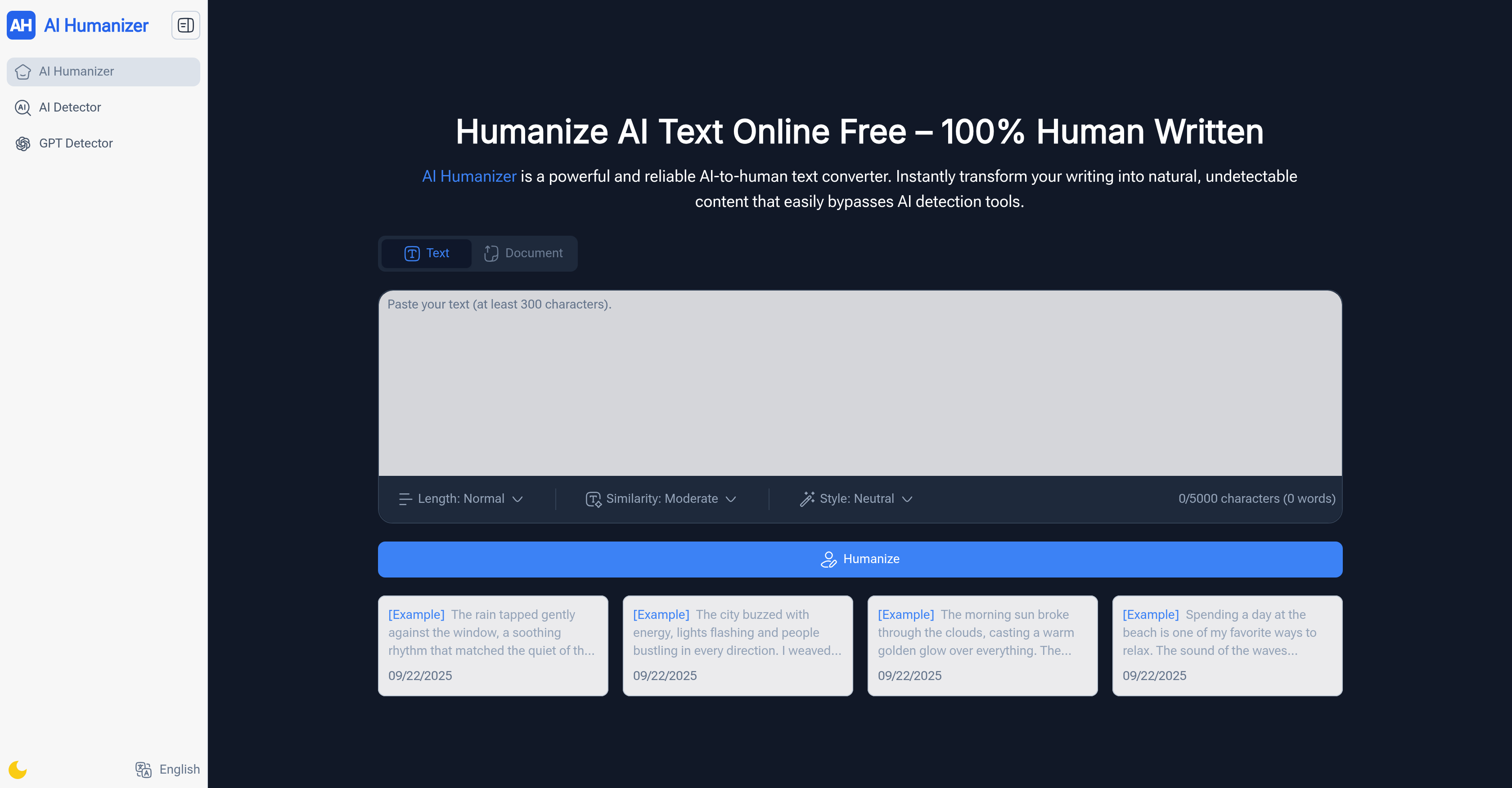
- Bypass AI detection tools with confidence using our integrated AI detection feature that removes robotic patterns
- Customize exactly how human your text sounds by selecting from light edits to deep rewrites for perfect naturalness
- Handle entire documents at once without splitting text, processing up to 30,000 characters in a single operation
- Download humanized content in your preferred format including TXT, PDF, and DOCX for immediate use
- Adjust language and tone to match any audience or professional context without sounding artificial
- Start humanizing text instantly with no account creation required, accessing unlimited usage immediately
- Upload documents directly from multiple formats including PDF, PPT, and Word files up to 40MB in size
Pros & Cons
Pros
- Enhances clarity and readability
- No sign-up required
- Unlimited usage
- Handles long texts
- Customization of human touch
- Language and tone customization
- Multi-format download options
- Suitable for diverse users
- Recognized globally
- Handles super long texts
- No usage limits
- Tone adjustment feature
- Maintains text authenticity
- Multiple language styles
- Immediate usage
- Fast and efficient
- Ideal for academic use
- Useful for content creation
- Adaptable to audience needs
- Supports various file formats
Cons
- Lacks API
- Lacks mobile version
- No multi-user collaboration
- No integration with CMS
- Limited file formats support
- Not specific language support
- No option for feedback
- Leaves metadata trails
- Has no offline functionality
- Lack of advanced customization
Reviews
Rate this tool
Loading reviews...
❓ Frequently Asked Questions
AI Humanizer is a powerful tool that transforms AI-generated text into natural, human-like language. By enhancing clarity, tone, and readability, AI Humanizer ensures content appears more humanized and less robotic. The tool supports long drafts, allows customization of the human touch in the text, implements in-built AI detection, and facilitates language and tone adjustment. AI Humanizer is user-friendly, free, and does not require sign-up.
AI Humanizer caters to a wide range of users. Students and researchers can use it to rewrite AI drafts into clear and natural text for essays, papers, and study notes. Content creators such as bloggers and YouTubers can humanize robotic AI text to create engaging scripts. Freelancers and writers can polish AI-driven content to deliver authentic pieces to clients. Business professionals can leverage AI Humanizer to professionalize AI text. Marketers and SEO experts can use it to rewrite AI content and connect better with their audience. Even everyday users can use it for resumes, post, and personal notes.
No, AI Humanizer does not require sign-up. The tool is designed to be user-friendly and accessible, allowing instant text humanizing without the need for creating an account.
AI Humanizer is capable of handling super long texts. In a single go, AI Humanizer supports up to 30,000 characters, ensuring even lengthy drafts are transformed smoothly and effectively into natural language, without the need for text splitting.
With AI Humanizer, users are allowed to adjust the level of 'human touch' in the text. By choosing between lighter edits or deeper rewrites, users can control the extent of naturalness and flow in their AI text.
The AI detection feature is an integral part of AI Humanizer. This feature ensures the safety and authenticity of the transformed text, decreasing the presence of AI patterns and making the content more human-like, thereby improving the chances of it bypassing AI detection tools.
Yes, AI Humanizer allows users to adjust both the language and the tone of their content. Users have the power to make the AI text sound natural in different tones and languages, thereby allowing the content to fit any desired audience.
Using AI Humanizer involves three simple steps. The first step is to paste or upload the text that needs to be humanized. Then, the user selects the desired style or human touch needed in the text. Finally, once the text is transformed, the user can either choose to copy the text or download it in various formats such as TXT, PDF, or DOCX.
AI Humanizer supports a wide range of file formats for downloading the transformed text. This includes TXT, PDF, and DOCX, offering users the convenience to save or share the humanized text in the desired format.
Yes, AI Humanizer offers features that significantly improve professional writing. By allowing adjustments in the tone and language of the text, it ensures that the AI text not only sounds more professional but is also tuned to the preferences of a professional reader. It effectively optimizes AI text to enhance professionalism, naturalness, and engagement.
AI Humanizer proves very beneficial for students and educators. It helps in transforming AI drafts into clear and natural text that can be used for essays, thesis papers, study notes and more. The tool offers simplicity, efficiency, and effectiveness, significantly contributing to the educational process.
Content creators can integrate AI Humanizer into their workflow to turn AI-generated, robotic copy into engaging, organic text. The tool can help content creators, including bloggers and YouTubers, humanize their AI text, making it sound more authentic, thereby improving engagement and viewer satisfaction.
Marketers can greatly benefit from using AI Humanizer. The tool can be utilized to rewrite AI-driven copy, making it undetectable by AI detectors, and so enhancing its authenticity, vastly improving the connection between marketers and their audience. By enabling a more natural and engaging tone, it can lead to improved conversion and customer satisfaction.
Freelancers can take advantage of AI Humanizer by utilizing it to polish AI content, turning it into authentic, high-quality writing that meets the satisfaction of their clients. It's a highly efficient tool that reduces tweaking time and improves overall performance.
Text humanization with AI Humanizer involves the transformation of AI-generated text into natural, human-like language. It enhances the clarity, tone, and readability of the content, making it more engaging and less robotic. From minor edits to significant rewrites, the process is customizable as per individual user needs.
Yes, AI Humanizer works with Text Document and a variety of other file formats. Users can upload files in formats such as PDF, PPT, Word, TXT, up to the maximum size of 40MB that the tool can handle.
Business professionals can use AI Humanizer to make their AI-generated texts sound more professional and easier to read and understand. From reports to emails, AI Humanizer can effectively breathe life into robotic texts, making them more engaging and less machine-like.
Yes, AI Humanizer aids in enhancing content readability. By transforming robotic AI text into human-like language, it enhances the clarity, tone, and readability of the content. The tool ensures that the text connects better with readers and is easy to comprehend.
AI Humanizer improves the natural language processing of AI text by transforming it into a format that easily bypasses AI detection tools. By removing AI patterns, and adapting the text's tone, the tool makes the resultant content appeal more naturally to the human reader.
AI Humanizer can humanize a wide variety of content, including but not limited to academic essays and papers, blog posts, client work drafts, business emails, marketing copy, social media posts, and even resumes and personal notes. As long as the content is text-based, AI Humanizer can convert it into a more natural and human-readable form.
Pricing
Pricing model
Free
Paid options from
Free


