

AI Image Studio
Pick the strongest image on the first pass with AI model comparison, which runs one prompt or upload through multiple generators and shows the results side by side.
Listing not yet reviewed by our editors · How we check
Overview
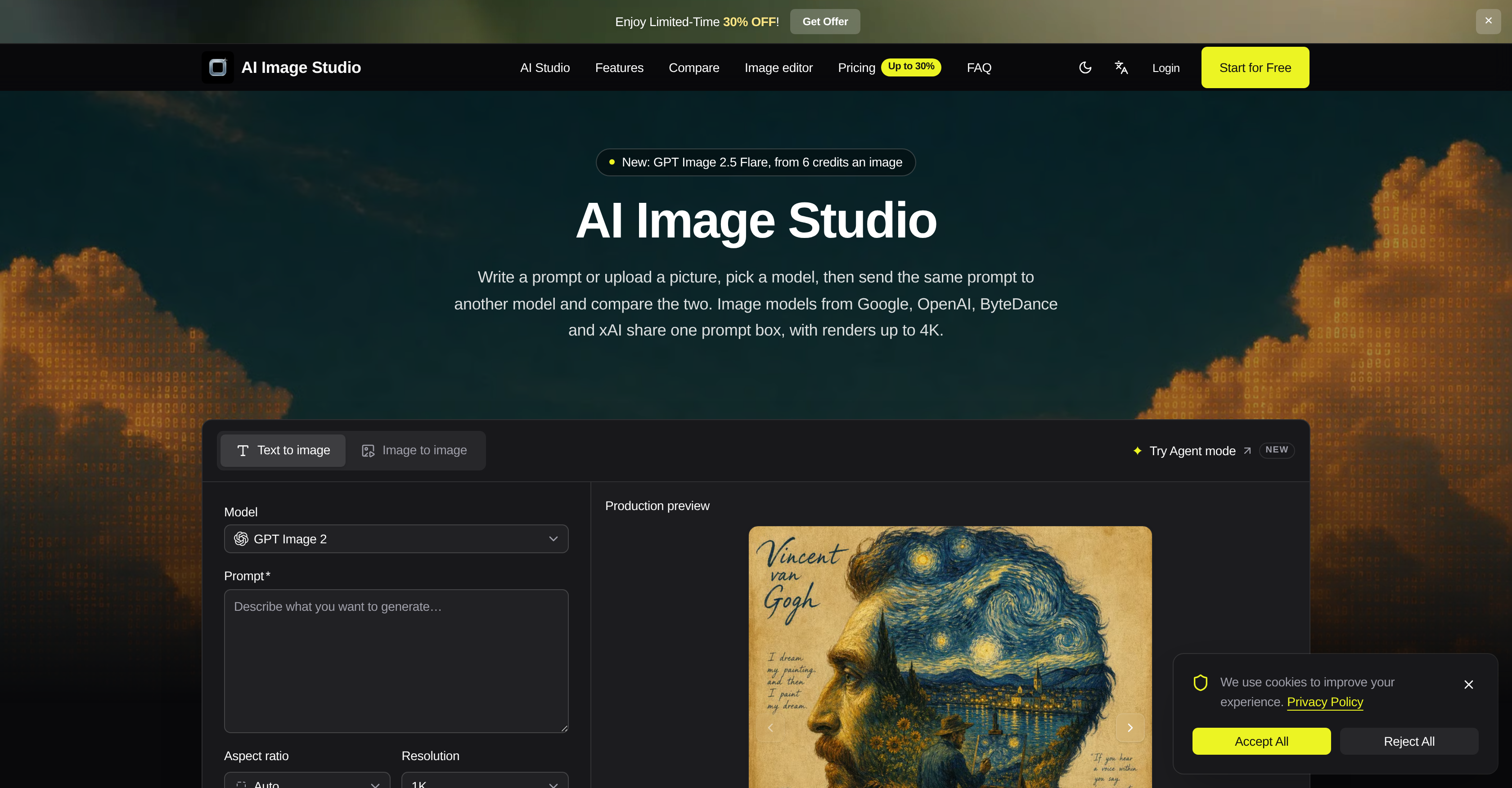
- Pick the strongest image on the first pass with AI model comparison, which runs one prompt or upload through multiple generators and shows the results side by side.
- Skip juggling separate subscriptions with one AI image generator that holds Google's Nano Banana Pro, Nano Banana 2 and Nano Banana 2 Lite, OpenAI's GPT Image 2.5 Flare and GPT Image 2, ByteDance's Seedream 5 Lite, and xAI models.
- Deliver crisp visuals for large displays and detailed product photography with renders up to 4K resolution, matched to each model's maximum output.
- Give old photos a new look without starting over through image-to-image editing that takes your upload and a description of what to change, then returns a re-imagined version.
- Get complex scenes that match your vision with text-to-image prompts you write like a photographer's brief, spelling out subject, setting, lighting and composition.
- Produce social media posts, product shots and rapid concept drafts from a single workspace that accepts both text descriptions and reference images.
- Find and reuse past work in seconds with a personal image library that saves every generated image to your account automatically.
- Test every model before you spend with free credits for new users, plus limited-time discounts on subscription plans.
- Publish brand-ready visuals legally with paid plans that remove watermarks, unlock higher resolutions and grant commercial usage rights.
Pros & Cons
From the listing; not yet checked by our editors.
Pros
- Inputs: text or image
- Model comparison feature
- 4K resolution rendering
- Use for various cases
- Supports image revamping
- Maintains an image library
- Free credits for newbies
- Paid plans available
- Options for watermark removal
- Option for commercial use
- Allows briefings like photographer
- Good for social posts
- Useful for product shots
- Supports complex scenes
- Optimized for precise edits
- Aides in concept drafts
- Storage of successful prompts
- Multiple models side by side
- Text to image feature
- Image to image feature
- Images kept with prompts
- Model accepts both inputs
- Storage and re-run of good setups
- Useful for ad campaigns
- Useful for article images
- Aids in concept sketches
- 10 free credits on sign-up
- Models have clear credit costs
- Personal and commercial use
- Limited-time discounts
- Allows draft generation
- Effective for editing experiments
- Allows style brainstorming
- Offers high resolution renders
- Watermark on free images
- Paid plans unlock extra features
- Photoreal and cinematic looks
- Comparing two results takes one click
- Images kept for 30 days
- Dependent on model for resolution
- Free account creation
- Support available
- Useful across multiple industries
- Models good for ad budgeting
- Powered by Text-to-Image technology
- Powered by Image-to-Image technology
Cons
- Watermarked free images
- Limited model resolution variance
- Requires credits for images
- Doesn't run Google's Nano Banana Pro with free credits
- Commercial use for paid plans only
- Free tier images only stored 30 days
- Paid plan required for higher resolution
- Free images for personal use only
- Limited-time promotional offers
Alternatives to AI Image Studio
Tools that share the most tags with AI Image Studio.
- EzRemove
Browser tool that removes the background from a photo and returns a transparent PNG.
Freemium
Not listed
Nov 24, 2026
- Playground AI
Transform text descriptions into photorealistic images and unique artwork instantly using AI-powered text prompts
Freemium · from $12/month
$12/month
Not yet checked
- daisy | LinkedInPro
Create professional headshots from everyday photos without expensive studio sessions using AI-powered photo transformation
Freemium · from $2.50
$2.50
Not yet checked
- Etsy Media Kit Generator - Image-To-Video.app
Launch professional product listings in minutes instead of days by generating a complete media kit from a single photo in 10-15 minutes
Free trial · from $8.25/month
$8.25/month
Not yet checked
- PNG AI
Instantly create high-quality PNG images from a simple text description using the Flux AI model
Free trial · from $10/month
$10/month
Not yet checked
- Dewatermark
Erase any watermark automatically in seconds using AI detection, even complex multi-layered or color-blended ones
Freemium · from $5/month
$5/month
Not yet checked
Reviews
Rate this tool
Loading reviews...
Frequently asked questions
What is AI Image Studio?
AI Image Studio is an advanced image generator that harnesses the powers of multiple AI models. It caters to a variety of applications such as social posts, product shots, complex scene constructions, precise edits, and rapid concept drafts. The Studio accepts both textual and image inputs, and facilitates comparisons of outputs furnished by different models. The generated images can be stored in a user's library for future reference.
How does AI Image Studio work?
AI Image Studio allows users to generate images based on a text prompt or an uploaded image. They can select an AI model for the task, and then compare the results with outputs from other models. The tool offers models from Google, OpenAI, ByteDance, and xAI. It also provides a unique feature that takes both text and image inputs. The processed images are stored in the user's account for subsequent use.
What AI models does AI Image Studio use?
AI Image Studio employs multiple AI models from leading tech companies such as Google, OpenAI, ByteDance, and xAI. It specifically uses Google's Nano Banana Pro, Nano Banana 2, and Nano Banana 2 Lite, OpenAI's GPT Image 2.5 Flare and GPT Image 2, and ByteDance's Seedream 5 Lite.
Can AI Image Studio produce images at 4K resolution?
Yes, AI Image Studio can generate images at resolutions up to 4K. The permitted resolution, however, depends on the AI model selected.
Can AI Image Studio revamp existing images?
Yes, AI Image Studio can revamp existing images. Users can upload an existing image, describe what should change, and let the chosen AI model produce a re-imagined version of the image.
How can I compare outputs from different models in AI Image Studio?
In AI Image Studio, the same prompt or image input can be processed through different AI models. The comparison feature allows users to view the output from each model side by side, enabling easy comparison and selection of the best-suited result.
Can I use AI Image Studio for social posts and product photography?
Yes, AI Image Studio is suitable for creating social posts and product photography. It also has applications in scene construction and design concept drafting. The tool allows the generation of images using a text description or an existing image, providing great flexibility in content creation.
What is unique about AI Image Studio's input options?
What's unique about AI Image Studio's input options is the ability to accept both text and image inputs. This means users have the flexibility to either describe the shot in text akin to briefing a photographer, or upload an existing image for improvement or alteration.