
AI Interview Copilot
Overview
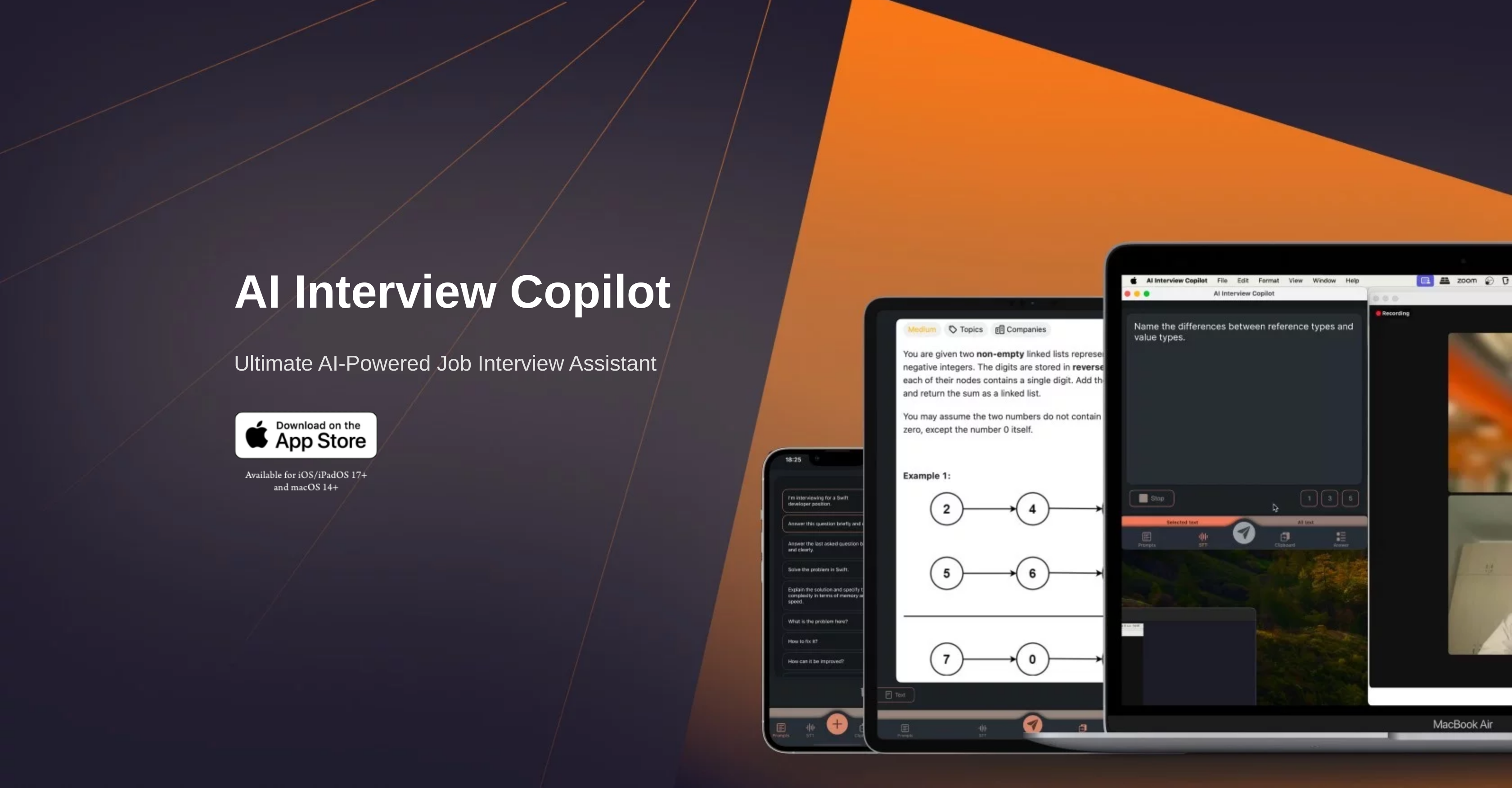
- Solve complex algorithmic problems instantly with real-time code generation during technical interviews
- Get immediate answers to technical questions without typing using voice transcription across 57 languages
- Analyze coding challenges from screenshots automatically through image recognition that generates task-specific responses
- Switch between interview questions seamlessly with one-click prompt navigation for uninterrupted workflow
- Maintain interview flow during screen sharing through cross-device clipboard integration across Apple devices
- Operate entirely without keyboard using intuitive mouse/trackpad controls for distraction-free interviews
Pros & Cons
Pros
- Real-time answers support
- Effective at technical interviews
- Solves algorithmic problems
- Generates live code snippets
- Voice transcription feature
- Multi-language support
- Image and screenshot recognition
- Seamless prompt switching
- Immediate feedback to requests
- Ease of use with intuitive controls
- No need for text input
- Cross-device clipboard integration
- Functionality during screen sharing
- Solves problems efficiently and quickly
- Uses advanced language models
- Generates task-specific responses to images
- Supports continuous interview support
- One-button question sending
- Uses GPT-4o for accuracy
- Real-time algorithm problem solving
- Generates useful information from images
- No typing necessary
- Smooth operation on shared clipboard
- Supports 57 languages
- Supports native language usage
- Quick information retrieval
- Accurate LLM utilization
Cons
- Only available for IOS/IPadOS 17+ and MacOS 14+
- Possibly not beneficial for non-technical interviews
- Seamless operation contingent on screen-sharing
- Requires ability to switch prompts quickly
- Unspecified image rendering speed
- Voice transcription may misinterpret accents
- Depends on accurate screenshot capture
- Potential language support inconsistencies
- Unspecified limitations of GPT-4o
- Limited control interfaces (mouse/trackpad only)
Reviews
Rate this tool
Loading reviews...
❓ Frequently Asked Questions
AI Interview Copilot is designed to provide comprehensive assistance during technical interviews. It can solve algorithmic problems and generate code snippets in real time, helping users address challenging technical queries. This functionality enables users to demonstrate their problem-solving skills and coding abilities effectively during the interview.
Yes, AI Interview Copilot has the capability to solve algorithmic problems during an interview. This feature can be particularly useful in technical interviews where complex or intricate coding challenges might be presented.
AI Interview Copilot's real-time code generation feature works by applying advanced language models to create accurate and functional code snippets. This can happen live during an interview, providing real-time solutions to technical queries and coding problems.
AI Interview Copilot supports 57 different languages with its voice transcription feature. This means users can conduct an interview in their native language and the tool will provide a text version of the interview in that language.
To use the image and screenshot recognition feature on AI Interview Copilot, simply save the screenshot to the clipboard and send the request. The tool will then generate an answer or a task-specific response based on the image or screenshot.
AI Interview Copilot generates responses from an uploaded image or screenshot using its advanced image recognition technology. It can analyze the contents of the image and generate task-specific responses accordingly. This can be particularly useful when dealing with visually-oriented tasks or data in an interview.
Switching between prompts seamlessly in AI Interview Copilot refers to the ability of the tool to transition smoothly from one question or prompt to another. Users can do this with a single click or tap, enabling more efficient navigation and execution of tasks during an interview.
AI Interview Copilot uses advanced language models to provide immediate feedback for user requests. This ensures that you can get the information or solution you need promptly during an interview, minimizing any delay or downtime.
Yes, AI Interview Copilot is designed to operate without the need for textual input. All control can be done with a mouse or trackpad and prompts only need to be entered once before the interview, offering a hassle-free and intuitive user experience.
AI Interview Copilot is available for devices running iOS/iPadOS 17+ and macOS 14+. Hence, it can be used on compatible Apple devices such as iPhones, iPads, and Mac computers.
The cross-device clipboard integration feature of AI Interview Copilot enhances your interview process by allowing you to operate the application smoothly even while screen sharing. The shared clipboard feature across Apple devices ensures continuous support during interviews by enabling easy transfer of data, task responses, or solutions between devices.
During screen sharing, AI Interview Copilot provides support through its cross-device clipboard integration. By utilizing the shared clipboard feature across Apple devices, users can operate the application smoothly, pasting and sharing information directly from the clipboard. This ensures continuous and seamless support during an online interview setting featuring screen sharing.
Yes, AI Interview Copilot is available for IOS and iPadOS 17+ devices, providing mobile support for your interview preparation and practice process.
Pricing
Pricing model
Freemium
Paid options from
$4.99
Billing frequency
One-time
Related Videos
Lifetime access with updates 😉 #fyp #tech #aiinterviewcopilot
AI Interview Copilot•1.4K views•Jun 27, 2025