

AI Video Enhancer | Picsman AI
Overview
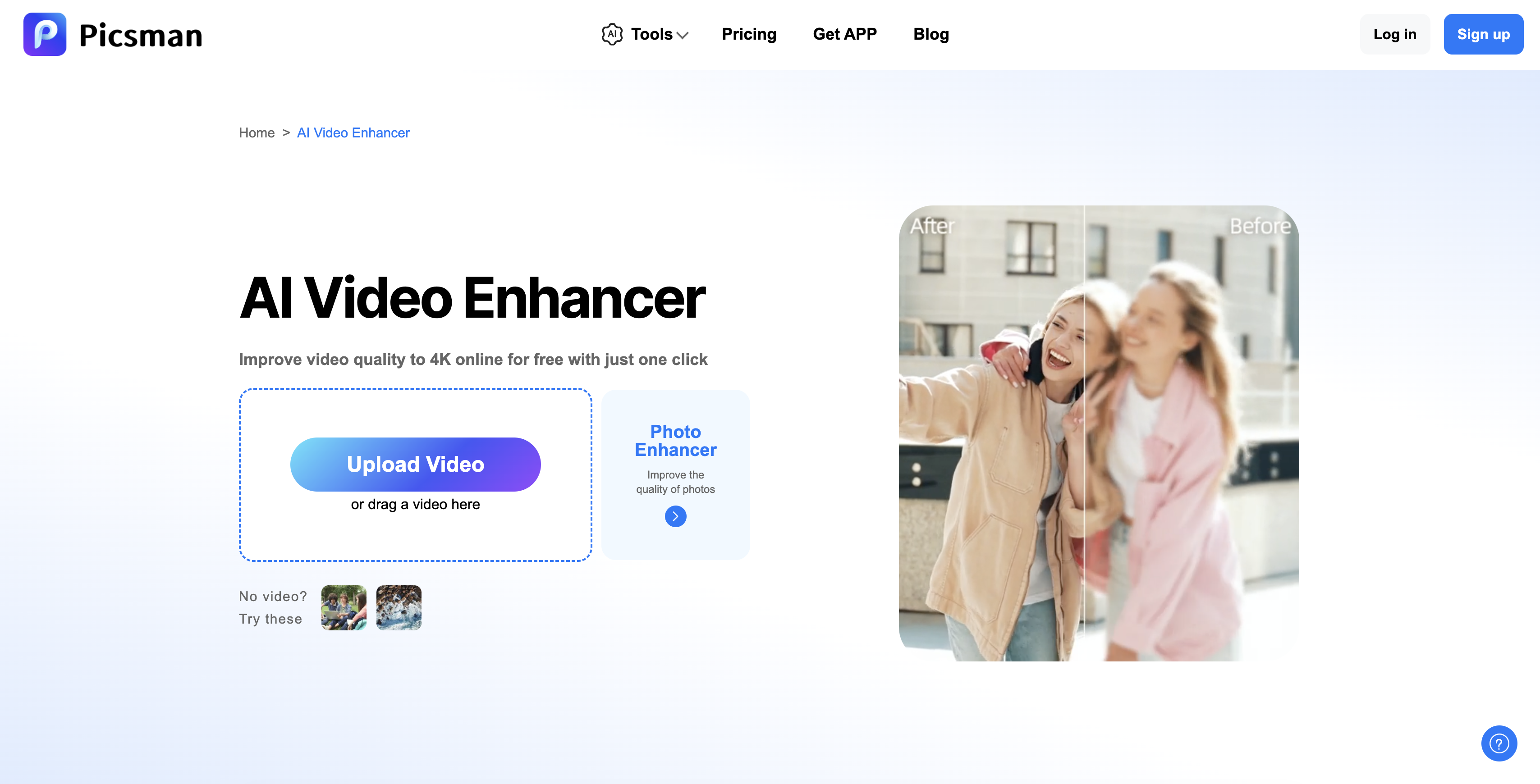
- Transform grainy, unclear videos into crisp, vibrant content with intelligent blur removal and detail sharpening
- Upscale any video to professional 1080p or 4K resolution for sharp, detailed playback on any platform
- Restore old family videos and vintage films with enhanced visuals and brighter, more vibrant colors
- Enhance YouTube content and marketing videos with professional-grade quality that makes your content stand out
- Achieve polished business presentations and product showcases with sharper details and smoother playback
- Process anime videos with vivid, immersive scenes through specialized line sharpening and color enhancement
- Complete video enhancement in three simple steps without any editing skills or technical knowledge required
- Securely handle your valuable footage with protected uploads and downloads for all major video formats
Pros & Cons
Pros
- Improves video quality online
- Changes resolution to 4K
- Removes blur intelligently
- Sharpens details
- Improves overall appearance
- Transforms unclear videos
- Offers one-click upgrade
- No complex editing skills required
- Upscales video resolution
- Useful for various video scenarios
- User-friendly tool
- Seamless enhancement process
- Recovers old footage
- Enhances YouTube content
- Improves work presentation videos
- Restores vintage films
- Enhances anime videos
- Boosts product showcasing videos
- Enhances video color vibrancy
- Suitable for commercial campaigns
- Revives treasured family videos
- Upgrade corporate presentations
- Professional look achieved
- Increases video frame sharpness
- Supports broad content nature
- Easy three-step enhancement
- Increases video playback smoothness
- Supports popular video formats
- Prioritizes user data security
Cons
- No mention of supported formats
- May oversharpen details
- Potential loss of original texture
- Unclear data privacy policies
- Unknown processing speed
- Resolution upscaling limitations
- No editing options
- No batch video processing
- Doesn't support offline use
Reviews
Rate this tool
Loading reviews...
❓ Frequently Asked Questions
AI Video Enhancer by Picsman supports popular video formats including MP4, MOV, M4V, and others.
Yes, AI Video Enhancer by Picsman can upscale the resolution of any video to 4K.
AI Video Enhancer by Picsman is versatile and can be used for various video scenarios like enhancing YouTube content, old movies, family videos, business videos, anime, and product showcasing.
AI Video Enhancer by Picsman improves video quality through intelligent removal of blur, sharpening details, and improving the overall appearance.
Yes, the user's data security is prioritized when using AI Video Enhancer by Picsman. All uploaded videos are handled safely and securely.
Yes, the AI Video Enhancer by Picsman is capable of enhancing old movies by restoring them with sharpness and vibrant colors.
AI Video Enhancer by Picsman is extremely user-friendly. It offers a three-step process for video enhancement: upload the video, select the desired resolution, and download the improved video.
Yes, content creators can use AI Video Enhancer by Picsman to boost clarity and detail for their YouTube videos.
Yes, AI Video Enhancer by Picsman has the capability to restore and revive treasured family videos with enhanced visuals and colors.
No, users do not need any editing skills to use AI Video Enhancer by Picsman. Its 'one-click' upgrade feature allows users to enhance videos without the need for complex editing.
Yes, AI Video Enhancer by Picsman can enhance the resolution of anime videos to make the scenes vivid and immersive.
The process of enhancing a video by AI Video Enhancer by Picsman involves three easy steps: Upload the video, select a resolution, and click Generate. The AI will then enhance and upscale the video automatically.
Yes, marketing teams can significantly benefit from using AI Video Enhancer by Picsman. It can help create high-quality visuals that make their content stand out on any platform.
Yes, AI Video Enhancer by Picsman enhances and upscales videos for smoother playback, ensuring every frame looks sharp and detailed.
Yes, work presentations can be improved using the AI Video Enhancer by Picsman by adding crisp visuals and sharper details.
The 'one-click' upgrade feature of AI Video Enhancer by Picsman allows users to enhance video quality instantly without needing complicated editing skills.
Yes, AI Video Enhancer by Picsman can transform grainy, unclear videos into crisp, vibrant, and polished content.
Yes, AI Video Enhancer is capable of enhancing business videos, ensuring the brand content appears sharp and polished.
AI Video Enhancer by Picsman improves the overall appearance of videos by removing laziness, sharpening details, and enhancing the overall color and vibrancy.
Yes, AI Video Enhancer by Picsman can efficiently remove blurriness from videos, revitalizing them with sharper visuals and high quality.
AI Video Enhancer by Picsman is an artificial intelligence-powered software that aids users in improving video quality and upscaling video resolution. Specifically crafted for sharper and more vibrant content, it can transform low-quality footage into desirable, professional-grade visuals. The tool can intelligently remove blur, improve video details, and enhance overall video quality, thus catering to a variety of video enhancement needs.
AI Video Enhancer improves video quality by using artificial intelligence to intelligently remove blur and sharpen details. It upgrades grainy, unclear footage into crisp, polished, and highly appealing content. It also has the capacity to upscale video resolution, making each frame sharp, detailed, and professional-looking.
Enhancing a video with AI Video Enhancer is a three-step process. First, the user must upload the video they wish to improve. Next, they will select their desired resolution. Finally, they download their newly enhanced video. The AI in the program handles all of the complex editing in the background.
No, AI Video Enhancer does not require any specific technical skills for its usage. Its user-friendly design and simplified process allow it to be used by professionals, hobbyists, and individuals alike, without the need for complex editing abilities.
The 'one-click' upgrade feature in AI Video Enhancer makes video enhancement a seamless process. Users simply upload their video, and with one click, the tool sets to work enhancing the video quality instantly. This feature eliminates multiple steps usually required in traditional video editing and enhancement, hence making the process simpler and effortless.
Yes, AI Video Enhancer can increase video quality to 4K. It features a powerful resolution enhancement algorithm capable of upscaling video to sharp, detailed 4K resolution, ensuring high-quality playback.
AI Video Enhancer is versatile and can improve a wide array of videos. This ranges from personal family videos and work presentations to YouTube content, old movies, anime, and product showcasing videos.
AI Video Enhancer can upscale videos to a maximum resolution of 4K, ensuring each frame in the video is sharp, detailed, and of professional quality.
Yes, AI Video Enhancer is capable of removing blur and sharpening video details. Through its intelligent processes, it can enhance video clarity and transform blurred visuals into crisp and clear content.
Yes, AI Video Enhancer excels in enhancing grainy, unclear videos. It can transform such footage to appear crisper, more vibrant, and polished.
Yes, AI Video Enhancer is designed to enhance YouTube content by boosting clarity and detail, thereby making every upload look professional and engaging to viewers.
AI Video Enhancer is particularly suitable for restoring old footage or family videos. It can revive treasured family moments with clearer visuals and brighter colors, enhancing their emotional impact and as such, rekindling memories in a more vivid manner.
Yes, AI Video Enhancer is incredibly beneficial for marketers and content creators. By ensuring every frame of their video content is sharp, detailed, and professional, the tool helps their videos stand out on any platform, thereby contributing positively to their creative or marketing goals.
AI Video Enhancer can be used to improve product advertisement videos by upgrading visuals to be more crisp and detailed, resulting in more appealing and effective presentations.
AI Video Enhancer helps refine business presentations by ensuring sharp, polished visuals. It can upgrade corporate presentations or ads, therefore making the brand representation more professional and impactful.
Anime videos can be enhanced using AI Video Enhancer by sharpening lines, brightening colors, and upscaling resolution to make scenes more vivid and immersive.
Yes, AI Video Enhancer is fitted for the upgrading of personal creative projects. By improving video quality and resolution, it aids individuals in presenting their creative pursuits in a more polished and professional form.
Absolutely, AI Video Enhancer can restore and enhance old, low-quality footage. It intelligently removes blur, sharpens details, and improves video quality, bringing the old assets back to life.
Users describe enhancing a video with AI Video Enhancer as an effortless experience due to its user-friendly design. The few clicks it takes to upload a video, enhance its quality, and download the improved version saves time and presents complicated technical processes in a simplified manner.
Yes, AI Video Enhancer can indeed be used for professional video content enhancement. It improves the resolution and brightness of professional content perfectly, thereby making the content more suitable for promotional or marketing purposes.
Pricing
Pricing model
Free Trial
Paid options from
$4.99/month
Billing frequency
Monthly
Refund policy
No Refunds


