

AI Video Upscaler
Overview
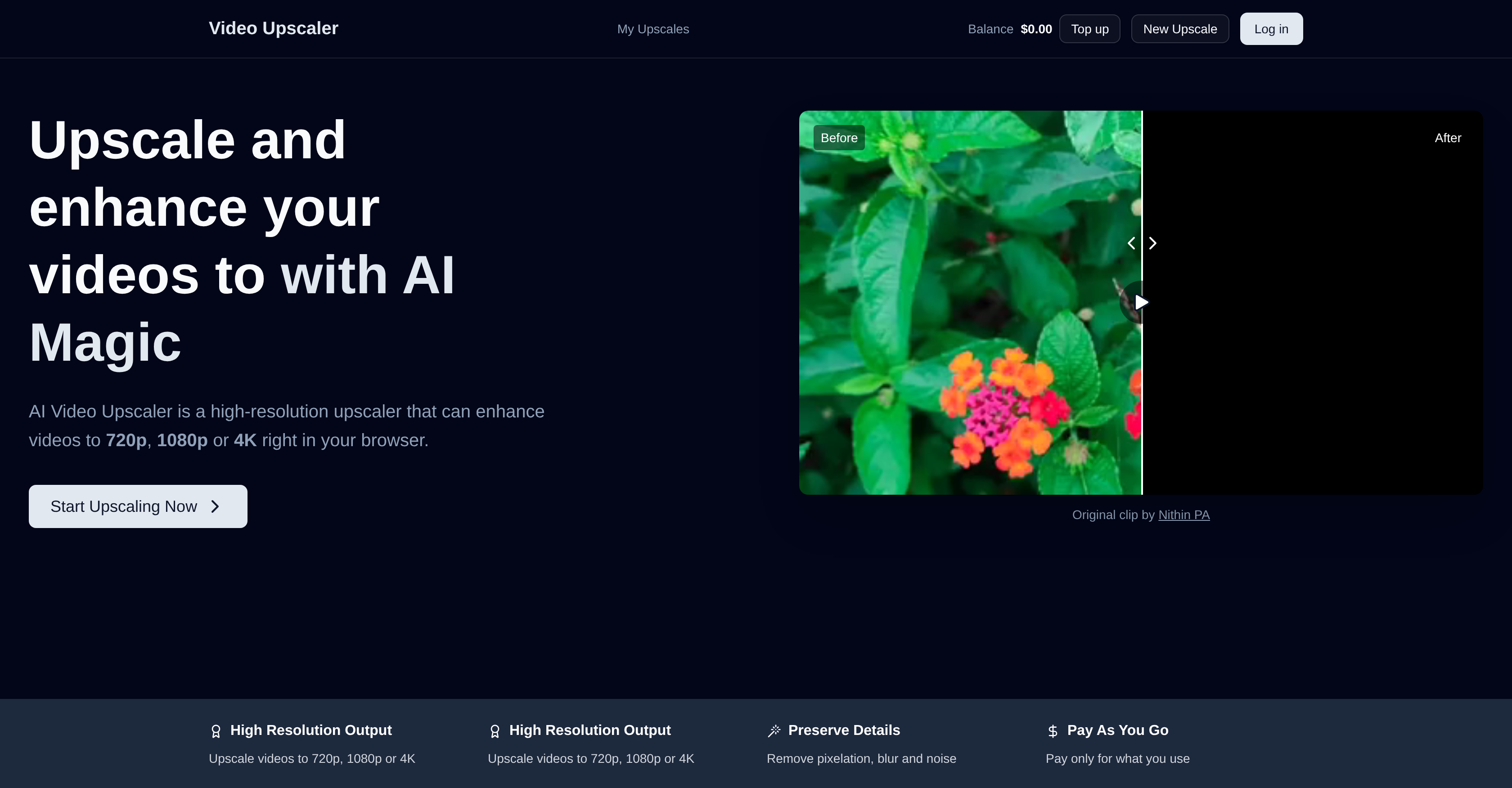
- Transform low-resolution videos into crisp 4K quality using advanced AI upscaling that adds depth and clarity
- Eliminate distracting pixelation, blur, and background noise for professional-looking results on any platform
- Preserve every detail of your original video while maintaining the exact format and aspect ratio without distortion
- Process videos quickly without technical expertise—get enhanced results in minutes depending on length and resolution
- Pay only for the enhancement you need with per-second pricing that scales with output quality, avoiding monthly subscriptions
- Upscale any video format including MP4, AVI, MOV, MKV and WMV for consistent quality across all your content
Pros & Cons
Pros
- Supports various video formats
- Upscales to 4K resolution
- Preserves original video integrity
- Ideal for short and long videos
- User-friendly functionalities
- Time-efficient upscaling
- Pay-as-you-go pricing
- Processing time varies
- 720p, 1080p and 4K enhancement
- Noise and blur reduction
- YouTube and TikTok video enhancement
- Pixelation reduction
- Maintains original video format
- Preserves aspect ratio
- Browser-based tool
- Improves picture clarity
- Ideal for various platforms
- Cost per output resolution
- Cost per frames per second
- Minimizes background noise
- Maintains razor-sharp edges
- Supports vertical video enhancement
- Detailed preservation in original video
- No subscription needed
- No limit on video size
- Ideal for business and personal use
Cons
- Pay-per-use pricing
- Processing time varies
- Costs increase with quality
- Resolution enhancement limited to 4K
- Possible distortions in detail
- No mention of offline version
- Charges per 5 seconds of video
- No specified free tier
- Proprietary upscaling models
- Not open-source
Reviews
Rate this tool
Loading reviews...
❓ Frequently Asked Questions
AI Video Upscaler is a high-resolution upscaling tool that utilizes advanced models to enhance and upgrade video quality. It is capable of adding depth and detail, improving the overall viewability of the videos while preserving their original integrity. It also supports all major video formats, providing an effective and user-friendly solution for a variety of digital content.
AI Video Upscaler can upscale videos to a maximum of 4K resolution.
The specific upscaling models that AI Video Upscaler utilizes aren't explicitly mentioned on their website. However, it's emphasized that AI Video Upscaler employs advanced upscaling models for enhancing and increasing video quality.
AI Video Upscaler supports all major video formats including MP4, AVI, MOV, MKV, and WMV.
AI Video Upscaler enhances the detail in videos by leveraging advanced upscaling models that add depth and improve quality without compromising the original integrity of the video. This includes retaining the details of the original video and emphasizing even the minutest of elements for a better viewing experience.
Yes, AI Video Upscaler is designed to work with all types of videos, both short social media clips and longer format videos, ensuring each detail is preserved and quality is enhanced.
AI Video Upscaler's interface is user-friendly, allowing users to easily upscale videos in a matter of minutes depending on the length and resolution of the video.
The typical duration for upscaling a video using AI Video Upscaler depends on the length and resolution of the video. As mentioned on their website, a 1-minute video takes approximately 2-5 minutes to process.
AI Video Upscaler operates under a pay-as-you-go pricing policy where users are only charged for their usage. This method eliminates the necessity of monthly charges, making it a cost-effective solution for enhancing video quality.
The exact cost-effectiveness of AI Video Upscaler compared to other video enhancement tools isn't specified on their website. However, due to its pay-as-you-go pricing model, users pay only for what they use which could potentially make it a cost-effective choice.
AI Video Upscaler does not limit the size of the video file that can be uploaded for upscaling.
The processing time within AI Video Upscaler can vary according to the length and resolution of the video. Longer or higher-resolution videos may take proportionally more time to process.
Yes, AI Video Upscaler is suitable for both individual use and businesses. It's an ideal solution for anyone looking to generate high-quality videos.
AI Video Upscaler adds value for both individuals and businesses by offering user-friendly, fast, and efficient video upscaling solutions that preserve and enhance detail. It supports all major video formats and can upscale videos to a high-resolution of up to 4K, thereby improving viewing quality for diverse digital content.
AI Video Upscaler maintains the original video's integrity during upscaling by utilizing advanced models that focus on the preservation of details, depth and overall video integrity—even as the quality and resolution are improved.
Yes, AI Video Upscaler is capable of adding depth to videos, enriching their overall quality and viewing experience.
No specific technical skills are mentioned to operate AI Video Upscaler. Given its user-friendly interface, it's likely designed for a broad range of users, from individuals to businesses.
Pricing in AI Video Upscaler is calculated based on the output resolution and frame rate of the video. Charges are per 5-second units of video, rounding up to the next 5-second unit. For instance, the cost for upscale at 1080p resolution at 60 frames per second is $0.17 per 5 seconds.
Their website mentions the availability of a support team for queries or troubleshooting, but doesn't provide further details about the support process.
Yes, AI Video Upscaler states that it can enhance video quality without losing detail. It uses the best in class upscaling models to ensure every detail is preserved as it was in the original video while increasing its resolution up to 4K.
AI Video Upscaler is a high-resolution tool that enhances video quality by leveraging advanced upscaling models. It is capable of upscaling to 4K resolution, supports various video formats, is user-friendly and operates on a pay-as-you-go model.
AI Video Upscaler works by implementing an algorithm that scales up video resolutions to 720p, 1080p, or 4K, thus improving picture clarity. It also helps in reducing pixelation, blur, and noise in the background while enhancing details in the video.
AI Video Upscaler supports major video formats including MP4, AVI, MOV, MKV, and WMV.
Yes, AI Video Upscaler is capable of upscaling videos to a 4K resolution, thus significantly improving the video quality.
The processing time for videos using AI Video Upscaler typically depends on the video's length and resolution. For instance, a 1-minute video takes about 2 to 5 minutes to process.
Yes, the time efficiency of AI Video Upscaler does depend on the length and resolution of the video. Longer videos or videos with higher resolution may take proportionally more time to process.
AI Video Upscaler works on a pay-as-you-go pricing method. This means users are only charged for the usage or the level of video quality used. There is no need for subscription.
Yes, AI Video Upscaler supports unlimited video size for upscaling, however, processing time may increase proportionately with the size of the video.
Yes, AI Video Upscaler is indeed suitable for both individuals and businesses. It provides an effective solution for upgrading both short social media videos as well as longer video formats.
AI Video Upscaler ensures the retention of the original video format and aspect ratio by leveraging advanced upscaling models that prevent distortion of details during the upscaling process.
The cost in AI Video Upscaler is calculated as per 5 seconds of video, depending on the selected output resolution and frames per second. For instance, a 5-second 4K video at 60 fps would cost $0.68.
Yes, AI Video Upscaler helps in reducing noise and blur in videos as part of its enhancement process. The tool works to remove pixelation, blur, and noise, resulting in clearer and sharper video quality.
AI Video Upscaler can significantly improve your YouTube and TikTok videos by upscaling them to higher resolutions like 720p, 1080p, or 4K. The tool also reduces noise, blur, and pixelation in videos, making them clearer and more pleasant for viewers.
AI Video Upscaler is designed to be very user-friendly. Its functionalities are easy to use, allowing videos to be upscaled in just a few minutes, depending on the length and resolution of the video.
Yes, AI Video Upscaler can enhance your videos to a 1080p resolution, providing you with high-quality visuals.
Yes, AI Video Upscaler supports enhancements of different video formats including MKV and WMV. It preserves the original format and aspect ratio during upscaling.
AI Video Upscaler excels in preserving the level of detail in upscaled videos. Every detail is preserved as it was in the original video, making the upscaled videos visually pleasing and of high-quality.
AI Video Upscaler rectifies the issue of pixelation by deploying an algorithm that scales up video resolutions. This consequential increase in pixels reduces pixelation, thus making the picture clearer and sharper.
The video quality is improved using AI Video Upscaler by scaling up the resolution of the video to 720p, 1080p, or 4K. It also reduces blur, noise, and pixelation in the video, thus enhancing the overall viewing quality.
Pricing
Pricing model
Free Trial
Paid options from
$20
Billing frequency
One-time
Refund policy
Users can request refunds for any unused prepaid balance at any time, no questions asked.


