

AIVideoMaker - Free AI Video Maker
Overview
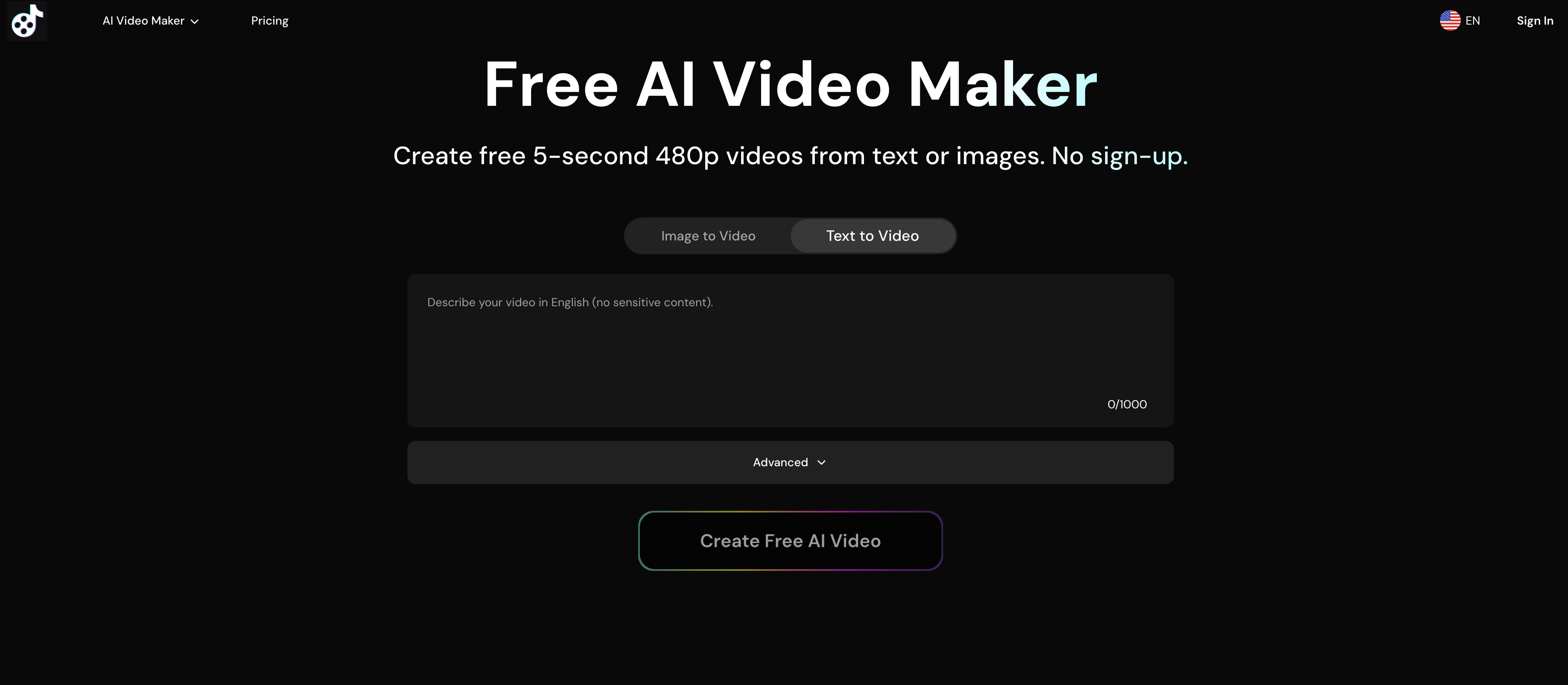
- Bring static photos to life with motion by simply uploading JPG or PNG images and describing the animation you want
- Create engaging product presentations using the AI Product Avatar feature that transforms product images into animated avatars
- Enhance your video quality automatically with the AI Video Upscaler that improves resolution and sharpness
- Add dynamic soundtracks to your videos with AI-powered audio generation for more engaging content
- Get faster video creation with priority processing and higher generation limits when subscribed for workflow efficiency
- Maintain complete privacy with automatic image deletion after processing—your photos are never stored permanently
- Work with high-quality outputs including 720p HD videos up to 8 seconds long for premium visual results
- Start creating immediately without registration or login requirements for instant access to basic animation features
Pros & Cons
Pros
- Transforms images to videos
- Instant animation
- Supports JPG and PNG
- User-defined animation choice
- High-quality photo compatible
- Generates 480p videos (free)
- Generates 720p videos (premium)
- Outputs in MP4 format
- Fast generation speed (premium)
- High concurrent generation (premium)
- Privacy-respecting
- Retains original image style
- No watermark on videos
- Animated videos from text
- No sign-up required
- Immediate download and share
- Good for social media
- Shared queue (free users)
- Dedicated queue (premium users)
Cons
- Only supports JPG and PNG
- Max 8-seconds video length
- Limited video resolution
- Lacks personalization in animation
- Delayed processing for free users
- Concurrent generation limit
- No real-time editing
- Only securely stores image momentarily
- No watermark removal for free
Reviews
Rate this tool
Loading reviews...
❓ Frequently Asked Questions
AIVideoMaker is an AI-driven tool that lets users transform static images into animated videos. It instantaneously animates photos, creating dynamic and visually captivating videos from otherwise static images. It also has AI-powered features such as Audio Addition, Video Upscaler, and Product Avatar, which elevate the quality and functionality of the animated videos.
AIVideoMaker works in a simple yet effective process. Users upload an image in either JPG or PNG format, define how they want their image to be animated by adding a description, and press the 'Create Video Now' button. The AI then generates an animated video based on the user's instructions, ensuring that the original photo's main elements and style are retained.
No, AIVideoMaker can't transform all image formats. It only supports JPG and PNG formats for the creation of animated videos.
AIVideoMaker supports JPG and PNG image formats. With these formats, users can generate animated videos from static images.
Yes, the image size does affect the performance of AIVideoMaker. The tool requires images not to exceed a specific file size and dimensions, ensuring that the AI can adequately process and animate the photo.
The maximum file size that AIVideoMaker can handle is 10MB. This limit ensures the tool can process the uploaded image efficiently and generate high-quality animated videos.
The video quality AIVideoMaker offers for free users is of 480p resolution. These videos have a maximum duration of 5 seconds and are generated in the MP4 format.
The difference in video quality between premium and free users on AIVideoMaker is in terms of resolution and duration. For free users, the output videos are of 480p resolution and last for 5 seconds. In contrast, premium users get higher quality videos at 720p resolution that can last up to 8 seconds.
Yes, AIVideoMaker respects user privacy. It securely stores the uploaded image only during the generation process, which is approximately for an hour, and then automatically deletes it afterward.
To enhance the quality of videos using AIVideoMaker, you can use features like the AI Video Upscaler, which employs advanced AI technology to upscale and improve the quality of the created videos. Additionally, better results can be achieved by using high-quality images with clear subjects and good lighting.
Yes, AIVideoMaker allows you to add AI-powered audio to your videos. This feature enables users to create more dynamic and richly engaging videos with sound.
The AI Product Avatar feature of AIVideoMaker is an innovate tool that transforms product images into AI avatars. This function helps businesses create more engaging visual content for their products.
Subscribed users of AIVideoMaker enjoy numerous benefits including dedicated queue for faster generation speeds, higher concurrent generation limits, and access to other premium features like higher video resolutions and more duration options.
The exact speed at which AIVideoMaker can generate a video varies based on whether a user is a free or subscribed member. Subscribed users benefit from faster generation speeds, while free users are placed in a shared queue resulting in relatively slower creation times.
AIVideoMaker animates images based on the description provided by the user during the upload stage. The AI technology of the tool carefully analyzes the description and the image, then creates an animation that maintains the original photo's style and main elements.
Yes, you can use AIVideoMaker for free without needing to register or log in. Despite certain feature limitations, free users can still generate visually stunning animated videos conveniently.
The limitations for free users on AIVideoMaker include a standard queue resulting in slower generation times and lower concurrent generation limits. The output videos for free users have a maximum duration of 5 seconds and come with a resolution of 480p.
The premium features in AIVideoMaker include priority queues for faster video generation, higher concurrent generation limits, and enhanced video features. Premium users can create videos up to 8 seconds long and at a higher quality resolution of 720p.
AIVideoMaker stores the uploaded images only during the generation process, which takes about an hour. After that, the image is automatically deleted, ensuring user privacy.
For best results on AIVideoMaker, high-quality photos with clear subjects, good lighting and sharp details are recommended. The tool is particularly effective for animating portrait photos, product images, and landscape shots.
Pricing
Pricing model
Freemium
Paid options from
$19.96/month
Billing frequency
Monthly
Refund policy
No Refunds


