Overview
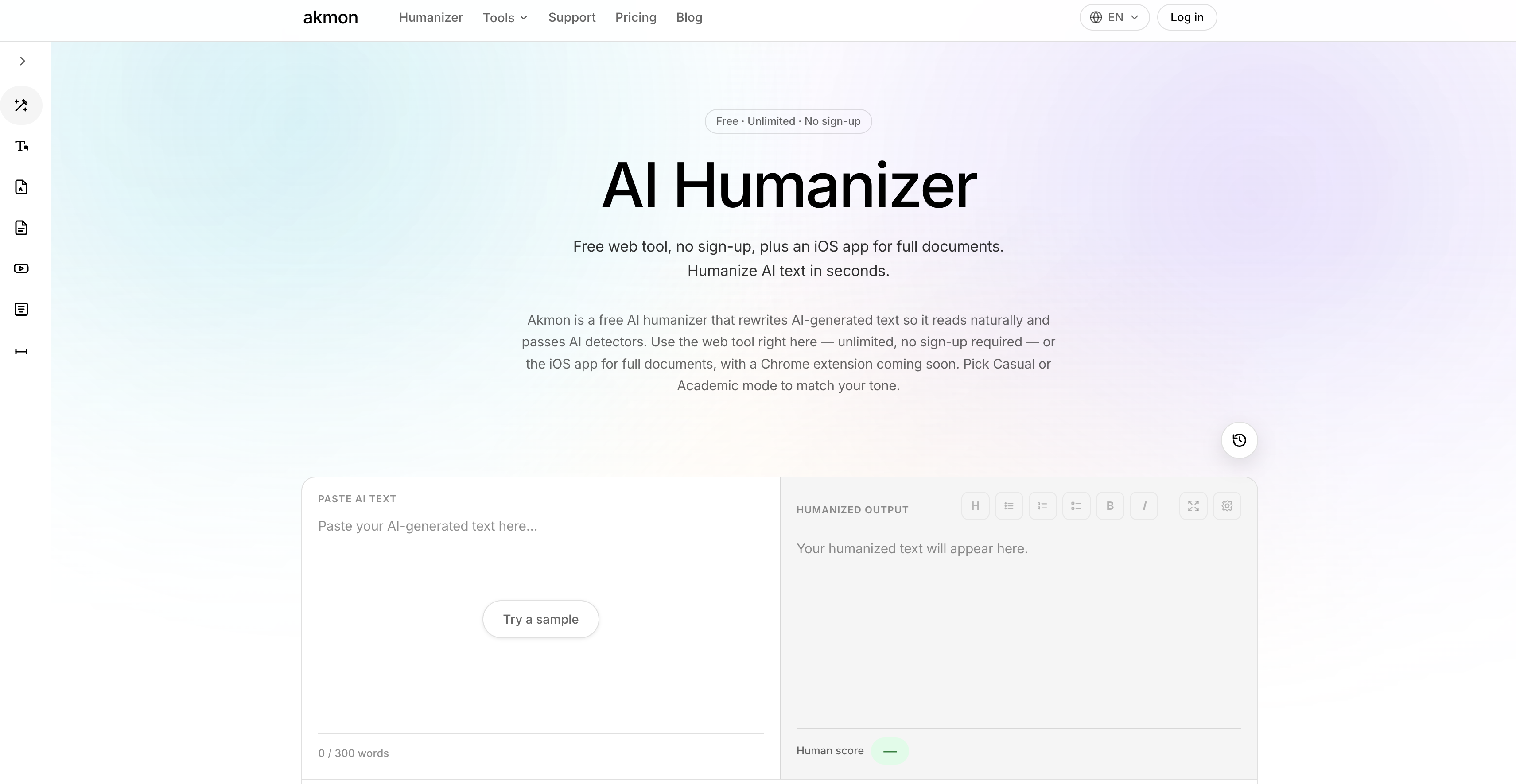
- Achieve undetectable, natural-sounding text that bypasses AI detectors like Turnitin and GPTZero, thanks to sentence-level restructuring that eliminates predictable AI patterns.
- Preserve your original meaning while humanizing AI content, with a rewriting engine that targets and removes hedging, bullet-point thinking, and standard filler phrases.
- Get authentic, human-typed writing across 14 languages including English, Spanish, Korean, and Japanese, with vocabulary tweaks that make every revision feel genuinely native.
- Submit essays and academic papers with confidence, as the AI humanizer transforms ChatGPT-generated essays into texts that read like human-written work for scholarly use.
- Choose between Casual and Academic tones to match your specific writing context, giving you precise control over the final voice of your humanized text.
- Start rewriting instantly without any sign-up or payment, with a free web tool that delivers immediate results for any AI writing assistant output.
- Revise entire documents on the go with the iOS app, allowing full-document humanization from your mobile device wherever you are.
- Humanize text from specific AI generators like ChatGPT by targeting their unique writing patterns, ensuring your AI writing assistant content always sounds original.
Pros & Cons
Pros
- Free web tool
- iOS app available
- Multiple tone modes (Casual/Academic)
- Alters vocabulary usage
- Useful for academic applications
- Useful for ChatGPT text
- Future Chrome extension
- No sign-up required
- Unlimited usage
- Passes Turnitin detection
- Optimized for language authenticity
- Sentence pattern adjustment
- Supports multiple languages
- Part of versatile toolkit
- Humanizes ChatGPT text
- Retains original text meaning
Cons
- Limited to iOS
- No Android app
- Chrome extension not available
- Limits in language support
- Lacks other platform integration
- No offline mode
- No API
- Limited tone options
- Dependent on internet connectivity
- No built-in grammar checker
Reviews
Rate this tool
Loading reviews...
❓ Frequently Asked Questions
AI Humanizer by Akmon is a tool that transforms AI-generated text, making it sound more human-like and effortlessly bypasses AI detectors. It's well-suited for different applications including text generation, natural language processing, AI writing assistant, and others.
AI Humanizer by Akmon works by targeting and restructuring specific AI writing patterns, such as hedging, bullet-point thinking, and standard filler phrases. It modifies the language to resemble natural human-typed text and alters vocabulary usage for authentic representation.
Yes, AI Humanizer by Akmon operates on iOS platform as well and allows more thorough document revisions conveniently.
AI Humanizer by Akmon supports different text tones, including Casual and Academic, diversifying its versatility for adjusting the tone of AI output according to specific needs.
Indeed, AI Humanizer by Akmon is designed not only to adjust sentence patterns but it substantially alters vocabulary usage as well, enhancing the authenticity of the revised text.
Absolutely, AI Humanizer by Akmon is specifically designed to assist academic applications including transforming AI-generated essays into texts that seem written by humans, capable of bypassing AI detection tools like Turnitin and GPTZero.
Yes, AI Humanizer by Akmon is able to humanize the text generated by specific AIs, including ChatGPT, targeting its predictable writing patterns for more natural and human-like readability.
Yes, AI Humanizer by Akmon has the capability to help bypass AI detection tools such as Turnitin by modifying the AI generated text to eliminate predictable AI patterns.
A Chrome extension for the AI Humanizer by Akmon is currently in the works and is expected to be launched soon.
Absolutely, AI Humanizer by Akmon is freely available as a web tool, with no sign-up required. An iOS app version is also provided for full document revisions.
Yes, the family of Akmon's AI tools also include AI Paraphraser, PDF Translator, AI PDF Summarizer, AI Math Solver, and other handy text cleanup tools.
AI Humanizer by Akmon modifies AI generated text by targeting specific writing patterns of AI and adjusting them. It restructures sentence patterns and significantly tweaks vocabulary usage to assure ultimate authenticity
AI Humanizer by Akmon supports multiple languages including English, Spanish, Korean, French, Brazilian Portuguese, German, Italian, Vietnamese, Japanese, Turkish, Traditional Chinese, Polish, Russian, and Indonesian.
No, AI Humanizer by Akmon does not necessitate a sign-up. Users can freely use the web tool without having to sign up.
AI Humanizer by Akmon has use cases in various domains. It can be used for academic applications such as essay writing, text generated by certain AI such as ChatGPT, and can help to bypass AI detection in tools like Turnitin by altering AI generated text.
AI Humanizer by Akmon preserves the original meaning of the text while transforming it and successfully passes through AI detectors. It shows specificity and detection avoidance that differentiates it from other AI humanizers.
As of the moment, there's no explicit information regarding future updates of AI Humanizer by Akmon.
AI Humanizer by Akmon ensures authenticity by restructuring AI-generated writing at the sentence level to eliminate predictable patterns, and significantly alters vocabulary usage. The entire process is engineered to deliver authentic and natural human-typed writing.
The iOS app for AI Humanizer by Akmon can be downloaded from the Apple App Store.
The website mentions options for comparison but no specific alternatives for AI Humanizer by Akmon are explicitly stated.
Pricing
Pricing model
Free
Paid options from
Free