Overview
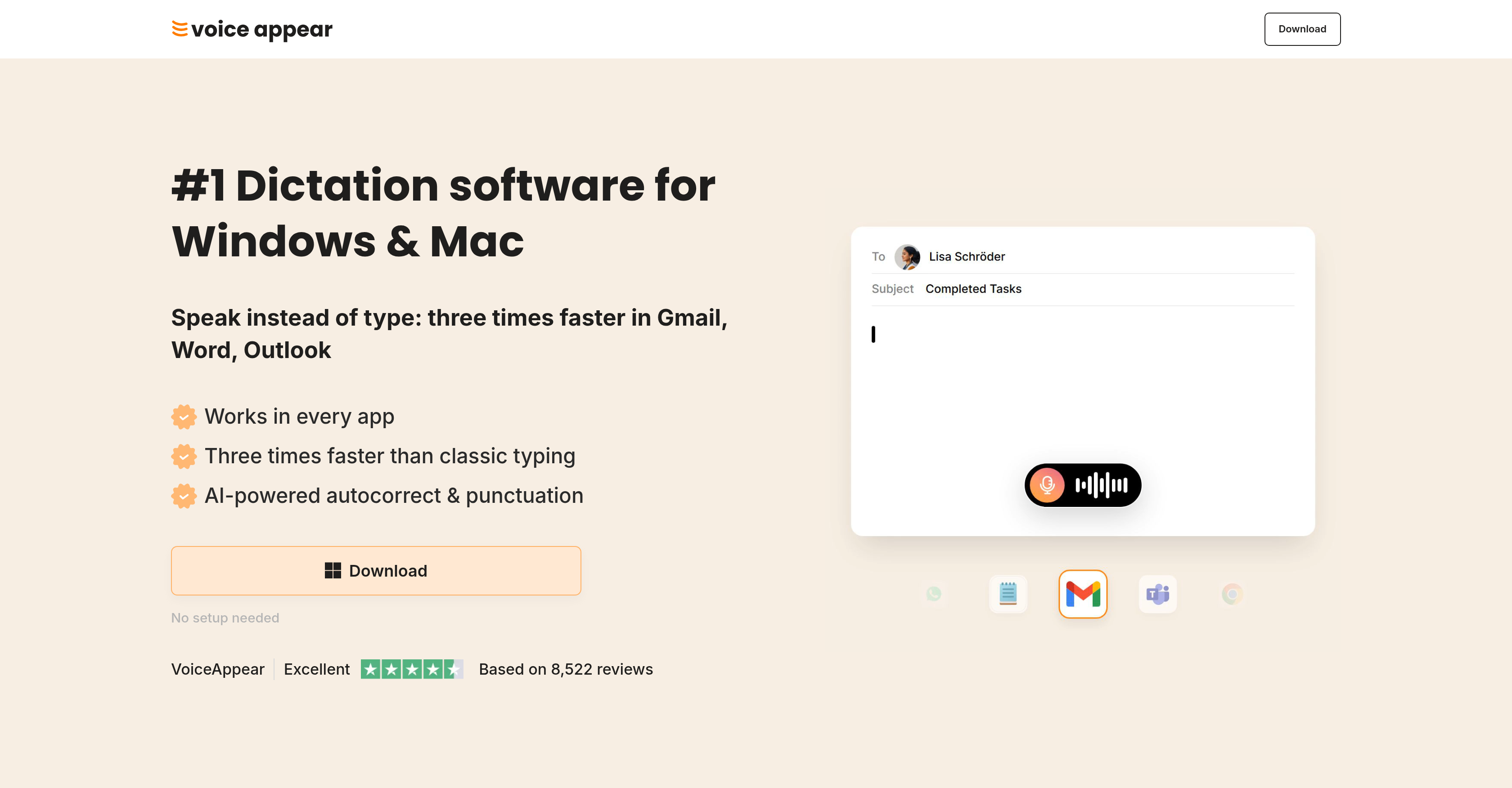
- Compose emails, documents, and messages three times faster than typing by dictating naturally, while VoiceAppear handles every word in real time.
- Eliminate typos and embarrassing errors as AI autocorrect automatically fixes punctuation, spelling, and filler words the moment you speak.
- Dictate unique names, industry jargon, or personal vocabulary with perfect accuracy by adding custom words to the software vocabulary.
- Maintain your flow of thought without interruptions because the built-in autocorrect handles filler words and changes of mind automatically.
- Work across any app—Word, Outlook, Teams, Gmail—without switching tools, as the dictation adapts to each application’s context.
- Protect your privacy with zero data storage or sharing, processing all voice data within EU servers under strict GDPR compliance.
- Start dictating immediately with zero setup required, transforming your typing workflow without any configuration.
Pros & Cons
Pros
- Windows and Mac compatibility
- Supports various apps
- Automatic punctuation handling
- Automatic spelling corrections
- Automatic phrasing
- Personal vocabulary customization
- Contextual adaptation
- GDPR-compliant processing
- Voice data privacy
- No data storing or sharing
- Ideal for individuals/teams
- Enhances productivity
- Eases cognitive load
- Reduces typos embarassment
- Allows effortless transition
- Efficient text composition
- Handles filler words
- Allows personal name dictation
- Preserves author authenticity
- Caters to specific apps
- Perfect for freelancers
- Ideal for remote workers
- Great for team efficiency
- Handles details mention easily
- Reduces writing time
- Eliminates symbol lookup
- Speeds up tasks
- Automates text formatting
- SOC2 Type II compliant
- HIPAA-ready
- Built-in autocorrect
- Text reflecting user's style
- Never stores voice inputs
- End-to-end encrypted processing
- EU-based servers
- Works in every app
- Free trial available
- Subscription-based pricing
Cons
- Requires internet connection
- Doesn't understand Latin
- No indication of working with non-English languages
- No voice trainability mentioned
- No offline capability
- Lacks a Chrome extension
- No setup needed - potential data risk
- Requires active use of key press
- Subscription model may increase costs
- No mobile application mentioned
Reviews
Rate this tool
Loading reviews...
❓ Frequently Asked Questions
VoiceAppear is compatible with both Windows and Mac operating systems.
Yes, VoiceAppear seamlessly integrates with apps like Word, Outlook, and Teams.
VoiceAppear's speech-to-text technology allows users to dictate text, thus enabling faster typing speeds and increased productivity as compared to traditional typing.
VoiceAppear includes automatic correction features that handle punctuation, spelling, and phrasing, providing seamless text generation while you dictate.
With VoiceAppear, you can personalize your vocabulary which allows for accurate dictation of unique names and words.
VoiceAppear adapts its output to the context of the application you are using. This ensures the authenticity and relevance of the dictated text within the operational application.
VoiceAppear features robust security measures, ensuring that the users' voice data is neither stored nor shared. It processes data within servers located in the EU adhering to GDPR guidelines.
VoiceAppear ensures GDPR compliance by processing your voice data within servers located in the EU and not storing or sharing your voice data.
With VoiceAppear, your voice data is processed within servers located in the EU.
No, VoiceAppear ensures that your voice data is neither stored nor shared.
VoiceAppear is suitable for individuals, freelancers, remote workers, and teams aiming to enhance their productivity and efficiency through faster typing speeds and eased cognitive load of manual text entry.
Yes, with its speech-to-text capabilities, VoiceAppear provides significantly increased typing speeds as compared to traditional typing.
VoiceAppear reduces the cognitive load associated with manual text entry by allowing users to simply dictate the text, while the software handles punctuation, spelling, and phrasing.
Yes, VoiceAppear can be used in every app including Word, Outlook, Teams, and more.
No, there is no setup needed to start using VoiceAppear.
While the exact accuracy rate isn't specified on their website, VoiceAppear is described as excellent based on over 8,000 reviews.
Yes, VoiceAppear has a built-in autocorrect feature that handles filler words and changes of mind automatically, ensuring coherent and clear text output.
VoiceAppear preserves the authenticity of the written output by adapting to the context of the application in which it's used, ensuring the dictated text is relevant and fits within the operational environment of the application.
Yes, VoiceAppear comes with a free trial, allowing users to experience its features without a credit card.
Yes, by tripling typing speeds and automating correction and punctuation, VoiceAppear can help any user be the fastest person on their team in terms of writing and communication.
VoiceAppear supports multiple platforms including Windows and Mac OS.
Key features of VoiceAppear are its speech-to-text capabilities, automatic handling of punctuation, spelling, and phrasing, automatic correction features, personalised user vocabulary, and adaption to the context of different applications. It also emphasizes on security and privacy in its design, being GDPR-compliant and ensuring that user voice data is neither stored nor shared.
The personalized vocabulary feature on VoiceAppear allows users to add personal words and names to the software vocabulary to ensure accurate dictation of unique terms. These can include specific names, industry jargon, or colloquial language that may not be part of a standard language model in AI systems.
VoiceAppear handles punctuation and spelling using AI. The software automatically formats spoken text, handling punctuation and spelling autonomously, so the user can focus solely on the content they're dictating.
VoiceAppear augments work efficiency by enabling faster text composition. With its AI-powered speech-to-text technologies, this software can transcribe dictated content up to three times faster than conventional typing. Further efficiency is achieved with automatic correction features, which handle punctuation, spelling, and filler words.
VoiceAppear upholds privacy and data regulations mandated by GDPR. Voice data processing happens within servers located in the EU. The service ensures that user voice data is neither stored nor shared, thus maintaining a compliant status with GDPR.
VoiceAppear upholds user's privacy through a privacy by design policy, meaning user's voice data is never stored or shared. Their inputs are processed end-to-end encrypted and are visible only to the user, ensuring data stays private and secure.
VoiceAppear can be integrated with various applications, including Word, Outlook, Teams, Gmail, and many more, enabling users to dictate text directly within those apps.
VoiceAppear is beneficial for individuals, freelancers, remote workers, and teams who aim to enhance their productivity and efficiency by reducing time spent on manual text entry. It caters to a diverse user base, from corporate users to casual desktop users who engage in significant amounts of typing activity.
Using VoiceAppear, users can type three times faster compared to traditional typing. This is achieved through its AI-powered speech-to-text capability that allows users to dictate instead of type, significantly enhancing the speed at which content is produced.
The AI autocorrect feature on VoiceAppear is designed to enhance the accuracy of dictation. It corrects errors in real-time, detects and handles filler words, and allows changes to maintain the flow of thought, providing a smooth and uninterrupted dictation experience.
No, VoiceAppear does not store or share user voice data. The voice inputs are processed end-to-end encrypted, and are permanently deleted within seconds, ensuring strict compliance with privacy policies.
Text arrangement within VoiceAppear is managed by AI. The software autopilots the formatting process, arranging the dictated text in proper structure, handling punctuation and automatically correcting spelling and phrasing. This allows the users to focus on their spoken content.
VoiceAppear allows users to add personalized names and unique words to its vocabulary, which enables the software to recognize and accurately dictate these terms. It eliminates the risk of misinterpretation or spelling errors for non-standard or unique terminologies.
VoiceAppear is designed to adapt to a hectic work environment by providing high-speed, accurate, and efficient dictation performance, integrating seamlessly across various applications and handling the automatic correction of punctuation, spelling, filler words, and phrasing. It allows for an efficient transition from typing to dictation, which can significantly improve work productivity.
VoiceAppear's speech-to-text feature is described as 'Excellent' with a Trustpilot rating of 5 out of 5 stars based on 8,522 reviews. This suggests that the software provides a reliable and accurate transcription, helping to create perfectly formatted text from spoken language.
Yes, in addition to autocorrecting spelling and punctuation, VoiceAppear also offers an automatic feature for filler words. As the user dictates, the AI backend is capable of identifying and handling these filler words to maintain the flow of dictated content.
VoiceAppear adapts to the context of the application being used by understanding the nuances and requirements of that specific app, making sure the dictated text is contextually appropriate and accurate. This automatic adaption allows it to deliver accurate and authentic written output in diverse applications.
VoiceAppear's dictation feature enhances productivity by providing a typing alternative that is three times faster than conventional typing. With automatic handling of punctuation, spelling, and filler words, it reduces unnecessary time spent on corrections. By handling text arrangement automatically, it allows users to focus solely on their spoken content, thus speeding up the content production process.
VoiceAppear works on both Windows and Mac OS. As it is an AI-powered software, the exact system requirements are not mentioned, but it would likely require a fairly recent operating system and sufficient memory to run smoothly. The software requires an internet connection to operate, as the AI speech recognition runs on EU servers in real-time.
Pricing
Pricing model
Pricing
Paid options from
N/A