
BeautyPlus AI Video Enhancer
Overview
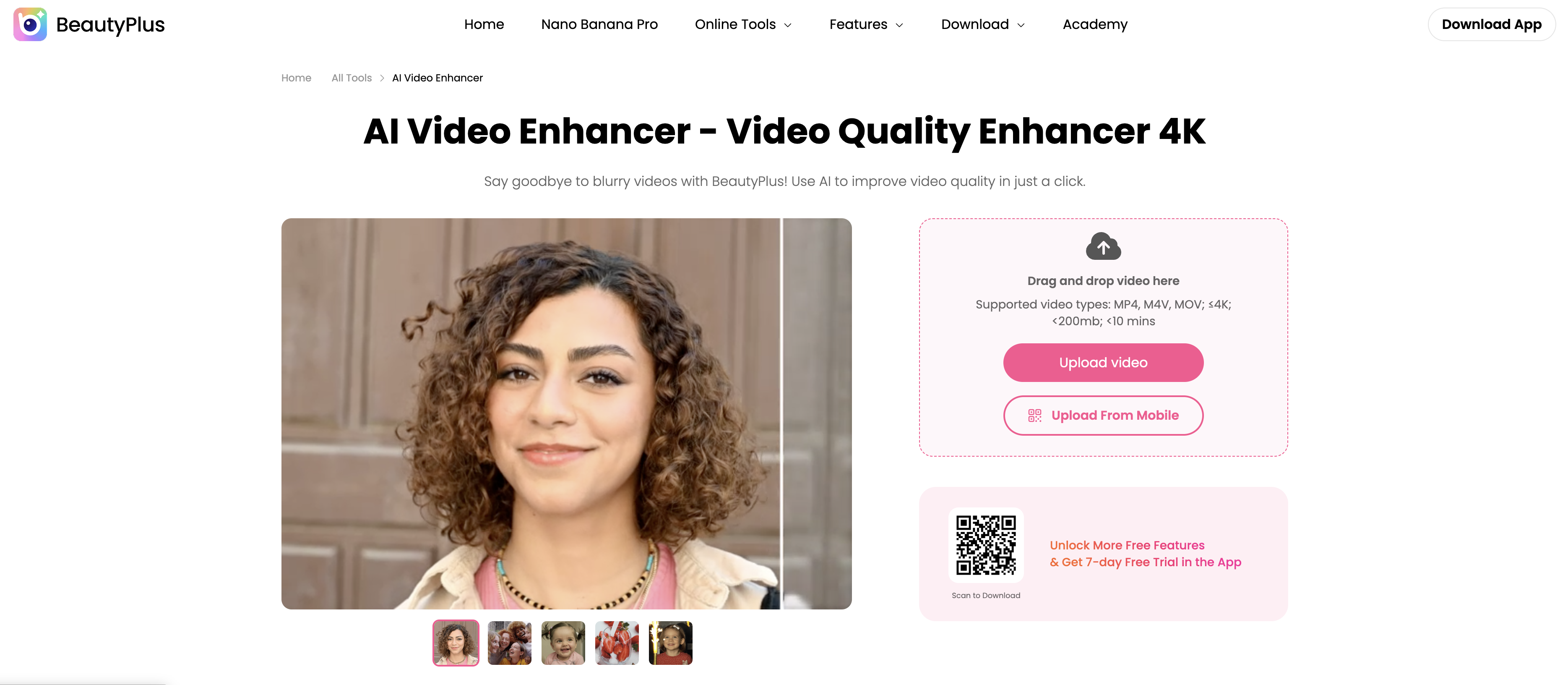
- Rescue old or low-quality footage by transforming it into stunning HD or 4K quality with AI-powered upscaling that sharpens every frame.
- Fix blurry, shaky videos and poor lighting with automatic frame-by-frame detail enhancement and intelligent adjustments to brightness, contrast, and color saturation.
- Ensure smooth, professional-looking playback by optimizing the frame rate, which is especially effective for videos from mobile devices or action cameras.
- Get perfect results without guesswork by previewing the enhanced video before you download the final version.
- Start enhancing immediately with an intuitive interface that requires no prior editing experience, delivering professional results in just a few clicks.
- Work with your existing videos by uploading common formats like .mp4, .m4v, and .3gp directly from your computer or mobile device.
Pros & Cons
Pros
- Upscales to 4K
- HD conversion
- Sharpening details feature
- Reveals hidden visual elements
- Auto-optimizes brightness and contrast
- Automatically adjusts color saturation
- Improves frame rate
- User-friendly interface
- Novices can create HD videos
- Allows video preview post-enhancement
- Easy download of enhanced video
- Supports .mp4, .m4v, .3gp
- Contrast adjustment functionality
- Brightness adjustment functionality
- Color saturation adjustment functionality
- Enhancement of mobile device videos
- Enhancement of action camera videos
- Visually compelling video creation
- Scalable from low-res to HD
- Secured original video file
- Supports Mac and Windows
- Corrects blurriness and shakiness
- Improves poor lighting
- Corrects incorrect color balance
Cons
- Limited to 200mb videos
- Limited to 10 minutes videos
- Only supports .mp4, .m4v, .3gp
- Cannot repair corrupted files
- No batch processing
- Risk of over-enhancement
- No choice in enhancement settings
Reviews
Rate this tool
Loading reviews...
❓ Frequently Asked Questions
The main features of BeautyPlus AI Video Enhancer include AI-powered upscaling of videos to HD or 4K quality, frame-by-frame enhancement, detail sharpening, brightness optimization, contrast enhancement, and color correction. It also improves the frame rate, supports a wide range of video formats, and allows user-friendly video editing, video preview, and video download post-enhancement.
BeautyPlus AI Video Enhancer intelligently analyses low-quality videos frame by frame and enhances them via smart sharpening of details, subsequently producing clearer visuals and revealing hidden elements. It also automatically optimizes the brightness, contrast, and color saturation of videos, contributing to a superior viewing experience.
Yes, BeautyPlus AI Video Enhancer has the ability to automatically adjust the brightness, contrast, and color saturation of videos.
BeautyPlus AI Video Enhancer enhances the frame rate by optimizing it to assure smoother playback. This feature is especially beneficial for videos captured on mobile devices or action cameras, providing a more streamlined and natural viewing experience.
No, BeautyPlus AI Video Enhancer does not require any prior editing experience. Its intuitive interface enables users to create high-definition videos with just a few clicks, making it accessible for both beginners and experienced users.
BeautyPlus AI Video Enhancer supports a wide range of video formats including.mp4, .m4v, and .3gp.
Yes, BeautyPlus AI Video Enhancer allows users to preview the enhanced video before making a choice to download it.
BeautyPlus AI Video Enhancer uses advanced AI capabilities to transform videos into 4K quality. It upscales the low-resolution videos, intelligently analyses each frame, sharpens details and enhances the overall visual quality.
Yes, BeautyPlus AI Video Enhancer can be used for enhancing videos recorded on mobile devices. It improves the frame rate which provides a smoother and more natural viewing experience for mobile videos.
Yes, BeautyPlus AI Video Enhancer supports 4K video enhancement. It can transform low-resolution videos into HD or 4K quality footage using its AI capabilities.
For detail optimization, BeautyPlus AI Video Enhancer performs intelligent frame-by-frame analysis and sharpens the details in each frame. This process results in crisp visuals that reveal hidden details and enhance the overall viewing experience.
The interface of BeautyPlus AI Video Enhancer is designed to be user-friendly. It provides intuitive options that enable users with no prior editing experience to effortlessly create high-definition videos with few clicks.
Yes, BeautyPlus AI Video Enhancer has the functionality to transform low-resolution videos into stunning HD quality by harnessing its advanced AI capabilities.
BeautyPlus AI Video Enhancer improves colors and details of videos by automatically adjusting brightness levels, contrast and color saturation, ensuring visually compelling content.
Yes, the BeautyPlus AI Video Enhancer works seamlessly on both Mac and Windows devices.
No, BeautyPlus AI Video Enhancer does not repair corrupted videos. Its design is aimed at improving the quality of existing videos, not repairing corrupted files.
While user experiences can vary, the AI capabilities of BeautyPlus AI Video Enhancer do include detail sharpening and frame rate improvement, which could counteract video shakiness to a certain degree and contribute to an overall smoother look.
While it's possible that excessive enhancement might result in unnatural-looking videos or introduce artifacts, proper use of BeautyPlus AI Video Enhancer should avoid these issues. The viewer can preview the video before downloading to ensure satisfactory results.
User reviews of BeautyPlus AI Video Enhancer have been positive, with users praising it for transforming shaky footage into professionally enhanced videos and making their viewing experiences smoother and brighter. They also appreciate its intuitive interface and the simplicity of creating high-definition videos without the need for professional editing knowledge.
BeautyPlus AI Video Enhancer can fix a multitude of video quality problems such as blurriness, shakiness, low resolution, poor lighting, and incorrect color balance.
BeautyPlus AI Video Enhancer's function is to upgrade the quality of videos. With its artificial intelligence capabilities, it can transform low-resolution videos into HD or 4K footage. The software is designed to intelligently analyze and enhance video content frame by frame.
Yes, BeautyPlus AI Video Enhancer has the capability to convert low-resolution footage into either HD or 4K quality, making the resulting video appear clearer with improved detail.
BeautyPlus AI Video Enhancer enhances video visuals by sharpening details in each frame. This sharpness reveals hidden elements, contributing to a better overall viewing experience.
Yes, BeautyPlus AI Video Enhancer automatically optimizes the brightness, contrast, and color saturation of your videos for an improved visual experience.
BeautyPlus AI Video Enhancer has the capability to optimize the frame rate of videos to ensure smoother and more natural viewing, particularly beneficial for videos recorded on mobile devices or action cameras.
Yes, the intuitive interface of BeautyPlus AI Video Enhancer provides an easy-to-use experience for users, even those with no prior editing experience.
Yes, BeautyPlus AI Video Enhancer offers a preview function, allowing you to view the enhanced video before you proceed to download.
BeautyPlus AI Video Enhancer supports a wide range of video formats, including .mp4, .m4v, and .3gp.
The features provided by BeautyPlus AI Video Enhancer for video enhancement include artificial intelligence technology for video quality enhancement, HD and 4K conversion, brightness, contrast and color saturation adjustments, frame rate optimization, support for various video formats, a video preview function, and a user-friendly interface.
After the enhancement process is completed on BeautyPlus AI Video Enhancer, users can download their improved videos easily.
BeautyPlus AI Video Enhancer enhances blurry videos by leveraging artificial intelligence. The tool meticulously analyzes each frame of the video to sharpen details which consequently upscales the video resolution, turning blurry footage into clear and distinct 4K masterpieces.
BeautyPlus AI Video Enhancer is designed for both professional and non-professional users. Its easy-to-use, intuitive interface enables any user to create high-definition videos with a few clicks, regardless of their prior editing experience.
BeautyPlus AI Video Enhancer focuses on improving the quality and clarity of videos. With the application of artificial intelligence technologies, blurry videos can be upscaled for better vision and clarity.
Yes, BeautyPlus AI Video Enhancer supports advanced AI technology. This AI system intelligently analyzes each video frame to enhance video quality dramatically.
Yes, BeautyPlus AI Video Enhancer does allow for video uploads from mobile devices.
In BeautyPlus AI Video Enhancer, intelligent sharpening works through an embedded AI system that meticulously analyzes each frame of the video. By sharpening the details in each frame, it enhances the overall video visuals, ensuring crisp and clear results that reveal hidden details and enhance the overall viewing experience.
Pricing
Pricing model
Free Trial
Paid options from
$6.99/month
Billing frequency
Monthly
Refund policy
No Refunds
Related Videos
TUTORIAL BEAUTY PLUS VIDEO AI EHANCER #beautyplusvideo #ai #aivideoeditor #tutorial
CREGIT INDONESIA•369 views•Dec 2, 2023