

bgchanger.video
Skip the studio setup and shoot anywhere: AI video background removal separates subjects without a physical green screen or chroma key, and holds clean edges on moving subjects.
Listing not yet reviewed by our editors · How we check
Overview
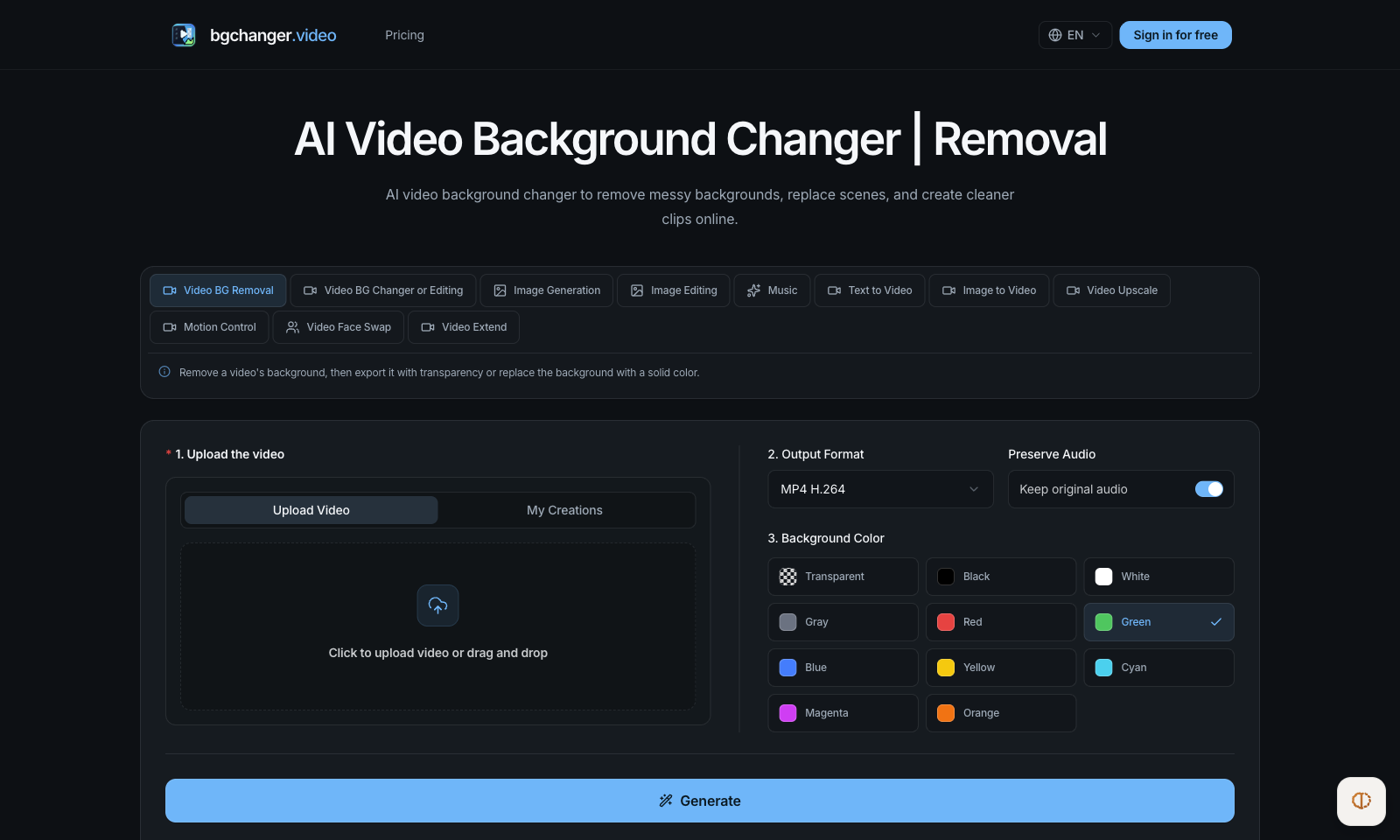
- Skip the studio setup and shoot anywhere: AI video background removal separates subjects without a physical green screen or chroma key, and holds clean edges on moving subjects.
- Drop footage straight into your compositing timeline: export green screen video, transparent WebM files with an alpha channel, or solid backgrounds in black, white, gray, red, blue, yellow, cyan, magenta or orange.
- Keep handheld and moving shots believable after the background swap: camera motion tracking carries the original movement into the output for continuous, natural footage.
- Publish finished clips without re-syncing sound: the original audio track stays intact in every exported video.
- Start editing the footage you already have: upload MP4, WebM, MOV, MKV and GIF files with no conversion step.
- Run clean background replacement on live streams: low-latency GPU acceleration delivers results fast enough for real-time streaming overlays.
- Catch segmentation issues before you commit: a background removal preview appears before you download the final video.
- Protect on-camera identities in tutorials and product demos: privacy masking obscures faces and other sensitive regions in the same pass.
- Keep a replaced character consistent from every viewpoint: multi-angle asset packs maintain character replacement across different camera angles.
- Automate background removal inside your own product: the API handles programmatic video background removal and replacement for external apps.
- Sell and monetize your edited videos with confidence: every paid plan includes commercial usage rights and private generations, starting at 1,700 credits for $9.99 per year, with up to 7,000 credits on Plus for team workloads.
- Work from any computer without installing software: the background changer runs in modern browsers on Windows, macOS and Linux.
Pros & Cons
From the listing; not yet checked by our editors.
Pros
- No green screen needed
- Preserves original audio
- Transparent WebM alpha export
- GIF background removal support
- Multiangle asset consistency
- Automatic background detection
- Edgerefined matting
- Motion tracking retains camera motion
- Browser-based video editing
- Supports MP4, MOV, WebM
- Preview results before downloading
- Multiple solid-color backgrounds
- Character replacement with references
- Commercial usage permitted
- Online processing, no installation required
- Email support channel
- AI-powered video background removal
- Green screen video export for chroma keying
- Creditbased flexible pricing
- Animated GIF export supported
Cons
- Processes one video per submission
- Longer videos consume more credits
- Requires an internet connection
Alternatives to bgchanger.video
Tools that share the most tags with bgchanger.video.
- Unscreen Pro
Create professional videos without expensive studio equipment using AI that removes backgrounds from any video recorded anywhere
Paid · from $10/unit
$10/unit
Not yet checked
- RemoveBGVideo
Create professional videos without a green screen using AI that automatically detects and removes backgrounds from people, pets, or products.
Paid · from $6/unit
$6/unit
Not yet checked
- Video Background Remover
Produce studio-quality product videos that increase conversion rates by up to 30% by removing cluttered backgrounds and replacing them with consistent brand environments, powered by automatic subject detection.
Paid · from $9.90/month
$9.90/month
Not yet checked
- VidBG Remover
Deliver professional talking head videos and e-commerce ads instantly by removing backgrounds without a green screen, using an AI algorithm that preserves natural edges on hair, fingers, and shoulders.
Freemium · from $9.90/unit
$9.90/unit
Not yet checked
- unbg.video
Create professional videos without a green screen using AI that isolates subjects with studio-level accuracy.
Free trial · from $6/unit
$6/unit
Not yet checked
- AI-Powered Video Background Remover
Produce professional, cleaner video content without a green screen or editing software, using automatic AI subject detection that removes backgrounds frame by frame.
Freemium · from $9.99/month
$9.99/month
Not yet checked
Reviews
Rate this tool
Loading reviews...
Frequently asked questions
What video formats does bgchanger.video support for upload?
bgchanger.video accepts MP4, WebM, MOV, MKV and GIF files for upload.
Can bgchanger.video keep the original audio after background removal?
bgchanger.video preserves the original audio when exporting the processed video.
How does bgchanger.video handle transparent background exports?
Transparent backgrounds are exported as WebM files with an alpha channel for compositing.
Is a green screen required to use bgchanger.video?
No green screen is required; the AI removes backgrounds without any chroma key.
Can I replace the background with a custom solid color in bgchanger.video?
bgchanger.video lets you replace the background with solid colors such as black, white, gray, red, green, blue, yellow, cyan, magenta or orange.
Does bgchanger.video work in real‑time for live streaming?
bgchanger.video processes video with low‑latency GPU acceleration, making it suitable for real‑time streaming overlays.
What’s the difference between the Basic, Lite, and Plus plans on bgchanger.video?
Basic provides 3,600 credits for $19.99 / yr (or $16.66 / mo), Lite provides 1,700 credits for $9.99 / yr (or $8.33 / mo), and Plus provides 7,000 credits for $29.99 / yr (or $24.99 / mo); all tiers include private generations, commercial usage rights and email support, with Plus adding higher credit volume for team‑ready usage.
How many credits do I need to process a 2‑minute MP4 on bgchanger.video?
IDK