Overview
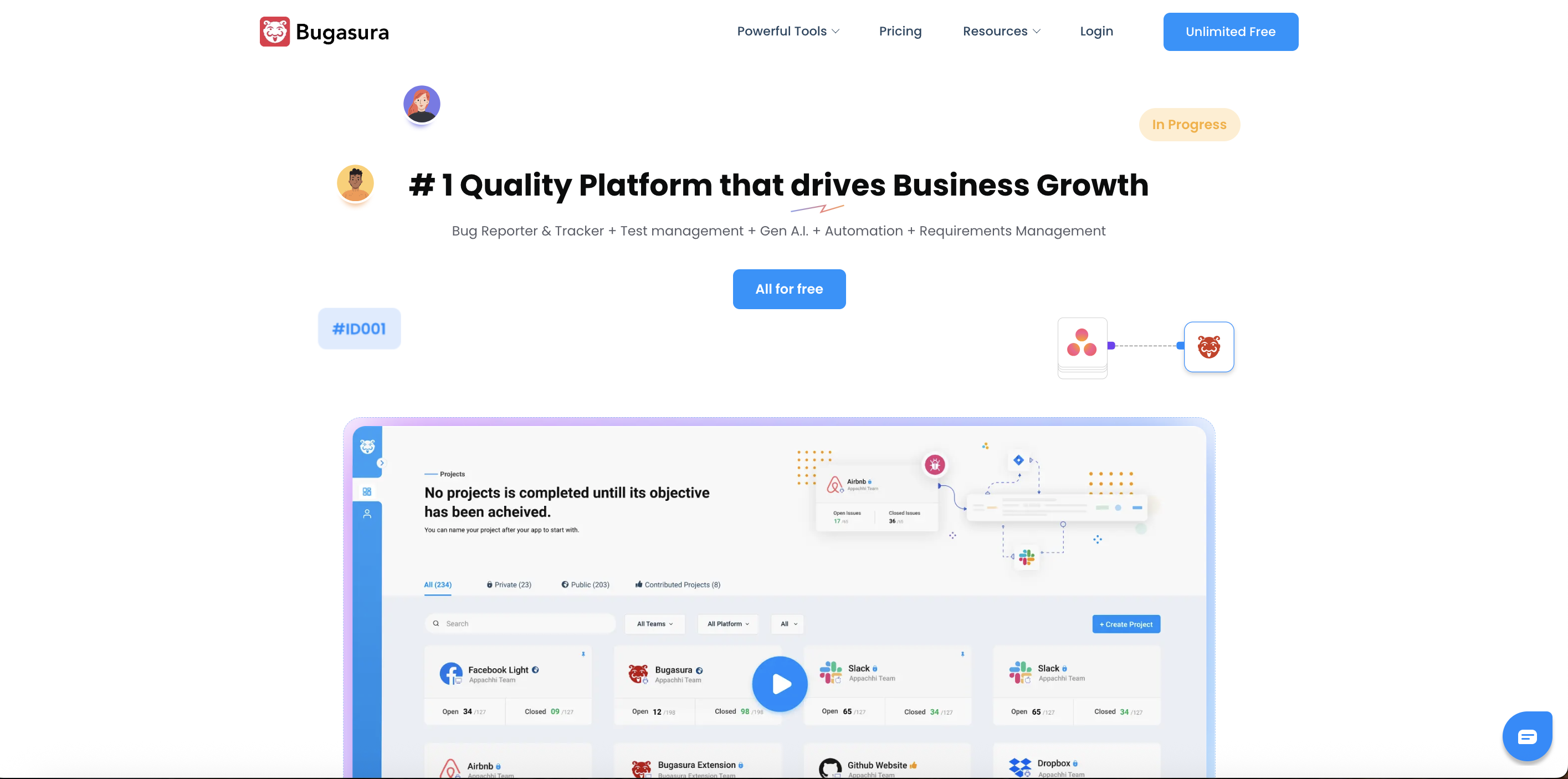
- Eliminate manual bug report writing with AI that auto-generates titles, descriptions, and identifies duplicates, saving hours per week
- Gather complete issue context instantly using browser and mobile extensions that auto-capture screens, steps, and environment details on every click
- Keep QA, dev, and product teams aligned in one clutter-free workspace that combines test cases, runs, requirements, and defect tracking
- Integrate directly into existing workflows without tab-switching through native connections with Jira, GitHub, Slack, and Gmail
- Start tracking immediately with a cloud-based platform requiring zero setup, offering unlimited users and projects free forever
- Measure tangible efficiency gains with a savings meter that quantifies reduced duplicate bugs, faster logging, and lower tech-debt overhead
- Debug complex frontend issues faster using the in-app widget that records session replays, console logs, and user actions without leaving your product
- Maintain website quality proactively by importing and tracking Google Core Lighthouse performance reports directly within your projects
Pros & Cons
Pros
- Test management + bug tracking in one clean workspace
- No-freemium limits - full feature set from day one
- Streamlines reporting, tracking, closing bugs
- Enhances team productivity
- Customizable workflows
- Public/private tracker link
- Plug-and-play integrations with JIRA, Slack etc.
- Add-ons: Chrome extension, Android reporter
- Supports voice comments
- Allows public projects
- Supports issue export/import
- Device details auto-capture
- In-app bug reporting widget
- Supports unlimited projects
- Cloud-based
- Used by 50,000+ in 25+ countries
- Supports visual reproduction steps
- Automatic suggestions on bug details
- Annotations for bug reports
- Supports cloud-based tracking/reporting
Cons
- Lacks offline functionality
- No multi-language support
- Features evolve rapidly based on user feedback
- No dedicated mobile application
- Automated test execution not included
- No provision for guest users
- Limited access control settings
Reviews
Rate this tool
Loading reviews...
❓ Frequently Asked Questions
Karan Sen
🛠️ 1 tool
wrote:Bugasura is a fast, clutter-free bug tracking and test management tool built for modern teams. It helps you report bugs quickly, track them with precision, and collaborate across QA, dev, and product without slowing down. With features like auto-captured screenshots, intelligent assignments, and simple workflows, Bugasura gives teams a smarter alternative to spreadsheets and heavy tools like Jira.
Karan Sen
🛠️ 1 tool
wrote:Bugasura’s AI helps teams log bugs faster and with more accuracy. It auto-generates issue titles and descriptions, captures steps, identifies duplicates, and gives context so developers don’t waste time decoding reports. The AI also improves prioritization and creates cleaner, more complete bug reports—making the entire tracking process smoother and quicker.
Karan Sen
🛠️ 1 tool
wrote:Bugasura’s AI tracker helps teams log bugs faster and more accurately. It auto-writes titles and descriptions, identifies the type of issue, spots duplicates, and gives the right context to developers. The goal is simple: reduce the effort needed to report and understand bugs.
Karan Sen
🛠️ 1 tool
wrote:Bugasura integrates with Jira, GitHub, Slack, Gmail, and multiple developer workflows. More integrations are continuously being added.
Karan Sen
🛠️ 1 tool
wrote:Bugasura is built for modern tech teams - QA, developers, product managers, and design teams who care about clean reporting and fast feedback loops. Any team that needs to track, prioritize, and resolve issues can use Bugasura, whether you're a small startup or a large engineering org.
Karan Sen
🛠️ 1 tool
wrote:Bugasura helps teams run cleaner sprints by assigning issues automatically, supporting customizable fields, and giving a simple view of what's planned, in progress, or blocked. Workflows stay lean, and teams spend less time managing the sprint and more time building.
Karan Sen
🛠️ 1 tool
wrote:AI Issue Tracker
Test Management
Bug Reporters (Chrome, Web, App)
Workflows
Integrations
Lighthouse performance reports
Savings Meter
Unlimited users/projects
User Visualizer
Karan Sen
🛠️ 1 tool
wrote:Bugasura reduces manual effort in reporting, cleaning, and prioritizing bugs. The AI handles repetitive details, and the interface keeps teams aligned without unnecessary overhead. QA, dev, and product collaborate faster because reports are clearer and easier to act on.
Karan Sen
🛠️ 1 tool
wrote:The savings meter helps teams see how much time and cost they’ve saved by using Bugasura - fewer duplicate bugs, faster logging, and lower tech-debt overhead. It converts efficiency into real numbers teams can track.
Karan Sen
🛠️ 1 tool
wrote:Yes, Bugasura lets you record and attach voice notes to issues. It helps teams add context quickly, explain bugs better, and speed up resolutions.
Karan Sen
🛠️ 1 tool
wrote:Bugasura captures automatic screenshots on every click and scroll, logs device details, and lets users annotate issues directly from the browser extension. All relevant information lands inside the project instantly.
Karan Sen
🛠️ 1 tool
wrote:The in-app widget lets users report bugs without leaving the product. It records session replays, console logs, and user actions so developers get full context for faster debugging.
Karan Sen
🛠️ 1 tool
wrote:Teams can find issues quickly across projects with global search, filters, and precision sorting. It reduces time spent hunting for bugs and makes triaging much smoother.
Karan Sen
🛠️ 1 tool
wrote:Bugasura auto-generates dashboards and integrates with tools like Jira, GitHub, Slack, and Gmail.
Karan Sen
🛠️ 1 tool
wrote:Yes. Bugasura pulls Core Lighthouse reports into your project so teams can track and improve website performance over time.
Karan Sen
🛠️ 1 tool
wrote:Everything works out of the box — no setup, no infrastructure. Your team can start logging and resolving bugs faster without overhead.
Karan Sen
🛠️ 1 tool
wrote:Bugasura is free forever with unlimited users, unlimited projects, all features, and 50 GB storage.
Karan Sen
🛠️ 1 tool
wrote:Bugasura uses end-to-end encryption, secure authentication, and routine security checks to keep user data protected against unauthorized access.
Karan Sen
🛠️ 1 tool
wrote:Over 50,000 developers and testers use Bugasura across 25+ countries. Customers include teams from Mysutra, Techstas, Gullak, Engage, AHG, Elevate, Simform, and more.
Karan Sen
🛠️ 1 tool
wrote:Bugasura provides a blog with product insights, detailed release notes, and an exclusive community space called Bugasura Spaces for discussions and updates.
Pricing
Pricing model
Free
Paid options from
Free
Related Videos
The tool that testers don't need approval for : bugasura.io #bugasura #testing #tools
Bugasura•152 views•Nov 17, 2025