

Chat Recap AI
Overview
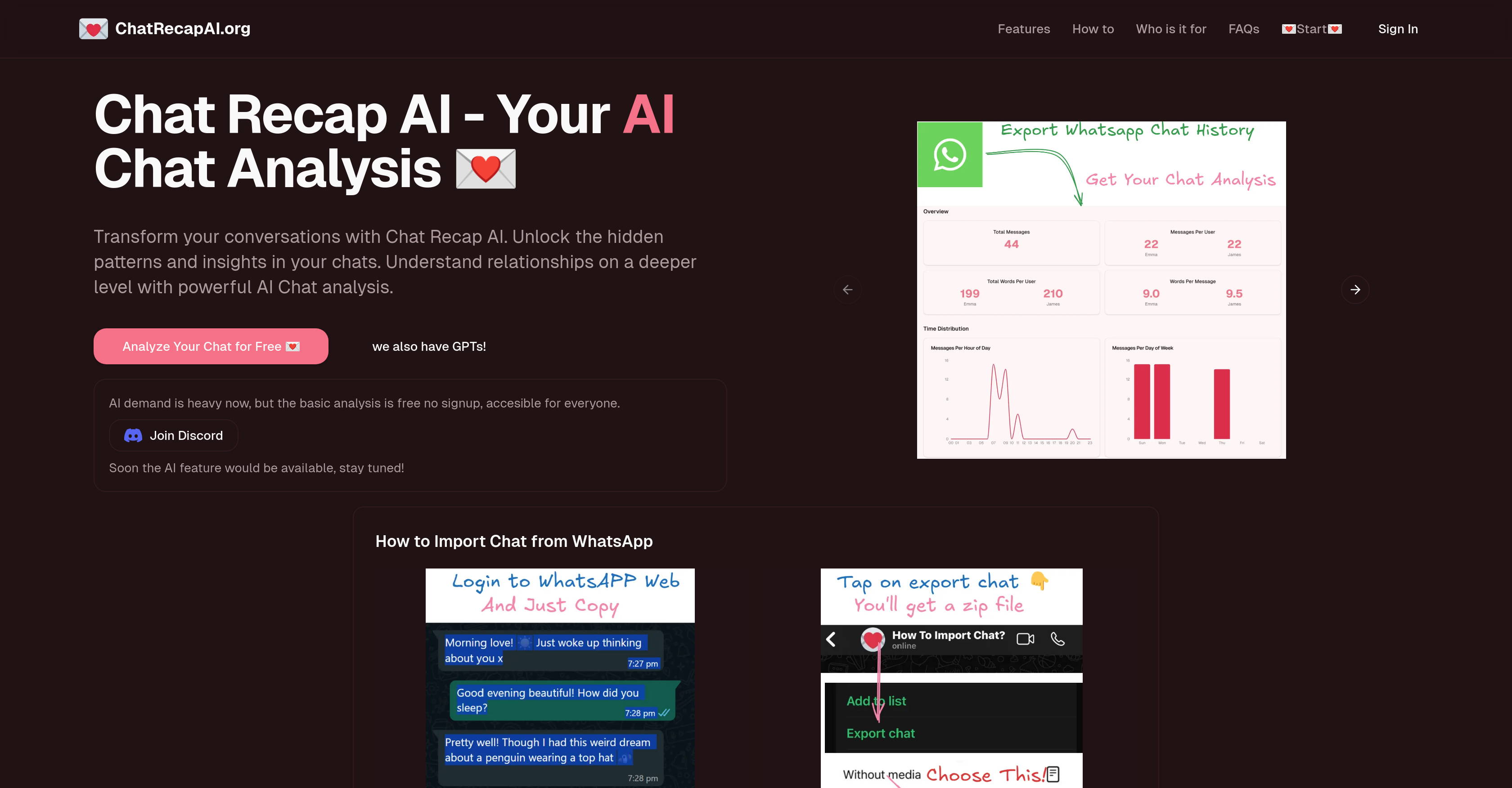
- Understand your relationship dynamics through AI analysis of message patterns, response times, and emotional content
- Improve your communication style by identifying hidden patterns in your chat behavior and response habits
- Detect potential red flags in conversations through automated analysis of concerning patterns and emotional cues
- Gain emotional insights from your chats using sentiment analysis that decodes the emotional undertones in messages
- Analyze group chat dynamics to understand social exchanges and interaction patterns among friends
- Customize your analysis by selecting specific conversation aspects to focus on, from basic patterns to deep emotional insights
- Get instant results with real-time processing that shows your analysis evolving as you process it
- Maintain complete privacy with encrypted data that automatically deletes after analysis
- Upload chats from multiple platforms including WhatsApp with support for various export formats
Pros & Cons
Pros
- Deep insights into conversations
- Analyzes communication patterns
- Analyzes response times
- Provides emotional content analysis
- Supports multiple chat formats
- Real-time processing and analysis preview
- Chat analysis customization
- Focus on data privacy
- Identifies relationship patterns
- Can improve communication style
- Analyzes romantic and group chats
- User-friendly interface
- Simple chat import
- Instant analysis preview
- Interactive visualizations
- Dynamic updates
- Mobile-friendly display
- Sentiment analysis
- Engagement metrics
- Red flag detection
- Easy three-step process
- Quick analysis feature
- Data encryption
- Automatic data deletion
- Can analyze WhatsApp conversations
- Helps understand conversation dynamics
- Self-improvement tool
- Suitable for dating and relationships
- Suitable for friendship circles
- Can analyze group chats
Cons
- No language translation
- Might misinterpret sarcasm
- Lacks user community
- Not suitable for professional use
- Potential misreading of emojis
- No mobile app
- Limited chat platform support
- Dependent on chat data quality
- No offline usage
- No user manual provided
Reviews
Rate this tool
Loading reviews...
❓ Frequently Asked Questions
Chat Recap AI is an advanced conversation analyzer leveraging artificial intelligence to provide deep insights into communication patterns in chats. It scrutinizes elements such as message patterns, response times, and emotional content, offering a profound understanding of digital interactions. The tool aids in understanding personal relationships better, improving communication style, and decoding romantic relationships or group chat dynamics.
Chat Recap AI offers key features, including analyzing chat and message patterns, unveiling communication insights, analyzing emotional content in real time, and customizing chat analysis. It also provides features like data privacy, relationship insights, a user-friendly interface, instant analysis, and emotional insights. Furthermore, it supports multiple chat formats, allowing users to import chats in various formats.
Chat Recap AI analyzes messages through an AI-powered platform that examines message patterns, response times, and emotional content. This intelligent parsing and analysis give deep insights into users' digital interactions and helps identify potential relationship patterns.
Using Chat Recap AI, users can get comprehensive insights about their relationships and identify potential relationship patterns. These insights include sentiment analysis, response time patterns, engagement metrics, and red flag detection in chats. This robust examination of conversation content leads to a deeper understanding of personal relationships, communication styles, and group chat dynamics.
Chat Recap AI supports multiple chat formats. Users can export their chat history from various platforms like WhatsApp and upload it to the Chat Recap AI platform for analysis.
Yes, Chat Recap AI can analyze group chats. It not only helps in understanding personal and romantic relationships but also assists in decoding group chat dynamics. This feature makes it beneficial for friends who want to analyze their group interactions and improve their social exchanges.
Chat Recap AI ensures data privacy by encrypting user data. Additionally, it automatically deletes the data after analysis, maintaining a high standard of user privacy and data security.
Yes, Chat Recap AI allows users to customize how their chats are analyzed. Users can choose what aspects of their conversations they want to analyze, from basic patterns to deep emotional insights. This feature provides autonomous control over the analysis process.
Yes, Chat Recap AI provides real-time processing and preview of the chat analysis. Users can see their analysis come to life as they process it, allowing for instant previews and dynamic updates.
Chat Recap AI can help improve communication style by providing deep insights into chat patterns and response times. It reveals patterns in interactions that users may have missed, allowing them to adjust their communication style accordingly for better results.
Chat Recap AI helps understand romantic relationships by scrutinizing message patterns, response times, and emotional content within conversations. By doing so, it can identify communication patterns and potential relationship patterns, providing deep insights into a person's romantic engagements.
Chat Recap AI is designed to be user-friendly. Its simple interface is perfect for creating and customizing AI chat analysis. Additionally, its real-time processing and mobile-friendly display enhancements make the platform easy to use for anyone, even without technical expertise.
Yes, Chat Recap AI provides real-time previews of the chat analysis. Users can watch their analysis evolve instantly, making informed decisions on the go. The use of interactive visualizations and dynamic updates enhance the user experience during analysis.
Chat Recap AI analyzes the emotional content of chats through sentiment analysis. It uses AI technology to understand the emotions conveyed in the messages, thereby contributing to a comprehensive understanding of the emotional undertone in the conversations.
Chat Recap AI can identify potential relationship patterns by analyzing message patterns, response times, and emotional content in conversations. This AI-driven insight into communication and response patterns can shed light on recurring relationship dynamics and point out potential patterns.
To analyze chats with Chat Recap AI, users need to follow a three-step process: Export chat history from the platform of choice like WhatsApp and upload it to Chat Recap AI. Then, select the aspects of the conversations they want to analyze. Finally, receive a detailed analysis with visualizations and actionable insights about their communication patterns.
Yes, Chat Recap AI has a feature of red flag detection. By analyzing chat patterns and emotional content, it can identify concerning patterns or abnormalities in the conversations, thus flagging potential issues.
Chat Recap AI provides actionable insights by conducting a detailed analysis of the uploaded chat patterns. These insights include sentiment analysis results, response time patterns, engagement metrics, and detected red flags. All these data-driven insights contribute to a deeper understanding of users' communication styles and relationships.
Chat Recap AI automatically deletes user data after analysis. This signifies an additional layer of security, ensuring that users' personal data and conversations remain confidential and are not stored in the system post-analysis.
According to the information on their website, basic analysis on Chat Recap AI is offered free without any signup, making it accessible for everyone. For any advanced or additional features of analysis, users may need to refer to the 'Pricing' section for details.
Pricing
Pricing model
No Pricing









