CinemaDrop
Overview
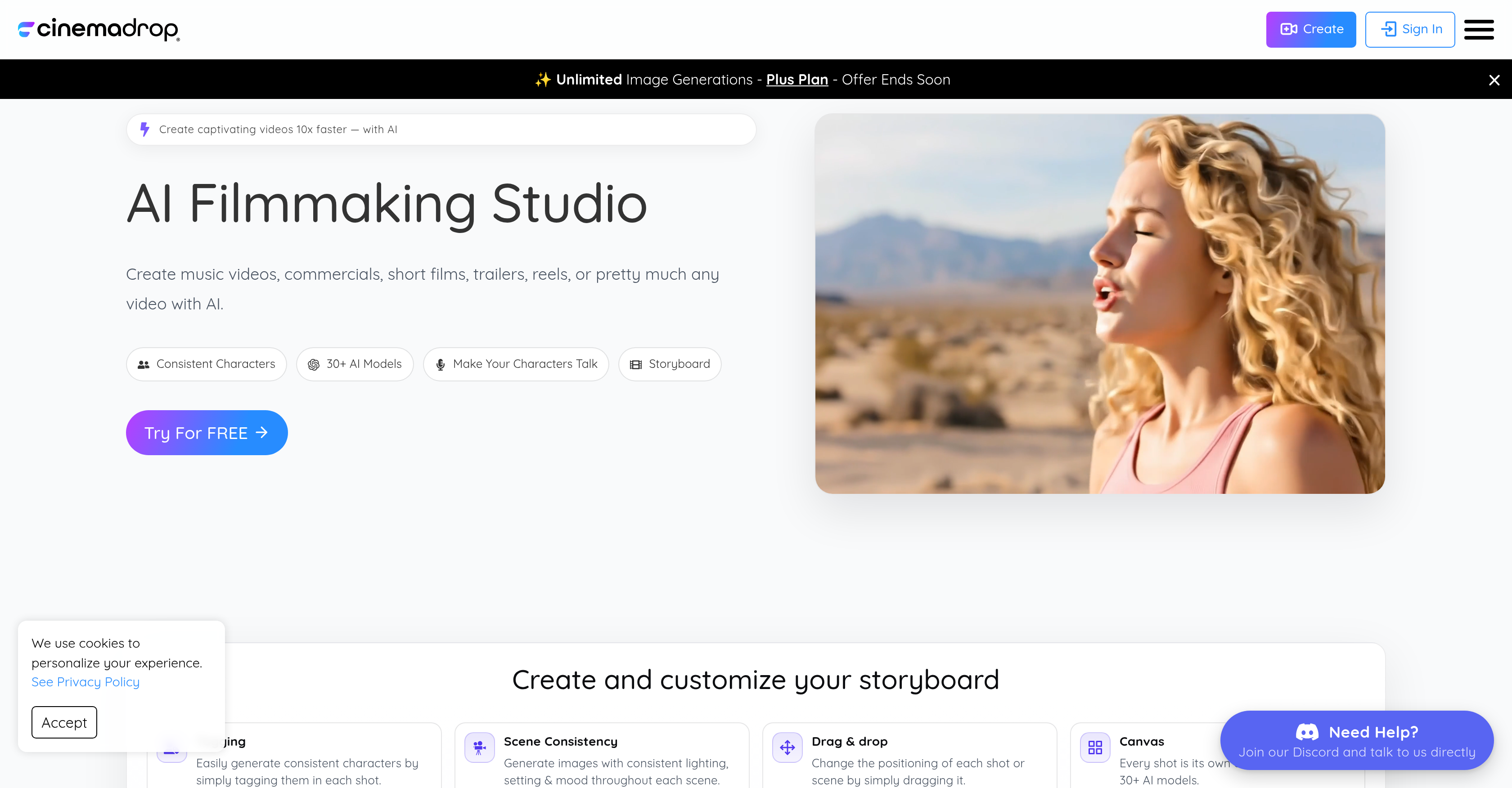
- Maintain perfect character consistency across every shot by simply tagging characters once with 30+ integrated AI models
- Ensure seamless lighting, setting and mood throughout each scene with AI that analyzes and replicates visual aesthetics
- Build complete stories faster with integrated storyboard-to-screen workflow that visualizes your entire project on one canvas
- Edit videos using simple text prompts instead of complex software with intuitive AI-powered editing commands
- Bring characters to life with selectable realistic voices that match their persona and your narrative tone
- Choose from 65+ cinematic image styles to instantly match visual aesthetics to your storytelling needs
- Position shots and scenes effortlessly with drag-and-drop editing that gives you complete creative control over each frame
- Generate cinematic images from simple text prompts that transform your ideas into professional visual narratives
- Add high-quality audio, realistic voices and sound effects to create fully immersive auditory experiences
Pros & Cons
Pros
- Produces various video types
- Character consistency via tagging
- Ensures scene consistency
- Drag and drop feature
- Each shot as canvas
- Selectable voices for characters
- Offers 65+ image styles
- Enables text prompt editing
- Generates cinematic images
- Includes high-quality audios
- Multiple realistic voices
- Allows sound effects
- Integrated storyboard to screen
- Commercial usage in plans
- User-friendly for beginners
- Empowers seasoned filmmakers
- Capable of automated creation
- Fast video production
- Supports innovative storytelling
- Ideal for professional storytellers
- Produces video effects
- Enables animated characters
- Professional video editing interface
- Music video creation
- Commercials production
- Short films creation
- Movie trailers production
- Creates film reels
- Scene creation capability
- Character modeling tools
- Cinematic imagery options
- Audio integration provided
- Promotes creative freedom
- Refund policy available
- Output and Input flexibility
- Community and support provided
- Risk-free trial
- Storyboard customization
- Video editing with text
- Accessible sound effects
- Visual consistency maintenance
- Various image style choices
- Produces high-quality audios
- Turns prompts into visuals
- Multiple realistic voice options
- Community engagement
- Integrated voice and sound tools
- Single platform for filmmaking
- Cinematic quality visuals
Cons
- No offline editing capabilities
- No seamless integration with external tools
- Limited to 65 image styles
- Requires constant tagging for consistency
- No multi-user collaboration options
- Limited audio voice options
- Requires subscription for commercial use
- Limited language support
- No explicit mention of software compatibility
Reviews
Rate this tool
Loading reviews...
❓ Frequently Asked Questions
CinemaDrop is an all-in-one AI filmmaking studio designed to simplify and accelerate the process of producing various types of videos like music videos, commercials, short films, trailers, and reels.
CinemaDrop accelerates the video production process by embedding multiple AI models that help in creating consistent characters, generating images with consistent lighting, setting, and mood. It also allows easy positioning of shots and scenes through a drag and drop interface, offers over 65 image styles to choose from, and enables editing videos with text prompts.
The 30+ AI models in CinemaDrop work by helping to create consistent characters in every shot. By simply tagging the characters, these models ensure that characters display continuity across different scenes and shots, assisting in maintaining the thematic consistency of the overall video.
CinemaDrop ensures scene consistency by generating images with consistent lighting, setting, and mood throughout each scene. This is done by using advanced AI models which analyze and understand the aesthetic features of a scene, and reproduces these features in subsequent scenes to maintain visual symmetry.
Yes, CinemaDrop allows for the easy positioning of each shot or scene through a feature of dragging and dropping, making it both simple and flexible to adjust shot positions during the editing process.
CinemaDrop enables creative freedom by making each shot its own canvas. This allows the user to apply a wide range of aesthetic decisions and changes on a shot-by-shot basis, providing more control over the visual narrative. It also offers more than 65 image styles to choose from, along with the ability to make characters speak with selectable voices.
CinemaDrop offers more than 65 image styles, providing a range to select from according to the storytelling needs. The variety encompasses various cinematic aesthetics, giving users creative flexibility to align their visuals with their narrative goals.
CinemaDrop's text prompt editing feature allows users to command changes in videos through simple text instructions. It's an intuitive way to make edits, add special effects or alterations to the original video content. Users can input these prompts to trigger the integrated AI models to make the desired changes.
CinemaDrop allows users to bring characters to life with selectable voices. This adds an extra layer of realism to the characters, creating a more immersive scene for viewers. Users can select from multiple voice options to best suit their character's persona and the tone of the narrative.
Yes, users can generate cinematic images from simple prompts using CinemaDrop. This tool takes textual input as prompts and generates visually consistent and realistic images that follow the instructions provided. This allows users to easily generate complex visual narratives from simple text prompts.
CinemaDrop extends to audio capabilities enabling users to add high-quality audios, realistic voices, and sound effects. This allows users to refine the auditory experience of their films, further enhancing the overall quality of the output.
CinemaDrop provides an integrated storyboard to screen facility to visualize the entire story end-to-end. It streamlines the workflow by providing an overview of the project in one canvas. This functionality simplifies project management and editing process, enabling smooth transitions from storyboard to final cut.
CinemaDrop can be used by a wide range of individuals and professionals. It is designed to be a useful tool for filmmakers, advertisers, and artists, and anyone else intrigued by AI. Its user-friendly interface also makes it an accessible tool for beginners, while simultaneously providing powerful tools for experienced storytellers and filmmakers.
Yes, CinemaDrop does allow for commercial use. This functionality is included in its various plans, making it a suitable tool for commercial video projects such as advertisements, promotional videos, short films, and more.
CinemaDrop is effectively designed to be user-friendly for beginners. It offers a simple video editing interface where users can drag and drop shots or scenes for positioning, select from a wide range of image styles, and even edit videos with text prompts. This makes it an accessible tool for those who are new to the field of video editing or filmmaking.
CinemaDrop provides powerful tools for experienced filmmakers with its diverse features. Its integrated AI models help to create consistent characters and maintain scene consistency. The tool offers the ability to create and customize the storyboard, edit and adjust shots, and add high-quality audios, realistic voices, sound effects which are crucial for professional-level filmmaking. Moreover, it also offers more than 65 image styles and the ability to edit videos with text prompts, enabling filmmakers to bring their creative visions to life efficiently.
CinemaDrop helps in creating music videos and commercials by providing easy-to-use AI models that help in creating consistent characters, generating images with consistent lighting, setting, and mood throughout each scene. It also provides the feature of dragging and dropping for easy positioning of each shot or scene and the ability to bring the characters to life with selectable voices.
Yes, CinemaDrop can create consistent characters in your videos. It employs over 30 AI models to generate characters consistently in every shot just by tagging them. This ensures the characters appear consistently throughout the video, enhancing the overall narrative and visual appeal of the project.
CinemaDrop ensures consistency in lighting, setting, and mood by generating images with these elements maintained throughout each scene. This is achieved through advanced AI models which continuously analyze and replicate these aspects to ensure a consistent visual narrative.
Pricing
Pricing model
Free Trial
Paid options from
$8/month
Billing frequency
Monthly
Related Videos
CinemaDrop Storyboard Tutorial – Plan, Edit & Export Your AI Movie!
CinemaDrop•388 views•Mar 10, 2025