
ClipFinder
Overview
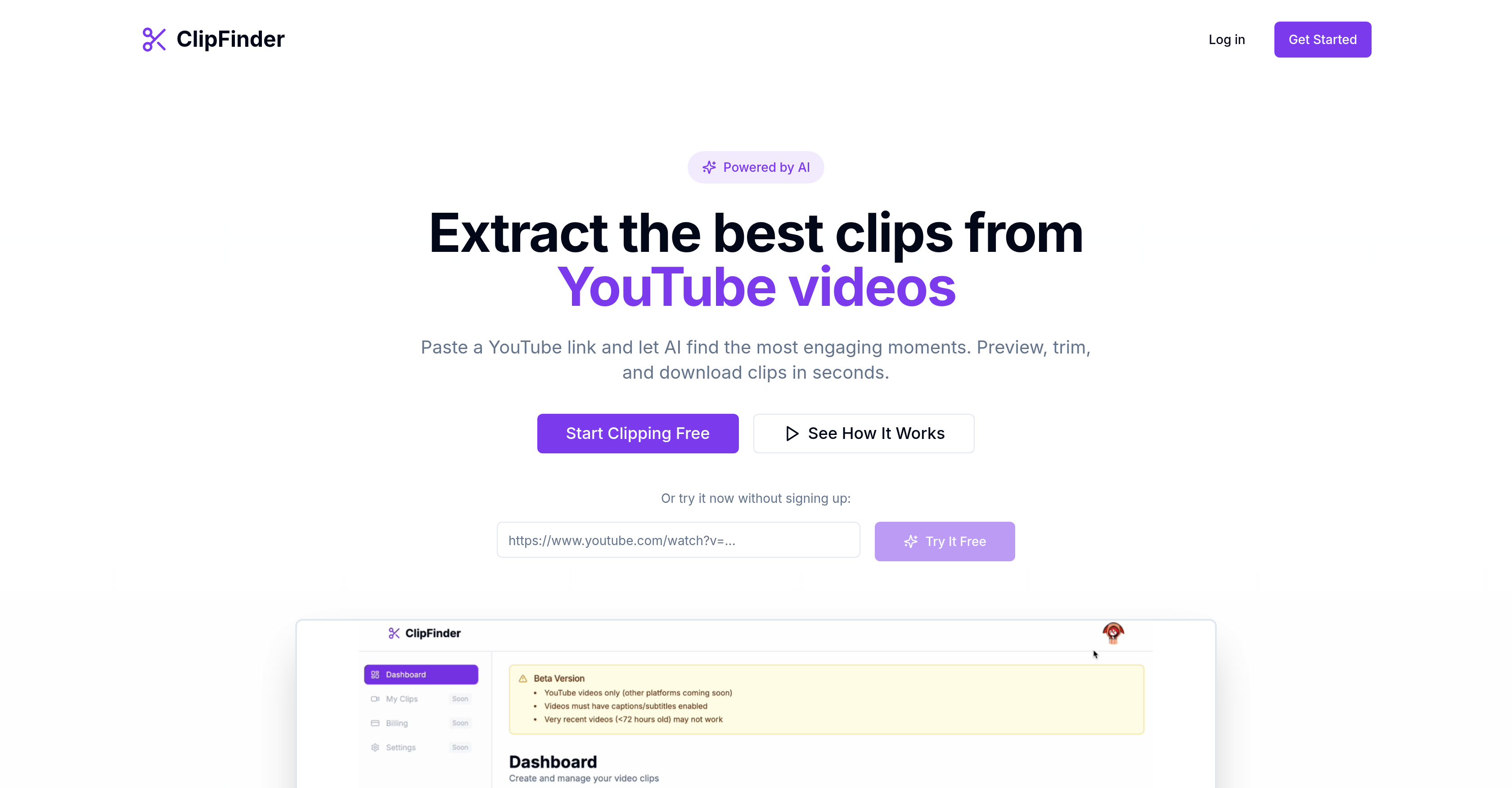
- Instantly identify the most engaging moments in any YouTube video with AI analysis of hook strength, emotional peaks, and rewatch value, saving hours of manual review.
- Download multiple high-quality video clips at once in a single ZIP file using the batch download feature, streamlining content repurposing.
- Precisely adjust clip start and end points with an intuitive drag-and-drop trimming interface, ensuring you capture the exact segment you need.
- Maintain complete privacy as all final trimming and exporting happens directly in your browser, with videos never stored or shared.
- Get started immediately without any barriers—no account signup, credit card, or software installation is required.
Pros & Cons
Pros
- Extracts engaging moments
- Analyzes video comprehensively
- Provides analytical timestamp data
- Evaluates clips based on emotions
- Assesses rewatch value
- Strengthens clip hooks
- Customizable clipping interface
- Drag and drop feature
- Enables fine-tuning of clip sections
- Offers batch download capabilities
- Packaged downloads as ZIP
- Cloud-based processing for quality
- Final trimming happens in browser
- Fast and private processing
- Free to use
- No credit card required
- Doesn't require sign up
- Visual adjustment of clip boundaries
- Instant clip download
- Quick turnaround on processing
- Focused on user privacy
- Allows content rating
- Informs about peak moments
- Aesthetics analysis
Cons
- Limited to YouTube videos
- Final trimming in browser
- No mobile app
- No Video editing capabilities
- Not for live streams
- Dependent on cloud processing
- No API for integration
- Only batch downloads
- Compression as ZIP files
- No multi-language support
Reviews
Rate this tool
Loading reviews...
❓ Frequently Asked Questions
ClipFinder is a tool that leverages AI to extract the most engaging moments from YouTube videos. The tool simplifies the process of creating and downloading video clips by analyzing a video link provided by the user and identifying the most compelling portions.
ClipFinder works in a three-step process. First, the user merely needs to paste a YouTube video URL and click analyze. Subsequently, the AI system analyses the video, identifying the most engaging moments with timestamps and descriptions. Lastly, the users can preview the clips, fine-tune the timestamps with the help of a drag-and-drop trimmer, and instantly download the clips.
ClipFinder utilizes AI to analyze YouTube videos and identify the most engaging moments. The AI studies the video based on parameters like the strength of the hook, emotional peaks, and rewatch value. These moments are marked with timestamps and descriptions, and each recommended clip is assigned a 'clip score'.
No, ClipFinder does not require any credit card sign up. It also provides an option to try it free without any requirement of signing up.
Yes, ClipFinder is free to use, with no requirement for a credit card sign up.
ClipFinder analyzes elements like the strength of the hook, emotional peaks, and rewatch value of YouTube videos for clipping.
The 'clip score' that ClipFinder provides is an analytical metric that evaluates elements like emotional peaks, rewatch value, and the strength of the hook in the video.
Yes, users can preview the clips that ClipFinder recommends before downloading.
Yes, with ClipFinder, users can custom-tailor the start and end points of clips. The tool offers an intuitive, drag-and-drop trimming interface for this purpose.
The drag-and-drop trimming interface in ClipFinder is a user-friendly feature that allows users to fine-tune clip boundaries with ease. This helps in the custom tailoring of the start and end points of the video clips.
ClipFinder allows for fine-tuning of the clipped sections through its intuitive, drag-and-drop trimming interface. This tool lets the users trim the edges of the clip to achieve the desired result.
The batch download capability in ClipFinder is a feature that allows users to download multiple clipped sections from a video at once.
ClipFinder bundles multiple clip downloads as a convenient ZIP file.
All clip processing in ClipFinder is performed in the cloud, ensuring high-quality results.
Absolutely not. Since all clip processing is done in the cloud, ClipFinder ensures high-quality results on downloads, with no compromise on the video quality.
Yes, ClipFinder stresses user privacy. The tool maintains user privacy by performing all final trimmings and exports in the user's browser.
'Videos analyzed remain private' means that as per ClipFinder's privacy policy, all videos analyzed by the tool do not get stored or shared, thereby maintaining the user's privacy.
Yes, ClipFinder offers video editing and trimming tools. It offers users an intuitive, drag-and-drop trimming interface to preview clips, fine-tune the timestamps, and download instantly.
ClipFinder evaluates the strength of the hook, emotional peaks, and rewatch value using its AI system. Each of these elements is factored into the 'clip score' assigned to each recommended clip, thereby optimizing the selection of the most engaging moments.
Yes, ClipFinder can be used effectively for content creation. By extracting and highlighting the peak moments from a YouTube video, content creators can utilize these clips for improving engagement with their audience, thereby enhancing the effectiveness of their content.
ClipFinder leverages AI to analyze YouTube videos and identify the most engaging sections. It provides timestamps of peak moments and a 'clip score' relating to their emotional impact, rewatch value, and the strength of the hook. It offers users the ability to preview and adjust the start and end points of these clips using a drag-and-drop trimming interface, and clips can be downloaded individually or in batches.
To start using ClipFinder, you need to paste a YouTube video URL into ClipFinder and then, the tool will analyze the video. Once ClipFinder identifies the notable moments in the video, you can preview the clips, fine-tune the timestamps using the drag-and-drop trimmer, and download the clips instantly.
ClipFinder uses AI-based analysis to identify compelling moments in a video. It assesses various elements of each moment, such as the strength of the hook, emotional peaks, and the rewatch value. These moments are then tagged with timestamps for easy reference.
The 'clip score' provided by ClipFinder is a value ascribed to each extracted clip. This score evaluates elements like the emotional peaks of the clip, its rewatch value, and the strength of the hook. It aims to provide an easy way for users to assess the potential engagement level of each clip.
ClipFinder's AI analyzes emotional peaks, rewatch value, and hook strength by evaluating various elements of the video content. It scores each clip based on these three criteria, enabling users to discern the clip's potential engagement level.
The trimming interface of ClipFinder is intuitive and user-friendly. Users can visually adjust clip boundaries using a drag-and-drop trimmer. This allows them to fine-tune the starting and ending points of the clip to their satisfaction before downloading.
ClipFinder assists in audience engagement by isolating the most captivating moments of a video. It's AI-driven analysis provides 'clip scores' that evaluate the emotional pull, rewatch value, and hook strength of clips. This allows users to select and download the most engaging clips to use in their content.
The batch download feature on ClipFinder allows users to download multiple clips simultaneously. After the clips have been processed, they are bundled into a ZIP file for convenient download.
In ClipFinder, cloud processing refers to the handling of video analysis and the initial clip extraction. This method ensures high-quality results for all downloaded clips and offers a rapid turnaround time.
The final trimming and exporting of clips in ClipFinder occur in the user's browser. This method enhances the speed of the process and keeps user data private.
Yes, ClipFinder is free to use.
No, ClipFinder does not require a credit card sign up.
ClipFinder handles users' privacy by ensuring that the final trimming and exporting of video clips take place solely in the user's browser. It guarantees that all videos processed remain private.
Yes, ClipFinder can be used without signing up.
The drag-and-drop feature on ClipFinder allows users to visually adjust the start and end points of their clips. With this feature, users can intuitively select the desired segments for their clips by dragging and dropping the trimmer in the preview pane.
To download clips using ClipFinder, after pasting a YouTube link and letting the AI analyze and identify engaging moments, you can fine-tune the timestamps of the clips you want using the visual trimming interface, and then download them instantly.
The quality of the downloaded clips from ClipFinder is high. Clip processing is performed in the cloud, which ensures this high-quality result.
Yes, you can refine and modify the clips using ClipFinder. The tool provides an intuitive, drag-and-drop trimming interface that allows for fine-tuning of the clipped sections before they are downloaded.
ClipFinder packages multiple clips for download by batching them together into a convenient ZIP file. This allows users to download multiple clips at once in a tidy, single package.
Pricing
Pricing model
Pricing
Paid options from
N/A