Overview
- Produce perfectly harmonic mixes automatically with Harmonize technology that analyzes BPM, key, and your preferences
- Save hours on track selection and setup with automated playlist arrangement using advanced tempo and harmonic calculations
- Create your signature sound with precision transitions, unique effects, and custom automations for distinctive mixes
- Export directly to Mixcloud with auto-generated tracklists, eliminating separate recording and uploading steps
- Work seamlessly across platforms with integration for rekordbox, Serato, VirtualDJ, TRAKTOR, and Ableton Live
- Build professional radio shows, video mixes, and podcasts faster with intuitive timeline-based editing
- Focus on creative expression rather than technical setup, whether you're a beginner or experienced DJ
Pros & Cons
Pros
- Award-winning DAW
- Timeline-based editor
- Production-style workflows
- Automatic playlist arrangement
- Advanced harmonics calculations
- Tempo-based mix perfection
- Precision transitions
- Unique sound effects
- DJs signature sound creation
- Integration with Mixed In Key
- Integration with rekordbox
- Integration with Serato
- Integration with VirtualDJ
- Integration with Engine DJ
- Integration with TRAKTOR
- Integration with iTunes
- Ableton Live export
- Mixcloud export
- Auto-generated tracklist
- Harmonize function
- BPM matching
- Key matching
- User preference mixing
- Reduced song selection time
- Reduced setup time
- Create radio shows
- Create video mixes
- Create live sets
- Flawless auditory experience
- NAMM TEC Award winner
- 250,000+ User community
- Sound seamless with harmonize
- Polish skills function
- Solve tempo issues
- Solve key matching issues
- Create signature sound
- Add multiple effects
- Own precise transition settings
- Add own samples
- DJ.With Spotify
- DJ with Beatport
- Online mixing capability
- Internet connection DJ
- Remix songs feature
- Transition editing
- Beatmatching
- Harmonic mixing
- Stem separation
- Record at 5X speed
Cons
- No offline version
- Not compatible with all platforms
- No free version
- No multi-language support
- No direct social media export
- Requires high-speed internet connection
- Limited video capabilities
- No mobile app
- Lacks advanced sound editing features
Reviews
Rate this tool
Loading reviews...
❓ Frequently Asked Questions
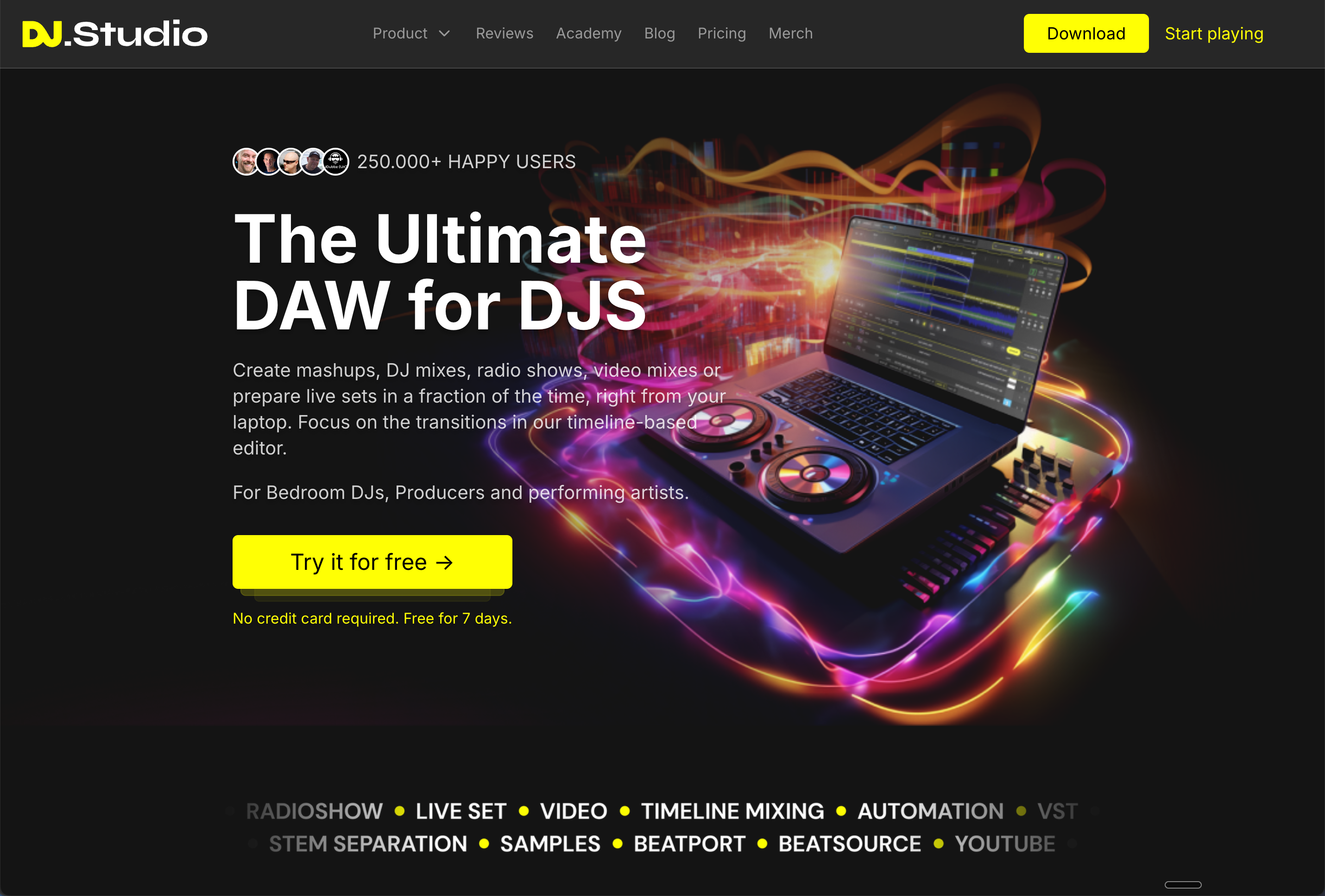
DJ.Studio's primary functionality empowers DJs to create mashups, DJ mixes, radio shows, video mixes, or orchestrate live sets straight from their laptops. Its powerful tools and user-friendly interface make it an ideal digital audio workstation (DAW) specifically designed for DJs.
The timeline-based editor in DJ.Studio allows DJs to concentrate on refining transitions for an impeccable auditory experience. It transforms the process of editing and enables DJs to have a detailed visual representation of tracks, making it easier to manage, shuffle, queue, and overlay multiple tracks and create an uninterrupted flow of music.
Harmonize is a standout feature of DJ.Studio which uses input factors like Beats Per Minute (BPM), key, and individual user preferences to provide a perfect mix every time. It solves mixing issues like tempo and key matching instantly, enabling users to produce seamless and professional mixes and save monumental amounts of time.
DJ.Studio efficiently integrates with numerous music libraries and platforms such as Mixed In Key, rekordbox, Serato, VirtualDJ, Engine DJ, TRAKTOR, iTunes, etc. This makes it easier for DJs to port their music libraries into DJ.Studio and begin creating their mixes right away. The software also supports direct exports to Ableton Live, further enhancing its interoperability.
Automatic playlist arrangement in DJ.Studio is driven by advanced harmonics and tempo-based calculations. It carefully arranges playlist orders based on tempo, and harmonics inspired by the Camelot Wheel, to ensure an impeccable musical flow. This helps in creating mixes that sound smooth and professionally curated.
DJ.Studio stands out in the market thanks to its unique blend of user-friendly design, advanced features like Harmonize and automated playlist arrangements, and seamless integration with various popular music libraries and platforms. Not only does it streamline the DJing process, but it also offers intuitive tools for personalized creations, helping create a DJ's signature sound.
DJ.Studio offers the option to include unique effects and automations, which can be used to add personal flair and create a DJ's signature sound. With precision transitions, DJs can shape the flow of their mixes to their preference and add distinct personal touches, making each creation unique.
Direct exports to Mixcloud with an auto-generated tracklist is an exemplary feature of DJ.Studio. It streamlines the sharing of DJ mixes by exporting them directly to Mixcloud, removing the need for separate recording, exporting, and uploading processes. The auto-generated tracklist ensures that all tracks are correctly tagged and improves the experience for listeners.
DJ.Studio offers a range of unique effects and automations that can be customized according to a DJ's preference. These enable DJs to implement the best transitions, blend tracks, create their signature sound with easily applied effects, and incorporate their unique automations.
DJ.Studio is extremely efficient when it comes to creating live sets and video mixes. It equips DJs with various tools promoting creativity and flexibility, making the process of creating live sets and video mixes fast and enjoyable, without compromising on quality and precision.
The key considerations in the Harmonize function of DJ.Studio to provide a perfect mix are Beats Per Minute (BPM), musical key, and user-defined preferences. These factors are evaluated to solve mixing issues while ensuring seamless transitions and professional-quality mixes.
DJ.Studio assists in producing seamless and professional mixes through its array of tools and features. The Harmonize functionality helps solve key matching and tempo-related issues, while precision transition tools and unique effects provide DJs the workings to craft an uninterrupted musical journey.
DJ.Studio aids in reducing time wasted on song selection and setup through its automated playlist arrangement. This function uses millions of advanced harmonic and tempo calculations to order the playlist perfectly, based on tempo and harmonic matching. This allows DJs to remain focused on the creative aspects of their work and spend less time on song selection and setup.
Yes, DJ.Studio can be used by both novice and experienced DJs. It promises an intuitive yet powerful interface that provides an efficient and collaborative platform for DJs of all levels. The tool offers a wide range of capabilities, from automated playlist arrangements to precision transitions, that cater to a broad spectrum of DJing needs.
Automatic playlist arrangement in DJ.Studio functions using advanced harmonics and tempo-based calculations. It orders the playlist perfectly based on these calculations, along with key matching methodologies inspired by the Camelot Wheel. The automatic arrangement greatly reduces the time spent on track selection and ensures a smooth mix every time.
DJ.Studio facilitates direct exports to Ableton Live, thereby allowing users to create mix sessions with ease. The seamless work pipeline allows you to export your mixes directly to Ableton Live for further production or live performance elements, offering infinite possibilities for mixing and production.
In DJ.Studio, advanced harmonics and tempo-based calculations are fundamental in delivering seamless and professional mixes. These calculations inform the automatic arrangement of playlists and the Harmonize function, ensuring that the mix maintains a perfect flow and each transition seamlessly fits into the overall tune.
Unique sound effects and DJ automations in DJ.Studio can create unique and personal sounds, aiding the creation of a DJ's signature sound. With the freedom to select and apply multiple effects simultaneously, DJs can truly customize their mixes, adding their personal style to their transitions and tracks.
DJ.Studio offers powerful capabilities for both podcasting and video creation. With its efficient integration with different music libraries and platforms, DJ.Studio provides unlimited potential for creating high-quality mixes ideal for podcasts and video soundtracks. Its streamline interfaces simplify the process and encourage creative exploration.
Yes, DJ.Studio can effectively solve mixing issues like tempo and key matching at the click of a button. With its sophisticated computing powers, it can analyze multiple song attributes, matching tempo, key, and BPM effortlessly, ensuring seamless transitions and a smooth mix overall.
Pricing
Pricing model
Free Trial
Paid options from
$29/month
Billing frequency
Monthly