
Document CoPilot
Start revising in seconds without installing anything: share your Google Doc with edit access, and AI editing feedback appears within about 10 seconds through the native Google Docs commenting system.
Listing not yet reviewed by our editors · How we check
Overview
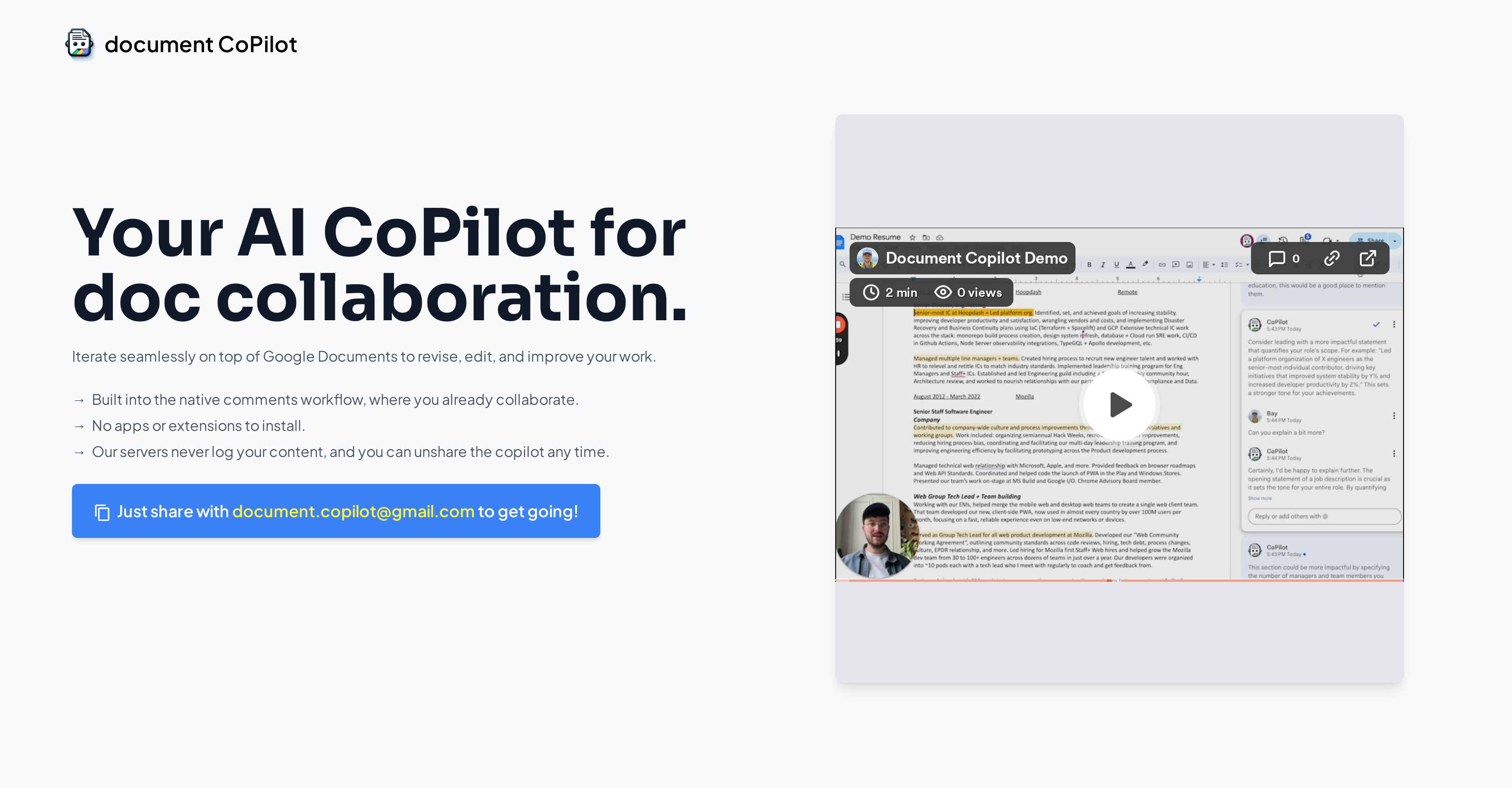
- Start revising in seconds without installing anything: share your Google Doc with edit access, and AI editing feedback appears within about 10 seconds through the native Google Docs commenting system.
- See exactly what to fix and where: targeted in-line comments and replies anchor each revision suggestion to the passage it applies to, so you edit in place without switching tools.
- Get clarity on any suggestion before you accept it: reply to a comment or add your own to ask specific questions or request elaborations, and the AI responds in the same thread.
- Keep your writing private by default: auto-exit removes the AI from your document after 30 minutes of inactivity and unshares it at the end of every session, with no logging or storage of your content.
- Pay only for the feedback you use: start editing free, then add comments in batches of a few hundred at a time with usage-based pricing instead of a subscription.
- Resume editing whenever you're ready: re-share the document with edit access to start a new collaborative editing session on the same draft.
- Improve documents on any subject: the AI writing assistant handles a wide range of topics, focused specifically on Google Docs rather than Sheets, Slides, or .docx files.
Pros & Cons
From the listing; not yet checked by our editors.
Pros
- Inline comments and replies
- Compatible with Google Documents
- No additional apps required
- Facilitates document sharing
- Auto-exit during long breaks
- Well-versed in multiple topics
- Ensures user privacy
- Does not log content
- Flexible re-invitation system
- User-driven question and elaboration
- Supports wide document range
- Charges only beyond free comments
- Compatible with Anthropic's Claude
- Unshares from docs post-session
- Responds swiftly (within seconds)
- Provides both minute and major feedback
- Supports versatile document topics
- Automatic session end privacy
- Dedicated email for feedback
- Individualized command interpretation
- Transparent cost policy
- Integrated into native workflow
- Specific comment-guided interaction
- Easily instigate collaboration
Cons
- Supports only Google Documents
- Charges for additional comments
- Unexpected auto-exit feature
- Privacy reliant on third-party
- Lacks integration with spreadsheets/slide tools
- Limited to documents, no .docx
- Requires edit access sharing
- Could offer banal suggestions
- Reliance on user for tool direction
- Unpredicted outages possible
Alternatives to Document CoPilot
Tools that share the most tags with Document CoPilot.
- AODocs
Automate complex document processes end-to-end with generative AI, eliminating manual tasks and human error
Not listed
Not listed
Not yet checked
- Send AI
Eliminate manual data entry entirely with custom AI models that automatically extract specific entities from your documents
Not listed
Not listed
Not yet checked
- TidyDocs
Find any invoice or receipt in seconds with intelligent search that works as you type, powered by AI that extracts vendor, date, and amount from any document
Freemium · from $19/month
$19/month
Not yet checked
- The Drive AI
Find any document instantly without manual searching through AI-powered content-based file search
Freemium · from $19.99/month
$19.99/month
Not yet checked
- Safe Appeals
Transform scattered files into a coherent project in minutes by dropping PDFs, research papers, and notes into a unified workspace where everything is automatically organized and indexed.
Paid · from $30
$30
Not yet checked
- Bit.ai
Transform scattered documents into a centralized knowledge base that your entire team can access instantly through powerful search capabilities
Freemium · from $8/month
$8/month
Not yet checked
Reviews
Rate this tool
Loading reviews...
Frequently asked questions
What is Document CoPilot?
Document CoPilot is an AI tool that is primarily designed to facilitate collaboration on Google Documents. It helps revise, edit, and improve work through in-line comments and replies. Document CoPilot works by integrating with the native comments workflow of Google Documents and doesn't require installing any apps or extensions. Users simply share their Google Document with Document CoPilot to start an editing session.
What is the primary function of Document CoPilot?
The primary function of Document CoPilot is to facilitate editing and revision of Google Documents via in-line comments and replies. It provides thoughtful and focused in-line edits, fostering productive collaborative sessions on the document.
How does Document CoPilot integrate with Google Document's native commenting system?
Document CoPilot integrates with Google Document's native commenting system seamlessly. It doesn't require users to install any additional applications or extensions. Once a user shares the Google Document with Document CoPilot, the tool joins the document and starts to provide in-line comments and replies.
How do I share my Google Document with Document CoPilot?
To share a Google Document with Document CoPilot, you follow the standard sharing procedure of a Google Doc. You share the Google Document with the email address [email protected]. You'll need to share with 'edit' access and make sure to check the 'notify people' checkbox.
What happens when Document CoPilot joins a document?
Once Document CoPilot joins a document, it begins to add comments and replies within about 10 seconds. It watches the Google Document and responds with thoughtful and focused in-line edits. It also responds to any comments or replies left by the user.
Can I ask specific questions or request elaborations on suggestions from Document CoPilot?
Yes, users can ask specific questions or request elaborations on suggestions from Document CoPilot. They simply add a comment or a reply to engage the AI tool in a dialogue, and it responds accordingly.
What is the auto-exit feature in Document CoPilot?
The auto-exit feature in Document CoPilot is a privacy measure that ensures that the tool automatically leaves the document if a user takes a break of more than 30 minutes. This feature ensures users' privacy is maintained during inactive periods.
Why does Document CoPilot leave a document after a user's 30-minute break?
Document CoPilot leaves the document after a user's 30-minute break as a part of its privacy measure. Its auto-exit feature is designed to protect user privacy by ensuring that the tool is not unnecessarily present in the document during periods of inactivity.