FastlyConvert
Overview
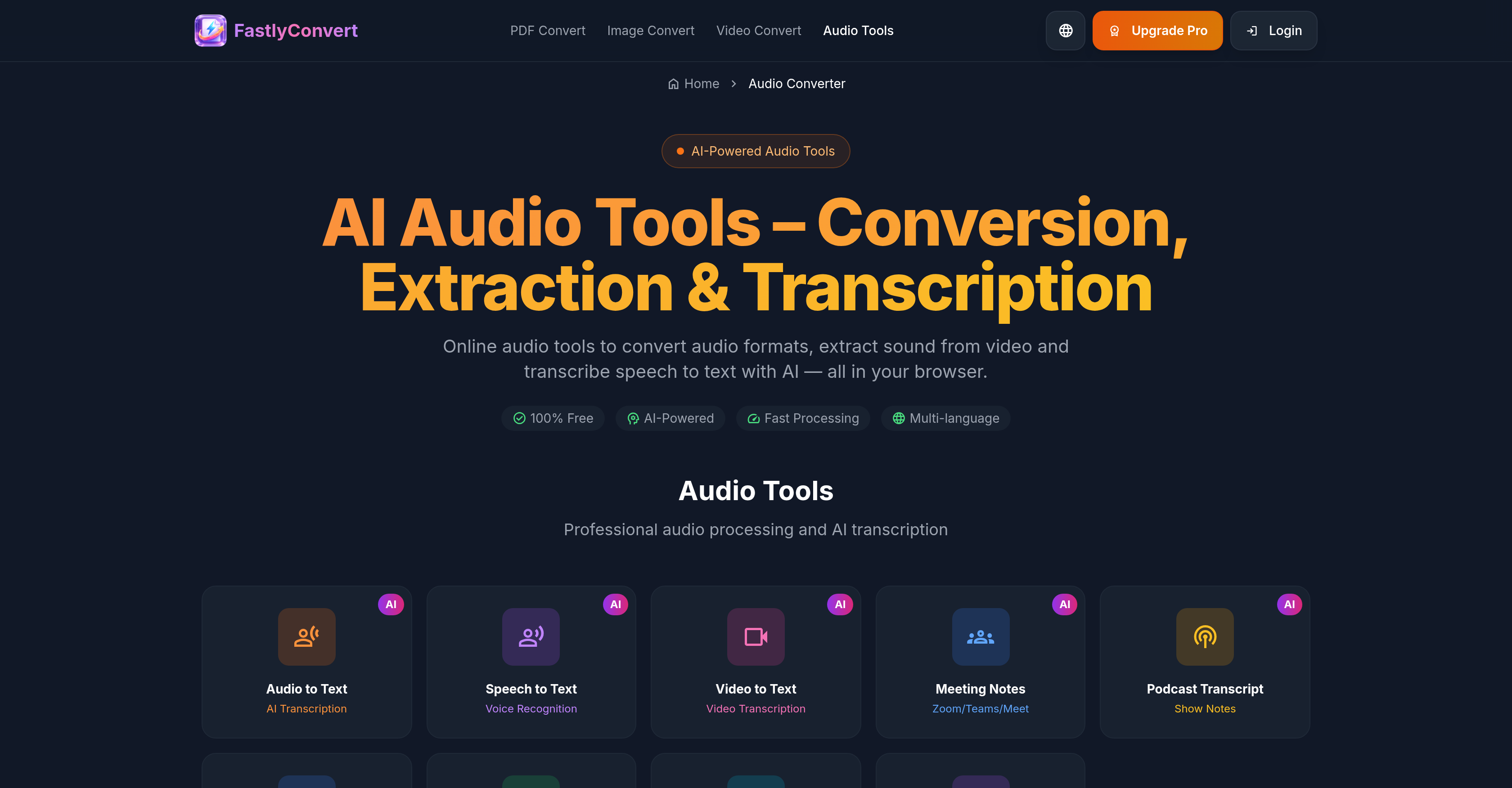
- Turn meetings, podcasts, and lectures into searchable text notes instantly using AI-powered transcription that works directly from your browser
- Extract audio from any video file (MP4, MOV, AVI) to save music performances or lectures as MP3, WAV, or M4A files for offline listening
- Convert any audio file between popular formats (MP3, WAV, FLAC, AAC) to ensure compatibility with your devices and apps without installing software
- Trim, edit, and compress audio files directly online to prepare them for email or web uploads with a streamlined, all-in-one toolkit
- Keep your sensitive recordings private with automatic file deletion from servers after 24 hours, using HTTPS encryption with no data sold
Pros & Cons
Pros
- Supports multiple formats
- Automatic transcription
- Audio and video transcription
- Audio from video extraction
- Automated file deletion
- High-quality conversion
- Multilingual support
- Secure processing
- Audio compression
- File editing
- Privacy protection
- Fast conversion
- Good for interviews
- Useful for podcasters
- Translates speech
- Web-based tool
- Flexible audio conversion
- Text-based output
- Effective for meetings
- Suited for voice notes
- Supports MP3
- Supports WAV
- Supports M4A
- Supports OGG
- Supports FLAC
- Supports AAC
- Supports MP4
- Supports MOV
- Supports AVI
- Supports MKV
- Supports WEBM
- Multiple languages
- Audio trimming
- Transcribe video to text
- Data security
- Clearspeech recognition
- Video to MP3
- Audio size compression
- Optimized for minimal noise
- Fast and efficient
- Suitable for professional use
- Flexible input formats
Cons
- TXT output only
- No SRT/VTT subtitles
- Audio clarity dependent
- No immediate file deletion
- Possible inaccuracies with overlapping speakers
- Long silences not automatically removed
- Doesn't work well with heavy background music
- Advanced features not free
- Auto-deletion after 24 hours only
- No dataset building for developmental improvements
Reviews
Rate this tool
Loading reviews...
❓ Frequently Asked Questions
FastlyConvert supports popular audio file formats including MP3, WAV, M4A, OGG, FLAC, AAC and video file formats such as MP4, MOV, AVI, MKV, and WEBM for conversion.
Yes, FastlyConvert can be used for transcribing speech. It converts audio content from the supported file formats into plain text files, making it useful for transcribing speeches, interviews, lectures, podcasts, and voice notes.
Yes, one of the key features of FastlyConvert tool is its ability to extract sound from video which is particularly useful for saving lectures, music performances, or talks as audio-only files.
FastlyConvert does not support conversion into subtitle formats such as SRT/VTT. The output format for all transcriptions is TXT only.
FastlyConvert is free to use. However, there are some advanced features that may require users to upgrade from the free version.
To ensure privacy and security, FastlyConvert temporarily uploads user files to its servers for processing, after which they are automatically deleted within a 24-hour timeframe. HTTPS encryption is used for transfers, and the company details that they do not sell user files or use them to build public datasets.
Yes, FastlyConvert offers an audio converting feature which allows users to switch between various supported audio formats ensuring compatibility across various devices or applications.
FastlyConvert retains user data for 24 hours. After the processing of files, they get automatically deleted from the servers within this timeframe.
FastlyConvert offers advanced features like unrestricted number of conversions, no file size limit, bulk processing, and priority processing speed. These features would require users to upgrade to the Pro version.
Yes, FastlyConvert supports Video-to-Text Conversion, so video files can be transcribed into plain text using this tool.
Yes, the audio extraction feature of FastlyConvert allows users to save lectures, music performances, or talks as audio-only files.
FastlyConvert ensures compatibility across devices or apps by offering a feature that allows users to switch between various supported audio formats. These formats are commonly used and widely supported on many devices and applications.
FastlyConvert handles data privacy by temporarily uploading user files to its servers for processing. After the process is completed, the files are automatically deleted within a 24-hour timeframe. The company also states that it does not sell user files or use them to build public datasets.
The use of most tools in FastlyConvert does not require an account or software installation. However, to access certain advanced features an upgrade might be necessary, which presumably involves creating an account.
AI-powered transcription in FastlyConvert uses AI speech recognition to automatically convert audio and video into text. This feature supports multiple languages.
Yes, FastlyConvert offers the feature of converting video files into plain text, which can be highly useful for transcribing speeches, interviews, and other spoken content recorded in video format.
If files remain on FastlyConvert for more than 24 hours, they are automatically deleted as part of the platform's privacy and security measures.
While FastlyConvert offers its service for free, there are some limitations. Advanced features such as unlimited conversions, processing files of any size, bulk processing, and priority processing speed would require an upgrade to the Pro version.
FastlyConvert mentions handling queries related to immediate deletion assistance through its support channel, [email protected]. They assure that in most cases, files are deleted automatically after processing and do not stay longer than necessary on their servers.
Yes, FastlyConvert is capable of transcribing meetings, interviews, podcasts, or voice notes into text. This AI-based tool automatically converts spoken content in video or audio files into plain text format.
FastlyConvert can process audio and video files. Supported audio formats include MP3, WAV, M4A, OGG, FLAC, AAC. The supported video formats are MP4, MOV, AVI, MKV, and WEBM.
FastlyConvert supports TXT output format only.
Yes, FastlyConvert can transcribe audio from videos. It extracts sound from video files and transcribes speech into text.
FastlyConvert ensures data privacy through secure processing. It uses HTTPS encryption for transfers, does not sell user files, and does not use them to build public datasets.
FastlyConvert stores uploaded files for 24 hours. After that, the files are automatically deleted from its servers.
The website mentions that FastlyConvert supports multi-language audio tools. However, it doesn't give a list of specific languages supported for speech-to-text translation.
FastlyConvert's Audio Toolkit includes conversion between different audio formats, extraction of sound from videos, transcribing speech into text, trimming and editing of audio files, and compression of audio files.
Yes, you can edit your audio files with FastlyConvert. It provides tools to trim and cut audio files.
The accuracy of transcription on FastlyConvert is affected by the clarity of the audio. For best results, it recommends using recordings with minimal background noise, clear speech, and a stable volume level.
No, FastlyConvert does not support subtitle formats like SRT/VTT. The supported output format is TXT only.
FastlyConvert mentions that if a file contains multiple speakers, overlapping voices, or heavy music, the output may include errors or miss some words. It has not indicated the specific capability to handle such audio complexities.
The website does not specify any file size limits for FastlyConvert. But it mentions that some advanced features may require an upgrade.
Yes, FastlyConvert is free to use. However, it mentions that some advanced features may require an upgrade.
For immediate deletion of your files in FastlyConvert, you can contact the support team at [email protected].
Yes, FastlyConvert provides tips for accurate transcriptions. It recommends the use of clear recordings with close proximity to the microphone, low noise, one speaker at a time to avoid overlapping voices, trimming long silence or irrelevant parts before uploading, and choosing the correct spoken language.
Yes, FastlyConvert can compress audio files. It has a tool for shrinking file sizes for easier email or web uploads.
Yes, apart from translation and transcription, FastlyConvert provides a variety of other services. It includes audio format conversion, extraction of sound from videos, audio editing, and audio compression.
For podcasts and meetings, you can use FastlyConvert to transcribe audio to text for creating notes, captions, or summaries. Its tools can convert the audio from these sessions into a legible text format, which can be useful in preparing meeting minutes or podcast transcripts.
Yes, FastlyConvert can convert MP4 videos to MP3. It can extract audio tracks from your videos, making them available for offline listening or sharing.
The benefits of using AI for transcriptions in FastlyConvert include quick and accurate turning of audio and video into text in multiple languages, convenient for meetings, interviews, podcasts, and voice notes. It uses AI speech recognition for this purpose.
Pricing
Pricing model
Freemium
Paid options from
$9.99/month
Billing frequency
Monthly