

Fill Hero
Complete an entire Google Form in seconds without leaving the page: paste your information once and the AI autofill populates every field with a single click.
Listing not yet reviewed by our editors · How we check
Overview
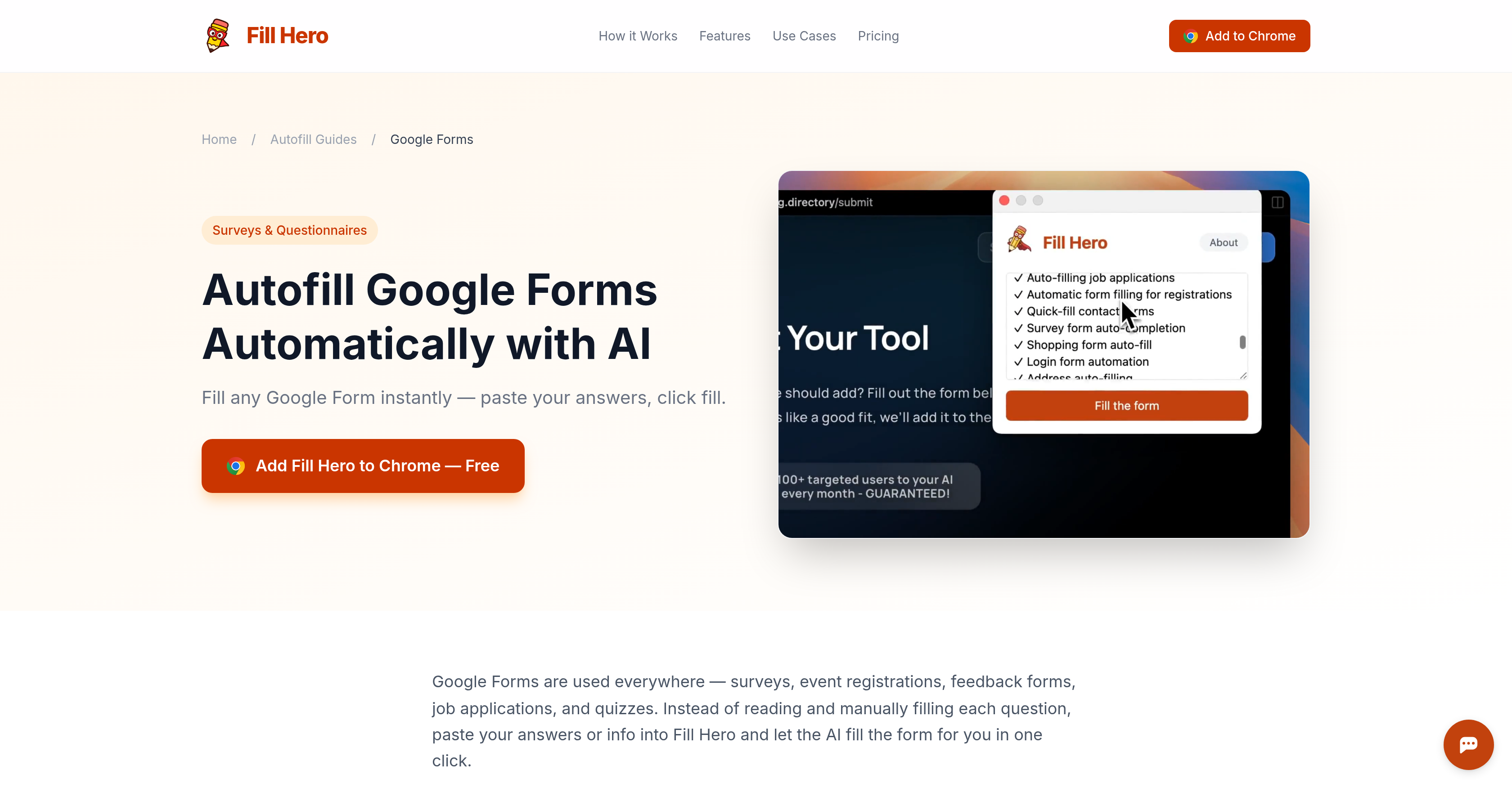
- Complete an entire Google Form in seconds without leaving the page: paste your information once and the AI autofill populates every field with a single click.
- Submit accurate form data every time, because automated data entry removes the typos and missed fields that come from manual typing.
- Finish complex forms with no manual fixes: the form filler handles short answer, paragraph, radio button, and dropdown fields.
- Use one form autofill tool across every platform you meet, with support for Google Forms, Typeform, JotForm, and Microsoft Office 365 forms.
- Skip retyping the same details for repeat registrations and event signups: save frequently used information as a reusable template and apply it to any new form.
- Move through surveys, feedback forms, quizzes, and registration forms faster, with one paste-and-fill workflow that covers every common Google Form type.
- Cut repetitive data entry for client intake, applications, and orders in healthcare, real estate, e-commerce, financial services, and legal work by automating web form filling.
- Start autofilling forms immediately at no cost: add the free Chrome extension to your browser and fill forms directly where they appear.
Pros & Cons
From the listing; not yet checked by our editors.
Pros
- Fills multiple form platforms
- Chrome-extension based
- Handles diverse field types
- Template saving feature
- Ideal for repeated registrations
- Ensures time efficiency
- Reduces input errors
- Single-click form filling
- Works with multiple sectors
- No manual typing required
- Intuitive user experience
- Supports Google Forms
- Operates with Typeform
- Compatible with JotForm
- Works with Microsoft Office 365 forms
- Supports paragraph, radio buttons, and dropdowns
- Ensures typing accuracy
- Perfect for event signups
- Autofills registration forms
- Works on surveys
- Useful for feedback forms
- Assists with quizzes
- Ideal for e-commerce
- Helpful in healthcare sector
- Beneficial for real estate
- Useful in financial services
- Assists legal services
- Supports multiple languages
Cons
- Chrome-only extension
- Possible privacy concerns
- Limited to Web forms
- No mobile application
- Dependent on saved templates
- Might not support complex forms
- No multi-language support
- No API for integrations
- Doesn't work with non-standard forms
- Limited sectors usage mentioned
Alternatives to Fill Hero
Tools that share the most tags with Fill Hero.
- Instafill
Eliminate manual data entry errors completely with AI algorithms that accurately identify and populate form fields
Freemium · from $19.99/month
$19.99/month
Not yet checked
- Filly AI
Eliminate repetitive data entry by letting AI autofill PDF and Word forms from reusable client profiles, so every form is completed in seconds.
Freemium · from $19/month
$19/month
Not yet checked
- Autofillr
Finish online forms in seconds instead of retyping the same details: Autofillr fills web form fields automatically, right on the page you are browsing.
Free
Not listed
Not yet checked
- Fill A Form AI
Finish online forms in seconds without leaving the page: the Sidekick Chrome extension detects form fields and auto-fills them with one click.
Free trial · from $19/month
$19/month
Not yet checked
- Ai Form Filler
Finish online forms in seconds without leaving the page: AI autofill populates names, addresses, and contact fields directly in your Chrome browser.
Free
Not listed
Not yet checked
- Unifill AI
Stop retyping the same details on every online form: Unifill AI learns from your first manual entry, then autofills matching forms with one click right inside your browser.
Not listed
Not listed
Not yet checked
Reviews
Rate this tool
Loading reviews...
Frequently asked questions
What is Fill Hero?
Fill Hero is an AI-driven service designed to automatically fill out Google Forms and various other web forms with just a single click. It works as a Chrome extension that can handle multiple form field types, making it versatile and highly useful for businesses and end-users.
How does Fill Hero work?
Fill Hero works by leveraging artificial intelligence to auto-fill the fields of a form. Users paste their necessary information into Fill Hero, and the service fills in every field of the form with just one click, automating the time-consuming process of manual data entry.
Which types of forms can Fill Hero autofill?
Fill Hero is versatile in handling various forms including registration forms, surveys, event signups, feedback forms, and quizzes. It is capable of handling form fields such as short answers, paragraphs, radio buttons, and dropdowns, making it useful for a wide array of applications.
What platforms is Fill Hero compatible with?
Fill Hero is a Chrome extension and is hence compatible with any platform that supports Chrome extensions. It works seamlessly with various web form platforms like Google Forms, Typeform, JotForm, and Microsoft Office 365 forms.
Is Fill Hero capable of handling all types of form fields?
Indeed, Fill Hero is designed to handle all types of form fields. These include but are not limited to short answers, paragraphs, multiple choices (radio buttons), and dropdowns.
Can I save my information for future use with Fill Hero?
Yes, Fill Hero allows users to save their frequently used information as a 'template'. This info can then be reused for future forms, a feature that is particularly beneficial for repeated registrations or event signups.
How does Fill Hero contribute to time efficiency?
Fill Hero contributes to time efficiency by automating form filling processes. Instead of filling out fields manually, users can paste their information into Fill Hero, which auto-fills every field in one click, thereby saving considerable time.
Does Fill Hero reduce chances of input errors?
Yes, Fill Hero aims to reduce the chances of input errors by eliminating manual typing, which could otherwise lead to human error. By automating the form filling process, it ensures higher levels of accuracy.